Film cameras
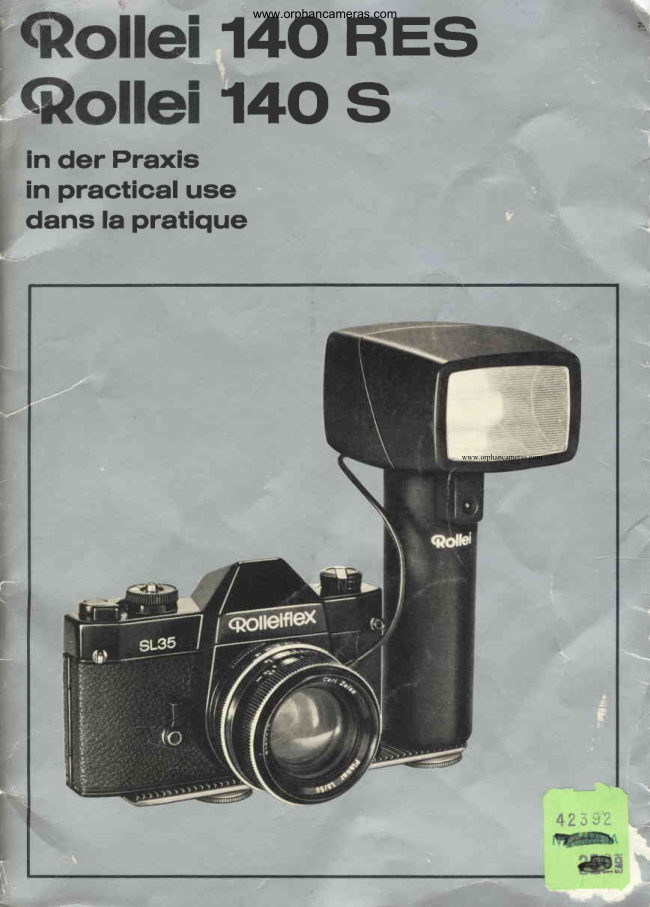
Rollei Rollie 140 RES User manual
User manual for Rollei Rollie 140 RES. 19 pages in English. Read the original PDF, download or print a copy without registration.
19 pagesEnglish1.4 MB PDF
Loading your manual…Open PDF directly
Document details
- Brand
- Rollei
- Model / document
- Rollei Rollie 140 RES
- Document type
- User manual
- Language
- English
- Pages
- 19
- File size
- 1.4 MB
- Category
- Film cameras
- Document date
- Not specified in catalog
Search available document text
Find a term, then jump to its page in the original PDF. Image-only pages may not be searchable; check the PDF for exact wording and diagrams.
Page 5 · Read text
www.orphancameras.com

Components   and  functlon                  Brlef  crash  courae
  I  Camera bracket                O Rttach camera  bracket 1  to  hand
 2  Milled screw for flash gun                   grip 3 using screw 2 -+ fig. B.
 3  Hand grip                             O Attach camera bracket 1 with flash 4  Milled screw for camera                                       gun to tripod bush of camera using 5  Flash cord release and                                                s c r e w 4 + f i g . C .    manualfiring
 6  Flash cord                    O Move release button 5 to the  left,
 7  Flash cord outlet                       connect flash cord 6 to outlet 7 and
 8  Film speed setting button               camera X contact.
 9  Film speed scale with A index       O Set shutter speed with between-lens
10* Rollei-Vario-computer/ manual                                                shutter as required up to  t/zsoSOC,
    selector switch                                               with focal plane shutter in accor-
11  Aperture scale                                       dance with camera instruction book
12  Meter/feetscale                                         (if in doubt r/rosec).
13 * Red index for shooting aperture
    and maximum range             O Set film speed with setting button 8:
14  On/Off switch                           scale 9 on I  index -+ fig. D.
15  Ready indicator light                        le Switch on Rollei-vario-computer:
16* Sensor                                Set selector switch 10 to one of the
17  Turning reflect,cr                          three V marks (do not use any inter-
18 Rapid charger,type E                    mediate settings). Read off shooting
19  Voltage selector                         aperture at scale 11 and appropriate
20  Charger cord                      maximum range at scale 12 below red
21  Charger cord outlet                      index 13 -> fig. D.
22  Mains cord
                                                         :le Set shooting aperture selected on23  Light diode indicator for switching
    from quick to compensation             camera;  note  maximum  subject
    charging                               range.
24  Charging lock at switch position            ;le When flashing with the Rollei-vario-
    "On" and switch-onlock during           computer note the following ranges:
    charge                                  approx. 0.3 - 2.55 m / 1 to Bt/ttt
E  Tripod thread                              or
26 Tripod thread                            approx. 0.7 - 5 m / 21lr to 16t/r ft
27 Hole for synchro adaptor of                 or
    Rollei35 and 35 S                       approx. 1 - 10 m  /  31lt to 33ft.
28 Connectorrelease button                                                            {( For flash without computer set selec-29 Manualfiring button and                                                     tor switch 10 to MAN  :  manual ope-     flash cord release                                                 ration -+ fig. G.
                             O Push up switch 14 and wait for ready
                                                indicator 15 to come or -> fig. F.
* 140 RES only                                        :* When shooting, do not mask sen-
                                            sor 16.
                             O After use and before prolonged idle
                                              periods, push switch 14 down to 0
                                               position to save power. Do not dis-
                                         charge the flash gun (to get earlier
                                          ready indicationfor picturestofollow).


12


                                                                                                                                                                                                                    ;#ffisffir'.
View original page 5Page 6 · Read text
Merci de faire un don de 2,50 € pour soutenir ce site via E-bay ... www.PayPal.me/butkus


Bitte spenden Sie 2,50 Euro, um diese Website über E-Bay zu unterstützen ... www.PayPal.me/butkus
View original page 6
Page 11 · Read text
www.orphancameras.com

Rollel 14O RES                           Before   Inltlal uee
A high performance unit with all the refi-     Rec*rargeflash unit in order to compen-
nements offered by modern flash elec-      sate for self-dischargeduring prolonged
tronics:                                   storage (a characteristic of all batteries)
                                       +  page 15.Optimum power ensured by  rational,
computer-controlled energy  metering
with super-fast recycling time and high      Gonnectlon
flash capacity, universal application pro-
vided by turning reflector and rapid      Attach camera bracket 1 by means of
charging, convenient to use by virtue of     screw 2 to hand grip 3 +  fig. B.
                                           Attach camera bracket 1 on the left orselectable shooting aperture and work-
ing range, reliabilityof function in conti-       right of the camera into its tripod bush
nuous use ensured by Rollei precision-       with milled screw 4.
                                  Move release 5 to the left, connect flash
a top quality flash unit with the technical      cord 6  to  outlet 7 and camera flash
features of tomorrow.                       socket -+ fig. C.
                                              Rollei 35 and 35 S: -+ hint on page iS.
Rollel 14O S
                                   Gamera   settlngThe counterpart of the above without
RE-computer, but with the same versa-     Use X or J  flash socket (where option
tility and reliability:                                is provided). Set shutter speed in accor-
a precision product of the usual Rollei     dance with recommendationsin camera
qualityat a reasonableprice for all fields      instructionbook:
of classic flash photography.                 with between-lensshutter any speed up
                                                 to llzsosec (usually1/rzssec),
Wb wish you pleasure and success with      with: focal plane shutter usually 1/eoor
these new flash units.                                  t/so SeC.

RolleiWerke                                Flashlng  wlth
Franke & Heidecke                           Rollel-varlo-computer       *
                             O Set film speed used with button I on
                                              scale 9 to A index -+ fig. D.
                             O Switch on Rollei-vario-computer:
                                      Engage selector switch 10 to one of
                                               the three I  marks.
                                                 Altering shooting aperture: move se-
                                                   lector switch 13 one or two  clicks
                                                    further. Red index 13 indicates three
                                                   different shooting apertures on scale
                                        11 and on scale 12 the maximum
                                          range in each case.
                             O Set shooting aperture indicated on
                                         camera, read off maximum range in-
                                            dicated and note.
                                      Example-+ fig. D: 100 ASA / 21 DlN,


                                                                 1 3
View original page 11Page 12 · Read text
www.orphancameras.com

           shooting aperluret/8, maximum range      Flash  gequencea;le
           approx. 5m  / 16t/zlt.ItII          For this film speed it is also possible     are made possible by unusually short
            to select: shooting aperturef/16 with      recycling times of approximately0.3 sec
          a maximum range of aPProx.2.55 m /       particularly at close-up range and will
                                                  permit for example the use of modern               8t/ttt  or shooting aperture f/4  with
          a maximum range of approx. 10 m /      motor-driven cameras operating at ap-                                                   proximately 3 frames / sec for motion          38 ft, see also hints @ and @.                                                   analysisor picture sequencesof rapidly
      O The reflector 17 can be turned as     changingsubjects,etc.
         shown in fig. E.
           Further operation as described above      Practical recommendations:
                 -  but maximum range is no longer    O Select medium to wide aperture,
           applicable+  hint @.                                   O use flash unit fully charged  if pos-
      O Switch on flash unit: push switch 14         sible,
          up to position I (red) and wait until                                   O prefer working at close-up range, if           the ready indicator 15 comes on +                                                necessary with wide angle lenses               fig. F.                                                    (miniatureup to 35 mm, roll film up to         Do  not mask sensor 16 *  when                                               50 mm, large format camera suitablY            releasing.                                                       short focal length).
      O During prolonged idle periods switcfi                                            The following table gives some average              off flash unit to save battery energy:                                                 values obtainable according to condi-          push switch 14 down to 0 Position.                                                         tions  of  reflection (A  :  approximate         Do not dischargeflash gun by manual                                                       flash rang€, B  :  shooting aPerture at              firing  (for earlier ready indication                                            100 ASA / 21 DlN, C  :  shooting aper-             after idle periods).                                                      ture at 50 ASA  / 18 DlN, D  :  number
                                                           of flashes per sequence at a recycling
         Flashlng  wlthout                          time of approx. 0.3 sec):
          Rollel-va  rlo-com  puter
                                                       1 . 5m       2 m   1I 2 .m5 3 m                                    A                                                        5 f t          6llztt   181/rft 10ft      O Set  film  speed as  described on
         page 13.                       B     I     4         I    4         4                                                                                                                                                   l 4
                                                                                       2.8            *  Set selector switch 10 to MAN =     c   5.6   2.8   5.6  23  | 2.8
          manual -+  fig. G.                D   4    25    3    1 0   5    3
      O Read off aperture corresponding to
           distance (betweenflash unit and sub-
             ject) on scale 11 or 12 and set on
          camera.
      O Example-+ fig. H:400 ASA / 27 DlN,
             f/16, flash-to-subjectdistance 5 m /
            161/zftsee also guide numbertable/
            hint @.
      O Further operation as when flashing
            with Rollei-vario-comPuter.


       14


                                                                                                                            ro*&*
View original page 12Page 14 · Read text
www.orphancameras.com

Practlcal  flaEh  hlnts           @ Selecting correct shooting aperture){e
                                    As a general rule Prefer the middle
@ Gurrent economy                       shooting apertureof the three available:
After use and during prolonged  idle       that is to say with 21 DIN / 100 ASA film
periods switch unit off, but do not fire       t/8  -  with 18 DIN / 50 ASA film f/5.6'
the flash eventually still stored.               to penmitworking in the most commonly
                                      used rarlge of approx. 0.7 to 5 m  / 21lt@ Ready indicator
After switching on wait for ready indi-       to 161/zft.
cator to  light up (premature release     Smaller shooting apertures (e.9. f/16 at
could lead  to  under-exposure). The     21 DIN / 100 ASA of t/11 at 18 DIN /
ready indicator will come on when the     50 ASA) are advisable for pictures taken
unit is ready to flash, i.e. when approx.       at close range where increased depth
7lo/o of the energy have been stored in       of field is required.
capacitor. When the battery is nearly     The larger shooting apertures such as
discharged ready indication will be de-       for examplet/2.8 with 50 ASA / 18 DIN
layed (+ also Page 15).                       or  f /4 with 100 ASA  / 21 DIN are se-                                            lected for pictures taken at longer ran-
@ Working range of the comPuter X        ges with less dePth of field and for
is independent of the film speed and     bounce flash.
can be selectedas required:approx.0.3
to 2.55m / 1 to 811rtt,0.7to 5m  / 2lltlo     The table below gives further details:
 161/ztt,and 1 to 10 m / 3t/t to 33ft. Each          speed    Shooting aperture for
working range necessitates, according                   range of approx.
to  film speed, a  particular shooting    ASA   DIN    0.3 -    0.7 -    1.0 -
aperture. The maximum ranges of 2.55                    2 . 5 5 m 5 m     1 0 m
and 5 and 10 m (8tlr and 16r/zand 33 ft)                    1 to    21la to   3rlr to
 can be read off above the centre of red                       81/att  161/ztt 33ft
 index 13.                           12   1 2      5.6    2.8    1.4
@ Shootlng aPerture*                    25    1 5           I       4 2                                                             * 1 8                                                        1 1      5.6     2.8 is dependenton the film speed and can       50
be selected by means of the selector     100   21     1 6      8 4
switch. In each case the shooting aper-     200   24     22     11     5.6
 ture can be read off below red index 13      400   27    32     1 6 8
 at scale 11. On changingto the next cllck      800   30     45+    22    11
 stop setting the shooting aperture chan-     1600   33    64+    32    16
ges by two stops (intermediate settings           'f Cannot be read off on scale 11; these                            t
 are not permissible).                                           apertures can however be set on the                              I

                                                                                                                                                                                                                                                                                                                                                                                                                                                                                                                                                                                                                                                                                                     I                                           lens (where available);if further stopp-
                                             ing down is not available use neutral
                                           density filter in front of lens.


 1 6
View original page 14Page 15 · Read text
www.orphancameras.com

 @ Guide number for manuat operailon    @ Allgnment of flash untt
 G.No. :  aperture x distance in m or  ft      At snapshot distance align it paraltel to
 as function of the film speed in accor-      direction of camera -+ fig. O, for close-
 dance With the following table:             ups tilt accordingty-+ fig. P. Direct the
 ASA     12 16 20 25 32 40 s0 64      flash unit (with sensor *)  to the centre
 DIN      1 2 1 3 1 4 1 5 1 6 1 7 18 19      of the subject also with the flash unit off
 G.No.m  14 16 18 20 23 25 28 32      the camera.
 G.No.ft    '16 52 59 66 76 82 92 105     Avoid shooting angles where reflective
 ASA     80100125 160 2W250 320 4oO     objects will reflect the flash direcily into
 DfN      20 21 22 23 24 25 26 27      the camera lens or sensor *  (otherwise
 G.No. m  36 40 45 51 St 64 72 OO    wrong exposures will  result). Select
 G.No. ft  118 132 148 168 194 210 296262     camera position and arrange flash unit
                                        so that frontal reflectionsfrom panes of ASA        500             640                 800                     1000                         1250                                  16qt                                             glass, mirrors or polished surfaces are DIN         28             29                  30                       31                           32                                33                                          avoided; do not point flash unit direcfly G.No. m  90  102 114  129 144 160                                                  at the camera lens. G.No. ft  296  334  gZ4  42O 412  524
                       @ Utitizing ultra-short flash duraflon {+
 tn extreme cases (very high and dark or      Switch on  Rollei-Vario-computer. Re-
 very small and bright rooms, absence of     duce flash-to-subjectdistance in accor-
 reflection in the open, macro photo-     dance with the ranges given in hint @.
 graphy etc.), the table is only approxi-     Selbct light background (and also  if
 mately correct; several pictr;res at diffe-      possible light subject). At the shorter
 rent aperturesare recommended.            flash-to-subjectdistances the flash du-
@ Bounce flash                               ration  is  reduced  to  approximately
Advantage: soft  illumination without     1/20000 sec (t0,.').
 hard shadows. With horizontal format     Colour casts will not occur even at
 shots: Turn reflector17 into rest position     these extremelyshort flash durations.
 -   fig. E;                                For extremely rapid motion sequences:
with  vertical format  shots: Turn  re-     use open flash method -+ hint @ and
flector as said above, detach flash gun      suitable contactor which is tripped by
from camera bracket and hold  it verti-      the subject  itself at the decisive mo-
cally (with sensor *)  in direction of the      ment.
subject -+ fig. N.
Using 140 RES with computer *:   In
normal living rooms select the largest
shooting aperture and operate in close-
up range only; between 0.3 and 2.S5m /
1 and 81/rft.
Using 140S, or 140 RES without com-
puter: According to subject condition,
open camera aperture more than  in-
dicated at scale 11 -  approx. 1 -  11/z
stops in normal bright living rooms; ap-
prox. 2-3 stops in large dark rooms of
unusual height.


                                                                         1 7
View original page 15Page 16 · Read text
www.orphancameras.com

@ Ftashlng with camera shutter open          Fill-in tedtnlque *:  controlled filling-in
 (Open flash method)                        with "light dispensing", whereby flash
 permits amongst other things repeated      illumination is reduced to such extent
 flashes within a prolonged time expo-      that only slight fill-in is obtained accord-
 sure  to  obtain  special  effects  (e.g.      ing to pictorial requirements.
 "double exposure",illuminationof halls     Example:200 ASA / 24 DIN film, shoot-
 without excessively bright overall  illu-      ing apertures selectable t/22-t/11   -
 mination etc.): use flash unit and came-       t/5.6, meter reading t/rzsS€c at t/11,
 ra (on tripod) separately, open camera      shutter speed set r/rzssec, aperture set
 shutter and fire by using manual release     on camera f/11, shooting aperture set,
 button 29.                               however, f/5.6.
@  Filt-in flash In dayllght          @ Multiple flash
produces more brilliant colours and bet-     Synchronized flash shots with several
 ter modellingin the shadows.                 Rollei units: connect flash cord to each
With  computer i(:  determine  shutter      flash unit, use a multiple adaptor on the
speed/aperturecombinationsaccording     camera flash socket.
 to  available light with an exposure     With computer*:  set up flash units so
meter. Determine suitable combination      that their sensors do not pick up direct
according to permissibleshutter speed       light from the other flash units. Select
of the camera and shooting aperture     shooting apertures of the units accord-
available'on the flash unit. Set shutter      ing to the illuminationrequired.
speed on  camera and  appropriate
                                        Without computer: two flash units usedshooting aperture on the flash unit, but                                                frontally at the same range will yieldstop the camera down by one aperture.
                                           twice the light, therefore use the nextResult: noticeable fill-in, daylight-to-
                                          smaller f/stop. When used at differentflash ratio in the shadows 1 :1.
                                       ranges (e.9. second flash acting as aExample:100 ASA / 21 DIN film, fastest
permissible shutter  speed  r,/eosec,        fill-in): read off the aperture for the
shooting apertures available t/16 -  t/8      range of the main flash.
-  f /4,  meter reading r,/eosBC at  t/8,   @ Communal flashes
shutter speed  set  r/eo s€c,  shooting     Even when several photographers are
aperture selected f/8, aperture set on      using flash at the same time your Rollei
camera f/11.                                 flash unit can be fired with or without
                                      computer control. The function of theWithout computer:  set   f lash  unit  to
                                                  unit is not affected by extraneous flashMAN X and read off the aperture cor-                                                   (built-inextraneousflash barrier).responding  to   the   flash-to-subject
distance. For this purpose determine   @ Rectrarging abroad
suitable shutter speed with exposure      In some cases different voltages and
meter.                                mains plug systemsare used abroad.
Set this shutter speed (where permis-                                    As a precautiontake with you a suitablesible) on the camera. On the camera                                        charger or an adaptor for the chargerhowever, reduce the aperture measured                                          plug for using a connection cord withby one f/stop. Result: as above when                                           the local type plug.operatingwith computer.
Example:50 ASA / 18 DIN film, fastest
permissible shutter speed t,/eos€c, sub-
ject distance 3.5 m / 13 ft, aperture read
oft t/8, meter reading t/eoS€c at  f/g,
shutter speed set t/eo sec, aperture set
on cameraf/11.

1 8
View original page 16Page 17 · Read text
www.orphancameras.com

ii$     Handttnsrautteand remedteg

         Trouble           Poselble cause       Remedy          Remark
          Signal lamp lights  Battery discharged    Rechargebattery   Chargingtime:
         up too late                                                 approx. t hour
          or not at all

                           Contact failure on      Connect cord      Always connect
                              flash cord plug          tightly               Rollei plug to
          Flash fails to fire                                                 flash unit
                            Flash cord defective   Renew cord       Do not bend cord
                                                                         too strongly
                            Film speed set wrongly Set film speed       -> scale 9, fig. D
                                                      exactly
                            Aperture on camera    Attend to aperture   -+ scale 11,fig. D
                             too large or too small  scale
          Picture over- or                         SensorX masked     Leave sensor X         underexposed                       when releasing      unmasked
                            With automatic *      Keep to working    Read off maximum
                               flash working range    range * -+ hint @   range* at scale 12
                             not noticed
                     Room reflection      Open aperture     About1-2 stops
                           missing or insufficient                  outdoors,about
                                                                                1/z-11/z stops in
                                                                                 large dark rooms
           Picture                        Bounce light with     Open aperture      1-3 stopsaccording         underexposed                         wrong aperture        -+ hint @             to room conditions
                           Signallamp not       Do not flash before
                            noticed               signal lamp
                                                        lights up
           Picture unexposed M-settingused       U s e X ( J ) s e t t i n g  M-settingfires flash
                                                                        too early
           Picture partly     Speed for focal plane  See instruction     With focal plane
         exposed           shutter too short      manual of camera   shuttersusuallynoti*                                                                    shorter than
                                                                      1/eoor r/ro seC,
          Picturepartiallyor  Frontal flash reflection Change viewpoint   Especiallywith
           entirelyburnt out                        and/or flash      window panes,
                                                      direction          polishedfurniture,
                                                                                     tiled walls etc.
i*


                                                                                   1 9
View original page 17Page 18 · Read text
www.orphancameras.com

    Speclflcatlon               140 RES                 t4O S
   (accordingto DIN 19011)

   Type                        Single piece computer     Single piece electronic
                                 electronicflash unit with    flash unit with practically
                                 rationalizedenergy        constant recyclingtime,
                                   control, practically        rapid charging,and 600
                               constant recyclingtime,    turning reflector
                                 rapid charging,and 600
                                 turning reflector
   Equipment                  Rollei-vario-computer    Ready indicator,manual
                                 with three shooting aper-   firing as flash cord lock,
                                  tures, ready indicator,     aperture calculator
                           manual firing as ftash cord 12 - 1600ASA / 12 -
                                   lock, aperture calculator   39 DlN, m/ft scale,
                            12 - 1600ASA / 12 -        colour corrected reflector
                            33 DlN, m/ft scale,         diffuser with UV filtering,
                                   indicator for shooting       interference-free(as to
                               aperture and maximum   VDE)
                               range, colour corrected
                                   reflectordiffuserwith
                       UV f iltering,interference-
                                   free (as to VDE)
   DIN guide number           metric       feet          metric       feet
     100ASA / 21 DtN         40         130       N         130
     50 ASA / 18 DtN          28          92         28          92
   Computershooting aperture
      1 0 0 A S A / 2 1D t N         4 - 8 - 1 6
     50 ASA / 1g DtN           2,8 - 5,6 - 11
   Computerworking          0.3-2.SS m / 1-  8rlrft
"     range approx.             0.7 - 5 m / 2t/t -  16r/r ft
                              1 - 1 0 m / 3 1 / r - 3 3 f t
   Flash power                60 Ws                   60 Ws
   Recyclingtimeo
      with computer             approx. O.g- 6 sec f
      less computer             approx. 6 sec             approx. 6 sec
   Flash capacity
     when fully charged
      with computer             approx. 45 - 1SOO+
      less computer             approx. 45                approx. 45
   Flash duration (t0.,,)
      with computer             approx. i/too-  r/rooooSeC
      less computer            approX. r/roosec           approx. r/roosec


  20
View original page 18Page 19 · Read text
www.orphancameras.comf
*                               140 RES               1405
        Angle of illumination         approx. 45o x 600         approx. 45ox60o
        Sensor acceptanceangle      approx. 150
         Colour temperature tr         approx. 5500 K            approx. 5500 K
         Sinter-NC battery,            approx. 4 V / 500 mAh      approx. 4 V / 500 mAh
        Charginga time afterI
F         normal discharge          approx. t hour            approx. t hour
&       Dimensions                 approx. 80 x 96 x 186 mm /  approx. 80xg6x 186 mm /
F                                            31/rx33lax71/tin.        31/qx33ltx7rlain.
        Weight                      approx. 510 g / 18o2.      approx. 500 g / 1731roz.
        Quick charger, type E         Automatic switch-over from  rapid  to compensation
                                    charging with  light diode indication at flash  unit;
                                        optional voltage selector; electrically safe by virtue of
                                      disconnecting transformer, protection class ll
        Accessories              Camera bracket, various flash cords, flash cord exten-
3                                         sion, flash cord connector,rapid charger, case for flash
                                           unit and accessoriesI
F


it


         o                                            practically           by means of                          sinter                           NG-battery                                                constant                                                                        until 40. flash*7       +          depending                   on                       shooting                                aperture                                   and subject                                                   distance
              tr corresponding to average daylight
        a  with nominal voltage on AC power supply

         Technical modifications reserved

                                                                         21f
*
View original page 19Related documents and language editions
From the M. Butkus archive. Original publisher and archive notices are retained.
Check the model and edition against your equipment.
PDF verified 2026-10-10.