Film cameras
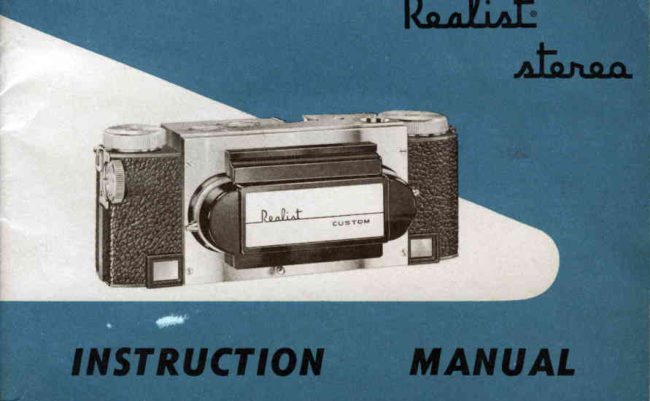
Stereo-Realist 1050 Instructions User manual
User manual for Stereo-Realist 1050 Instructions. 21 pages in English. Read the original PDF, download or print a copy without registration.
21 pagesEnglish1.7 MB PDF

Loading your manual…Open PDF directly
Document details
- Brand
- Stereo-Realist
- Model / document
- Stereo-Realist 1050 Instructions
- Document type
- User manual
- Language
- English
- Pages
- 21
- File size
- 1.7 MB
- Category
- Film cameras
- Document date
- Not specified in catalog
Search available document text
Find a term, then jump to its page in the original PDF. Image-only pages may not be searchable; check the PDF for exact wording and diagrams.
Page 3 · Read text
FOR\^/ARD
Your Realist Stereo is more than just another camera. Its record of people and
events will provide memorieswith an exciting realism_unmatchedby_any other
systemof pliotography.'againY our friends and relativesand yoar personalmemories
will return time-and      with  all the depth, color and vitality of the original
moment.
The basic design of the Realist Stereocameramakes it a model of simplicity and
precision. The following Pagesexplain the camera'scontrolsand their functions.\07e    urge that you study theseinstructionscarefully so that you may obtain excellent
results right from the start.


MAIL  IN YOUR REGISTRATION CARD
Realist Stereo carneras^re w^rr^nted to the original purchaser to be free from
defects in workmanship and materials for one year flom date of purchase. A
registration-warrantycard is enclosedwith your new camer^.For your own Pro-
te-tion, fill out and return this card immediately.

                         www.orphancameras.com
View original page 3Page 4 · Read text
CAMERA  MODELS

The  first truly  neu) Stereo
camera in 12 years and the
world's finest! The Realist
Custom f :2.8 Stereo incor-
porates the  latest optical
engineering designs,  su-
perb  f :2.8.,rare-earth lenses, and shutter speeds uP to L/ 2OO. Every feature
contributes to making stereo photography simple and satisfying.
Thecamerathatsetthestandardfortheindustry!TheRealistStereof:3.5,designed
                                                  to operate as easily as a box camera,
                                    has microscopicallymatched   f:3.)
                                           lenses, shutter speeds to   | / I5O, and
                                                           all the other precision features of the
                                 Real ist Stereo 10 t 0.
View original page 4Page 6 · Read text
t .  Depth-of-field scole                           I l.  Film rewind knob
 2. Film winding knob               12. Shutter releose button
 3. Coupled rongefinder ond                                      13.  Shutter-trip indicotor
    focusing knob
                                     14. Flosh qttochmentclip 4. Diophrogm setting ring
                                                                              | 5. Automqtic exposure counler 5. Cqble releose socket
 6.  Lens cover                                               | 6. Rewind disk

 7.  Rongefinderwindows             17, Double exposure control

 8.  Viewfinder lens                                      | 8.  Viewfinder eyepiece
 g.  Shutter cocking lever              19. Rongefinder eyepiece

10. Shutter speed setfing ring         20.  Film wind releose button
View original page 6Page 7 · Read text
SPECIFICATIONS
TENSES
Realist Stereo lenses are matched, color-corrected,coated, anastigmatlenses of
35mm focal length: f:2.8 in Model 1050 and f:3.5 in Model l}4l.  Lensesare
aligned and locked in place on solid lens board to insure perfect image alignment.

SHUTTER
Behind the lens, gear-retarded,synchronized,cocking type shutter has accurate
ring settingsof T, B, L, L/2, L/5, L/LO, L/25, L/50, t/IOO, L/LlO, and (Model
1050 only) L/200.

RANGEFINDER
Coupled,split-imagerangefinderassuresaccuratefocusingwith wide (43/o") base
and internal focusing at film plane. Range of focus: 2t/2 feet to infinity.

DEPTH.OF.FIELD  SCALE
Easy-to-readdepth of field scale,located opposite focusing knob, indicates range
of sharpnessfrom nearestto farthest point for each exposure.

                       www.orphancameras.com
View original page 7Page 8 · Read text
FLASH SYNCHRONIZER
Built-in silver contacts. Uses SM, SF, #t,  #Zt  ot comparable flash lamps as
well as electronicflash. Synchronizesat 1/25 with lamps, at all speedswith strobe
light.  Realist flash gun slips on accessoryclip at top of camera.

                                   EXPOSURE CONTROL
Exposurecounter ngar film advanceknob tells you where you are on your roll of
film. Startsat "1" on Model 1041 and shows how many picturesyou've taken;
startsat "29" or "16" on Model 1050 and showshow many are left to be taken.
Impossible to accidentallydouble-exposefilm with double-exPosurecontrol knob
-  but  it can be releasedfor intentional multiple exPosures.

                                      EXPOSURE GUIDE
Exclusive lens cap protects lenseswhen not in use. Vhen  lifted, revealsa com-
plete exposure guide for outdoor pictures on Model  lo4l;  a complete flash
guide on Model 1050.
View original page 8Page 9 · Read text
HOLDING YOUR REALIST STEREO
                                              'easily
If you hold your cameracorrectly,you can      operateall controls: open lens
:o_"j:lj.tj.^ng_efinder,                       sight through_'viewfinder,cbck^shutterand take youi picture.'
NOTE: The Realistcameramusialways be held in a horizontal posi[ion.
The secondfinger of the-right hand is uied to rotate the focusing-Cudknob. The shutter
releasebutton is operatedby the secondfinger of the left hand.     your third and
fourth fingers around the neck strap, holding  it wray from the camera. Both the
rjght and left                   should always-beunder the cambra. Be careful not to obscure           lhumbs
    jyo  rangefinderwindows with your other fingers.$e
Realistcamerasare.designedso that, when you ai" looking through the viewfinder
and     rangefinder viewpieces, the camera is automaticall"ysteadled against your     -forehead.


FILM
Your RealistStereocamerais designedfor satisfactoryuse with all 35mm color and
black and white films availabletoday. The cameraiakes 16 stereo                                                                 pairs on a 20                                                                                                                I
exposurefilm roll and z9 stereopairi on a 36 exposurefilm roll.

                        www.orphancameras.com
View original page 9Page 10 · Read text
t
                           LOADING                  i
                    The followirg proceduremust be followed when                                                                        41t                       loading your Realist Stereo:
                           1. Sfith rewind disk on "R", turn lock lever on bottom
                                of camera away from "Lock" position and remove
                          back.
                           2. Turn film transportsprocketuntil a white dot appe,ars                          'k*                        on the sprocketoppositethe U-shapednotch in the
                      aPerture                                ffi'              PI"i..,..              .

4.                        jl         spoolslotuitboat         3b                   !!e                 !ak_e-up                                       .l    pullinglry,:l Itf,                 out of                     magazine,                   fil*
, .  STith your thumb pressed against the take-up ff
   spool, pull film acrossthe cameraand place in
    film magazinerecessat left end of camera.
6. Push down film rewind knob. Do  not uind
     fl*   out to engdge sprocket at tbis time.
7. Replacecameraback and turn lock lever on bot-
   tom of camerato "Lock" position.
View original page 10Page 11 · Read text
8. Turn film winding knob in direction of arrow
                                   until knob will go no further.
                             g. On Model 1050 with a i6 exposureroll, set ex-
                          posurecounterdial on " 31 ;" with ? ?O exPosure
                                         ioll, set counteron "18." On Model L04I with
     either size roll of film, set exPosurecounter on "35."
10. Hold wind releasebutton doqln with thumb while turning film winding knob
    approximatelyYq of a turn in direction of arrow. Exposurecounterwill move
    one sPace.
11. Afte;counter has moved one sPace,remove thumb from wind releasebutton
    and continue to turn film winding knob in direction of arrow until the knob
     locks.
L2. Repeatsteps10 and 11. On Model 1050' the                     d E ,
    exposurecounterwill now be on either " 29" or                 i,dy
    "L6," depending uPon original setting. The
    counter will count down, showing number of
    exPosures which remain to be taken.
    On Model  lo4l,  the counter will  now be on
     rr1"        and will  count uP, showing number of ex-
    posures akeady taken.
!3.  To advance film  for each new exPosure, rePeat
     steps 10 and L 1 .
                        www.orphancameras.comto
View original page 11Page 13 · Read text
SETTING THE LENS DIAPHRAGMS
 The  iris diaphragms, or f-stops, regulate the size of the openings which adrnit
  light  into the camera. To  set f-stops, rotate the outer ring  of  either lens to
 th"e required setting. Since both lensis are mechanically coupled,-this will  result
  in identical settingi. As the light becomesbrighter, the lenses should be closed
 proportionately.If the f-stop is f :2.8 on Model 1050, or f :i.5 on Model 1041, the
  -"ii-o-    amount of light will enter the camera. If set at f:22 on either camera,
                            ff'1'J'f;ffi;t""torrigO C O O O O O  t22.8       lz4           f :5.6            f :8             f :l  I           f : 1 6         t 222

 SETTING SHUTTER SPEEDS
                                   3 around the viewfinder lens (center). to
                                 he fraction is shown,e.g., 50 equals1/50.
                                                  iet at l/21  to insure exactsynchronization
                                       c flash synchronization is possible at all
                                         the shutier remains oPen as long as the

                        www.orphancameras.comt 2
View original page 13Page 14 · Read text
release button is depressedand closes when the button is re-
                    leased. $7hen set o.t time (T),'andtl,. shutter is open when the
                    release button is first pressed     closes when the button is
                     Pt::s+  a second time.- The double exposure control must be
                       gllle_d                            and off to the side for  all time exposures.  (sce                ..DOUBLE_out
                      EXPOSURE CONTROL.")
                        EXPOSURE
correct flm exposuredependsupon three factors: the amount of-^ light^'6'  available,
the size of the iens op.r,ing und^tt" ;hrtt.;  qp.J
As the light varies,the shuttersp.eedand rens openingsmust be varied accordingly
to admit the proper amount of'light  for a correct exposure.
Basedupon a film with^an-       speedof  l0*, we recommendthe followingbasicexposuresfor outooor prctures:lTylsion
               r:nny                                    ar f:6.3 (berweenf:j.6 and f:8).   rf                       {ays.;1./.50      9l  llg.n!
                                such as on beaches,over snow,'high       ll..lCTl.     :xceptionally.bright,      rn the mountains, etc., close down the lens openinq ----'about t/,                                                                   /2 of in     f-stop (move to larger numbers) from f :6.3 to'f ,s. "
*For emulsion speed of film, see manufacturer'sinstructionsenclosedwith film.
                           r3
View original page 14Page 15 · Read text
on overcastdays with a hazy sun - open 9p from 1/z to ^ full f-stop
     (move to smallernumbers) from f :63 to f 5.6 or rnore.

GENERAL GUIDE
            1. For most picturesa  | / 5O shutter speedwitl stop most action and
   compensatefor ordinary cameramovement.
2. For action shots use speedsof  | / rcO or higher.
-).  For greater range of sharpngss,slower shutter
     rp..it  and  r-.-il.r   f-stopi should be used.
4.  a) Subjectsmoving rapidly, parallel to the cam-
        er^, require fasler shutter speeds'
    b) Subjects'cameramoving at an angle of about 45o to
       the        require half the shutter speedin-
       dicated in d, above.
    c) Subiectsmoving directlytoward or away from
       the camerarequire half the shutter speedin-
       dicatedin b, above.
                       www.orphancameras.com
                                                            t 4
View original page 15Page 16 · Read text
5 . You may choose ^ny of the several f-stop and .shutterspecd combinations which
                                               .n deciding which to use, consider the
                                        ermits slower shuttcr speedsand smallcr
                                                                                . Moving ob jccts require f astcr shuttcr
                                            tron.
6.
                                i T:::.:ir;:*,fJ'i"f'x,.:,"^Hil.,T[.    taking conditions.
         DOUBLE EXPOSURE CONTROL
                        To prevent double exposures, leavc the double ex-
                           P.osurecontrol button  in  its normal position.  For
                            time exDosures (T)  ,  pull  double cxposure-remainscontrol
                             out and of f center so that the button           in an
                             eltelded  position.  After  taking the picture, release
                            the button.
To.takesingleexposuies,cap o-ne.lensand exposeas usual. Cap the other lcns and,
without advancingfilm, pull double exposur-ccontrol button but and then release
to its normal position. Cock the shuttcr and exposethe secondtime.
To take intentional double exPosurcs,follow the^sameinstructionsgiven for single
exposures,but do not cap the lenses.

                                                                                 l 5
View original page 16Page 17 · Read text
FLASH
\When taking flash pictures,the shutter speedmust be set at L/25.  \7ith  strobe
lights, picturescan be taken at all shutter speeds.
To determinethe correct f-stop, use the lamp manufactu-rer's-exPosure-guide ttnT-
U.r.  itris guide number is divided by the iistuttc" in feet from the lamp to the
subject. In other words,
Mfgr's Guide Number of LamP                                                        :  Lens Opening

 It is well to rememberthat light intensity increaseswith highly. reflectivesubjects'
In such situationssmallerlens"openingsare required (move_to higher f-stop num-
bers). For extremelydark subjicts olen up lens opening Yz un f-stop (move to
smallernumbers).
r0rhen taking picturesof people, it is best to exposefor flesh tones since this is
 the most familiar and critical color to a person viewing stereo.
Keep a record of flash picture exPosufes,f-ttoP and shutter speeds'You will soon
 learir the prope. .*porirtes for tfre various lighting conditionsyou will encounter.

                       www.orphancameras.com                                                                          l 6
View original page 17Page 19 · Read text
CARE OF YOUR REALIST STEREO
                                                                          the                                                                      out                                                        Brush                                                    instrument.                                          prec_ision                                 any                       you would                     as         cameru .i."^.r      youf                                                                  .                                                                             of filmF..p.                                                                          bits                                         Remove-any                                                  dust'                                remove                            brush to                   with                      a solt       occasronallyrnterror
tfruf -ny becomeiJaS"J^r"fi";;;.,-.^-"iri"  tftJ take-up spool slot or any other place' Lensesmay
be dustedwith a                          iraii br,.tsttor by breathing yPon the surface
and gently *ipi"!-*itft     i."t  tissue. Never touch the lenseswith your fingers'
camerasin need of repalr or ao;ustmentshould be returned to the manufacturer'
                           It is^recommendedthat under normal conditionsRealist Stereo $..-;;nrpair,,.)       be checkeaio, adjustmentand cleaning at least every three years andcameras
 ;;;i;dy   before being taken on long trips and vacations'

REPAIR
 Authorized Realist repair serviceis availableat: Realist, rnc'acustomer service
 Division, zolr  lilrtnllg,h   Street,-Milwaukee5, Wisconsin; Rush Photog:aphic
 Repair Service,Iiii:g    irth  Alre^,r., New-York.L-1,New York; SanfordPhoto-
                          zil  uirlg.d  sti."i, Brookline 46, Massachusetts;S' o' Lindahl ;r^fi;.;a"ttti.i photo Sales, 1617 Court Place, D".r',rer,Colorado; Graf's Camera Repair, to7
 South Vermont, Los Angeles 5, California'

                      www.orphancameras.com
View original page 19Page 20 · Read text
MOUNTING AND DUPLICATING  SERVICE
Realist, Inc. maintains one of the country's finest laboratoriesfor the correct
processingand mounting of your stereoslide film. The serviceis convenient,low
cost and speedy. Handy film mailing bags are availablefrom any Realist dealer
or will be provided by the companyupon request. Send all film to Realist,Inc.,
"StereoSlide Service,"2051 North 19th Street,Milwaukee 5, \Wisconsin.
One or more copiesof your original slides for friends and for businessare avail-
able from the RealistStereoSlide ServiceDepartment. Full information and prices
on duplicating servicesarc availableupon request.


Dauid lVbite Instrument Compan!, maker of fne  optical equipment for ouer
60 years, prod.ucesa full  line of stereo accessoriesand. otber Realist products,
including non-stereoslide proiectors, oieuers and accessories,Ask your dealer
about them, or utrite to Realist, Inc,


                                                           t 9
View original page 20Related documents and language editions
Various brandsPDF
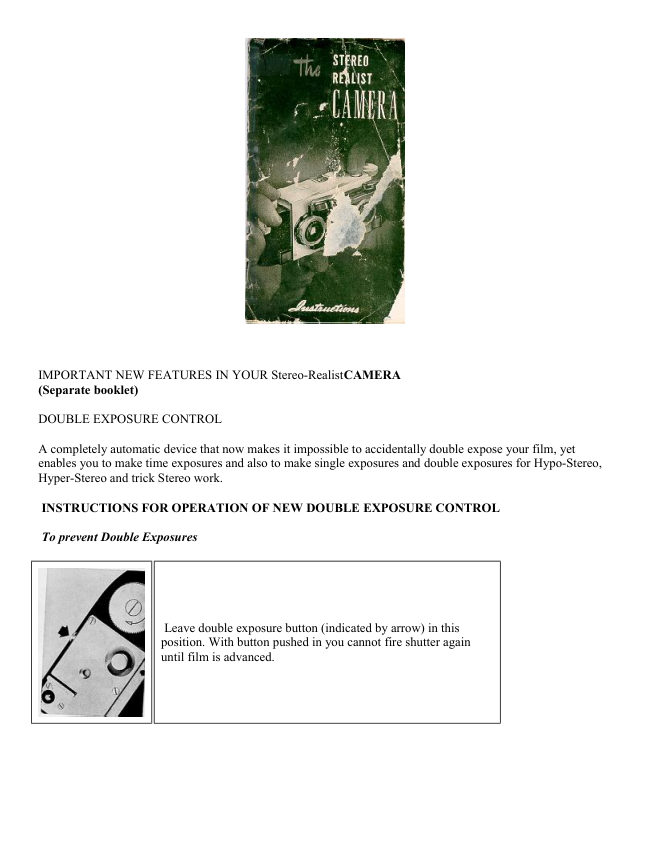
Another Realist Stereo in a
User manual
20 pages · EnglishRead →
Stereo RealistPDF
Stereo Realist
Reference guide
18 pages · EnglishRead →

Stereo-RealistPDF
Stereo-Realist
User manual
29 pages · EnglishRead →

Stereo-RealistPDF
Stereo-Realist booklet
Product booklet
17 pages · EnglishRead →
KodakPDF
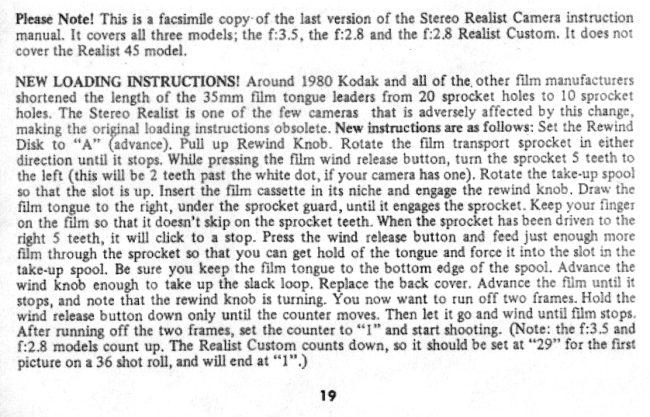
Updated 1980 film loading as Kodak reduced the length of the film lead
User manual
1 pages · EnglishRead →
From the M. Butkus archive. Original publisher and archive notices are retained.
Check the model and edition against your equipment.
PDF verified 2026-10-10.