Lenses & filters
Vivitar Point and Shoot - 2 (zoom lens) User manual
User manual for Vivitar Point and Shoot - 2 (zoom lens). 23 pages. Read the original PDF, download or print a copy without registration.
23 pagesOriginal document0.9 MB PDF
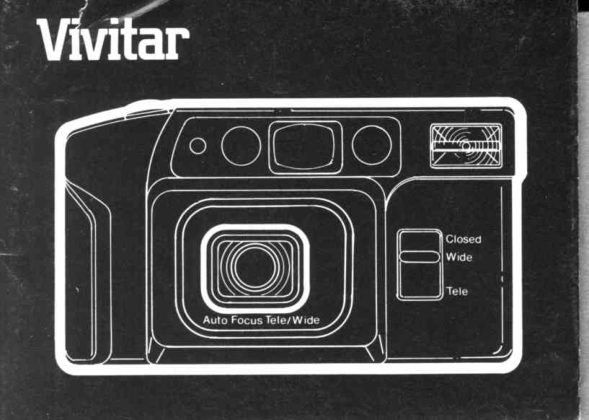
Loading your manual…Open PDF directly
Document details
- Brand
- Vivitar
- Model / document
- Vivitar Point and Shoot - 2 (zoom lens)
- Document type
- User manual
- Language
- Check the original document
- Pages
- 23
- File size
- 0.9 MB
- Category
- Lenses & filters
- Document date
- Not specified in catalog
Search available document text
Find a term, then jump to its page in the original PDF. Image-only pages may not be searchable; check the PDF for exact wording and diagrams.
Page 5 · Read text
Description of Controls and Features
Front View (lllustrationA)
 1 ) WnstStrap
 2) ShutterReleaseButton
 3) FrameCounter
 4) ExoosureSensor
 5) Auto FocusSystemWindow
 6) ViewfinderWrndow
 7) Auto FocusSystemWindow
 B) EleclronrcFlash
 9) LensSwrtch
10) WideAngleand TelepholoLenses

Rear View (lllustrationB)
1 1 ) F l a s hO n i O f fS w r l c h
12) FrlmDoorLalch
13) ViewfrnderEyeprece
14) Red Low LrghtWarnrng
15) GreenFlashReadvLtqhtwww.orphancameras.com
                                               ,..-.:......-., .".:,:
View original page 5Page 11 · Read text
Description of Controls and Features
Front View (lllustrationA)
 1) WrrstStrap
 2) ShutterReleaseButton
 3) FrameCounter
 4) ExoosureSensor
 5) Auto FocusSystemWindow
 6) VrewfinderWrndow
 7t Aulo FocusSystemWrndow
 B) ElectronrcFlash
 9) LensSwrtch
10) WrdeAngleand TelephotoLenses

Rear View (lllustrationB)
1 1 ) F l a s hO n l O f fS w r t c h
12) FilmDoorLatch
13t VrewfrnderEyeprece
14) Red Low LrghtWarnrng
15) GreenFlashReadvwww.orphancameras.comLroht
View original page 11
Page 12 · Read text
16) FilmSprocket
17) RewindButton
18) FilmDoor
19) FilmCartridgeViewWindow
20) AutomaticFilmTake-UpSpool
21) DX CodingContacts
22) Film Chamber
23) BatteryCompartmentCover


Beforeyou shootthat first importantroll of film,pleaseread the
followinginstruclionsAcquaintyourselfwith all controlsand operating
proceduresTake a few minutesto practiceholdingthe cameraand
operatingthe electronicflash The time you spend learningto operate
yourcamerawill helpyou 10capturethat specialphotograph
2
View original page 12
Page 13 · Read text
1. Install Batteries
   A. open Batterycompartinentcover (23) by pushingin direction
       ol arrow.
   B. Inserttwo freshAA sizealkalinebatterieswilh the correct
      positive(*) and negative(-)  polarityas indicatedby the
      printeddiagraminsidethe batterycompartment   _
  C Push down on batterycompartmentcover to close securely.
2. Replace batteries when:
  A FlashReadyLight(15)faitsto glow within1Osecondsot
     switchingon lhe flash.
   B. The Low Lightwarnrng(i 4) wiil not gtow in tow lightwhen the
      shutterbuttonis depressedhalfway.This indicatesthat the
      batteriesare weak and there may be rnsufficientbattervDower
      to operatethe camera.NOTE: The shuilerreleasewill lock
    when the batteriesare weak.
3. Your Film - DX Coding
  A Be sureto lookfor the "DX" on the box whenpurchasingfilm.
    DX is a systemthat allowsfor the automaticsettinoof film
     speeds(lSO settings)ln your camera               "
                           www.orphancameras.com                                    .
View original page 13Page 14 · Read text
With DX coded tilm your camerawill automattcallyadlustlo
lhe exact ISOsettrngfor the followrngf ilm speeds
ISO (ASA)      1 0 0        400
D I N            2 1           2 7
Theseare the DX codedfrlmsthatyour camerawas spectficall
designedfor.
You can use otherDX codedftlmrn your cameraand it will be
sensedat an automatrcsettingcloseto the frlmspeed(e g ISO
200 is sensedal ISO 100 and ISO 1000is sensedat ISO400)
In many casesthesefilm speedswtllresulttn acceptable
exposuresdesprtethe drscrepancyin ISO selttngHowever,
actualpictureresultswrlldependon typeof film used(eg color
prrntsslides blackand white etc ) developlngprocessand
degreeof exposuredifference
In the rareeventthatyou cannotfrndDX codedfrlm your
camerahas a burlt-rnoverridesystemlo accommodalepopular
speedsof color prrntfrlm.blackand whitefrlmand slidefilm al
rso100
View original page 14
Page 15 · Read text
4. Load fllm
  A Pushthe FrlmDoor Latchtl2) rn the drrecttonof the arrowand
      pullopen the door
  B  lnsertlhe f lat end ol the f rlm cartridgerntothe top of the film
    chamber(22)then lowerthe olherend and snap Intoposrtron
      (lllustralionC) Whenplacrngfrlmcartridgein camera.be sure
     cartrrdgers maledproperlywrlhsprndlebeforesnapprngrnto
     positron
  C. Pullthe frlmleaderacrossand align it with the yellow f ilm
      illustrationshownrn the rrghthand cornerof the tilm take up
     spoolchamber Be carefulnot to le1lhe film leaderextendtoo
      far beyondthe yellowrllustralionas rl may causeexcessrvefilm
     slack Makesurefrlmreslsflal betweenthe FrlmGurdesand
     overthe teethof lhe FrlmSprocket(16) (lllustratronD)
  D. Closefilmdoor unlrlyou hear a click indrcatrngthatthe door rs
     securelylatchedlf the door does not close properlywith f rlmrn
     place.checkto make sureftlm rs lyrngflat betweenthe frlm
     guidesand the frlmcartrrdgers flat rn lhe chamber.
  E Afterthe door rs closed.depressthe ShutterReleaseButton(2)
     a tew trmeslo advancethe frlmuntrlthe number"l  appearsrn
     the framecounterwrndow(3)
    NOTE:The counterwww.orphancameras.comwill only work with film properly    5
View original page 15Page 16 · Read text
::r{
      installedin the camera.lf film counter does not advance,
     repeat steps 4A through 4E.
5. Holding Your Gamera
  Your cameramust be held correctlyto assureconsistentlygood.
  sharpphotographslt shouldbe held steadilyand comfortablywhile
  you are takingphotographsIllustratronsE and F showlhe correct
  ways to hold your camera in both the vertrcaland horizontal
   positronsWhen usingthe electronicflash in the verticalposition.
   holdyour camerawith the flashat the top and be carefulnot to
   blockthe flashwithyour frngers
6. Changing Lenses
  Your camerais equippedwith a 55mmTelephotoLensand a
  35mmWideAngleLens.To take pictures.slidethe LensSwitch(9)               'TELE"                          for Telephotoor "WlDE"for WideAngle   to eithersetting
  Typrcallya telephotolens is usedfor portrartsand tightcropprngof
  scentcswhereasthe WideAngleLens is idealfor landscapes.
   indoorflashand generalphotography.
  Whennot usrngyour camera.sel the LensSwitchto the "Closed"
   position.whichturnsthe cameraoff and locksthe shutter(See
^  lllustratronG )o
View original page 16Page 17 · Read text
7. Viewlinder
  Yourcamerais equippedwith a viewfinderthat automatically
  changesto Wide Angle or Telephotodependingon the Lens Switch
  posrtron.
  Lookingthroughthe ViewfinderEyepiece(13).composeyour
   pictureso that your main subjectis locatedin the centerof the
  vrewfinderThe camerawill automaticallyfocus on the sublectin
  the Auto FocusSquareThe minimumfocusingdistancewiththis
  autofocuslensrs 5 feet (1.5 meters).
8. Automatic Photography
  Your camerais totallyautomatic.lf there is sufficientlight,you
  simplycomposeand shoot.The exposure,focus and film advance
  are all handledautomaticallyby the camera.
9. Flash Photography
     lf there is not enoughlightfor a properexposure(eitherindoorsor
   out).the red LED (14) nextto the vieMinderwill glow whenyou
  depressthe shutterbuttonhalfway.This indicatesthat the flash
  shouldbe used.Pushthe FlashOn/Off Switch(11) in the direction
   of the arrow.The flashwill begincharging.Whenthe flashis
   sufficientlycharged,the greenLED Flash-ReadyLight(15) nextto
   the viewfinderwlll glow Youwww.orphancameras.commay now take a f lash picture.Proper7
View original page 17Page 18 · Read text
flashexposuredependson the camera-lo-sublecldrstancett you
   do not plan to take anotherf lashprcturermmedratelytLrn the ftash
     off by pushingthe Frashon/off swilch to the off position.
10. Flash Recycle Time and Flash Distiance
   The chartberowwrilassrstyou in prannrngyourflashprctures:

  Film Speed                         Flash Distance
    (tso)      Recycle Time    Wide Anglc     I  Tetephoto
     1 0 0      Approx 5 sec      1 5   4 5 m          l 5   3 0 r n
                                  5  - 1 3 f r      5   1 5 f r
     400       Approx 5 sec      1 . 5  7 0 m       r c  -  ) u m
                                  5  - 2 3 f l      5   1 6 f t

11. Alternative Flash Operating Modes
   A For shootrngsituationswhere flashprcturesare not ailowedor
      undesrredsrmplyrgnorethe red low-lrghtwarningand operate
    ,   yourcameraas rf therewere suffrcientlrghtHoweverplease
      notethat rl rs.possrbreyour prctureswilrbe underexposedand
        sofl deoendrngon the avarrabrerightingcondilionsshutterB    speedand frtmi-SOratino
View original page 18Page 19 · Read text
B You can tmprovethe lightingdramaticallyby usinglhe flashrn
     casesof exlremeback lrghtingor whereshadowsfall across
      the sublecteventhoughthe red low-lrgh1warninghas nol
      Irghtedrurn on the flashand followthe stepsrn section9 wrth
      fasterfrlmsuch as lso 400 and hrgherthis processmay resurt
        in overexposure.
12. Prefocusing
   when composinga prcturewhere a prrncipalsublectis not In tne
   cenlerof the vrewfinder.rt rs necessaryto prefocusthe camera
   lens To do so
   A Look throughthe vrewfinderand composethe pictureso that
      your sublectrs locateddirectlybehrndthe Auto FocusSorare
           f lllustratronH )
   B Gentlypressthe shutterreleasebuttonhalfwayand marntarn
      gentlepressureto lock in the correclfocus.
  C Whrlemarntainingpressureon the shutterreleasebutton
     recomposethe prctureas you desrreand then pressthe shulter
      releasebuttonall the way down lo take the pholograph
      (lllustralionl)
     (The prefocuscan be cancelledsimplyby removing- pressure
     from the shutterrelasewww.orphancameras.combutton)                         9
View original page 19Page 20 · Read text
13. Removlng the Film                                                         {r
    At the end of the f rlm roll,the frame counterwill cease to advance.
   Althoughthe shutterreleasebutloncan be depressed.the nrotor
   wind ceasesto work and the shutteritselfrs not operatingThis
    featureprevenlsan accidentaldoubleexposureon the last frame
   Rewindthe frlmby pushingthe RewindButton(17)to the left.
   When rewindingis completeand the motorhas stopped open the
    filmdoor and removethe film cartidgefrom the chamberThe
   rewrndbuttonwrllreturnto the originalpositionautomatically.
14. Special Auto Focus Situatlons
   The auto focus systemwill focus accuratelyon the malorityof the
    sublectsyou wish 1o photograph.However.thereare a few
    sltuatronsthat requirespecialcare in focusing.Theseare:
    1 ) When the subjecthas strongreflections.such as polrshed
       metals.exleriorof cars. bodiesof water,or mirrors.
    2) Subjectswith littleor no reflectance,such as blackobjects..ha
      a flame or smoke.
    3) Sublectsthatare very small
    4) Subtectswith an object in front of them.such as a wire net or
      cage.
10  In situations1-4. prefocuson anothersubjectapproximatelythe
View original page 20Page 21 · Read text
samedistanceaway and then recomposethe scene and take the
picture.(Seesection12 on Prefocusing.)
5) Taking pictures through g/ass windows.
  Shool with lhe camera lens near the glass and at an angle of
  approximately20'

                 Trouble Shooting Guide
 Description        Solution
 Subjectout of              lf the subjectis not locatedin the
 focus.              centerof the vieMinder,                                                     '12.                  use prefocusing.See section
                   Subjectsmust be fivefeet (1.5meters)
                      or more from the camera.
 Flashfailsto        Cleanbatteryterminalswith
function.            pencileraserif dirty or corroded
                      or replacebatteries.
 Flashpictureshave  Make certainfingersare clear of
darkarea(s).        flash.(Havesublectwatchfor this.)
 Flashpicturestoo    Subject(s)must be withinspecified
dark overall.         flashwww.orphancameras.comrange.See Section10.           11
View original page 21Page 22 · Read text
Flashpicturestoo    Placesubiectsat leastfrve           n
            light.                feet (l 5 meters)from f lash.
          Subject'seyes      Increaseroom lightif possible
            reflectred.        Have sublectls)iook slighilyaway
                           from flash-  towardsroom liohtis
                           beneficial.
          "Flash-ready"light   Batteriestoo weak,replace
            failsto glow within   withfreshbatteries           '10           seconds
          Shortbatterylife    Use "AA" Alkalinebatteries


    Specifications:
    Type: 35mmcamerawrth35mrpl/47 aulofocuswide anglelensand
   55mmtl7 aulofocustelephololens automalicexposureconlrol.auto
    frlmtransportsystem burll-rnf lashand aulo frlmspeedseflrng
.   Format: 24 mm x 36 mm
    Lens. WideAngle 35mm1147.3elements3 groups
        t ?   T e l e p h o t5o5 m m l I 5  e t e m e n l s , 5 o r o u o s
View original page 22Page 23 · Read text
Aperture:WrdeAngle t/47 _  t/16
         Tetephoto.t/7 _  t16
 Shutter:Programrned1/40 sec _    l /250 sec
 viewfinder:          Reverse                  Garirean                          type                              wrrh                                     brrghtframeand auto focus square       Optically               corrected                           to lens                                    in                            use
 Flash:Burltin electronic
Minimum Recycte Time: Approximatety5 sec
Power: Two AA Alkalrnebatterres
Battery Life;         BO                  rolls                      ot 24                      exposure                                non-flash                                        shotsor B roilsof 24exposure         flash            shots                  wrth                      fresh                    AA Alkarrne                                         cells
Dimensions'          53 rnchesx 21 rnchesx 3 0 rnches(134.5mm x 535rlnt    x /6 rr,m)
weight" Approxrmatelyl1 oz (310 grams)wrthoutfirmor batterres
Specrfrcatronssublectto changewrthoutnotrce


                             www.orphancameras.com
View original page 23Related documents and language editions

From the M. Butkus archive. Original publisher and archive notices are retained.
Check the model and edition against your equipment.
PDF verified 2026-10-10.