Film cameras
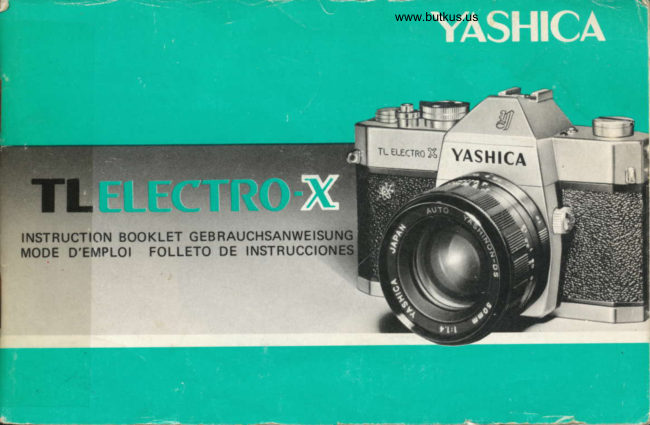
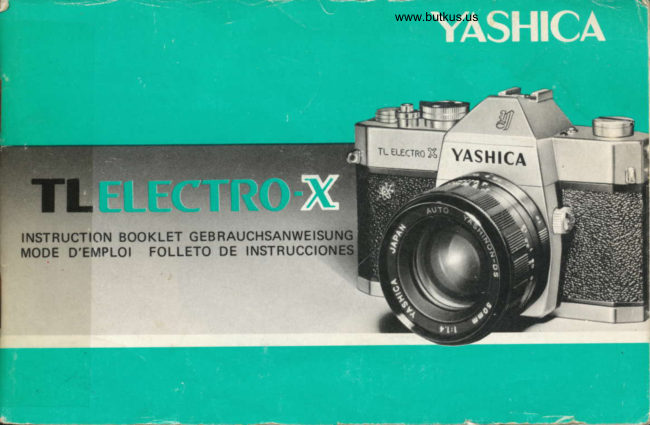
Yashica TL Electro-X Direct User manual
User manual for Yashica TL Electro-X Direct. 32 pages in English. Read the original PDF, download or print a copy without registration.
32 pagesEnglish4.8 MB PDF
Loading your manual…Open PDF directly
Document details
- Brand
- Yashica
- Model / document
- Yashica TL Electro-X Direct
- Document type
- User manual
- Language
- English
- Pages
- 32
- File size
- 4.8 MB
- Category
- Film cameras
- Document date
- Not specified in catalog
Search available document text
Find a term, then jump to its page in the original PDF. Image-only pages may not be searchable; check the PDF for exact wording and diagrams.
Page 4 · Read text
LOADING BATTERY


                         www.butkus.us
  Remove the battery compartment cover b     2. Make sure that the (-) side faces inside. lf the
  y turning it in the direction of the arrow and      battery is installed in a reverse position, the
   install a 6V silver oxide battery. (Eve ready       Electronic Exposure Readout will not func-
  No. 544, Mallory PX-28 or equivalent).               tion. Close the battery compartment cover
                                                            secutelv.


                                                                                                                                                                                                      L
View original page 4Page 5 · Read text
www.butkus.us
CHECKING BATTERY
                                NOTES
                            ON SILVER OXIDE BATTERY
                                     oWhen the battery is installed incorrectly,
                                          1)The green lamp will not light when the
                                                           battery check button is depressed.
                                            2)The shutter speed will fu 1/10O0 sec. when
                                                           the shutter release button is depressed.
                                   O Do not throw used silver oxide battery into
                                                         the fire, trash cans or waste receptacles.
                                 ODo not disassemble the silver oxide battery or
                                                           leave it where children can get access to  it.
 lf the battery is weak, the Electronic Exposure
Readout will not operate correctly. Before
shooting, check the battery condition. Press the
battery check button and when the green lamp
 lights, the battery has sufficient power to ope-
rate the exposure control system. Replace the
battery when the green lamp does not light.

                                                              l
View original page 5Page 6 · Read text
Merci de faire un don de 2,50 € pour soutenir ce site via E-bay ... www.PayPal.me/butkus


Bitte spenden Sie 2,50 Euro, um diese Website über E-Bay zu unterstützen ... www.PayPal.me/butkus
View original page 6
Page 7 · Read text
www.butkus.us
   LOADING FILM


                                                                   -;:.t
      Pull out the back cover lock                        2. Pull out the  f ilm rewind knob, place the film
      cover will pop open.                                  cassette into the film chamber and replace the
    The exposure counter will oe  au tomatically       rewind knob to its original position. Insert the
       set at S (start) mark.                                film leader into one of the slots of the take-uo
                                                                   spool.


NOTE:
Always Ioad the  f ilm under a shade or in subdued light, never in direct sunliqht
View original page 7Page 8 · Read text
www.butkus.us
Advance the  f ilm, making sure the sprocket     4. Wind the film advance lever and make blank
teeth properly engage the perforations of the      exposures until the figure "1" appears in the
f ilm. CIose the back cover.                         exposure counter window. You're now ready
                                                         for the iirst exposure.
View original page 8Page 10 · Read text
{_+     E r
                                           \


      O Preselmtion of Shutter Speed                o Preselection of Aperture
                                                                                                            De-           In bright light, preselect the shutter speed by     ln subdued light, preselect the aperture.
          turning the shutter speed dial. Depress the      press the exposure check lever and turn the
          exposure check lever and turn the aperture      shutter speed dial to obtain correct exposure.
             ring to obtain the correct exposure.
                                        O  I n  either operation, correct exposure  is
                                                                             assu red.


t3
View original page 10Page 11 · Read text
www.butkus.us

ELECTRONIC SHUTTER SYSTEM
The electronic shutter'system provides inter-
mediate speed range at in-between setting.
The shutter speed dial has click-stops at each
setting between 1/1000 sec. and 1/30 sec..
When taking pictures either of fast moving
subjects or in bright sunlight, it may be
easier and better to preselect the shutter
speed. Then, obtain correct exposure by
turning the aperture ring. On the other hand,
in the slowershutter speed range between
                                                secs.)1/30 sec. and - index mark (approx. 2
there are no click-stops. When taking pictures
in dim light, preset the lens opening. Then,
obtain correct exposure by turning the
shutter speed dial.


t5
View original page 11Page 12 · Read text
YASHI(   Theposureredcofrectrons.exposure warning arrows indicate ex-
                                                    Sight through the tinder, keeping the exposure
                                                check lever depressed. One of the red UNDER or
                                 OVER exposure warning arrows appears in the
                                                        lower part of the  f inder.
                                                    ln the preselection of shutter speed, rotate the
                                                      aperture ring for correction of exposure setting.
                                And in preselection of aperture, adjust the
                                                          shutter speed dial.
                                                                                                                                                                  I n either case, correct exposure  is obtained when
                                                          the arrows go out.


                  G.-'

         Over-exposu re       U nder-exPosu re


t7
View original page 12Page 13 · Read text
www.butkus.us
  OVER-EXPOSU R E              UNDER-EXPOSU R E
   Turn the aperture ring or the shutter speed dial   Turn the aperture ring or the shutter speed dial
     in the direction of the arrow in the viewfinder     in the direction of the arrow in the viewfinder
    until the left exposure warning arrow goes out.     until the right exposure warning arrow goes out.
       lf the arrow fails to turn off . use an ND f ilter.           lf the arrow fails to turn off, use a larger
                                                      aperture or a slower shutter speed. Or the use of
                                                a flash unit is recommended. When using a slow
                                                          shutter speed under 1160 sec., the use of a tripod
                                                                                      is advised.


                  Light conditions        Measuring          Shutter Speeds
           & Subiects              Procedures      & Apertures
               Fair: Fast moving         Preselection of     l/1ooo, 1/500, tl25o
               subjects                  shutter speed        sec.
            Hazy: Moving subjects   Preselection of                                                  Il25O & 1/125 sec.                                       shutter speed
                                         Preselection of             Overcast: Rainy                                                    1/60 & 1/3O sec.                                       shutter speed
             Indoors: Dim light        Preselection of     Select large aperture                                         aperture
              Special cases                          "8" setting


r9
View original page 13Page 14 · Read text
FOCUSIT{G


           www.butkus.us
Look through the finder and turn the focusing
ring until the image on the focusing screen
appears clear and crisp.


                                                                         Out of tocus
View original page 14Page 16 · Read text
Fold out the crank-handle on the  f ilm rewind     3. Open the back cover and take out the film
knob and turn it in the direction of the arrow.        cassette.
A slight resistance will be felt when the film
pulls off the takeup spool, but continue
winding the crank-handle until you feel the
film pulling away from the slot of the take-up
sooo  l.
View original page 16
Page 17 · Read text
www.butkus.us
            FEATURES OF TL ELECTRO.X

         Lens: Auto Yashinon SOmmf/1.4; stops down to f/16
        Shutter: Electronically-operated focal plane shutter with speeds from B, SLOW (about
             2 seconds) to 1/1000 sec.; intermediate shutter speed setting optional;
                         self-timer plus FP-X sync.
Exposure Control: Thru-theLens CdS light measuring system; Electronic Exposure Readout
                     (exposure warning arrows suggest exposure corrections)  : ASA range 25-800;
                 a 6V silver oxide battery is used to power the exposure control system and
                       electric-operated  focal plane shutter.
     Viewfinder: Reflex viewfinder with microprism focusing spot, ground-glass collar for
                 depth of field analysis; focusing from 0.5 meter ('1.75 feet) to infinity;
                    exposure warning lamps visible in the viewfinder
  Film Transport: Ratchet-type, single-stroke film advance lever; automatic resetting exposure
                      cou nter
  Other Features: Battery checker, Mirror lock, Directcontact shoe, Multi-slot take-up spool for
                     easy and fast loading
      Lens Shade: 57mm slip-on type
          Filters: 55mm screw-in type
     Dimensions: 151 x 96 x 96.4mm
       Weight: 1050 grs:
                                                                                                                               f /2-O are also available.                Models with  f 11.7 and  f /1.9
View original page 17Page 18 · Read text
CARACTERISTICAS DE LA TL ELECTRO.X
 Objetivo:            Auto Yashinon SOmm, 111.4, abertura minima de t/i6
 Obturador:            Plano focal de funcionamiento electr6nico, con velocidades de obturaci6n
                    desde "SLOW" (lenta) (de 2 segs. aproximadamente) hasta la de i/1OOO
                        seg., posicion B; velocidades de escala interme dia, pocional; auto_
                         disparador y sincronizaci6n FP-X.
 Control de exposici6n:  Sistema de medici6n de luz a trav6s del objetivo y lectura electr6nica  (las
                                                          f lechas de aviso de exposici6n indican las correccione de exposicion): apto
                        para ASA 25-800: se usa una pila de 6xide de pleta de 6V para el sistema
                de contol de exposiciones y el obtunader del plano focal actuado
                        electucamente.
 Visor:               Visor reflex con punto de enfoque tipo "microprisma", dispositivo
                         analizador de cristal esmerilado para profundidades, enfoque de alcance de
                     0.5 metros a infinito, y flechas de advertencia de exponci6n visible en el
                             visor.
 Avance de la pelicula:   Palanca tipo trinquete de un solo movimiento y contador de tomas de
                          vuelta a cero automdtica.
 Otros:                Probador de pila; seguro del espejo; portaaccesorios de contacto directo;
                          carrete arrollader con varias ranuras que facilita la carga de pel icula.
 Parasol para el objetivo: 57 mm, tipo postizo
 F   i ltros   :               55 mm, tipo roscado.
Dimensiones:          151 x 96 x 96.4 mm.
Peso:                 1050 grs.
Tambi6n hav disponibre er objetivo de f r1.7 v f/1.g   f /2.o
View original page 18Page 20 · Read text
EXPOSURE SETTITJG  WHEN SHOOTING AGAINST LIGHT
                                      When shooting against light or photographing a
                                                        subject near a window, or against an excessively
                                                      bright background such as snow-covered land-
                                                   scapes, the main subject is liable to appear
                                                    extremely dark (under-exposed)  if the exposure
                                                                                      is set in the normal manner.
                                  To obtain sparkling results in such case, ap-
                                              proach your main subject and take exposure
                                                        reading by seeing to it that the bright light in the
                                                   background  is warded off from the lens.
                                                      In case the main subject connot be approached,
                                            ilt   tlrt,   rl"llrl-il       r'i .lllrlr'l                       it's necessary to give from twice to four times
                                                          the normal exoosure.
                                                                             lf the normal setting is f/16 at 1/125 sec., set the
                                                      aperture aI f/11 at 11125 sec. or ar f/1 1 at 1/60
                                                                    sec.. In the above circumstance, disregard the left
                                                    exposure warning arrow when taking the picture.


     F xposrrre  rc,rrlirrr.; takttn by ;rpt1-rrt-raclrirtr.; tlre rrtairt
      su b 1t-'c t
33
View original page 20Page 21 · Read text
www.butkus.us
  HOW TO HOLD THE CAMERA
     1. Hold the camera and sight through the viewfinder.
    2. For exposure setting, depress the exposure check lever with index or middle
             f inger of the right hand and rotate the aperture ring with the thumb and index
             f inger of the lef t hand.

  KAMERAHALTUNG
    1. Kamera vors Auge halten und durch den Sucher blicken.
   2.Zur Belichtungsmessung  drricke man den BelichtungsmeBhebel  mit Zeige-oder Mittelfinger der
      rechten Hand. und drehe den Blendenring mit Daumen und Zeigefinger der linken Hand.

  COMMENT TENIR L'APPAREI L
     1. Prendre l'appareil et viser.
   2.Pour le rdglage du temps de pose, appuyer sur le levier de contr6le d'exposition avec       ou re
     m6dium de la main droite, et faire tourner la bague du diaphragme avec le pouce et       de la
      main gauche.

  MANERAS DE SOSTENER LA CAMARA
     1. Sostenga la cdmara y mire a trav6s del visor.
    2.Para ajustar la exposici6n, apriete el dispositivo verificador de exposici6n con el indice o el coraz6n de
        la mano derecha y de vueltas al regulador de aberturas con el pulgar o indice de la otra mano.


35
View original page 21Page 24 · Read text
/C                    Ftash Mark X
                   r.                 H:"i^fi[:shutter speed:J":5'ii:li:"'ifflTl;i]ilil',i"jdial to this X settinq. The  fu,.  \iL',-


Synchronizing shutter speeds are as follows


    tslash           rype
                  Flash  (i           1000 500 2Jq l2s ( x)r60 so GJ--"'"lts
   t'I              l'  I,
          MF(AG 'fype  )
          M


                Fllectronic flasl
          NIF(AC Type)
         M
View original page 24Page 25 · Read text
www.butkus.us


EXPOSURE SETTIhIG
Correct exposure setting in flash photography  is
obtained through the guide number for  flash
bulb or electronic flash unit in use. The guide
number is shown on the package of the flash
bulb or on the body of electronic flash unit.
Divide the guide number by the camera-to-
subject distance.

Guide Number (32)                                         t 116 lCorrect aperture)Distance (2 meters)                                      -tl
                                                                                                          ,l  ';$s.'.t    =1
Guide Number (100)                        -15. 1      / 16 (Correct aperture)Distance (6.6 feet)           -t                   rt-$-:  \                                 --)_              J'R
View original page 25Page 26 · Read text
INFRARED FILM PHOTOGRAPHY     FILM PLANE MARK


   The red dot is used when taking a picture with   The red mark on the camera top indicates the
     infrared film. For infrared photography,  focus    position of the film plane. Strictly speaking, the
    your camera in the ordinary manner and then set    camera-to subject distance means the distance
     the distance reading to the red dot.               from the film plane to the subject. In close-up
                                                     photography, measure the distance from the film
                                                        plane mark to the subiect.


43
View original page 26Page 28 · Read text
MIRROR LOCK


                                                                                  www.butkus.us

Push the mirror lock knob upward in the    This mirror lock system permits mounting of
direction of the arrow to flip up the mirror and     ultra Wide-anole  lens.
lock it in position. To return it to its original
position, turn the knob down.
View original page 28Page 30 · Read text
INTERCHANGING OF LENSES
                                    The Yashica interchangeable lenses from wide-
                                                   angle to telephoto feature screw-thread mounts
            VASHICA                               and can be mounted or dismounted rapidlv.


                                                                                                      I.J. )T t S
                                 You should interchange the lens in subdued
                                                                   light, never in direct sunlight.
View original page 30Related documents and language editions
From the M. Butkus archive. Original publisher and archive notices are retained.
Check the model and edition against your equipment.
PDF verified 2026-10-10.