Film cameras
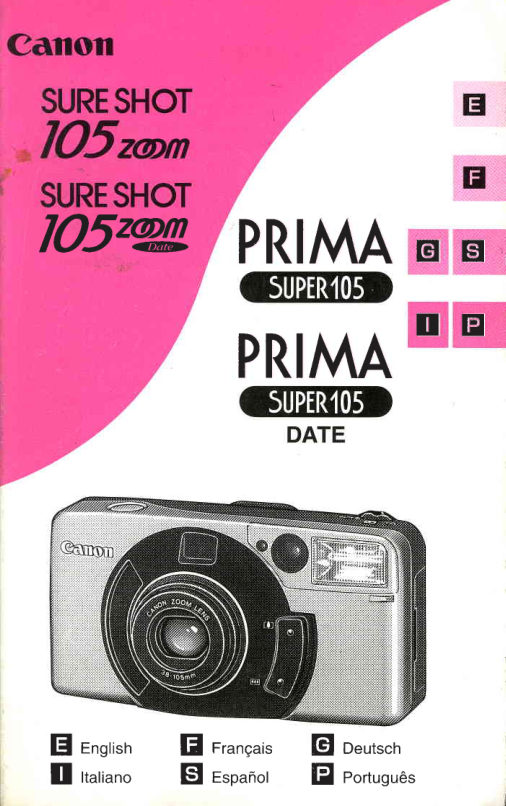
Canon Sure Shot 105 Zoom / PRIMA Super 105 User manual
User manual for Canon Sure Shot 105 Zoom / PRIMA Super 105. 42 pages in English. Read the original PDF, download or print a copy without registration.
42 pagesEnglish2.3 MB PDF
Loading your manual…Open PDF directly
Document details
- Brand
- Canon
- Model / document
- Canon Sure Shot 105 Zoom / PRIMA Super 105
- Document type
- User manual
- Language
- English
- Pages
- 42
- File size
- 2.3 MB
- Category
- Film cameras
- Document date
- Not specified in catalog
Search available document text
Find a term, then jump to its page in the original PDF. Image-only pages may not be searchable; check the PDF for exact wording and diagrams.
Page 2 · Read text
IO5zggrPRIMA tr E
                      tr E
      PRIMA


 E  Engtisrr     fl  rrangais  El oeutscrr
  I   ttutiuno  E  rspanol  E  Portugu6s
View original page 2Page 3 · Read text
1. This camera is not resistanttowater.and should not
  be used outdoorsif it is rainingor snowing.lf it is
  accidentallydroppedin water,contactan authorized
  Canon servicefacility.Keep the cameraout of salt
  spray and excessivehumidity.lf used at the beach,
  clean it thoroughlyafterwardwith a dry cloth.
2. Storethe camera in a cool, dry, dust-freeplace. Be
  sure to keep the camera out of direct sunlight,and
  away from "hot spots"such as the trunk or rear
  windowshelf of a car.Avoid placeswhere mothballs
  are used, and use a desiccantin excessivehumidity.
3. Do not attemptto disassemblethe camerayourself,
  sincethere is high-voltagecircuitryinside.
4. The batteriesmay explodeor cause burns if
  disassembled,recharged,shorted,exposedto high                                    i                                                                                                                                                  i
  temperatures,or disposedof in a fire.                                         I
5. Use a blowerbrushto removedust and sand from                       i
  the lens and insidethe camera.Do not applyany                    I
   fluidsto the lens or body.Take the camerato an  authorizedCanon servicefacilityfor a more           \                    t(
  thoroughcleaningif necessary.                                                   t
6. Film passingthroughX-ray examinationsat an                             aa
   airportmay be exposedand ruinedeven when                            o
  loadedin the camera.Requesta differentmethodof
  inspection             to avoid                damage.
       reproduction               may7. Color                    be adverselyaffectedif the           i                                                                                    r   film is left in the camerafor a long time. Always                                                                                          ir  developexposedfilm promptly.                                          A
                                             c
                                                               r1
                                             c
                                                                                        "t
                                    GFor German-speakingusers
This productis intendedfor use in residential,commercialand
light industryenvironment.                                        (
El-z                www.orphancameras.com
      *l{ffiea.r$Se*                        -'-
View original page 3Page 4 · Read text
t


F '                                   ":rry

     This devicecomplieswith Part 15 of the FCC Rules.Operation  titr'}wffiWm
       is subjectto the followingtwo conditions:(1) This devicemay     not cause harmfulinterference,and (2) this devicemust     tr
     acceptany interferencereceived,includinginterferencethat
    may cause undesiredoperation.
    Do not make any changesor modificationsto the equipment
     unlessotherwisespecifiedin the instructions.lf such changes
      or modificationsshouldbe made,you could be requiredto
     stopoperationof the equipment.
     This equipmenthas been testedand found to complywith the
      limitsfor a class B digitaldevice,pursuantto part 15 of the
    FCC Rules.These limitsare designedto providereasonable
     protectionagainstharmfulinterferencein a residential
      installation.This equipmentgenerates,uses and can radiate
     radiofrequencyenergyand, if not installedand used in
     accordancewith the instructions,may cause harmful
     interferenceto radiocommunications.
     However,there is no guaranteethat interferencewill not occur
      in a particularinstallation.lf this equipmentdoes cause
II     harmfulinterferenceto radioor televisionreception,which can
    be determinedby turningthe equipmentoff and on, the user is     encouragedto try to correct the interferenceby one or more of 1,w
     the followingmeasures:
         . Reorientor relocatethe receivingantenna.
         . Increasethe separationbetweenthe equipmentand receiver.
         . Consultthe dealeror an experiencedradio/TVtechnicianfor
      helo.
     This digitalapparatusdoes not exceedthe Class B limitsfor
     radionoiseemissionsfrom digitalapparatusas set out in the
     interference-causingequipmentstandardentitled"Digital
     Apparatus",ICES-003of the IndustryCanada.
    Cet appareilnum6riquerespecteles limitesde bruits
     radio6lectriquesapplicablesaux appareilsnum6riquesde
    ClasseB prescritesdans la normesur le mat6rielbrouilleur:
     "AppareilsNumeriques",NM8-0036dict6epar l'lndustrie
    Canada.
          The CE Mark is a Directiveconformitymark of the                I
           EuropeanCommunity(EC)      E
                                   tr-:                  rr"i-:. . " , r * r u .               , .                                    -If
View original page 4Page 5 · Read text
Thank you for purchasing  thls Canon product.
Beforetakingpictures,pleaseread these instructionscarefully
for a thoroughunderstandingof how the cameraworks.

Table of Contents
These instructionsare divided into four sections:Introduction,
BasicOperations,AdvancedOperations,and Additional
Information.When first usingthe camera,be sure to read the
instructionsstartingfrom the Introduction.     -  -- - --l
i  c;;;ii-"
i  The followingconventionsare used in these instructions:                                                                                                      I
i   rr   Warningsyou shouldobservewhen using the                i
  U    camera.                                                                                            ir
i i
Ir q lm- i   Additionalinformationon usingthe camera.                    i
ii  ' u _;O:- l    Tips on taking photographswith the camera.               I
1     Introduction  r     HandlingPrecautions           ....................2
       Tableof Contents                         ........4
      QuickReference                       ..........6
      Nomenclature..............        ..................8
       Attachingthe Strap            ......................10
O   il  Basic Operations
z      t  Becomino Familiarwith Your Camera ...........11
       E LoaOligthe Battery...           ....................11
           Checkingthe BatteryPower.............................12
       E Turningthe PowerOn and Off ......................13
       E  Viewfinder...................     ..................14
        E Changingthe SubjectSi2e.....,.........................1
        E ShutterButtonAction..........          ......'.'.16
           Holdingthe Camera            .....................17
       Loading the Film                          ........18
        Taking Pictures (Full Auto Mode)...................2O
        Green/OrangeIndicators            ...................22
       Removing the Film.....            ..................23
El-+             www.orphancameras.com                          IA
View original page 5Page 8 · Read text
tr
5. Change the subject size
  as desired.(-  15)


6. Position the AF frame
  over the subject and
   lightly press the shutter
  button halfway down.
   (*  16)
    . Keep the shutterbutton
   pressedhalfwaydown.
    . Checkthat the green
    indicatoris lit and then
   composethe picture.

7. Press the shutter button
  fullY.1- 16;
    . ln low lightor backlight,
   the flashfires
    automatically.


8. When the film has
  finished and rewound,
  remove the film. (-  23)


                    El-t
View original page 8Page 9 · Read text
Nomenclature

                                " (-   l)  is shorthand for "See page I".


VieMinder Window            MeteringWindow

Shutter Button (*  16)            AF Light Receptor
                            Mode Dial (-  29;


                               Red-eye Reduction/
        Lens                       Self-timerLamp
                                               (-  31, 36)

Zoom Lever ( @l Wide-angle
 /tll  Telephoto)(-  15)


El-s             www.orphancameras.com
View original page 9Page 11 · Read text
Attaching the Strap
Beforeusingyour camera,attachthe strap provided.
Be carefulnot to drop the Camera.
                   Pass the strap through the
                      strap holder on the left side
                         of the camera.
                                        . Followstep e  beforestep
            @


Button on strap clasp


                       Push-button release
                                               . Use this buttonto pressthe
                           Select and Set buttons (-  27\
                       and the Film Rewindbutton
                                          (-  23).


E-to          www.orphancameras.com
View original page 11Page 13 · Read text
Becoming Familiar with Your Gamera

Checking the Battery Power
Youcancheckthe batterypowerlevelwiththe
 indicatoron the LCDpanel.


 Battery Check Indicator
        Batteryin goodcondition  B
       Preparea newbattery       il
    ,il,'  RePlacethe battery(* 11)

 Shooting capacity
 Approx.17 rollsof 24'exposurefilm with 50% flash
 use. (Data based on Canon'sStandardTest
 Method.)


                     -Jpl;fihs
        ;Wffil'*"ri"s            t" 6riJ'.nl;v-      I  i r=
  I   l-ll     pictures,be sure to take a supply of spare              i
   i         O"tteries;they may not be availablewhere you      i
 L--- -  -119:-------------                ----------J

                  www.orphancameras.comEl-rz
View original page 13Page 14 · Read text
E Turning the Power On and OffWhena modeis selectedwiththe modedial,the     tr
poweris turnedon andpicturescan be taken.

Turningthe Power On
                    Turn the mode dial to any
                mode (except GB).
                   tThe  lens is set for
                       shooting.


                                                        --------------ti--------------
i  {)             . Do not touchthe lens.                                                              i
l::::-:::::::::::::::::::::::::::::::::::::::-::::::::::::-::::::::::::i
             . The lens first zooms to the full wide (38mm)position.ii m
i   l-ll     . lf the lens is not set for shooting,check to see if the   i
L      l3ll9y_,:1919"_9_99'je_9!I:-__ _____________


Turning the Power Off
Toprotectthe lens,be sureto turnoff the camera.
                   Turn the mode dial to GB.
                                       I  The lens retractsinto the
                     camera.


                               E-t:
View original page 14Page 15 · Read text
Becoming Familiarwith Your Camera

E Viewfinder


Picture frame               Close-up frame
For ordinaryshooting,      When the shootingdistance
composeyour picture            is between0.6 and 1 m (2
withinthis frame.           and 3.3 ft.),composeyour
                              picturewithinthis frame.The
                           area abovethis frame will not
                         be includedin the picture.

              AF frame
                 Placethis frame over the
                  subjectyou wish to focus on.


El-t+            www.orphancameras.com
View original page 15Page 16 · Read text
E Changing the Subiect Size-                                                                        ;.{r=Youcan freelychangethe size of the imagewith the
zoomlever.


 El Wide-angle(38mm)       ':l ':::o'"::             "_        lT::')


  @ Wide-angle             tlJ Telephoto
   Pressfor a wide area    Pressto zoom in on
   image.For taking       your subject.For
   landscapes,group       taking portraits,etc.
    pictures,etc.


                             El-ts
View original page 16Page 18 · Read text
Holding the Gamera                                 tr
Totake sharp pictures,hold the camerafirmlyso
thatit does not move.
                                  . Hold the camerawith both
                 hands.
                                  . Keep your elbowsclose to
                   your body.
                                  . Hold the camera againstyour
                 nose and look throughthe
                    viewfinder.


                                  . Be carefulto keep fingers    2
                 and hair from obstructingthe
                    lens,AF lightemitterand
                    receptor,meteringwindow,
                and flash.

                 Meteringwindow
  AF lightemitter            AF light receptor

                                      Flash


                                       El-tt
View original page 18Page 19 · Read text
Loading the Film
         'useDX-coded
 mffi
               DX code

                        1. Slide the back cover latch
                     downwards.
                     *The  back coveropens.


                      2.Insertthe film.


                        3. Pull the film tip across
                            until it reachesthe film
                              tip position mark.
                                            . Make sure the film lies
                                 flat.


E-ts            www.orphancameras.com
View original page 19Page 20 · Read text
4. Close the back cover.


                  You can check if a film is
                     loadedby lookinghere.

                       5. "1" is displayed in the
                     frame counter.


   lf the cameramalfunctionswhile a film is loaded,do not
  removethe film. Take the camera to a Canon service
  lacilitywith the film still inside.
   . lf you force the film out of the camera,the cameraor film
  may be damaged.


            . tf "0" btinksin the framei 0
i       counter,the film has not
i       loadedproperly.Reloadthe
i         film.
View original page 20Page 21 · Read text
Even if the subjectis not e)<actlycentered,the A|AF
(SmartAF) functionwill focus on the subject.
In low lightor backlitconditions,the flashwill fire
automatically.1- 29;

                        1. Turn the mode dial to
                   GlireD.
                               * The poweris turnedon,
                      and the lens is set for
                         shooting.


                         2. Change the subject size
                      as desired.
                                            . Look throughthe
                         viewfinderand press the
                    zoom lever to achievethe
                         desiredpicture
                        composition.


                         3. Position the AF frame
                       over the subject and
                       press the shutter button
                         halfway.
                                            . Keep the shutterbutton
                        halfwaypressed.
                                            . Make sure the green
                           indicatoris lit.
                                            . Composethe picture.


El-zo        www.orphancameras.com
View original page 21Page 22 · Read text
4. Pressthe shutter button                                          tr  fullY. t
    . In low lightor backlit
    conditions,the flash fires
    automatically.


                     2


                 El-zt
View original page 22Page 23 · Read text
Taking Pictures(FullAuto Mode)

 G reen/Oran ge  I ndicators
 When the shutterbuttonis pressedhalfway,the
  indicatorslightup or blinkto indicatewhetheror not
  shootingis possible.


                                   Green
                                              indicator


                                    Orange
                                              indicator

 O Green indicator
    Lightsup: Subjectis in focus. (Readyfor
             shooting.)
 @ Orange indicator
    Lightsup: Flashlamp is charged.
    Blinks:  Camerashakewarning(in "Flash
          OFF" mode).
        We recommendyou use a tripod.


El-zz          www.orphancameras.com
View original page 23Page 24 · Read text
the Film
Thefilm rewindsautomaticallywhen)t reachestheend.                             tr
       The framecountercountsdown duringfilm
        rewinding.
      Once rewindingis complete,"0" is displayed
          in the framecounterand the film can be
       removed.

                        1. Slide the back cover latch
                    downwards.
                     tThe  back coveropens.


                       2. Removethe film.


                                     2

Rewindingthe film in mid-roll
.Pressthe film rewindbutton ::o on
 thebottomof the camera.
.Usethe push-buttonreleaseon the
 srrap.


                            El-zz
View original page 24Page 25 · Read text
Focus Lock
 Use this modeto focuson a subjectpositionedclose
 to the edge of the pictureframe.


                         1. Center the AF frame over
                        the subject and press the
                          shutter button halfway.
                                             . Ke€p the shutterbutton
                        halfwaypressed.
                                             . Make sure the green
                           indicatoris lit.


                         2. With the shutter button
                        halfway pressed, frame
                       your picture as desired.
                    Then press the shutter
                        button fully.


      ;OGtilh;6lod;;d                                             il                              th;,6re;il-b;;1;rul---li   lltlii         not to change the distance                             between                                          the subject and   i
L--   ---tl-g93r-913:---_          _-_ _____
El-z+        www.orphancameras.com
View original page 25Page 26 · Read text
ffi,
   AiAF (Smart AF) Function
    Ai = Artificialintelligence,AF = AUtojocus
   TheAiAF (SmartAF) functionhas a wide measuring
    areaand is the latestmechanismfor providing
    accuratefocus adjustment.This mechanismwas
   developedbased on the analysisof several
   thousandphotographsand on Canon'sunique
    know-how.
                       .The camerafocuseson the
                          subjecteven if it is not in
                          the centerof the
                          viewfinder,or if there is an
                          obstructionin front of it.

                     The camerawill accuratelY
                         focus on two subjects
                         positionedside by side,
                      and not on the background
                      betweenthem.

                                        .lf you are takinga picture
                        througha window,set the
                      camera at an aPProPriate
                          angle,with a camera-to-
                      window distanceof about
                       20 cml0.7 tl.
                                                 lf you are too far awaY
                        from the window,the
                      camera may focus on the
                          glass of the window rather
                         than the subject.

                                 El-zs
View original page 26Related documents and language editions
From the M. Butkus archive. Original publisher and archive notices are retained.
Check the model and edition against your equipment.
PDF verified 2026-10-10.