Flashes & lighting
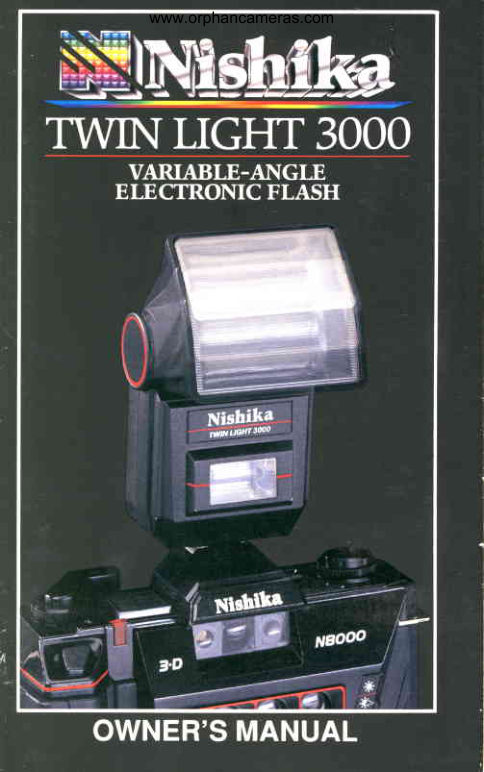
Nishika Twin Light 3000 Flash User manual
User manual for Nishika Twin Light 3000 Flash. 14 pages in English. Read the original PDF, download or print a copy without registration.
14 pagesEnglish1.3 MB PDF
Loading your manual…Open PDF directly
Document details
- Brand
- Nishika
- Model / document
- Nishika Twin Light 3000 Flash
- Document type
- User manual
- Language
- English
- Pages
- 14
- File size
- 1.3 MB
- Category
- Flashes & lighting
- Document date
- Not specified in catalog
Search available document text
Find a term, then jump to its page in the original PDF. Image-only pages may not be searchable; check the PDF for exact wording and diagrams.
Page 4 · Read text
www.orphancameras.com


    Your NishikaTwin Light3000 Electronic
Flashhas beendesignedfor use with the Nishika
N80003-D camera,as well as with most other
35mm cameras.The Nishika3000 will allowyou
to take photosin most situationswhere there is in-
sufficientambientlight.
View original page 4Page 6 · Read text
www.orphancameras.com


        Open the front and back flaps of this booklet
      to revealthe Key to Flash Partspages. Keep
     these pagesopenedout as you read throughthe
     manual. Usingyour manualin thisway will pro-
     vide a handy referenceto the parts of the flash
     mentionedin the instructions.


t
View original page 6Page 7 · Read text
www.orphancameras.com


    Your NishikaTwin Light3000 Flashuses
four AA batteries.To insertthe batteries,gently
slidethe batterycompartmentcover (#7) in the
directionof the arrow and removethe cover.
     Insertthe four AA batteriesinto the flash unit
as shownbelow. A diagraminsidethe battery
compartmentshows the correctpositive(+) and
negative(-) positioningof the batteries.
    To closethe batterycompartment,fit the bat-
tery compartmentcover back into its tracksand
gentlyslideuntilcompletelyclosed.
View original page 7Page 8 · Read text
www.orphancameras.com


    Make sure the ON/OFFswitch (#5) is in the
OFF position.Attachthe flash to the cameraby
slidingthe hot shoe contact(#3) of the ftashfor-
ward into the hot shoe of the camera until it stops.
This insurespropercontact.
    Move the ON/OFFswitchto the ON position.
Whenturningon the NishikaTwin Light3000
Flash,you will heara high-pitchedsound. This is
normaland meansyour flash is chargingup to a
flash-readystate.
    Your flash takes a few secondsto charge.
DO NOT TAKEA PICTUREUNLESSTHE
READYLAMP (#6) tS LtT.
View original page 8Page 9 · Read text
www.orphancameras.com


   When the flash is fully chargedand readyto
use, the ready lamp on the rear of the Nishika
Twin Light3000 Flashwill light up. To test the
flash,simplydepressthe test button(#8);
    Turn off the NishikaTwin Light3000 Flash
when you are finishedusingit, or duringlong
periodsbetweenflash pictures. This will help to
extendthe life of your batteries.
Taking Pictures Indoors
    Your NishikaTwin Light3000 Flash has a
directflash head (#2) and a bounceflash head
(#1),allowingyou to directthe optimallighting
towardand behindyour subject.
    By aimingthe bounceflash head upward,its
lightis bouncedoff the ceiling,providinga soft,
even illuminationon and behindyour subject.
    The directflash head providesa less power-
fuldirectbeamof lightto fill in shadowsthat may
resultfrom ambientlight and from the bounce
flash.
    You can easilyselectthe best flash-to-sub-
ject angle(0', 45', 60', 75' or 90') by lookingat
the bounceangle scale (#4). When usingthe
View original page 9Page 10 · Read text
www.orphancameras.com


       90"  75'  60"    45'


                               0'


flashwith the NishikaN80003-D Camera,referto
the columnfor ISO/ASA100 film on the back of
the flash unit. Alternatively,as an easy methodof
selectingthe best bounceangle,simplypointthe
bounceflash head towardthe ceilingdirectly
above your subjectto provideboth direct and
bounce(reflected)illumination.
    Bouncelightingworks best in roomswith 8 ft.
to 10 ft. ceilingsof neutralor lightcolors,to avoid
reflectingunwantedtones onto your subject.
Taking Pictures Outdoors
    Usingthe Nishika3000Twin LightFlashout-
doors reducesannoyingshadowscast by trees,
buildings,etc.,and gives your photographsbetter
overalllightingwhen subjectsare backlitor com-
posedagainsta lightbackground.When using
the Nishika3000 outdoors,the bounceflash head
shouldbe set at 0" to aim lightdirectlyat your
subject.
View original page 10Page 11 · Read text
www.orphancameras.com


    Your NishikaTwin Light3000 Flash has
been engineeredto requireno maintenance.To
ensureits best performance,however,we sug-
gest the following:
Gheck the batteries frequently.
    Yourflashshouldrecyclein 15 secondsor
less. lf the recycletime (the time it takes for the
readylightto come on betweenflashes)exceeds
30 seconds,a new set of batteriesshouldbe
used,or the nickel-cadmiumbatteriesshouldbe
recharged.
NOTE: lf you have not used your flash unit for
some time, the recycle times for the first few
flashes will be longer than usual.  lf you are
using nickel-cadmium batteries, it is advisable
to recharge them fully every month regardless
of how often the flash has been used.
     At times.even the best of batteriesleak
some chemicalmaterialthroughthe jacket,leav-
ing a whitishpowderon the surface. You should
inspectyour batteriesperiodically.lf leakage
does occur,replacethe batteriesafter first clean-
ing the internalcontactsin the batterychamber
with a pencileraseror cottonswab dipped in al-
coholor cleaningfluid.
View original page 11Page 12 · Read text
www.orphancameras.com


Store the flash without batteries.
         lf you do not intendto use your NishikaTwin
 Light3000 for a monthor more, it is best to
removethe batteriesand store them separately.
Otherwise,the batteriesmay corrode,causing
damageto the electroniccircuitry.
Keep the flash lenses clean.
         lf the lensesof the Nishika3000 become
dirty,cleanthem by rubbinggentlywith a lens
cleaningtissuemoistenedwith a drop of lens
cleaner.To cleanthe restof the unit,use a small
amountof lenscleanerand lenstissue,or a slight-
ly moistcloth. Be sure to dry the unitthoroughly
immediatelyaftercleaning.NEVERIMMERSE
THE TWINLIGHT3OOOFLASHIN LIQUIDOR
USE EXCESSLIQUIDTO CLEANIT.
Neverattemptto servicethe unit yourself.
        lf the Twin Light3000 Flashfails to operate,
the most likelycause is weak batteries. lf after
replacingthe batteriesthe flash stilldoes not
operate,checkthe batterycontactsin the unit and
hot shoe contactsbetweenthe Twin Light3000
Flashand the camera.ln the unlikelyevent that
the Nishika3000 Flashstilldoesnot work, return
it to the addresslistedin the CustomerServrce
sectionof this manual.
View original page 12Page 13 · Read text
www.orphancameras.com


IMPORTANTSAFEGUARDS
   When usingany electricequipment,basic
safetyprecautionsshouldalwaysbe followed:
1.  To avoid electric shock hazards, do not dis-
    assemblethis unit.
        lf it fails,returnit to NishikaCorporation.In-
correctreassemblycould cause an electricshock
hazardwhen the flash is used again.
2.  Do not immerse the flash in water or other
     liquids.
3.  Do not use the flash if it has been dropped
     or damaged until it has been examined by
    a qualified service person.
4.  Do not leave the flash unattended while in
    use.
    Close supervisionis advisablewhen used by
or nearchildren.
View original page 13Page 14 · Read text
www.orphancameras.com


     MODEL #3OOO3.D CAMERA FLASH
 Guide      Number:                   Main               24 (ISO/ASA          100, m.)    Auxiliary                                     12
 Color Temperature:  5,600'K (approx.)
 Flash Duration:      1/5,000 second(approx.)
 Recycling Time:      Alkaline      6 seconds
                                       lapprox.)
                   Carbon-zinc  gieconds
                                      (approx.)
 Number of Flashes:  Alkaline     75 (approx.;
                    Carbon-zinc 50 (airirrox.)
Angle of Coverage:   Vertical                                          54"
                     Horizontal          72"
Bounce Angles:      0'-90' (Clickstoos:'and                        0", 45",60', 75"    gO.)
Power Source:      Four 1.SVAA batteries
Size:               4:2)JH)x 3.0" (W) x 3.4" (D)
                        at 90' bounceanfjteWeight (ner):                    fpproximately6 ounces
                       lnot includingbatteries)
View original page 14Related documents and language editions

NishikaPDF
NISHIKA 3-D CAMERA
User manual
26 pages · EnglishRead →
NishikaPDF
Nishika 3-D camera
Product booklet
5 pages · EnglishRead →
NishikaPDF
Nishika 3-D camera Owners
User manual
29 pages · EnglishRead →
NishikaPDF
Nishika 3-D documents
User manual
6 pages · EnglishRead →

NishikaPDF
Nishika mailing envelopes instructions
User manual
7 pages · EnglishRead →
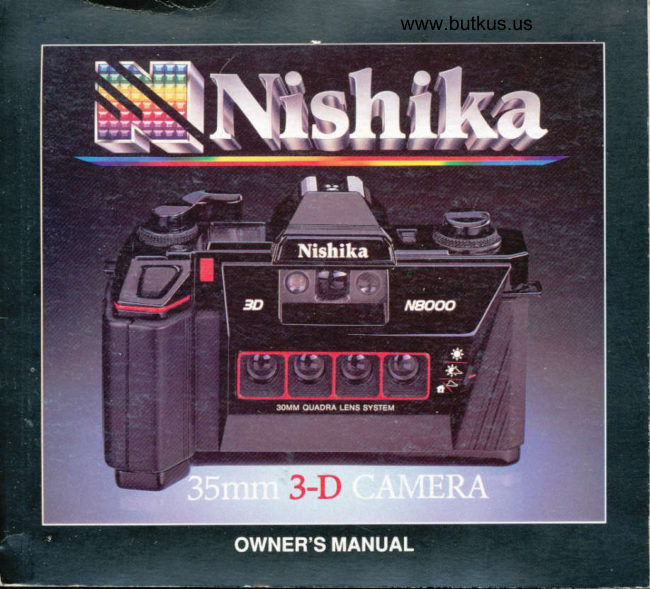
NishikaPDF
Nishika 3D Camera
User manual
102 pages · German, French, Spanish, ItalianRead →
From the M. Butkus archive. Original publisher and archive notices are retained.
Check the model and edition against your equipment.
PDF verified 2026-10-10.