Light meters
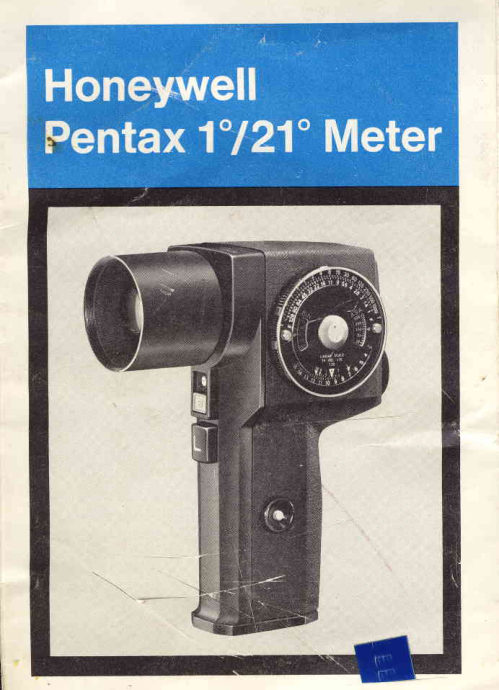
Pentax 1-21 : HOW TO USE THE METER Reference guide
Reference guide for Pentax 1-21 : HOW TO USE THE METER. 9 pages in English. Read the original PDF, download or print a copy without registration.
9 pagesEnglish1.4 MB PDF
Loading your manual…Open PDF directly
Document details
- Brand
- Pentax
- Model / document
- Pentax 1-21 : HOW TO USE THE METER
- Document type
- Reference guide
- Language
- English
- Pages
- 9
- File size
- 1.4 MB
- Category
- Light meters
- Document date
- Not specified in catalog
Search available document text
Find a term, then jump to its page in the original PDF. Image-only pages may not be searchable; check the PDF for exact wording and diagrams.
Page 4 · Read text
Nomenclature
      1. Calculator              11. Shutterspeedscale
      2. Adjustableeyepiece       12. f /number scale
      3. Scaleilluminatorbutton   13. DIN scaleindex
      4. Hand strap retainer        14. DIN-ASAscale
      5. Batteryhousingcover         selectionknob
      6. Objectivelens            15. DIN scale
      7. Zero adjustmentscrew    16. IRE scale
      8. Batterycheckerbutton     17. Indexfor light levels
      9. L switch buttonfor         18. Light level scale (LL)'       low light range           19. ASA scale
    10. Knurledouterring        20. ASA scale index
  lmportantdata
   Type of Measurement.. . . . Reflectedlight meterwhich reads
                            high light rangewith the lens cap
                                   off and low light rangewith the "L"
                             buttondeoressed.
   Dimensions               .4.8" deep x2.4" wide x 6.4" high
                     127mmdeep x 62mm wide x
                             1 6 4 m mh i g h
  W e i g h t                         . . . . . 1 7 o z ( 4 7 5g r a m s )
    Viewing                           . . . .Eye level pentaprismviewfinder
                              with adlustableeyepiece                          I
   V i e w i n gA n g l e             . . . . . 1 2 0  ( v e r t i c a l 1) ,7 0 ( h o r i z o n t a l ) ,
                            2 1 o ( d i a g o n a l )
    Light Sensitive Element. . . CadmiumSulfide (CdS)
   M e t e r i n g A n g l e            . . . . 1 o                         , - ,
    Light-Level Range          ..3 - 18
    Shutter Speed Range ..  . . .4 minutes- 1/4000 second
   Diaphragm Range             . .t l1 - f /128
    Film Speed Range. . .:--*-ASli-6:6400  (DlN 9-39)
   Power Source              . . . . i'Qne 1.3V mercurybattery(Mallory
                       RM640R,EvereadyE640N,
                                                  .\'  or equivalent)                       One 9V dry battery(MalloryM-1604,
                          Eveready216,or equivalent)                    \
View original page 4Page 5 · Read text
Operating Instructions
1. Set ASA scafe


                          Set the ASA (or DIN) scale to the
                           correct film speed rating of your
                                                     f i l m .


                                2. Subiectviewing
Point the meter toward the photo-
graphic subject and while view-
ing through the eyepiece (2),
center the small circle (centerof
the scale glass)on the area to be
m etered. Tu rn th e adj u stable eye-
piece until you can clearly see
the  viewfinder scale and  the
subject.


3. Select range
                       Observe the movement of  the
                        needle on the viewing screen. lf
                           the subject is sufficientlylighted,
                           the needle will move to the right
                              of the 10 on the H scale. The H
                   r-\                (h ig h r'ange) scqE' covers  lig ht
                      1 1       1t 3l         1 4             levels 10 to l)z/             r O \
 -.fl;                                      lf the negdb does not move far
                      enough to the right to reach 10
                        on the H scale, pressthe L switch                          www.orphancameras.com
View original page 5Page 6 · Read text
button (9), and observe the Iight
                             level number selected by  the
                        needleon the L scale.The L (low
                             level) scale includes light level
                      numbers3 to 10.


                                   4. Set index
Determinethe Iight level number
f rom the position of the needle
on the scale. Move the knurled
outer ring (10) and match the
light level number with the light
level index (17).The numberson
the light level scale (18) are two
colors: wh ite  f rom 3  to 10  (L
scale)and orangefrom 11 to 18
(H scale).

5. Determineexposure

                          Select the  sh utter speed and
                                                     f /stop combinationdesired f rom
                          the top scales (11) and (12) on
                           the calculator. Use th is data to
                            interpretthe scene as described
                                 in the enclosed exposure system
                           booklet.
View original page 6Page 7 · Read text
Batterycheck
The  battery checker  button  (8)
checks the life of the 9V dry bat-
tery. Look through the eyepiece
and depress the battery checker
button.lf the needlemovesto the
                                                                                         \2    13        ltblack mark betweenfigures 7 and                                  ti
8, the dry batteryis still good.               $-  ./f.'\o  L                                                             6     7  { i   tJu ,, lo
                                                                                         v -                                             I                          r oThe  1.3  volt mercury battery      O \ \
usually lasts for about a year.
When it is not good, the needle
will not move rapidly when ex-
posedto bright light.
Batteryreplacement
To replace the- 1.3 volt mercury battery, unscrew the battery
housingcover (5). Be sure that the new batteryis replacedwith
the positive(+),€rd toward the cover.
To rqPlacethe..9Vdry battery,unscrew the strap retainer (4)
and turn the lever (A) in the directionof the arrow.The housing
will spring open, exposingthe dry battery.Be sure that the new
batterymakes correct contact with the (+) and (-)  terminals.
When replacement;is necessary, use the correct replacement                 1"':batteries.


            A   W            ,ffi


                           www.orphancameras.com
View original page 7Page 8 · Read text
Zero adiust
Observethe positionof the needle
after removing the 1.3V mercury
battery. lf the neecile is off the
zero po i nt, tu rn th e zero adj u st-
ment screw (7) with a screwdriver
to bring the needle to the zera
point. The battery M UST be re-
movedto make this adjustment.
IREscale
An IRE scale is used for comparisonof the energy of light
under exposuremeasurement.The brightestspot in the high-
light area is rated at 10 (100% IRE) and other areas are com-
pared with this brightestspot in percentages.
The index 10 (100% IRE) shows the maximum brightnessin
the high-lightdetailreproducibleon color film. ("WhiteLevel".)
The index 1 (10o/o IRE) shows the maximum darknessin the
shadow detail reproducibleon color film. The other indices
from 2 to 9 (20o/o- 90o/oIRE) show the percentagecomparison
of the brightnessbased on the "White Level".
The largetriangle(greendot) index betweenthe indices2 and 5
is the standardindex calibratedfor 18o/oreflective-gusysubjects.
The figure "l:32" on the calculatorihdicatesthe contrastratio
betweenIRE scale 1 and 10. The IRE scale from 1 to 10 covers
5 EV ranges;hence the contrastratio is 1:32.

              Coloredindices
                                                     I n d g x8 *  . . . .  . . . . . .   . .  . . . Y e l l o w
                                                                   l n d e x 5 *  . . . . . . . . . . . . . . . . . R e d
                       StandardIndex* . . ..          . G reen
                         Dot between2 and 3*         . . B l u e


* Average index value for each color. lndex value is subiect to change
 as color shade changes.
View original page 8Related documents and language editions

PentaxPDF
Difference Data Sheet Honeywell Pentax 1 / 21 Spotmeter
User manual
5 pages · EnglishRead →
PentaxPDF
Pentax New scan of just the metering pages
User manual
18 pages · EnglishRead →
PentaxPDF
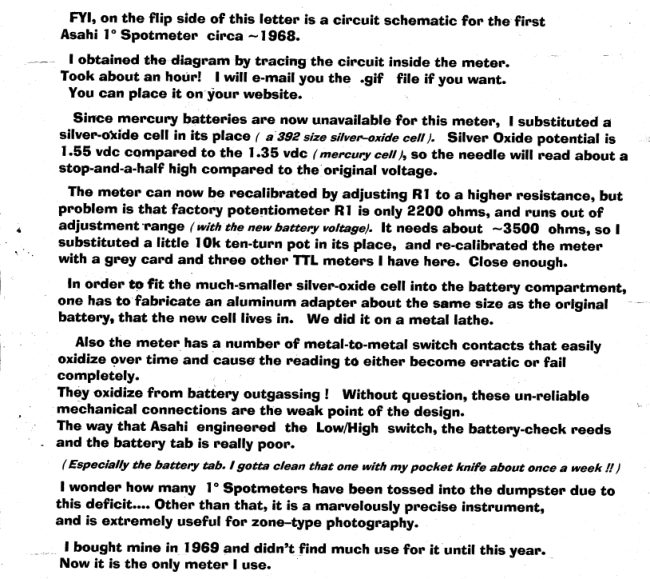
Pentax Spotmeter circuit diagram
User manual
3 pages · EnglishRead →
PentaxPDF
on the Pentax 1% - 21% Spotmeter
User manual
104 pages · EnglishRead →
From the M. Butkus archive. Original publisher and archive notices are retained.
Check the model and edition against your equipment.
PDF verified 2026-10-10.