Film cameras
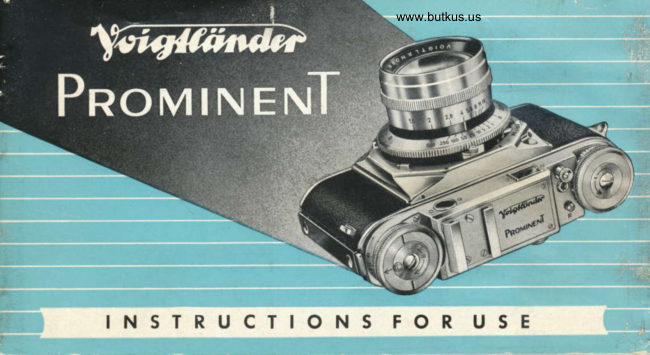
Voigtlander Prominent User manual
User manual for Voigtlander Prominent. 43 pages in English. Read the original PDF, download or print a copy without registration.
43 pagesEnglish6.6 MB PDF
Loading your manual…Open PDF directly
Document details
- Brand
- Voigtländer
- Model / document
- Voigtlander Prominent
- Document type
- User manual
- Language
- English
- Pages
- 43
- File size
- 6.6 MB
- Category
- Film cameras
- Document date
- Not specified in catalog
Search available document text
Find a term, then jump to its page in the original PDF. Image-only pages may not be searchable; check the PDF for exact wording and diagrams.
Page 2 · Read text
7
 Ct'," mosf impo rtont point of the whole booklef of insfrucfions
is on fhis poge : You ore reguesfed fo reod fhe insfrucfions
care{ully, ond to moke yourself fomilior with the monipulotion
of yovr camero before you stort toking photogrophs.
You should olwoys beor in mind thot fhe PROM|NENf is o
mechonicol precision instrument which musf be hondled wifh
feeling ond undersfonding. lt will repoy your care with on
endless number of beoutiful ond wonderfully shorp picfures.


                               V O  I GT LANDER A. G. BRAUNSCH W EI G
View original page 2Page 5 · Read text
www.butk  I  Aperture ring
    to sel the iris diophrogm
 2 Shutler speed ring
    io set the shutter soeeds
 3 Jows
    to hold lhe interchongeoble
    lenses or the reflex housing
 4  lotdr
    to open ond close the bock
 5  Synchronising  lever
    to set the M-X synchronisotion
 6 Flosh socket
    to connect the flosh gun
 7 Shutter lever
    to tension the selfjimer
 8 Rewind key
 9 Accessory shoe
l0  Rewind button
ll  Threqded coble releose sockel
12 Shutter releqse
13 Winding knob to tensibn the
    shutter ond wind the film
View original page 5Page 6 · Read text
3 Jqws
        to hold lhe inierchongeoble
          lenses or the reflex housing
    4  lqtch
         for opening ond closing the bock
    9 Accessory shoe
    13 Winding knob to tension the shuttr
       ond wind the film
    14 Focusing knob of lhe rongefinder
     t5  Dislonce. scole
     l6 Depth of field indicolor
    17 Film indicotor
    18 Tripod bush
    19 View- ond rongefinder eyepiece
   20 Film counter
   21 Film releose
         to releose the film lock when loodin
         '   or chonging porily exposed films
4  22 Rewinding indicotor
View original page 6Page 9 · Read text
Looding the Cqmerq
   os well os unlooding  is done eosily ond sof ely
   for ihe hinged bock comes completely  qwoy
  from the PROMINENT body ond leoves your
  honds in unimpeded freedom  of  movement.
   The perforoted minioture film ovoiloble in the usuol doylight lood-
   ing cortridges provides 36 or 20 exposures 24x36mm in block-
   ond-white os well os colour. lf you wish to use doylight or dqrk
   room refills or film in bulk we recommend you to let your deoler
   show you how to lood the cortridge.                                                          Opening the Bock
   Doylight cortridges ore light proof. But it is still qdvisoble not    Press fogelher bolh lolches on  the
   to hondle them in ony strong light ond to lood ond unlood the     left side of fhe comero ond pull  the
                                                                            bock owoy from the body.   cqmero olwoys in the shode    the shodow of your own body                                -c  will do.
View original page 9Page 10 · Read text
www.butkus.us
    Rewind Key
    to rewind the film showing lhe
    hondle open ond the key pulled
     out
 r0  Rewind bulton
    to rewind the film
 l3  Winding knob to tension the
    shutter ond wind the film
20  Film counler
2l  Film releose
    io releose ihe film lock when
    looding or chonging portly ex-
    posed films
23  Film dromber
24  Film guides
2s  Film tronsporl shoft
   with two sprockel wheels which
    must engoge the perforotions on
    both sides of the film
26  Toke-up spool
View original page 10Page 11 · Read text
The Rewind Key                Turn lhe Toke-Up Spool
Pull up the semi-circulor hondle os      by meons of the winding knob until the longer of lhe two slots points upwords.
for os it will go. On pushing the          lf the winding knob locks, press the film releose once ond let go.
bullon on top of the key ihe spring-     Threod the film into the lower port of the slot (centre orrow) ond push  ii
                               home until it wedges between the core ond the shell of the spool, pointinglooded hondle opens outomoticolly.
                                      towards lhe cenlre of the cqmero (right).
View original page 11Page 12 · Read text
www.butkus.us


Pull lhe Cortridge               Turn lhe Winding Knob          Close the Bock
over lhe film guides ond insert  if       until the full width of the film  is    ond moke sure lhol both lotches
in the film chomber. Push bock the     over lhe lronsport shoft ond bolh     engoge properly.
rewind key, giving it o slighl twist      sprockels engoge the perforotions.
if necessory, ond fold down the         lf the winding knob locks, press lhe
hondle.                                  film releose once ond lel go.
View original page 12
Page 13 · Read text
After Looding
                                                                      set the film indicotor on the
                                                    bose plote of the comero.
                                                             Choose your own colourcode
                                                                        for the different films to help
                                                          your memory.


                                        www.butkus.us
                                                          The Film Releose
                                                                                                        is used in proclice only for looding
                                                                   ond chonging portly exposed films.
    Setting the Film Counler                                    Do NOT use it for rewinding.
    Turn the winding knob until it locks (unless  it is olreody locked). Then pull
       it up ond turn the counting disc to set the letter F exoctly opposite the index    One Shorl Presrure
    mork (left).                                                                                 :  releoses the film for one frome.
    Push the winding knob bock ogoin until it fits tight on top of the counting
    disc. Press the film releose once ond turn the winding knob until it locks.      Surtoined Prersure
    Repeot lhis once more. Now the index mork poinls to No. I ond the film       :  releoses ihe film os long os the
to  is in position for the first exposure.                                               button is kept down.
View original page 13Page 14 · Read text
www.butkus.us
                                                                   Portly Exposed Films

                                                                                ore eosily chonged ot ony time (e. g.
                                                                                  block-ond-white ogoinsl colour). Re-
                                                              wind the portly exposed film os
                                                                                   described, bul moke o note of the
                                                                                            lost number on lhe film counter.

                                                   When relooding o portly exposed
                                                                                            film, proceed in the usuol woy up
                                                                                 to setting the film counler to No.'1.
 Unlooding the Comero                                                Then press the film releose ond keep
After the losl exposure lift up the hondle of the rewind key, but do not pull
oul he rewind key itself (left). Depress the rewind button ond keep it de-         it pressed down while turning the
pressed        while turning the rewind key in the direction of the engroved orrow      winding knob until the film counter(risht).
While rewinding the film, wolch the slotted end of the film lronsport shoft       indicotes once more the previously
turning in the bose of the comero (see ill. p.5). When  it ceoses to turn      noled number. Then finish exposingreleose the rewind butlon, ond pull out the rewind key by its hondle. Finolly
open the comero bock ond loke out the cortridge.                                 the film in lhe normol woy.              lt
View original page 14Page 15 · Read text
All Interchongeoble Lenses
   of the PROMINENT ore hord
   cooled Voigtlonder high-closs
    onostigmots.
   Computed on the bosis of
  new scientific development,
  they excel in outstonding
   shorpness right to the edge
    of the picture, moximum reso-
    lution ond increosed controst
   os well os wonderfully pure
   ond foithful colour rendering
   on colour film.                                Chonging the 50 mm Lenses
    Nole: The instructions for chonging    When inserting the lens push it into the shutler (left) ond turn it until you
    lenses ond the sections on focusing,      heor the inner boyonei engoge with o click. When lhe lens is in the correct
   depth of field etc., opply only io       position, the cotch must be underneoth.
    the stondord 50mm lenses. A speciol
     instruction booklet is supplied with     To remove the lens, pull the cotch forword (right), lurn lhe lens obout 600
    oll lenses hoving o different focol      to the left or right, ond lift  it out. ALWAYS CHA.NGE LENSES CAREFULLY
t2   length.                      AND NEVER USE FORCE.
View original page 15Page 16 · Read text
www.butkus.us
                            Aperture qnd Shufter Speeds

                              The operture (or stop).of the iris diophrogm controls the omounl
                               of light folling on the film ond thus the exposure.  lt olso con-
                                      frols the depth of field. The next few poges tell you how to
                                determine the depth of field.

                           Note thot the lorgest operture (f/1.5 with fhe NOKTON ond
                                   fl2 with the ULTRON) ollows the greotest qmount of light to
                                poss through the lens. The successive numbers of the operture
                                  ring holve the omount of light from number to number.Setting lhe Aperlure
Turn fhe operture ring unlil lhe     This meons in proctice thot in identicol lighting conditions you
selected stop is opposite the while    must holve or double  the shufter speed from stop toindex line. The whole of the scole
is cleorly visible ol o glonce from     stop either woy. You moy olso set intermediote volues, descri-
obove.                       bed on poge 17 under "Setting the Shutter Speed".                r3
View original page 16Page 17 · Read text
Aperture ond Depth of Field
The depth of   f ield  of o picture  is the port  of the view in  f ront  of  ,
ond behind, the  f ocused distonce which is still  reproduced  shorply
on the  f ilm.
The depth of field is, however, not constont. lt becomes greoter the more the lens is stopped
down, ond it decreoses qs you open the operture. So remember,
                                          produce little deplh of field,                  I  Lorge operfures (e. g. il4) :                                                       :  produce greol depth of field.                  I  Smoll operlures (e.g. fl11)
You con reod off the depth of field (with 50 mm lenses only) for eoch exposure from the depth
of field scole on the rongefinder focusing knob.
When the rongefinder is shorply focused, the A mork points to the exoct subiect distonce. The
focusing knob olso corries two series of operture numbers symmetricolly grouped to the left
ond right of the distonce mork, with the distonce scole immediotely obove. The depth  of
f ield olwoys extends  f rom the distonce obove the aperture number
chosen on the  left  to the distonce obove the corresponding  oper-
ture number on the right  (see"SnopshotFocusing"onp.19).
View original page 17Page 19 · Read text
The SYNCHRO-COMPUR Centrql-Shutter
   hos speeds from 1 to 1/soo second os well os the short time setting "B". A deloyed oction mecho-
   nism (or self-timer) is olso provided. The shutter is speed-synchronised for oll types of flosh. A
   double set of shutter blodes renders  it obsolutely light proof.
            Tension the shuiter by turning lhewinding knob os for os itwill go.This olsowinds the film ond odvonces the film
            counter. When toking photos without flosh there is no difference the synchronizing lever being set on M or X.
        When using the shutter ol 1/roosecond  it is odvisoble lo tension the shulter by meons of the short shutter lever
            (by pul1ing it fo the left os for os lhe red dot) in order to overcome lhe lension of the odditionol spring. But
          remember ofterwords lo give the winding knob o full turn. You will feel o slight resisionce os you do so.
   The outomotic interlock prevents double exposures ond blonk fromes. Thus you connot tension
   the shutter unless there hos previously been on exposure, nor will you be oble to press the
   shutter releose unless the winding knob hos been fully turned.
                  lf you wont to expose the some frome twice inteniionolly, lension the shutter ofter lhe firsl exposure by meons                                                                                                      J           of the lever (see obove) ond for the second exposure releose the shutter by meons of the smoll lever which
            prolrudes from the body on the right below the shuiter speed ring. Pleose do not mix up with lhe lever below
16        which only opens one set of blodes.
View original page 19Page 21 · Read text
The Rongeftnder
    of the PROMINENT  is o com-
   bined opticol viewfinder ond
    precision rongefinder.
   Looking through ihe lorge
   eyepiece (right-hond orrow)
  you see the circulor meo-
   suring oreo within the bright
    field of view. The milled fo-
   cusing knob forms o  ring                                                      www.butkus.us
   round the rewind key on top
   of the comero (left - hond
   orrow). Below the focusing     Focusing wilh the Rongefinder
   knob ore the distonce scole    The bright circle in the field of view is the meosuring oreo.
   ond the depth of field indi-   When the rongefinder is not correctly focused, the subiect
    cotor.                          oppeors os o double imoge within the circle. Turn the focusing
                              knob until lhe two imoges coincide. The lens is now occurotely    Correclion lenses which fit over the
    eyepiece enoble spectocle weorers lo     focused on the subiect (right).
l8  use the finder without their glosses.     You con olso set the distonce by lhe scole below the focusing knob.
View original page 21Page 23 · Read text
Slow Speeds
                                                              To shoot with the comero held in
                                                                              the hond ot speeds slower fhon r/s
                                                                             second, e. g. Vre, rlt, Uz, ond even
                                                                                                            I second, you need o very steody
                                                                   hond, or some supporl for your
                                                                     orms ond body.

                                               A useful trid< lo reduce the risk of
                                                                 comero shoke with shots of stotic
                                                                                   subiecls, e. g. interiors, is to use
                                                                             the self-timer which normolly serves
                                                                             for toking pictures of yourself.
Holding lhe Comerq                                                  Tension lhe shutler in the usuol
It is odvisoble lo hold lhe comero os shown in the illustrolions. Slighlly press     woy, set the shutler speed, ond
fhe lop of lhe comero ogoinst your foreheod to keep it steody, ond to qvoid       stort the self-timer. After obout l0
comero shoke during exposure. Keep your eye close lo the eyepiece of the     seconds, the shutter will  releose
rongefinder, so thot you con see oll the four corners of the imoge ot the         itself without ony shoke. But do not
some lime.                                                    move the comero until you hove
Hold your breoih during exposure ond press lhe releose down gently os for     heord the shutter close with on
os it will go. Don't ierk it.                                                 oudible click.
View original page 23Page 24 · Read text
www.butkus.us
Synchronised Flqsh Shots
The Synchro-Compur  shutter
mokes it possible to toke
oction shots with flosh ot the
fostest shutter speeds up to
 r/soo second. The flosh con be
employed either by itself, or,
with block  - ond  - white film,
combined with doylight or
ony other light. tt is porticu-
lorly useful for lighting up the
shodow oreos in ogoinst-the-      Connecting the Flosh Gun to the Comero:
light shots.                                   First fix the comero to the brocket with o tripod screw. The flosh unit should
                                                                                        occess to the body releose.All mokes of flosh units        be to the left of the comero so os to ollow free                                                 light-weight                               some                                                    guns                                                                               (e. g. the Voigtlcinder copocitor Frosh Gun) con be                          -flosh bulbs os well os electro-                                          fixed                                              to                                               the occessory                                                                       shoe.
                                  Then connect comero ond flosh gun by meons of the synchronising coble,nic -  con be used with the
Synch ro-Compur sh utter.           pushing the plug over the flosh socket (right).                             2l
View original page 24Page 25 · Read text
Selting Shutler ond Aperlure
Since the shutter must be  f ully open ot the
moment when the flosh reoches its  peok
brightness, the synchronisotion (M or X) must
be sel to suit the type of  f losh in use.

   Flosh bulbs ond eleclronic flosh tubes differ in the time they toke lo reoch
   their peok. They thus foll into severol closses os shown in the toble opposite.
   Set the synchronising lever either to X or M, occording to the flosh used
   (see ill.). Then sel lhe shufter speeds occording lo the volues shown in the
   toble. Tension lhe shutler in lhe usuol woy. Nole: When using the self-timer,  X Setting:
   only the shutter speeds indicoted under X con be used.                                                          The conloct closes ot the instonl
  On the pocking of floshbulbs, or in instruclions enclosed with the bulbs or   when the shutler is fully open.
   electronic unit you will find detoils obout 'guide numbers' which govern  M Setting:
   lhe operlure setting. Dividing the guide number by rhe distonce (in feet)   The contoct closes o short time                                                                                                                              -of  from flosh to subiect gives you the operlure setting (operlure  :  guide    corresponding to the firing deloy                                                                                    closs M flosh bulbs    before the   number: di:lonce).                                                              shutler is open.       -
View original page 25
Page 28 · Read text
www.butkus.us
      Close-ups with stondord comero lenses                  the subiect. Focusing is eosiest ot  full  operture.
      of 50 mm focol length                                  Approoch the subiect with your comero  till the imoge                                                                   on.the screen is os lorge os you wont it to be. In doing
     Mount the comero on o tripod, ond opprooch the sub-        this keep your eye on the eyepiece ond with your hond        iect until it oppeors the desired size in the viewfinder      operote the comero focusing ring to keep your subiect       field. According lo the distonce ploce the oppropriote       in focus oll the time.     FOCAR lens in front of the comero lens.
     Meosure the distonce between the front of the FOCAR     The right operlure ond exposure
      lens ond lhe centre of your subiect mosl occurotely,       In ioking close-ups with the FOCAR lenses stop down
    ond look for this distonce in the focusing tobie      to ot ledsi f 8 to'get on odequote depth of field. The
      opposile (column 2 to 4 occording to the FOCAR lens      exposure  is not offected by the FOCAR lenses. But if you
       used). Toke the corresponding figure in column I which      use o filter, fhe exposure should be increosed os usuol.        tells you on which distonce the comero lens should be     (Any filter should be ploced in fronl of ihe FOCAR
       focused.                                                                ieni.) to releose the shutier use o long coble releose if
     With FOCAR 1'A" the imoge on the negotive is 1/19 to       possible.                                   "8"                    FOCAR           noturol                    size;                                              size      l/10                                      the                     with                                                     reduction      Viewfinder porollox                                                            114.                  FOCAR        is l/10                                          to                                             is 116            to l/6                  with                           "C" it                                                          With the stondord comero lenses of 50 mm focol length
      Close-ups wirh rhe TETOMAR  f 5.5 (f :  100 mm [4"]) with      osthe iheirnogeviewonthroughthe negotivethe finder,is no longerbut is exoctlydisplocedtheinsomethe       reflex housing                                              direction of the lens oxis. These displocements ore
,iil    withUse thetheFOCARoiher FOCARlens "0" lenseseither ('A";olone "B';or in orcombinotion"C"). For      ore6;roughlyFoCARos follows:"B" up FOCARto 114; FocA'R"A" up "c"to l/8vpoftothe112.finder
      focusing use the ground gloss screen of fhe reflex
                 pictures without o tripod with the comero In      ldnder PROXIMETER with 50 ond  mm lenses. Thisilil    conhousingtoke ond not the. distonce scole. In this woy you       Insteod of using Focor Lenses you.|00con use the Voigt-     your hond. With smoll opertures the use of flosh  is      well-known close-up device ollows the use of  the
       odvisoble.                                                coupled rongefinder with shots from 38" to 10".
       In toking o piciure first select the oppropriote FOCAR     Your deoler will glodly give you o leoflet with o
       lens occordirig to the distonce between the comero ond      detoiled description of the PROXIMETER.              25
View original page 28Page 29 · Read text
Filters
   Your Voigtldnder lens will sotisfy your most
   exocting demqnds on shorpness, but you
  con greotly enhonce the mood or obtoin
   speciol effects in your piclure with Voigt-
   londer filters.
   With o few exceptions, therefore, use o fil-
    ter with block-ond-white film for oll outdoor
   shots whenever possible. With filters the sky
   in porticulor    with or without clouds                -                           -      Voigtldnder filters for the PROMINENT ore mode of
    will show up much more effectively.                spectroscopicolly lesied gloss ond polished perfeclly plone-
                                                                      porollel.
    Filters ore olmost never used with colour                                                             All filters con be used with Voiglldnder Focor Lenses, lhe
26 film, except for UV ond type A filters.              lens hood, or boih.
View original page 29Page 31 · Read text
Infrq Red Photogrophs
  Where photogrophs token with o red filter olreody show sirong deviotions from the normol
   visuol impression, infro-red photogrophs token with on infro-red filter on infro-red moteriol com-
    pletely folsify the tone vqlues.The sky comes out pitch block, folioge white, ond the normolly
    invisible for distonce becomes visible. Since noturolly the PROMINENT lenses ore scoled for
    visible light only, the setting must be oltered, nomely the distonce from film to lens hos to be
   increosed when using on infro-red filter.
   The infinity (-) setling of the PROMINENT lenses is oltered thus: 35 mm f/3.5 Skoporon to 33
   feet, 50mm'f/1.5 Nokton to 40 feet, 50mm f/3.5 Color-Skopor, 50 mm fl2 Ultron, ond l00mm                                                                           .|60    114.5 Dynoron to 66 feeI, ond the 100 mm fi5.5 Telomor to      feet.
  Where the subiect distonce is neorer thon m, firsl focus by meons of the rongefinder, ond lhen
   lurn lhe focusing knob (with the reflex housing, the lens) further in lhe direcfion for neorer
   dislonces: with the 1@ mm f/5.5 Telomor by 1/z division of the scole, the 50 mm f/3.5 Color-
   Skopor,50mm f/2Ultron ond l00mm f/4.5 Dynoron by 1 division, the 50mm f/l.5 Nokton by
    l1/z divisions ond the 35 mm f/3.5 Skoporon by 2 divisions.
   The exposure vories with the type of film ond filter ond will hove to be determined by the user. Stort by ossuming
28 o film speed of 2lo Sch. for o sunlit londscope'
View original page 31Related documents and language editions
VoigtländerPDF
Voigtlander Prominent
User manual
19 pages · EnglishRead →
VoigtländerPDF
Voigtlander Prominent II
User manual
36 pages · FrenchRead →
VoigtländerPDF
Voigtlander Prominent II Gebrauchsanleitung
User manual
35 pages · GermanRead →
VoigtländerPDF
Voigtlander Prominent II
User manual
34 pages · Not specifiedRead →
From the M. Butkus archive. Original publisher and archive notices are retained.
Check the model and edition against your equipment.
PDF verified 2026-10-10.