Film cameras
Voigtlander Vitomatic I User manual
User manual for Voigtlander Vitomatic I. 40 pages in English. Read the original PDF, download or print a copy without registration.
40 pagesEnglish2.9 MB PDF
Loading your manual…Open PDF directly
Document details
- Brand
- Voigtländer
- Model / document
- Voigtlander Vitomatic I
- Document type
- User manual
- Language
- English
- Pages
- 40
- File size
- 2.9 MB
- Category
- Film cameras
- Document date
- Not specified in catalog
Search available document text
Find a term, then jump to its page in the original PDF. Image-only pages may not be searchable; check the PDF for exact wording and diagrams.
Page 1 · Read text
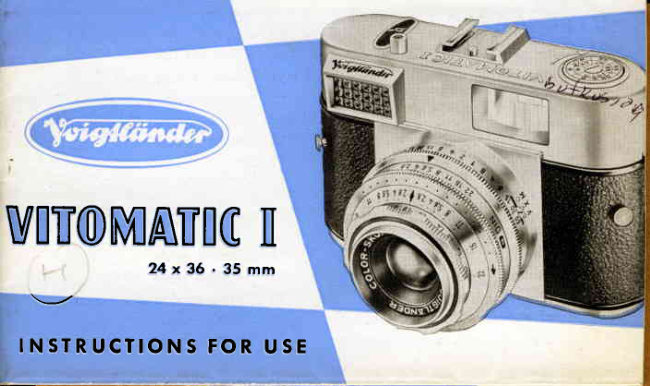
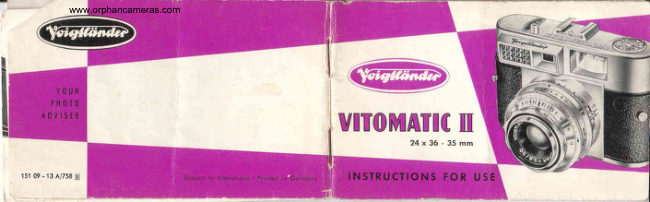
VITOMATIICI
                 2 4 x 3 6 . 3 5 m m


   I N ST RU C T I O N S F O R U S E
View original page 1Page 2 · Read text
il;


Moke yourself thoroughly fomilior with  oll  the
 operotionsond controlsof the comero.Thenyou con
  lood your first film ond begin to toke pictures.
  Rememberolso thot the VITOMATIC is on opticol ond
   mechonicol precision instrumentwhich requires gentle
    ond sensibletreotment. The comero will repoy coreful
     hondling with beoutifully cleor ond shorp pictures for
     mony yeors lo come.

     V t ] I 6 T I . A N I l E R A . 6 . B R A U N S C H W EI 6


                         www.orphancameras.com
View original page 2Page 3 · Read text
The 2 inch (50 mm.) COLOR-SKOPAR  f l2.B
 fitted to your comero is o fourelement unit, ond
   is one of  the series of Voigtlcinder high-closs
   onostigmot lenses. lt meets every requirement
    for optimum imoge quolity: excellent definiiion,
    high brillionce, ond moximum resolution over the
     whole picture oreo  -  coupled with obsolutely
       foithful colour rendering in colour photogrophy.
           - The Color-Skopor is focused by the movement         of  the whole  lens system os o  self-contoined  I
         opticol ond mechonicol unit.  lt goes without
         soying thot oll oir-gloss surfocesore hord-cooied
           with o vocuum evoporoted onti-reflection loyer.
View original page 3Page 5 · Read text
9  Releose buttonVITOMATIC  I                                                wifh coble releose socket
24x36  -  35 mm                                                        l0  Accessory shoe
                                                                                        ll   Depth of field scole         t  Dot divisions on setting ring (5)
        for filter foctor obiustment         12  Setting window (DlN) for film
                                          speeds
    2  Viewfinder window
                                                     t3  Shufier speed scole
    3  Rewind knob with film
                                        14  Synchronizing lever for M ond        indicqtoi
                                       X synchronizotion ond  self-ti-
    4  Reversing lever                      mer (V)
    5  Universol setting ring  for                    t 5  Lens focusing ring for  setiing
      exposure reodings, combined           the distonce
       with film speed setting ring                     l 5  Dislonce scqle
    6  Shutter speed ring                1 7 Aperlure scole
    7  Honeycomb cell window                             l 8  Setting morker of exposure
         of exposure meler                      meler
    8  Exposure meler setting window                l 9  Exposure meler needle         j
View original page 5Page 8 · Read text
l-     4  Reversing lever                    24  Flqsh sockel
|
     5  Universol setting ring for expo-      25  Bose plole loteh
        sure reodings, combined with                                        26  Bose plofe flop       Ttm speeo seltng .ng
                                         27  Viewfinder eyepiece
     6  shutter speed ring  for  setting
        the   correct   operture-speed      28  Shqft of rewind knob
       combinotion ofter toking the
       exposure reoding                  29  Cosette chomber
    20  Lever  io  uncouple the  film       30  Ropid winding  lever
       speed setting ring (see No.5)              to odvonce the film ond cock
                                                the shuiter
lb   2l  Milled film counter setling
I      knob                                        3l  Sprocket fo operole  shulter,
                                                                                                f i l m c o u n t e r o n d d o u b l e
"   22 Film counter window                     interlock
.   23 Tripod bush                      32  Toke-up spool
GI
View original page 8Page 11 · Read text
Poge
Contents   Openinglhe comeroond insertingthe film .. . .   2-4
            Settingthe film counter                       5
           Unloodingthe comero                       6
          Chongingportly exposedfilms .               7
            Settingshutterspeedsond opertures..          8-11
          The self-timer(deloyedoction releose)                  I I
            Setiingthe distonce....                   12
          Zone focusing..                          13
          The ropid winder- the doubleexposurelock ..  14
           Viewingond releosing..                   15
           Flosh exposures.                          16-19
           Using filters                              20-21
           Close-upswith the supplementoryFocorlenses..  22
            Hintsfor usingthe exposuremeter             23-27
           Apertureond depih of field               .......  28
                  _ t _
View original page 11Page 12 · Read text
Loading   and  unloading    the  Camera

Stondord35 mm. minioturefilm for 24x36 mm. negotivesis commerciolly ovoiloble
os block-ond-whiteos well os colour film in doylight cossettes of 36 or 20 ex-
posu res.

Although the cossettesore light-tight,it is odvisoble not to expose them to strong
light. Moke o point therefore of olwoys looding ond u n l o o d i n g t h e c o m e r o i n
                                     the shode - even the shodow of your own
                                body will do.

                                                                   I  Opening the Bqck
                                          First lift up the bose plote lotch (25),ond
                                      turn it through o quorter turn to the right.
                               Then fold owoy the bose plote f lop (26)os
                              shown in the  il lustrotion,o nd swing open
                                     the bock from the body.
                                                             - 2 -                         www.orphancameras.com
View original page 12Page 13 · Read text
I   Inr"rting the Cossette
  o Pull out o short length of the film leoder
  from the cossette,ond push it into the slit
   of the toke-up spool (32) os for os  it will
  go (see illustrotion).
  o Drow the cossetteocross the film trock,
  ond insert it in the cossette chomber (2g).
  The shoft (28) of  the rewind knob must
  properly engoge the cossette, otherwise
  you rvill not be oble fo close the comero
  loter on.
  o Now push the reversing lever (4) bock-
  words (moking the rewind knob (3) iump
  up), ond keep pulling out the ropid wind-
  ing lever (30)until the f ilm leoder is firmiy
  ro!led round the toke-up spool, ond the
  tronsport sprocket (3.|) engoges the film
  perforotions. Then push the rewind knob
  b o c k o g o i n .
                                                           - 3 -
View original page 13Page 14 · Read text
Before closing,the looded
  comero must oppeor os
  shown in the  illustrotion
  on the rig ht. The f ilm  I ies
   flot in the film trock, with
   the teeth of the tronsport
  sprocketengoging the film
   perforotions.

   Closing the Cqmerq BqckI
   First push the bock ogoinst
   the body, then press the
  bose plote flop  (26) into
   position, turn  the  bose
   plote lotch (25) to lock  ii,
  ond fold down.
     - 4 -                      www.orphancameras.com
View original page 14Page 16 · Read text
I  Unlooding    After the lost f rome the exposed f ilm must
               be rewound from the toke-up spool inio
                 the doylight cossette:
               Push bock the reversing lever  (a); the
                rewind knob (3) will spring up  into  its
                operoting position (see illustrotion).
               Turn the rewind knob in the direction oF
                 the orrow while observing the film counter
                  wi ndow. The f ilm counter now ru ns bock
                                  f r o m N o . ' l    ( l o s t e x p o s u r e ) .W h e n o f t e r
             N o . 3 6 o r 2 0 t h e r e d  l e t t e r " F " o r  t h e r e d
               mork for N o. 22 respectively is below the
                 index ffir1rk,the film is fully rewound. The
                 cossette con then be removed from the
                co mero.
      www.orphancameras.com- 6 -
View original page 16Page 17 · Read text
Changing     Partly   Exposed   Films
with  the VlroMATlC  you cqn ot ony time toke out o portly exposed film ond
chonge over lo onother one (e. g. from block-ond-white to colour) without the
need for o dorkroom:
o Rewind the portly exposed film  into  its cossette, os olreody described on
poge 6. Moke o note, however, of the lost number thoi oppeored  in the film
counter window.
o When re-inserting the porily exposed film, proceed in fhe some woy os descri-
bed on poges 3 to 5 up to setting ihe film counter lo "F,, or to No. 22.
o Then push bock ihe reversing lever (4), lefting the rewind knob (3) spring up.
Keep pulling the ropid winding lever (30)fully to the right until ihe number follow-.
ing the number originolly noted oppeors in ihe film counter window (22) below
the red index mork.
Finolly push bock the rewind knob (3),pull the ropid winding lever (30)once more
os for os  ii will go, ond corry on exposing the film in the normor woy.
                                                                                                                     - 7    -
View original page 17Page 18 · Read text
The Perfect Automatic  Exposure System                                  r.'
of this comero gives you of the some time the moximum certointy of correctly
exposed pictures, ond o hitherto inconceivoblesimplificoiion in operotion.

        A single turn of the universol setting ring covers the whole operture-             I
         speed scole in one continuous ronge, ond brings the setting pointer             I
                    mererro co-incidewirh rhe meterneedreor onv
          I   :j"11:r:-rosure
In other words, without hoving to engoge or disengoge ony sort of coupling, ond
completely independently of the shutter speed or operture set, you in effect use
ihe shutter to toke the meter reoding. In thot woy you outomoticqlly sei o
correct operture-speed combinotion on the comero occording to the prevoiling
light conditions. In cose the index-mork is in between two speeds let  it click into
position opposite the figure nexi to  it.
The VITOMATIC provides this refinement with the new Prontor SLK-V diophrogm
shutter in the speciol version, coupled with the built-in photo-electricexposure
meter.
                         www.orphancameras.com
View original page 18Page 19 · Read text
I  Sefiins the Film Speed
   Fully press in the lever (20), ond turn the front
   milled rim (see white orrow) of the universol
   setting ring  (5) until the required  f ilm speed
   figure oppeors in the DIN or ASA window (12).
  Releose the lever ogoin, ond the front rim  is
  once more coupled with the universolsetting ring.
  A compol:on toble of film speed systemsis given
  on poge 27.

  fomng the Meter Reoding)
   Point the comero of the subiect, ond turn the


  You will find further usefulhints on toking exposure
  reodingson poges23 to 27.
                                                                       - 9 -
View original page 19Page 20 · Read text
I  fne Aperture'Speed Settings
  By toking the exposure reoding os described on ihe previous poge, you hove ot
   the some iime set on operture-speedcombinotion to suit the prevoiling light
   conditions. You con now shoot, unless you wish to use o different shutter speed
   (e. g. for moving subiects) or o different operiure (for greoter depth of field  -
  see poge 28).
   ln thot cose simply turn the shutter speed ring (6) to the required speed or oper-
   ture; the corresponding operture or speed respectively con be reqd off imme-
   diotely. A single turn of the shutter speed ring thus covers the whole ronge of
  operiure-speed combinotions suitoble for your subiect.
            But pleose nole: Once you hove token the exposure reoding, do not
          move ihe universol setting ring (5) ony more, otherwise the effeciive
           exposure will be oltered. The some olso hoppens if you turn the
             shutter speed ring (6) so thot the block double index  I goes beyond
             the left hond limit (f/22) or the right hond limit (l/2.8) of the operture
             scole. In both coses the setting morker would no longer co-incide
             with the exposure meter needle.
                           www.orphancameras.com
View original page 20Page 21 · Read text
Theo       b lo             c               k figures.on                           the shutter speed scole (13) ore the sofe speeds for hond-held              l/soo      (1/ooshots            to                 second).
o T h e o r o n g e f i g u r e s ( l / a o t o l s e c o . n d ) o r e . _ g l s . o s p e e d s w h i c h q r e f i m e d q u t o m o t i c o l l y
Fy tt''." shutter-on piessins'the ieteoi.-briton   lpl.  novi"rlil   or these tp""ai;     fi;r:;pplrt
for the comero (e.g. o tripod, or o smooth'sirpporting iurfoce) is hesiroble arrinj'-tn"
exposure.
o The g r.e e n .figures (4 to 60 full sec.) -ore.ouxiliory volues. _They indicote possible
exposure.tjtqt when the spe.edrilO  is set lo ".8" (cor.respdndingto.2. sei.. os per thb scole)
ond,th.e diophrogm .scole bllows further.speed-ond-d:ophrogmi.ombinqtions foi poo.iighi'ring
conditions. After. selecting the. oppropriote. combinqti6n, turn bock the setting        uitil
the desired diophrogm figure is bppdsite the mork  I  ond then expose.
Such.long exposure times ore not foreseen in the shutter mechonism.The some os with "B",
the shutter will remoin open os long os the releose is depressed.lt is recommendedto use
o coble releose which screws into Jhe trigger (9) ond tb control the exposure time-with
o wotch.

The  Self-timer
When you hove set the correct operture-speed combi-
notion ond the distonce ond hove tensionedthe shutter,
let the synchronizing lever (14) to "Y" (see illustrotion).
On pressing the releose, the shutter will now run dowh
on  its own ofter o deloy of obout 8 seconds, while the
synchronizing lever outbmoticolly returns from  "V"  to
"X". Do not use the self-timer when the shutter is set
to green "8".
                                                                             -      l t  -
View original page 21Page 22 · Read text
Setting   the  Distance
You con either estimote the subiect distonce from the comero, or, better still,
meosure it with on occessory rongefinder. The Voigtlcinderclip-on rongefinder
is porticulorlv suitoble for this purpose. lts speciolly brilliont semi-reflectorond
robust design ensure obsolute occurocy over the whole ronge from infinity to
3 feet.

Setting the Dislonce Scqle
Turn the focusing ring (15) to bring the oppropriote distonce figure on the
scole (16) opposite the  I  index mork (see illustrotion).Between the distonce
                                     figures you will see fwo odditionol morks
                                            in red: I   of obout 11 feet, ond O  of obout
                                 33 feet. These ore the zone focus settings.
                         Wo rn ing : When  rototing  the  d istonce
                                     scole, be sure not to move the universol
                                       setting ring  (5) os well, otherwise you
                               chonge ogoin the exposure setting you
                                hove olreody determined.
                         www.orphancameras.com
View original page 22Page 23 · Read text
I  Zon"  Focusing
  Condid  oction  shots  (for  instonce of
   children ot ptoy) often yietd surprisingly
   live  pictures. On  such occosions don't
  woste time by setting the exoct distonce.
   Insteod, set the  focusing scqle to  the
  neor zone mork V  for subiects between
  8 ond 17 feet, ond to the for zone mork e
   for subiects between l5 feet ond infinity.
  You  musl, however,  stop down  to  ot
   feost  f/5.6 (morked  in  red)  to  ensure
  odequote depth of  field.
  Provided the light is good enough, these
  focusing zones ore  very  useful when
  photogrophing  sports  subiects, where
  subiect  distonces moy  chonge  very
  suddenly.
                                                           - t 3 -
View original page 23Page 24 · Read text
The Rapid  Winding  Leaer   One  f u ll movement of the lever tensions
                                   the shutter,ond odvoncesthe film ond the
                                       film counter. A  spring then returns the
                                    lever to its originol position.

                             The ropid winder con of course olso be
                              worked in o number of short movements.
                                                                      I n  t h o t c o s e k e e p p u l l i n g t h e   l e v e r u n t i l
                                                               it locks. An outomotic lock prevents the
                                   ropid  winder  from  being operoted o
                              second time before the shutter is releosed.
                                 Conversely, the  shutter con  only  be
                                releosedofter operoting ihe ropid winding
                                      lever.
                                  This preventsboth doubleexposuresond blonk
                                 fromes. lf  the comero is empty, the ropid
                                 winder moves freely without tensioningthe
                                     shutter.
                       www.orphancameras.com- t 4 -
View original page 24Page 25 · Read text
Diewin,g  and  Releasing
The exceptionolly lorge, crystol-cleor Voigt-
lcinder brilliont frome finder with  its unique
reflected imoge frome shows the subiect in
full  noturol size. When  viewing you  con
therefore keep olso the other eye open (see
illustrotion),ond thus observe the surround-
ings of the subiect os well. Thot is o speciol
osset when toking condid oction shots.
Pleose note: With  sublects ot obout 3 feet
from the comero the f ield of view in the finder
is disploced downwords or sidewoys (occord-             Nring to whether the comero is held horizontolly
or upright). This is shown by the two short
lines morked on the ref lected imoge  f rome.
To toke the picture hold the comero quite steody,
o n d smoothly depress the releose button (9). Never
i o b ot  it.
                                                             - t 5 -
View original page 25Page 26 · Read text
Flash  Shots
     The PRONTORSLK-Vshutter permits synchro-
      nized flosh shots up to the fostestshutterspeed
       of 1lsoosecondwith ony flosh gun or electronic
      floshunit on the morket.

      Pleqse Note:
      With block-ond-whitefilm the flqsh (cleor or blue
       bulbs, or electronic flosh) con be used on its own,
       or  combined with  doylight or  ortificiql  light
      sources such os tungsten lomps.
      With  doylight type colour film, however, only
       blue cooted flosh bulbs or electronic flosh con
      be used os supplementory light. With the orti-
        ficiol light types of colour film only cleor flosh
      bu lbs should be used.
    www.orphancameras.com- t 6 -
View original page 26Related documents and language editions
VoigtländerPDF
Voigtlander Vitomatic Ib IIb IIIb
User manual
41 pages · EnglishRead →
VoigtländerPDF
Voigtlander Vitomatic Ib IIb IIIb
User manual
42 pages · FrenchRead →
VoigtländerPDF
Voigtlander Vitoamtic I
User manual
42 pages · GermanRead →

VoigtländerPDF
Voigtlander Vitomatic II Gebrauchsanleitung
User manual
43 pages · GermanRead →
VoigtländerPDF
Voigtlander Vitomatic II
User manual
21 pages · Not specifiedRead →

VoigtländerPDF
Voigtlander Vitomatic IIa
User manual
34 pages · Not specifiedRead →
VoigtländerPDF
Voigtländer Single page
User manual
38 pages · Not specifiedRead →
From the M. Butkus archive. Original publisher and archive notices are retained.
Check the model and edition against your equipment.
PDF verified 2026-10-10.