Film cameras
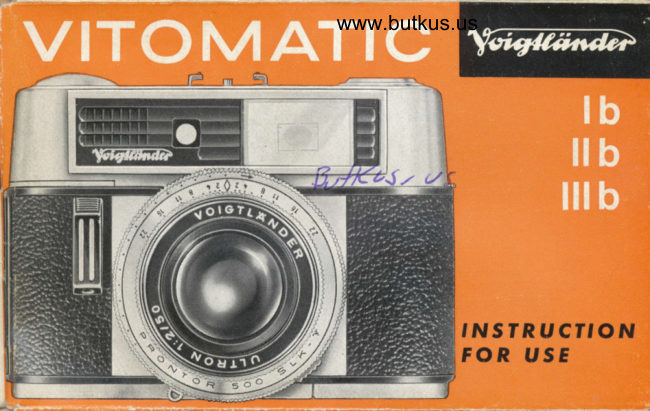
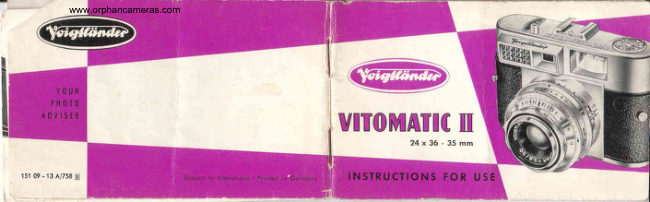
Voigtlander Vitomatic Ib IIb IIIb User manual
User manual for Voigtlander Vitomatic Ib IIb IIIb. 41 pages in English. Read the original PDF, download or print a copy without registration.
41 pagesEnglish3.5 MB PDF
Loading your manual…Open PDF directly
Document details
- Brand
- Voigtländer
- Model / document
- Voigtlander Vitomatic Ib IIb IIIb
- Document type
- User manual
- Language
- English
- Pages
- 41
- File size
- 3.5 MB
- Category
- Film cameras
- Document date
- Not specified in catalog
Search available document text
Find a term, then jump to its page in the original PDF. Image-only pages may not be searchable; check the PDF for exact wording and diagrams.
Page 5 · Read text
I  Focusing ring                     l0  Combinotion  ring
   with dislonce scole                      for shutter speed
                                      ond operture combinotions
2  Depth-of-field scqle                       Il  Accessory shoe
                                                          ith centrol flosh contoct
3  Exposure poinrer ring                          12 Film rewind crqnk
4  Locking lever                                             speed scqle in DIN   f"Giii;l-rcoles   (5) ond (13)     13 Film
                          14 coble releose sockel5  Film speed scole in ASA
                                     l5  Deloyed oction setling lever
6  Film rewind lever                                                    ft  Tripod bush
7 APerture scole                             v  Frome counrer
8  Shulter speed scole              Ig  Bose flop
9  Shutter releqse             19 lock for bose flop


                                                               - --'--  '1
View original page 5Page 6 · Read text
www.butkus.us


 5  Film rewind lever
l8  Bose flop
l9  Lock for bose flop
20 Viewfinder eyepiece
2l  Film rewind shoft
22 Film cosselte chomber
23 Sprockel wheel
    for tensioning lhe shulter
24 Toke-up spool
    wilh hook
    for otloching the  f ilm
25 Ropid film wind
View original page 6Page 7 · Read text
---S-.8=E'-


The beginning of lhe films  is
inserted into the slot in the ioke-
up spool ond hook (24) fits in
one of fhe perforotions.
View original page 7
Page 10 · Read text
www.butkus.us
                                                 th is co ref u  I ly prepo red bookletThe mosf       is to reod
                                                    cqmeroimpo rlont     right through before you lood the
sdvice         withpictureyourtoking.firstOpenfilm ondout thebegincoverto pogesthink byof
                    unfolding the top ond bottom, ond you will
                  find o cleor illustrotion showing oll  the
                   controls with their nomes indicoted ond
                   numbered. These control numbers ore referred
                  to in the text by enclosing them in brockets
                   thus ( ).
                 Remember thot the comeros of the Vitomofic
                    ronge, olthough very robust, ore nevertheless
                      opticol ond mechonicol precision instruments.
                They therefore require gentle ond sensible
                     treotment. The comero will repoy your core-
                      ful hondling by producing beoutiful pictures
                    for mony yeors.
                     Vtl I6TLAN D ER A. 6. BRAUN5CHWEI6
View original page 10Page 12 · Read text
www.butkus.us

\   Films used
           in the Vitomatic comeros

   All commercioily ovoiloble 35 mm film
   cossettes con be used. According to the
   film length you will obtoin either 36 or
   20 pictures 24 x 36 mm, on both block-
   ond-white ond colour film.
   The cossettes ore lightproof. Nevertheless
  we recommend thot you no not expose
           f hem to strong light, ond thot you lood
   ond unlood the comero only in subdued
     light - your own shodow will be sufficient.
  -2-
View original page 12Page 13 · Read text
Setting the film speed
 Moke it o rule olwoys to set the film
 speed bef ore looding the comero, be_
 couse the outomotic exposure control
 depends on this setting. you will find the
 film speed morked in ASA or DIN on the
 film corton or in the instruction leoflet
occomponying the film.
 Press locking lever ( ) ond rotote the front
milled edge of exposure pointer ring (3)
until the desired ASA or DIN number is
opposite the red dot. Releose the locking
lever.
In the illustrotions the film speed is
odjusted to 50 ASA (lB DtN).
                         -3-
View original page 13Page 14 · Read text
www.butkus.us
Inserting lhe film cosselle  . .  .
To open lhe comerq: pull up bose flop'ock (.|9) ond turn to the right.
Open bose flop (.|8) ond comero bock (see Fig.3 ot the end of this
booklet).
Inserting lhe film cqsselte: push the beginning of the film into the slot in
the toke-up spool so thot one of the perforotions fits over hook (24).Pull
the film over the film trock ond insert the cossette in its chomber  (22),
to king co re thot  f ilm rewind shoft (21) engoges the  f ilm cossette core
correctly (see Fig. 4).
Now push bock film rewind lever (6) which couses the hondle of film
rewind cronk  (l 2) to iump up. Operote ropid film wind (25) until sprocket
wheel (23) engoges with the perforotions (see Fig.5). Push bqck the film
rewind cronk, qs otherwise  it will be impossible to releqse the shutter!
Closing the comero: by pressing the comero bock ogoinst the body until
you heor it lock. Close the bose flop ond lock by turning the lock to the
lef t ond loying  f lot.
-4-
View original page 14
Page 15 · Read text
. . . ond prepqring for oclion

When you close the comero, frome
counter (17) will outomoticolly return to
 the zero position (block index mork l)
To render the film reody for use, operote
ropid film wind (25) ond shutter releose (9)
olternotely until No. 1(first picture) is
opposite the red index mork V.
Eoch time you wind the film on ofter on expo_
sure, the film counter will outomoticolly  indicote
the next frome number. Remember not to continue
winding on ofter the lost frome hos been ex-
posed.  lf you do, the film will be pulled owoy
from the cossette core ond then  it would only
be possible to open the comero in complete
do rkness.
                            -5-
View original page 15Page 16 · Read text
www.butkus.us
                                      Seffin g the co.mercr confrols  :
                                            shutter speed - operture - distqnce
                                           Sighting ond turning - these ore the only                                   monoeuvres necessory for toking impec-
                                         cobly exposed ond wonderfully shorp pic-
                                              tures. And it is quite immoteriol whetherI                                 you ore exposing your  f irst  f ilm, or whether
                              you ore on odvonced omoteur.
                                 Only sighting ond turning -  it is os quick x                               ond simple os this to set the controls of
                                     the Vitomotic when looking through the
                                          viewfinder. Noturolly you hove the further
                                            possibility of selecting the combinotion
                                       of shutter speed ond lens operture which
                                                is most suitoble for the subiect you wont
                                   to photogroph. You con thus odopt the
                                 comerq to your own speciol preferences
                                          in picture toking.
                                    -6-
View original page 16Page 17 · Read text
Turn combinotion ring (10) either to the   Pre-selection of shutter speed
 lef t or right until the red index mqrk A
clicks into position beneoth the desired
shutter speed.
The white figures (l/500, 1/250, j/125 ond
1/60 second) ore the shutter speeds you
con use for picture toking with the hond-
held comero. When you s-elect one of the
yellow  f igures (1/gO, 1/15, 1/8, 1/4,   j /2
ond I second) the comero must be firmly
supported on o toble or tree trunk or
even pressed ogoinst o wolf, tree or ony
other stoble support in order to ovoid
unshorpness through comero shoke.
At "Bu (time exposures of ony desired
length) the shutter remoins open os long os
releose (9) is pressed. A tripod will be nui"r-
sory os well os o coble releose which con
                                                                                                                                                                                                                                           .z)be screwed into coble releose socket (.|4).
                             -7 -
View original page 17Page 18 · Read text
www.butkus.us
Setting the operlure pointer   Look through the viewfinder ond fronre
                         your subiect os you wont it to qppeor
                                in the picture.
                 A  brief rototion of exposure pointer
                               ring (3) will line up the circulor operture
                                pointer with the pointer of the exposu re
                          meter beneoth the bright-line  f rome  . .   .
                       ond you will hove set qutomoticolly the
                                correct lens operture for the pre-selected
                                  shutter speed.
                                               lf it is not possible to line up the two pointers
                                   in the viewfinder, this meons thot the lighting
                                     conditions ore not suitoble for the pre-selected
        incorrectly set                shutter speed.
                      When you continue turning exposure pointer
                                   ring (3) in order to secure lining UP, ygu will
                                          feel o slight resistonce becouse now combinotion
                                    control ring (10) will be releosed from its former
                                        clicked-in fosition, ond o new shutter speed will
         correctly set               be set.
                        -8-
View original page 18Page 20 · Read text
www.butkus.us
Focusing
      with the VITOMATTC  , b
Turn focusing ring (1) until the subiect distqnce corresponds with the
distonce in feet on depth of field scole (2) opposite the index mork 0
You will find the three red zone-focusing indicotion morks inbetween the
numbers showing distqnces in feet:
           o portroits  (subiect distonce 4'3")
                         ':/ groups   (subiect distonce  ll')
        O londscopes (subiect distonce 33')
According to your subiect, you simply set the distonce scole to one of
these morks. When using on overoge operture of f/8 (morked in red on
the scole) the following depths of field will be covered: o  (portroits)
                                                                          f rom 8'3" to 16'6"; O (londscopes)  f romf rom 3'9" to  5' ; V  (groups)
16'6" to infinity ("").
Zone-focusing is porticulorly helpful when you ore shooting live subiects
where the subiect distonce moy chonge ropidly (children of ploy, sporting
events, etc.).
-10-
View original page 20Page 21 · Read text
Focusing with the
    VTTOMATTC  t, b and tt, b

 In the centre of the viewfinder imoge
you con see the bright circle of the
coupled rongefinder, which shows
double outlines when the sub ject  is
not properly focused (see top picture).
Turn focusing ring (1) until the outlines
merge into o single imoge (see lower
picture). The comero is now focused
on the subiect.
You con of course olso use the distonce
scole or zone-focusing method os described
on poge 10.
                                    -il-
View original page 21Page 22 · Read text
The www.butkus.usVoigtliinder
                     crystol-frome  l: I viewfinder
                   is reolly fontostic! lt shows the subiect
                   in no woy reduced, but bright ond cleor
\'                 in its noturol size. This is of porticulor
                    interest to spectocle weorers, for with
                  this viewfinder you con see oll  four
                   corners of the imoge. The bright-line frome
                   indicotes the subiect oreo. The Vito-
                 motic I b hos o point to mo rk the exoct
                    centre of the picture.
             The viewfinder imoge will be slightly
                  disploced ot short subiect distonces. The
               two short lines of the bright-line frome
                     indicote the subiect  f roming for o distonce
                 of between 3'4"ond 6'8" - downwords or                 sidewoys, occording to whether the co-
                mero is held horizonto lly or vertico lly.
              -12-
View original page 22Page 23 · Read text
The shutter releqse (9)
 is positioned ot the hondiest possibte ploce on the right-hond side of the
comero front. lt shoufd be pressed gently with o smooth ond continuous
movement - never ierkily, for this moy couse comero shoke.
   You con screw o coble releose in socket (.l4) for time exposures.

The ropid film wind (251
must be operoted os for os it will go ofter eoch exposure. This tensions
the shutter, odvonces the film to the next frome, ond odiusts the frome
counter. An outomotic locking device prevents the ropid film wind from
being operoted for o second time without exposure *. Similorly, the
shutter con only be releosed when the film hos been odvonced to the
next frome.
* Tqke cqre nol to- operole film rewind lever (6) before qll exposures hqve been
  mqde. This would couse film rewind cronk (t2) to iump up ond put the intertocking
  device of the ropid film wind out of qction  !
                                                 -t3-                                                                                                                                                                                            i,
View original page 23Page 24 · Read text
www.butkus.us


Deloyed qction piclures
After focusing ond setting shutter speed
ond operture, slide the smoll red deloyed
oction setting lever (.|5) sidewoys os for
os possible. Exposure will now outomotic-
o lly follow opproximotely  l0 seconds ofter
pressing the releose. This gives you time
to go quickly to your chosen ploce within
the picture oreo.
Once tensioned, it is not possible to push
lever (.l5) bock by hond. lt will return to
its originol position ofter pressing the
shutter releose.
-14-
View original page 24
Page 25 · Read text
Flosh contoct
 All comeros of the Vitomotic ronge hove the modern,,no-coble,  flosh
 contoct in the occessory shoe. Floihguns or electronic flosh units which require          coble      o                connection                            with                                           flo-sh                         o                                       socket .""                                             u"                                                                    uj meons        of        on             intermediory                                             ".commoaoteJ                         plug                                    in                                 the                                    occessory                                                  shoe.
 Shutter speed ond operture for ftosh
The shortest shutter. speed. for copless floshbulb types pF I ond AG I  is l/30 second.           with electronic flosh you moy set the shutter to ony speed,          'll500even to      second.
You will find the necessory'guide numbers" for setting rhe correct
operiure recorded on the floshbulb cortons, or in the leofleis of the bulbor electronic flosh.unit monufocturers. Thr.;;;;    op"rtrr" is found
:!*ply bv dividing the guide number by ihe trosn-sruie.iiirton."  in feet.Therefore  t
Aperture   guide number/ disionce         -Exomple: guide number 80
                                                     : set to f/8'       TCronA ro f""r
                                                 -t5-
View original page 25Page 26 · Read text
www.butkus.us
Unlooding ihe comerrr
Press rewind lever (6) bockwords ond ihe recessed hondle of rewind
        (12)                                                                  of                                                         in                                                  the direction                               ond cronk                     up the hondle                           Lift                up.cronk         iumps                                                                          the          f                                                       position                                             (index                                         zero                                        the                         hos reoched                      counter              frome        until           theorrow
mork f). Open the comero ond toke out the cossette.

Chonging portly exposed films
Moke o note of the number of the lost picture on the film ond rewind
the portly exposed film into the cossette.
When relooding this film ot o loler dote, proceed os described on
poges 4 ond 5, up to the setting to No. l.
Now oress the rewind lever so thot the hondle of the rewind cronk iumps
up, ond octuote the ropid film wind until the film counter shows one
number higher thqn the number you wroie down. Press down the cronk
hondle ond swing the ropid film wind once more os for os it will go,
ond you ore reody for your next exposure.
-16-
View original page 26Page 27 · Read text
[1

   I


                       Practical hints

                  How fo meosure the exposure
                       Lens opertvre ond depth of field
                          Colour picfures
View original page 27Page 28 · Read text
Howwww.butkus.usto meosure
                             the exposure
                  In the moiority of coses it is sufficient
              to point the exposu re meter towo rds
                the subiect from the comero position.
               This method is suitoble for overoge
                 subiects, which do not show over-
                 strong controsts in brightness.
                                                      specioln$ :'.'# -$g6zV:    In some coses, however, o
              method must be odopted, using close-
           up reodings  porticulorly for  light
                subiects ogoinst o dork bockground
             ond vice verso, os well os for por-
                       tro itu re.
                 ln this cose you must come close to the
                     subiect so thot only the most importont ports
               ore "reod". But toke core thot your own
               shodow does not foll on the port of the
 (u            -subiectl8 - you ore meosuring.
    --':.>
View original page 28Related documents and language editions
VoigtländerPDF
Voigtlander Vitomatic I
User manual
40 pages · EnglishRead →
VoigtländerPDF
Voigtlander Vitomatic Ib IIb IIIb
User manual
42 pages · FrenchRead →
VoigtländerPDF
Voigtlander Vitoamtic I
User manual
42 pages · GermanRead →

VoigtländerPDF
Voigtlander Vitomatic II Gebrauchsanleitung
User manual
43 pages · GermanRead →
VoigtländerPDF
Voigtlander Vitomatic II
User manual
21 pages · Not specifiedRead →

VoigtländerPDF
Voigtlander Vitomatic IIa
User manual
34 pages · Not specifiedRead →
VoigtländerPDF
Voigtländer Single page
User manual
38 pages · Not specifiedRead →
From the M. Butkus archive. Original publisher and archive notices are retained.
Check the model and edition against your equipment.
PDF verified 2026-10-10.