Film cameras
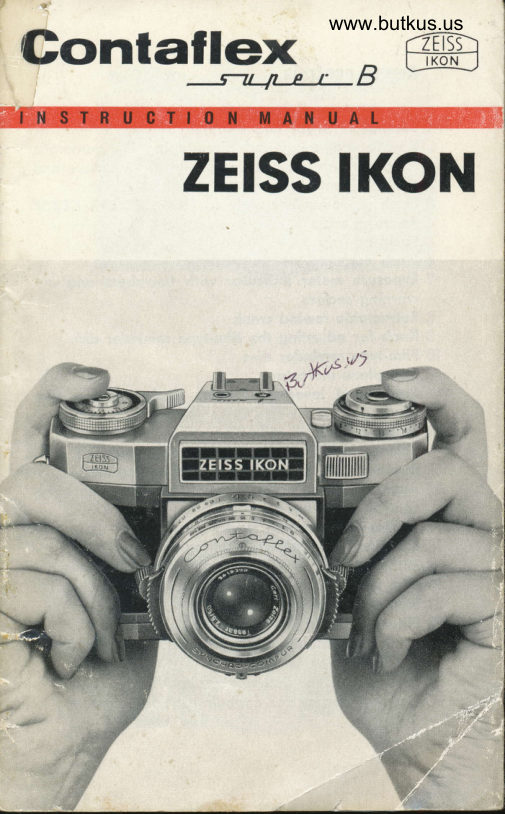
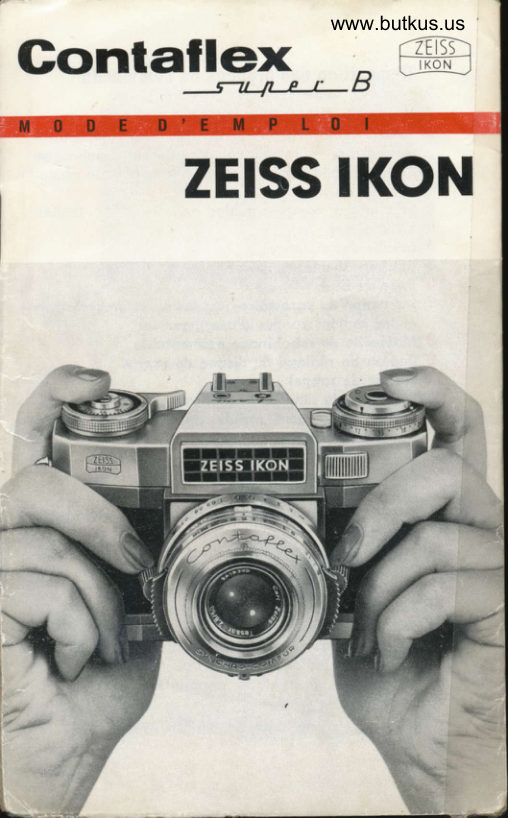
Zeiss Ikon Contaflex Super B User manual
User manual for Zeiss Ikon Contaflex Super B. 53 pages in English. Read the original PDF, download or print a copy without registration.
53 pagesEnglish3.5 MB PDF

Loading your manual…Open PDF directly
Document details
- Brand
- Zeiss Ikon
- Model / document
- Zeiss Ikon Contaflex Super B
- Document type
- User manual
- Language
- English
- Pages
- 53
- File size
- 3.5 MB
- Category
- Film cameras
- Document date
- Not specified in catalog
Search available document text
Find a term, then jump to its page in the original PDF. Image-only pages may not be searchable; check the PDF for exact wording and diagrams.
Page 4 · Read text
Controlsandcomponentsof the
c0NTAFtEXsuper

 l . R e l e o s e k n o b              9. Film speed setting
2 . F r o m e c o u n t e r          10. Eyeletsfor corrying
3 . R o p i d w i n d    l e v e r            strop
4. Accessory shoe           IL Floshcontoct                                  .l2.5. Window  of exposure       Shutterspeed set-
  m e t e r p o i n t e r                ting knob                                .|3.5 . R e w i n d k n o b w i t h         Focusingknob
   c o u n t e r s u n k c r o n k       14. Locking powl for
7. Filn type indicotor          front elementof lens                                 .|5.8 . L i g h t s e l e c t o r d i s c         Lock for flosh lever
View original page 4
Page 6 · Read text
quickly os possible. Further, we wont  to show
you how to use this precision comero to obtoin
pictureswhich will give you losting pleosure ond
moke you  cherish your CONTAFLEXsuper  for
yeors.

Even under owkword  conditions the CONTAFLEX
super will provide you with good pictures. For
this purpose the CONTAFLEXsuper hos been used
os o bosis of o  reol coNTAFLEX-System,with o
lorge ronge of useful occessories.

Before reoding further, turn out the inner leoves
of ihe cover for  further reference ond proctise
operoting the vorious controls ond levers before
looding the comero. Ploy oround o while with
your CONTAFLEXsuper, toke imoginory pictures
without o  film ond get generolly fomilior with
your  beoutiful comero.  You'll  soon hove  the
necessory knock of operoting  it properly.
lf you ore in doubt, do nol hesitoie to osk your
photo-deoler for odvice.

The picture on poge 2 wos token with the CONTAFLEX
on,'f70 DIN film,  f 4,11125 sec.
View original page 6
Page 7 · Read text
The technical data of the C0NTAFLEXsuper

       Type of comerq:   Single-lens minioiure reflex
                       comero.
                Formol:   24 x36   ffiffi, Cortridges  or
                          cossettes lor 20 ond 36 ex-
                        posures con be used.
          Film odvonce:   Ropid  lever  wind,  opens
                        diophrogm, tensionsthe shut-
                               ter ond odvonces the film.
                       Double exposuresond blonks
                         excluded.
                 Shutler:  Synchro-Compur, dusiproof
                     when chonging lenses,shut-
                                 ler speeds "8", 1-11500sec.
                                -       "X" ond "M"  synchronised
                            flosh contoct. Built-in deloy-
                        ed  oction  device running
                               for 8 seconds.Spring-looded
                          pre-selectordiophrogm.
                 Lens:  zElss TESSARf 12.8,50 mm os
                        stondord lens. Front element
                         interchongeoblef or:
                     PRO-TESSARIl4, 85 mm  (tele         4
                            lens).
                    PRO-TESSARJ|4,35 mm (wide-
                         ongle lens).
                      P R O - T E S SMA lR: l
                     ZEISSPrism Monoculor 8 x 30
                      B (os comero ottochment e-
                          quivolent lo  f114, 400 mm
                            tele-lens).


-\                        www.orphancameras.com
                                                                                                                                            ..-iii,ikai'
View original page 7Page 8 · Read text
STERITAR-Bstereo'ottochment
                          for  distonces from  infinity
                           to 8 feet.
                     Close-up STERITAR-Bfor  dis-
                      tonces from 8 feet to 26 ins.
          Automqtic   Coupled to the shutter.Com-
            expos'ure   pensoted  for  temperoture
              conlrol:   voriolions.  Indicotion  oc-
                      cording to zero-method,vis-
                          ible on the comero body or
                             in the viewfinder.
'#ry#    Rongefinder:  Two   different   indicoiors:
                      split-imoge rongefinder ond
                         fine screen ring.
          Viewfinder:   Reflected imoge through the
                       toking lens completely free
                     from  porollox  no  motter
                    which lens is used. Upright
                   ond loterolly correct imoge
                          of  olmosl nolurol size by
                  meons of  o  mirror ond o
                     pentoprism.  Fresnel  lens
                  mokes the imoge bright ond
                     shorp right up to the edges.
           Generql   Frome counter  -  film type
            feolures:   indicotor -  filter corrector -
                     occessory shoe - semi-outo-
                      moiic film unlocking for re-
                     winding - rewind knob with
                     countersunk cronk  -  zElSs
                PROXARlenses for close-ups
                   down to 31/zins.


                                                                                                                                                                                                        j . - + . ' @ * " . . .
View original page 8Page 9 · Read text
The specialfeaturesof the
G0NTAFLEXsuper
These speciol feotures ore  its built-in ond cou-
pled  light ond distonce meosuring instruments.
By coupling this meosuring equipment io  the
lens ond the shutter the operotion of the comero
hos been outomotized in o very high degree.
Once the dislonce is meosured, lhe lens is cor-
rectly focused on the subiect no motter which
lens is used.
The light selector disc of lhe outomotic exposure
control  is then operoted with one finger which
couses o pointer inside the viewfinder to coin-
cide with o definite mork. Once this is done the
shutter is set outomoticolly. The only thing io do
is lo  select the operlure/shutter speed poiring
most suiioble for the subiect to be photogrophed.
The exposure meter, by the woy,  is the result
of twenty yeors of experience in moking expo-
sure melers. The firsl comero ever to incorporote
o  built-in exposure meter wos  o ZEISSIKON
comero !
The spring looded pre-selectordiophrogm keeps
the iris diophrogm olwoys ot f ull operture for sight-
 ing, no motter which operture it is set to for tok-
 ing. The moment the releose knob is depressed,
the iris oulomoticolly springs to the stop chosen
beforehond. This feolure ensures o bright finder
imoge even under poor lighting condifions'


                  www.orphancameras.com
View original page 9Page 10 · Read text
When you hove mode the ocquointonce of the
whole CONTAFLEXsystem,you'll be delighted by
the lorge bright viewfinder imoge, which is ol-
woys  f ree  f rom porollox no motter which inter-
chongeobleconverter lens you use or how close
you opprooch your subject.


Loadingand unloadingthe camera
0pening
The CONTAFLEXsuper should be held in the left
hond, with the lens pointing downwords qs shown
in fig. l. The locking keys (17 ond 20) ot the bot-
tom of the comero should be folded outwords
with the right hond ond turned to the right or to
the left respectively.Now the bock is unlocked.


                                                       Fis.I
View original page 10Page 11 · Read text
?ti|


F i g s . 2 , 3W i t h y o u r  l e f t t h u m b p u s h t h e b o c k o f  t h e c o m e r o
       downwords (fig. 2) ond  lift  it off with the right
       hond (fig. 3.)

       Loading
       T o  l o o d t h e c o m e r o t o k e o s t o n d o r d c o m m e r c i o l
         c o r t r i d g e o f m i n i o t u r e f i l m ,  f o r 2 0 o r 3 6 e x p o -  1 0
         s u r e s . F i r s t s e c u r e t h e b e g i n n i n g o f   t l r e f l l m   i n
                 t h e  l o r g e r s l o t o f  t h e  t o k e - u p s p o o l b y h o o k i n g
        o n e p e r f o r o t i o n h o l e o v e r  t h e s m o l l  l r g , w h i c l r
      w i l l h o l d  i t  i n p l o c e . W e   l e o v e i t  t o y o u w h e t h e r
                 t o h o l d  t h e c o r t r i d g e i n y o u r h o n d , o S s h o w n i n
                 f i g . 4 o r p l o c e i t  i m m e d i o t e l yi n t h e c o m e r o o s  i n
                 f i g . 5 . T r y b o t h w o y s o n d c h o o s e t h e m o s t c o n -
        venient for you. The film  is now flxed to the
Figs.4, 5


                            www.orphancameras.com
View original page 11Page 12 · Read text
t o k e - u ps p o o l .T h e c o r t r i d g eo n d t h e t o k e - u p s p o o l
    should then be inserted into the two film chom-
    b e r s o s s h o w n i n f l g . 5 .  l t  i s o g o o d p l o n t o  l o o k
     oi the two prongs f or the  f eeding o nd the to ke-
    u p m e c h o n i s m i n   t h e  f i l m c h o m b e r s s i n c e t h i s
   w i l l c o n v e y t o y o u  i m m e d i o t e l yi n w h i c h w o y  t h e
   two spools must be inserted. Now wind the film
   on to the toke-up spool (bV rototing the lotter
   m o n u o l l y ) u n t i l t h e p e r f o r o t i o n so f   t h e  f i l m e n -
   goge the teeth of the tronsport sprocket on both
    s i d e s ( f i g . 6 ) . W h i l s t h o l d i n g t h e  f i l m  i n c o n t o c t
    with the sprocketwith the thumb of the left hond
    so thot the teeth remoin engoged with the per-
    forotions, the comero bocl< should be reploced
    by lowering it into the grooves of the comero
11 from obove (fig. 7). Then slide  it bock into the
   comero body. Turn the locl<ingkeys on lhe bose
          i n  t h e o p p o s i t e d i r e c t i o n so n d  f o l d  t h e m u p . T h e
   keys con be folded only when the bock is properly
          i n p o s i t i o n .


                                                            Figs.6, 7
View original page 12Page 13 · Read text
Ready for action
            After looding, the comero is not quite reody for
                            i m m e d i o t e o c t i o n . T h e r o p i d w i n d   l e v e r ( f i g . 8 )
          should be swung oround with your right thumb
             until  it  butts ogoinst the stop. Do  this twice,
            but ofter eoch movement of the ropid wind lever
           releosethe shutterby depressingthe releoseknob
             ('l)so os to wind the fogged leoder film on to the
           toke-up spool.
          As the film  is wound on, the rewind knob  (6)
          should rotote in the opposite direction to the
          engroved orrow: this indicotes thot the film  is
          being odvonced properly. When using bulk film
           (see "Cossettes") or 20-exposure cortridges, the
                       t u r n s o f   t h e  f i l m m o y p o r t i o l l y u n w i n d ;  i n  t h i s
          cose the rewind knob will not rotote when the  12
              first fromes ore odvonced. In this cqse unfold the
         smo| ! cro n k (countersun k into the rewind knob)
          ond turn it in the direction of the orrow until o
            distinct resistonceis felt (fig. 17).This is olso o
            relioble indicotion whether there is ony film ot
           o l l  i n t h e c o m e r o .
          The CONTAFLEXsuper hos q frome counter which

       Fis.8


HH'4                              www.orphancameras.com

t
View original page 13Page 14 · Read text
Figs.9, l0
     s h o w st h e f r o m e s r e m o i n i n g( f i g . 9 ) .A f t e r  l o o d i n g
    set the white mork to the red mork between I
    ond 36, if you hove o cortridge for 36 exposures
     in your comero. With o 20 exposure cortridge
    set the white mork to the red mork between 20
    ond 25. Cock the shutter twice ond releose it
     ofter eoch movementof the ropid wind lever. The
    white mork is then opposite 36 ond/or 20 ond will
           i n d i c o t et h e n u m b e r o f  f r o m e s o v o i l o b l e .
   The speed of  the film  in use should then be
13  tronsferred to the outomotic exposure control of
    the comero. Press the speed scole in the light
    selector disc (fig. l0) inwords ond turn  it  until
    the figure ASA required coincideswith the block
    stroke. Setting the type of film ond its speed on
    the film type indicotor is not essentiol for the
    functioning of the CONTAFLEXsuper, but  it moy
    prove o useful reminder for you.

                                                           Fis.I I


                   5-*
View original page 14Page 15 · Read text
,


    F i g s .1 2 , 1 3

           Cassettes
          The CONTAFLEXsuper con olso be used with
           cossettes.The film con be wound from o com-
           merciol cortridge into o cossette,from o cossette
             into onother cossetteor from o cortridg.eor cos- U
            sette on the normol toke-up spool without ony
             shell. when using cossettesthe type of film con
          be chonged of ony time, even in brood doylight'
           This connot be done, however, when you use one
           cossette (or cortridge) on the feeding side only
          ond tronsport the exposed film to on open toke-
           up spool. With two cossettesor one cossette (on
                       t h e t o k e - u p s i d e ) o n d o c o r t r i d g e ( o n t h e f e e d i n g
             side),yoU con open the bocl<of the cqmero ofter
          ony number of exposureson one type of film (soy,
           block-ond-whitefilm). To protect the lost expo-
            sures,you should further expose two blonks ond
            only then open the comero. when you turn the
            locking key to open the comero you olso close
            the cosssettesoutomoticolly.When you now lood


                               www.orphancameras.comffiH€\
View original page 15Page 16 · Read text
Figs.14,15
        t h e c o m e r o w i t h o c o l o u r f i l m o n d w i n d  i t  i n t o o
    second cossette,you con olso return the blocl<-
    o n d - w h i i e f l l m  t o   t h e c o m e r o o f o n y  t i m e o n d
    vrce versq.
   When working   f rom cossetie to  cossette, the
1trr r . , feeding cossettecon be looded with dorkroom or    d o y l i g h t r e f i l l s o r w i t h b u l k  f i l m W i t h  t w o c o s - .
    settes,there is no need to rewind the film. When
    using bu ll< fi lm, the method of fixing the fi lm to
    ihe feeding spool depends on whether you wont
     to rewind the film or not. lf you wont to rewind
    the film ofter exposure, threod the shoped end
     of the film (fig. 13) twice into the centre slot of
        t h e s p o o l ;  i f y o u d o n o t  i n t e n d t o  r e w i n d , h o o k
    the first perforotion hole of the obliquely cut be-
    g i n n i n g o f  t h e f i l m o n  t h e  l u g o s s h o w n i n f i 9 . 1 4 -
    A f t e r w i n d i n g  t h e  f i l m o n  t h e s p o o l ,  i n s e r t t h e
         f u l l s p o o l w i t h  i t s m i l l e d k n o b f i r s t i n t o t h e  i n n e r
     shell of the cossette ond push the outer shell
    over it. The leoder of the film should then pro-
         t r u d e  t h r o u g h  t h e  s u p e r i m p o s e d s l o t s   i n   t h e
View original page 16Page 17 · Read text
s h e l l s .N o w  t u r n t h e i n n e r o n d o u t e r s h e l l o g o i n s t
       eoch other until they snop in ond lock. The Ger-
      mon word "Zv" (closed)will then oppeor. When
         insertingthe cossettesinto the film chqmber of the
       comero, ffioke sure thot the locoting coms of the
        cossettes engoge properly  in the oppropriote
        g r o o v e s o f   t h e c o m e r o b o d y  ( f i g .  l 5 ) . T u r n i n g
        the locking keys of the comero bock outomoti-
         colly opens or closesthe cossettes.
        Every cossette is supplied in o specioI plostic
        contoiner, the lid of which hos o smoll recess.
       The lid con be fitted in two positions.When stor-
         ing on exposed film in the contoiner, fit the lid
          in such o woy thot the morking "EXP" (exposed)
                     i s v i s i b l e i n t h e r e c e s s .
                                            16
       U n loading
               lf the comero is looded with o stondord commer-
          ciol cortridge, the film must be rewound before
         u n l o o d i n g . F o r  t h i s p u r p o s e o n e o f  t h e   l o c k i n g
        keys on the bock, the one morked " R", is folded
Figs.16,17up ond set ogoinst "R" os shown in fig. 16- Fold


           IL ,,:1:,;,it:::,,:'.,:,1
  E'    1


                             www.orphancameras.com
View original page 17Page 18 · Read text
Fis.l8

    o u t  t h e c o u n t e r s u n kc r o n k f r o m  t h e r e w i n d k n o b
     (6, fig.17) ond turn it in the direction of the orrow
17  until the film is rewound into the feed cortridge.
   Then remove the bock ond toke out the cortridge.
    Dust or  film  porticles left inside the comero
    s h o u l d b e r e m o v e d i m m e d i o t e l y .
   Settingthe distance
   The comero is now looded ond reody for oction.
   When you sight your  first subiect through the
    viewflnder you will see in the centre of the finder
   imoge o circulor oreq which is divided into two
    holves.The circulor oreo is surrounded by o fine
   screen ring. These two indicotors, o split-imoge
    rongefinder ond o flne screen focusing ring, en-
    oble you to focus occurotely ond to hove the
    correct distonce setting under constontcontrol.
View original page 18Page 19 · Read text
YX


 F i s .I 9                                                Fis.20
        Split-image rangefinder
                I n m o s t c o s e s f o c u s i n g w i l l  b e p e r fo r m e d b y
        u s i n g t h e s p l i t - i m o g er o n g e f l n d e r .l f y o u s i g h t o n  1 B
        obiect through the viewflnder ond operote the
       focusing device (.l3, fi9. lB), you  will observe
        thot the two imoges, seporoted f rom eoch other
       by o thin line, move in opposite directions (fig.
                   l 9 ) . T h e d i s t o n c e i s c o r r e c t l y s e t w h e n  t h e  t w o
        p o r t i o l i m o g e s o r e e x o c t l y o l i g n e d o n d f o r m o n e

Figs.2l ,22


                           www.orphancameras.com   ry
View original page 19Page 20 · Read text
single undistorted imoge (fig. 20). lt is odvisoble
     to look for o shorp perpendiculor line within the
    subiect,o tree or the edge of o house, on which
    the correct olignment should be checked.When
    ioking upright pictures (fig.22), o horizontol line
    should be chosen.

    Ground-glassscreen focusing
    There ore subiects, however, which hove no dis-
     tinct verticol lines -  soy, o wide exponse of
    woler -  for your split-imoge rongefinder to work
    on; or the subiect moy be moving too ropidly.
   Then the fine screen ring should be used for
    focusing in the some woy o normol ground-gloss
.A  screen is used.lu    Both meihods of focusing ore equolly good ond
    which to choose depends solely on the noture of
    the subiect.
        lf you wont  to ioke flosh pictures ond wish to
    colculote the necessorystop with the oid of the
    guide number for your floshbulb or  unit, the
    flosh-subiect distonce con be reod off from the
    distonce scole (21)on your CONTAFLEXsuper.

    Depth-of-field scale
    Generolly you will focus without even o glonce
     ot the distonce scole. The ouiomotion of your
   CONTAFLEXsuper mokes it unnecessory to know
    ihe octuol distonce.Thereore coses however,when
    o different method of distonce setting should be
View original page 20Page 21 · Read text
chosen,po rticulo rly when the importqnt detoils
           of the picture ore stoggered in depth. When
          looking ot the scoles(2.|)ond (221of your comero,
         you will see thot there is o double-scoleopposite
          the distoncescole showing the ronge of f/num-
          bers to the left ond the right of the d istonce
          setting mork. From this depth-of-fieldscole the
          stop required con be reod off.
        The shorp definitionof the lens is not limited to
          obiects of the exoct focused distonce,but olso
         covers o certoin ronge neorer ond forther from
           this point.Thiszone of shorpnessis comporotively
          smoll qt full operture (fl2.B),but increosesos the
          lens is stoppeddown. This is to be seen on the
          scole of fig. 23. An operture of  f 14 will iust cover                                             20          the zone from 7'to l0'while on opertureof fl22
            will be found to cover the zone f rom obout 4'6"
     F i g . 2 3


 'l                               www.orphancameras.comf;
\i
View original page 21Page 22 · Read text
I
                                                                                                                                                                       I
                                                                                                                                                                                                                                                                                                                                                                                                                                                                                                                                          l     lo  infinity. A  depth-of-field toble showing the
    vorious shorpness zones for eoch operture hos                                I
   been given on poge 4.|. Now meosure wiih your
   CONTAFLEXthe shoriest ond the forthest distonce                                                       I     of the most importont ports of the piclure to be
    token, thot  is lo  soy, the zone which sholl be            l
    reproduced shorply. The requisiie operture con                                          !1
    be reod off from fhe depth-of-field scole ond set                                         !
    ogoinst the operiure scole (23).

  Measuringthe light
   Theshutterspeedring
   beorso scole (24)with two seriesof figures,
21    which ore seporoted from  eoch olher  by  the
     letter "B". The figures to the right of "8" denote
    froctions of o second (60  :  1/60 sec., etc.). lf,
    ofter meosuring the  light, the lens is slopped
   down until the shutter speed indicotor points to
     "8", on exposure time of 2 seconds will be re'
    quired. The series of green figures to lhe left of
    "B" denotes ihe exposure time required in  full
    seconds. When set lo o green figure lhe shutter
     will operote os  if set to "8":   il opens when the
    releose knob (1) is depressed ond closes only
   when the pressureon the knob is reloxed.
       It is recommended, bui not obsolutely necessory
     thot the light meosurement is performed when
    the shutter is tensioned.


                                                                                                                                                   - . . . . : : t * e , . g 1 e l t e 4 4 ! - a , s ' s ' 1 a                                                                                                                                                     :      : : : /
View original page 22Page 23 · Read text
f,,,fffi  8 1 5


   Fis.24

        The automatic exposurecontrol
        Since the setting of the film speed indicotor (9)
        hos o lreody been performed when the co mero
       wos looded, the outomotic exposure control is
        reody  f or ociion. Point the comero towords the
         subiect ond observe the pointer deflection in the
       window on top of the comero body (fig. 2q. The
t:I         cp ior icnut leorr smhooruk l.dT shwe iynegl loopwp dr oi rxei cmt oi ot en lcyrwr oi twh si nb toht eh


                              www.orphancameras.com
View original page 23Page 24 · Read text
on the exposure meter window on the body ond
       on  the shutter-speed setling mork  indicote in
      which direction the setting should be corrected.

             lf the pointer must deflect in the direction of the
       orrow to reoch the circulor mork, the shuiterspeed
        setting ring should olso be iurned in the direction
        of the yellow orrow ond vice verso. You need
        not worry   if the operture scole (which rototes
       outomoticolly in  the opposite direction) soon
       reochesits finol volue, you continue turning.

       This pre-selection of  the shuiter speed con be
       estimoted roughly, since it is olmosl olwoys pos-
        sible to  correct  it occurotely for  six operture    .,a's       stops by meons of the light selector disc (fig. 10).
      However, you should select full volues only, not
       intermediote volues. lf you now sight your sub-
         iect through ihe viewfinder, you will see the re-
        flected pointer on  the  right  in the viewfinder.
       Turning the light selector disc (8) will move the
        pointer to the setting mork in lhe cenlre of ihe
        recess. This is the correct setting which is outo-'         roticolly ironsferred to the shutfer; now you cqn
       toke the piciure.,j
I             lt  is o gogd  ideo, however, to compore  lhe
'       previouslyset operlure/shutterspeed poiring with
        the requirementsof the picture, After moking the
         light meosurementyou con select the most suit-


                          ,     ,;'-j}-t*&-                                       .. *:-"at€si*e-,IL
View original page 24Related documents and language editions

From the M. Butkus archive. Original publisher and archive notices are retained.
Check the model and edition against your equipment.
PDF verified 2026-10-10.