Film cameras
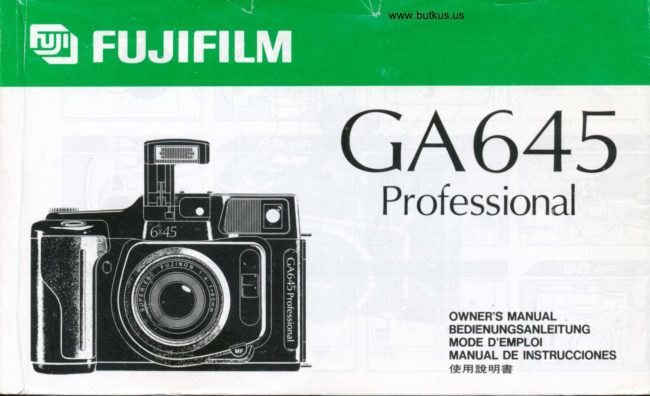
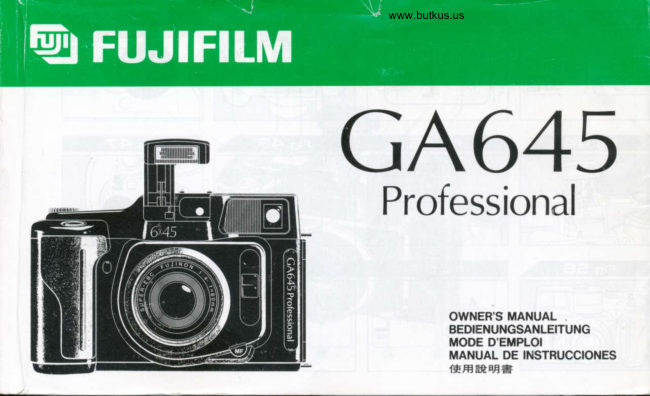
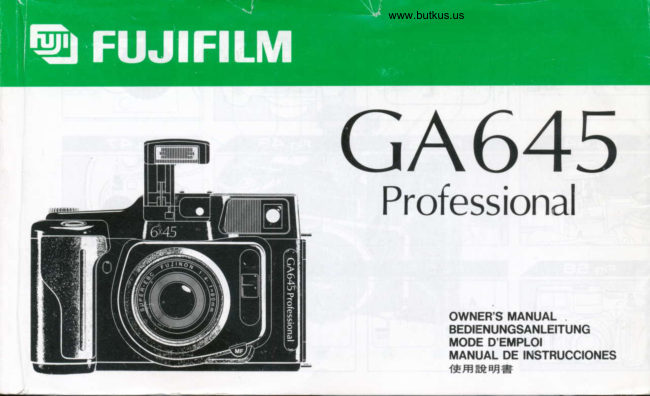
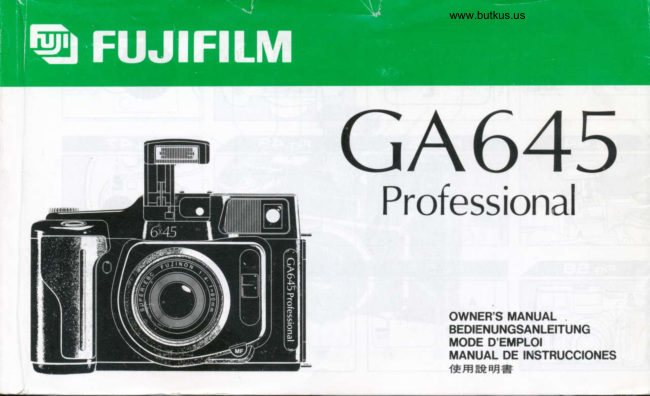
FujiFilm GA645 Pro User manual
User manual for FujiFilm GA645 Pro. 31 pages in English. Read the original PDF, download or print a copy without registration.
31 pagesEnglish18.1 MB PDF

Loading your manual…Open PDF directly
Document details
- Brand
- Fujifilm
- Model / document
- FujiFilm GA645 Pro
- Document type
- User manual
- Language
- English
- Pages
- 31
- File size
- 18.1 MB
- Category
- Film cameras
- Document date
- Not specified in catalog
Search available document text
Find a term, then jump to its page in the original PDF. Image-only pages may not be searchable; check the PDF for exact wording and diagrams.
Page 2 · Read text
FUJIFITM€tI*l- lmaging a lnformation
 GA645Professional
                                                                  Operating lnstructions
                                                                     Special Options
                                                                 Shooting Guide        All the information you need to successfully operate                                                              Technology Descriptions      the world's first fully automatic 6x4.5cm camera.                                       Q&A
View original page 2Page 9 · Read text
3                                                    Film


   Pressure plate selector and                                 Setting the film speed     advance to 1st frame


Gently press the pressure plate and slide the selector to the correct         Press the selection dial lock button and set the dial to lSO.
position for the type of film you are loading (120 or 220).The photo-
graph above shows the selector set for 120 length film. After setting
the selector, shut the back of the camera.
Note that incorrectly setting the pressure plate selector can cause
inaccurate focusing.


The 120 or 22O mark is shown for 5 seconds on the
liquid crystal display. (The mark is displayed con-
tinuouslv  in P. A or M mode when the camera back is shut).

     ISO    I t-f l-l                   I,J,-|                                                              filmUse speedthe UP/DOWNas it appearsdial toonsetthetheLCD.correct


                                                                                                                                                                               I             fffi                              The number displayed on the LCD is the
                                                                                              set speed for the film loaded.
                                                                                                                       i
                                                                                                                                                                               I
                                                                                                                                                                               I
( Advance to 1st frame      - -'"   ' "  '  ''                      )                       ISO     I f-l ,'f  ---':-Shut the back of the camera and the film will be automatically ad-                        I,J LI
vanced to the 1st frame when you set to P, A or M mode. In this
position "1" is displayed on the LCD.                                   lEa                                                                                            l=Tz0]When the camera has already been set to P, A or M mode, the film is                                   i                                                                                                                                I
automatically advanced when you press the shutter release button,
and "1" is displayed on the LCD.


                                                                                                          Unlike with 35mm film, there is no DX indication, so be
        When loading film, be sure to set the pressure plate                                      sure to make the correct film speed setting. Film speed
            selector before shutting the camera back.                                          can be set from ISO 25 - 1600 in 1/3 exposure step
                            www.butkus.us increments.
View original page 9Page 20 · Read text
GA645 Shooting Guide                              14


Programmed Automatic Exposure               EXPOSUREThis mode selects the aperture and shutter speed au-
tomatically. Simply compose your picture and shoot.

                                                       tF


                                             Control Sharpness with Aperture Priority AE
                                              -.:*.    Open up the apefiure to draw attention to the subject by blurring the background. Or
                                                      stop down the aperture for a sharp image with extended depth of field. This creative
                                           mode finds the right shutter speed for whatever f-stop you choose.
                                                                 A F16 1/15 AF                      A F5.6 1/125 AF

       @i

                                                        l.


ffi,P F8.0 1/60 AF                                                    Small apefture shot                             Wide aperture shot


                                                                                                                                                                                                                                                          t\,4 F4.0 BULB Ih  t\,4F


                                                 M F16 BULB
Manual Exposure
When the situation demands. ihe aperture and shut-
ter speed can be set individually. This gives you the
opportunity to intentionally blur motion with a slow
shutter speed, use "B" (bulb) mode for night scenes,
and other advanced techniques.


                                                              Slow shutter speed shot                                "8" (bulb) shot (no battery drain)
Exposure Compensation
You may want to underexpose a picture to give a low-
key ambience. Or you can use this function to even
out high contrast conditions.
Situations that demand exposure compensation
Snowy landscapes with strong backlight. In a situa-
tion like the one on the right, where there's lots of snow
and strong reflection, there is the danger of underex-
posing the picture. This is where you can use expo-
sure compensation  to give more light for correct bar-
ahce. When it's difficult to determine the amount of
compensation, we recommend you take several shots
while changing the degree of compensation in steps.
                                                                                        A F22 11 125 +1.0EV AF
View original page 20Page 24 · Read text
GA645 Technology                                 18


                                        Flash The flash unit (1) pops up with a touch of the flash button on the camera back.
                                          The black window (2) which appears when the flash pops up contains a sensor that
                                                        receives reflected light from the subject during flash operation. Both sides of the printed
                                                                 circuit board (3) contain the charging and trigger circuits for the main capacitor (B)
                                                housed  in the camera  grip.
                                         Focusing The AF rangefinder is located directly below the viewfinder. The centrally
                                                         located AF sensor (16) uses the passive phase difference detection method. Active
                                                              infrared AF sensors (17) are located above and below  it at a distance that makes the  V.4/:Al         I                                     rangefinder's base 35 mm long. The motor (18) on the right of the camera body drives        rY/                                   the gear (4) on the periphery of the lens's range ring via a reduction gear arrangement.      r-'-
                                     When the gear (4) is turned, barrel extension/retraction and focusing are conducted
                                                             sequentially. The cam (5) fitted to the lens's range ring rotates when the barrel is ex-
                                                       tended, and contacts the lower end of the bright frame lever (15), the degree of turn on
                                                                  the range ring varying  in response to the subject distance. The field-of-
                                                                  view frame ("bright frame") in the viewfinder moves diagonally.
                                                                       Construction and Arrangement  of Main Parts The camera's main body
                                                                           (10) is made of diecast  light alloy and sheet metal. The lens barrel (11)
                                                                                     is made of aluminum alloy. External parts include the polycarbonate
                                                                 bottom cover (9), top cover (12) and front cover (19). The back cover is
o                                                          a 0.6 mm thick pressed steel sheet. On the right edge opposite the top
                                                                    cover is the viewfinder window (13), on the left of which is the viewfinder
                                                                       front lens (14). The lower section of the grip houses two lithium ion
@'/                                                                  batteries (type CR123A). The batteries are arranged side by side but
                                                                     are electrically connected  in series. The flash capacitor  (8) and film ad-
                                               l.Ogura              vance motor (6) are located above the batteries.

        Len$              Hybrid Autofocus        Shutter Mechanism

                                           The GA645 Professional uses a totally new hy-
                                                                brid autofocus system to bring out the full poten-
                                                                              tial of the Super EBC lens. This autofocus tech-                                                   nique employs passive phase difference detec-     (R rn
                                                                  tion and active infrared beam measurement. The                                                         active system emits an infrared beam to mea- @                                                       sure the object distance. This method  is particu-    v)v
                                                                larly effective with dark subjects and at close
                                                     range. However, this method runs into difficulty    ffi+-,                         when, for example, you are photographing     rRn    Lens construction: 7 elementsDin 6 groups             through a window. Keeping a sharp focus on dis-                                                            tant objects can be a problem depending on the @ ViVHigh-performance Super EBC Fujinon 60 mm                                             camera model. Passive AF, on the other hand,                     Ape rture Blade PatternsF4 lens. Delivers outstanding image sharpness,                                                      detects the contrast of the subject. Accuracy isespecially in the periphery, as well as superior                                                     assured irrespective of distance, although focus-       The shutter was developed two years prior to
brightness and color fidelity. The 60-degree          ing dark subjects or those with very  little contrast        the GA645's introduction. This underscores  theangle-of-view (equivalent to 37 degrees for the                                              can be difficult.Hybrid autofocus combines the          priority Fujifilm places on shutter design; we re-35 mm format) guarantees extensive image cov-                                                       strengths of both systems, automatically  switch-        gard the shutter as a crucial element in improv-erage. A major feature of this lens is the loca-                                                     ing between active and passive modes in re-        ing exposure accuracy and reducing cameration of the aperture between front and rear lens                                                  sponse to object distance and ambient brightness.        size.Whereas  regular shutters use only one type
groups for a near-symmetrical configuration.           Basically, the switching point is at approximately         of blade, the GA645's shutter has dedicated(This is generally known as the orthometer type).                                                    3 meters (9.8 ft.), so active autofocus is employed        blades for opening and shutting. This innova-
The symmetrical design keeps distortion to an                                                            for nearby subjects, and passive autofocus for         tive electronic shutter also uses a special mov-absolute minimum, and enables reduction of                                                           distant ones. In addition, since there is a strong         ing coil pulse motor to drive each type of blade.
other aberrations, too. The most exacting pro-         possibility of rangefinding error with active           All blades are 30o/o thinner than those of the pre-fessional photographers demand that distortion                                                    autofocus when the subject is extremely bright,        vious design, thus affording a considerableis kept as low as +2"k. The Super EBC achieves                                                   the hybrid system automatically uses passive        weight reduction as well as a faster shutter ac-a much better rating of +0.2/". This means you                                                        autofocus at LV16 or greater, irrespective of dis-          tion. The mechanism achieves a maximum shut-get hardly any noticeable distortion of straight                                                           tance. Hybrid autofocus allows rangefinding in 870         ter speed of 11400 sec with an open aperture,lines. In addition, since spherical aberration  is                                                        steps --permitting much finer control than a regu-       and 1/700 sec with a stopped-down aperture.
almost completely corrected, halos are elimi-            lar point-and-shoot camera. Given that the near-         Additionally, in "B" (bulb) position, you can takenated and there is no shift of focal point even                                                            est possible object distance is 70 cm (2.3 ft.), from        long exposures without worrying about batterywhen ihe apefiure is stopped down. Resolution                                                                this point to infinity, the amount of barrel exten-         drain because the power to the pulse motor isis extremely high, and the excellent MTF (Modu-                                                          sion per step is calculated at approximately 0.008
View original page 24Page 25 · Read text
GA645 Technology                                 18


                                        Flash The flash unit (1) pops up with a touch of the flash button on the camera back.
                                          The black window (2) which appears when the flash pops up contains a sensor that
                                                         receives reflected light from the subject during flash operation. Both sides of the printed
                                                                 circuit board (3) contain the charging and trigger circuits for the main capacitor (8)
                                                housed  in the camera  grip.
                                          Focusing The AF rangefinder is located directly below the viewfinder. The centrally
                                                         located AF sensor (16) uses the passive phase difference detection method. Active
                                                              infrared AF sensors (17) are located above and below it at a distance that makes the            '-----'--@Jr'a>2'                                   rangefinder's base 35 mm long. The motor ('18) on the right of the camera body drives
                                                         the gear (4) on the periphery of the lens's range ring via a reduction gear arrangement.
                                     When the gear (4) is turned, barrel extension/retraction and focusing are conducted
                                                             sequentially. The cam (5) fitted lo the lens's range ring rotates when the barrel is ex-
                                                       tended, and contacts the lower end of the bright  f rame lever (15), the degree of turn on
                                                                  the range ring varying  in response to the subject distance. The field-of-
                                                                   view frame ( bright frame") in the viewlinder moves diagonally.
                                                                       Construction and Arrangement  of Main Parts The camera's main body
                                                                           (10) is made of diecast  light alloy and sheet metal. The lens barrel (11)
                                                                                     is made of aluminum alloy. External parts include the polycarbonate
                                                                 bottom cover (9), top cover (12) and front cover (19). The back cover  is
                                                            a 0.6 mm thick pressed steel sheet. On the right edge opposite the top
                                                                    cover is the vieMinder window (13), on the left of which is the vieMinder
                                                                       front lens (14). The lower section of the grip houses two lithium ion'
                                                                        batteries (type CR123A). The batteries are arranged side by side but
                                                                     are electrically connected  in series. The flash capacitor  (8) and film ad-
                                                          vance motor (6) are located above the batteries.

        Lens              Hybrid Autofocus        Shutter Mechanism

                                           The GA645 Professional uses a totally new hy-
                                                                brid autofocus system to bring out the full poten-
                                                                              tial of the Super EBC lens. This autofocus tech-
                                                   nique employs passive phase difference detec-
                                                                  tion and active infrared beam measurement. The                                                        \1)   V)                                                         active system emits an infrared beam to mea-  66                                                       sure the object distance. This method  is particu-    o
                                                                larly effective with dark subjects and at close
                                                     range. However, this method runs into difficulty                                            when, for example, you are photographing      (6    Lens ffi+,0construction: 7 elements  in 6 groups             through a window. Keeping a sharp focus on dis-  ,6
                                                                                   on                                                                               depending                                                              be a problem                                                                objects                                                        can                                                            tant                           v/                                                                                                       the  v/High-performance Super EBC Fujinon 60 mm                                                                                                                                                  Blade Pa tternso                                                                                                                                       Aperture                                                                                             hand,                                                                                    the other                                                                Passive                                                                          AF, on                                                         model.                                             cameraF4 lens. Delivers outstanding image sharpness,                                                      detects the contrast of the subject. Accuracy tsespecially in the periphery, as well as superior                                                     assured irrespective of distance, although focus-      The shutter was developed two years prior tobrightness and color fidelity. The 60-degree                                                            ing dark subjects or those with very  little contrast        the GA645's introduction. This underscores theangle-of-view (equivalent to 37 degrees for the                                              can be difficult.Hybrid autofocus combines the          priority Fujifilm places on shutler design; we re-35 mm format) guarantees extensive image cov-                                                       strengths of both systems, automatically  switch-        gard the shutter as a crucial element in improv-erage. A major feature of this lens is the loca-                                                     ing between active and passive modes in re-        ing exposure accuracy and reducing cameration of the aperture between front and rear lens                                                  sponse to object distance and ambient brightness.        size.Whereas  regular shutters use only one typegroups for a near-symmetrical configuration.                                                               Basically, the switching point is at approximately         of blade, the GA645's shutter has dedicated(This is generally known as the orthometer type).                                                3 meters (9.8 ft.), so active autofocus is employed        blades for opening and shutting. This innova-The symmetrical design keeps distortion to an                                                            for nearby subjects, and passive autofocus for         tive electronic shutter also uses a special mov-absolute minimum, and enables reduction of                                                           distant ones. In addition, since there is a strong         ing coil pulse motor to drive each type of blade.
other aberrations, too. The most exacting pro-         possibility of rangefinding error with active           All blades are 30"/o thinner than those of the pre-fessional photographers demand that distortion                                                    autofocus when the subject is extremely bright,        vious design, thus affording a considerableis kept as low as +2"/o. The Super EBC achieves                                                  the hybrid system automatically uses passive        weight reduction as well as a faster shutter ac-a much better rating of +0.2"/". This means you
View original page 25Page 27 · Read text
GA645 Technology                          20


                                                           Although the up/down dial is normally used for
                                                                setting aperture, shutter speed and exposure        Film Advance                                  Data Recording                                                          compensation, when the camera back is open it
                                                                automatically switches functions and becomes
        Because we designed the G4645 Professional        dedicated to winding the film. A photo-reflector             It is ideal to have the aperture setting, shutter
           to be fully automatic, the camera incorporates an        sensor in the camera detects the difference in       speed and other photographic data recorded  si-
         automatic film winder. Unlike with other medium            reflectivity between the leader paper and the join-        multaneously with pressing of the shutter release.
        format cameras, there is no need to line up the         ing tape (at the film), to control film advance.        But only a few 35 mm SLR cameras record any-
           start mark with the GA645, since the film is auto-      When the sensor detects the tape, film advance         thing besides the date in the picture. However,
          matically advanced to the first frame as soon as       proceeds by a preset number of pulses which       because the GA645 was engineered with the pro-
        you load  it. This feature further improves on the         stops the winder when the first frame is reached.        fessional photographer and serious amateur in
       GX680, a camera already highly valued by pro-       The pulse count is controlled by an encoder, and        mind, we included a feature that records a great
         fessional photographers.                                 counting  is done by a photo-interrupter. Thereaf-        deal of information in the unused film areas be-
         Just slide the film's leader paper into the slot in           ter, film advance frame by frame is also under        low frames.
         the winder spool, turn the winder dial (up/down          electronic control by pulse count. This type of       Recordable data include not only the date and
          dial) to turn the leader 2 or 3 times around the        frame-by-frame control is unprecedented for a        time, but also aperture setting, shutter speed,
         spool, then close the camera back, and the film       medium format rollfilm camera.                     exposure compensation and other information
           is automatically wound to the first frame.                                                                                          vital to the photographer. You can select all of
                                                                                                                     these data for recording or just certain combina-
                                                                                                                                                tions. Since the roll film used is of a larger frame
                                LED chip                              Photo-interrupter                                        size, the figures imprinted can also be larger and
                                                                                                                              easier to read. Selection is made with the DATA
                                                                                                                                   button. Press this button to display information  in
                                                                    Encoder gear                                      Mask                                                                                                                           order on the LCD panel located on top of the cam-
                                            Prism                                                                             era. Stop at the information you want to record,
                                                                                                       and you are set. Thereafter, when the DATA char-
                                        Aperture                       Counter roller                                       acters appear on the LCD panel, your chosen
                                                                                                                               information  will be recorded.                             Data Recording lens                                                                                                  As shown in the figure, a small recording lens is
                                                                                                                    located at the top of the film guide rail. Behind
                                                                                                                   the lens is a red LED chip. Light from the LED
                              Photo-reflector                                                                          passes via a mask, prism and aperture to the lens.
                                                                                  When the film is automatically advanced after
                                                                                                                 pressing the shutter release, the data from the
                                                                                        LED chip are imprinted on the unused part of the
                                                                                                                                         film via the small lens. The recording  light inten-
                                                                                                                                                         sity is adjusted automatically in accordance with
                                                                                                                                         film speed to avoid blurred or faint imprints.


                                                                                        Pressure plate (1 20 l22O selec'tor)
                                                                                                                                           Exposure mode f-slop Shutter speed Exposure correction
                                                                                                                                       Focus mode

                                                                  Location of film transport sensors
                     12Ol22O sensor pin

                                                                                                                                           Year Month Day  Exposure mode f-stop Shutter speed Ex-
                                                                                                                                                posure correction  Focus mode
        Fujifilm GA645 Professional Specifications

        Type                     6x4.Scm (%/8x13/4")  fully automatic autofocus camera                 Film Advance          Automatic advance to 1st frame without need to look for startl
         Format                   6x4.Scm ; actual   f rame size 41 .5x56mm(23l1 0 x1 5/8")                                        mark; aulomatic frame advance; alerlbuzzer at last frame; au-
    I         Film                            Roll film 120 (16 exposures), 220 (32 exposures)                                                tomatic forward winding after last frame
         Lens                      Super EBC Fujinon   'l :4 f=60mm, 7 elements  in 6 groups, Angle        Frame Counter       LCD, counting up; coupled to 12Ol22O film length setling on
     I                                           of view 60'(equivalent  to 37mm lens for 35mm lormat), min.                              pressure plate; shows "E" (empty) after last frame
                                     locusing digtance 70 cm (2.3ft.), filter diameter 52mm             LC Display           Frame number, shutter speed, F-stop, film speed, 120/220 tilm
         Focusing                    Autofocus w. active & passive functions, 0.7m(2.3ft.) to infin-                                     length, "battery low" warning mark, flash mark, exposure com-
                                                          ity, manual focus selectable, w. focus lock function                                              pensation,  self-timer, MF (manual focus) mode, date, tim
View original page 27Page 28 · Read text
21                           Q&A
o&A

      o1             o2   With the same subject, holding the shutter re-                                                          With manual focus  I am concerned about the   lease at the halfway position to measure the                                                    distance display steps being somewhat   focusing distance gives different readings                                                               sketchy. What should I do about this?   when I do this several times. Why is this?


     As explained in the autofocus section on page 18 of            As mentioned in the answer to the previous question,
        this manual, lens focusing is driven through 870 cotrol                 to avoid complicating the display, we use the 14 divi-
steps. lf these steps were used unmodified on the distance         sions recommended by the lSO. Manual override rs espe-
display, you would have a very complex number to read,           cially useful for quick, successive shots. In manual focus
which would only be confusing. So instead we follow the         there is less time lag than in autofocus because the lens
ISO (lnternational Standards Organ tzation) recommenda-        does not have to be readjusted. This gives you an advan-
tion of 14 divisions for the display in the viewfinder. There-         tage when you need to take photographs in a hurry. Although
fore, with the same subject, when the focusing distance is          quick snapshots are taken under a variety of conditions, most
an intermediate value of the distance display, one or the         are taken within the range of 1.5m to 3m (4.9ft. to g.Bft.).
other value rs shown. For instance, if you get two readings         This range corresponds with distance steps 1.5 1 .7 2.0 2.5
of 3m (9.Bft.) and 5 m (16.41t ) for the same subject, this          3.0 m (4.9ft. 5.6ft. 6.6ft. B.ztt 9.Bft.). These readings are
would indicate that the subject was at a distance between 3         accurate enough for most practical purposes.
m (9.8ft.) and 5m (16.4ft.) from the camera.And even though         With an apefture wide enough to avoid camera shake, there
the focusing distance reading in the viewfinder is unstable         should be no problem with image sharpness. The ideal setup
when you take the shot, you will not get an out-of-focus pic-            for such snapshots is F11 for a distance of 2m (6.6ft.). You
ture. lf you are concerned about changes in the distance         should have no problem, either, when you are taking a long
reading, you can alleviate the problem by moving the cam-          distance landscape shot. Slight inaccuracies of the distance
era position slightly forwards or backwards, then taking the           display will not matter because your picture has ample depth-
reading again.                                                                of-field in this situation. You can obtain sufficient focusing
Also, with nearby subjects of around 3m (9.Bft.),  if the infin-         accuracy by stopping down the lens slightly.
ity mark (lNF) starts flashing or a distance of 10m (32.8ft.)          Furthermore, when in autofocus mode, if you inadvertently
is displayed, this indicates that either it is impossible to find         press the AF button, the camera switches to manual over-
the range because of a low contrast subject or that there           ride and the focusing distance is set to 2 meters (6.6ft.).
may be an error because the subject prevents accurate re-        With a wide open aperture, distant objects will be out of fo-
flection of the rangefinding infrared beam back to the cam-        cus  if you take the shot thinking that the camera is still in
era (e.g., when the subject is a round pillar).                       autofocus. To avoid this kind of mishap, be sure to check
Autofocus SLR cameras are occasionally unable to find the         the information in the viewfinder before taking the shot. The
correct range rn low-contrast situations, and scattering of         distance display will be flashing  if you are in MF mode and
the reflected infrared beam often causes rangefinding er-          continuously  lit in AF mode.  lt is also good practice to make
rors with point-and-shoot cameras. These problems are         your own visual check of the distance and make sure it tal-
eradicated with the GA645 Professional. In the case of a            lies with the viewfinder reading.
low contrast subject, focus on another subject at about the
same distance and, with the shutter release at the halfway                           n ,)kru6 .r-/1
position, shoot with autofocus lock. We also recommend you
use autofocus lock on another subject whenever the origi-
nal subject is likely to cause a rangefinding error by scatter-                    o3ing of the reflected infrared beam.
                                                                                                                        I am finding deviations in exposure. Underex-
                                                           posure especially is a problem. Does this mean
                                                              the camera is out of ord er?


                                                                      No, there is no fault with the camera. The GA645 Pro-
                                                                       fessional gives center-weighted average metering
View original page 28Page 29 · Read text
Q&A                             22


with an SPD photosensor located in the viewfinder's optical         low reflectance in the picture, or gathers bright and dark ar-
system. So if you are shooting against strong backlight (e.9.,        eas in an even manner so that optimal exposure can be
a landscape shot with lots of sky, strong reflection from snow         achreved at all times. Optimal exposure cannot be obtained
or other bright light source) there is a tendency to underex-          with a subject of extremely high reflectance (e.9., snow), or
pose the picture.                                            one with extremely low reflectance such as black clothing,
Center-weighted metering has been used for a long time in        where the high or low reflectance part takes up a sizable
35 mm SLR cameras, and this method gives the most stable         percentage of the entire pictu re area. Completely white sub-
measuring capability. Although spot metering is advisable          jects such as snow can have a reflective index of 90% or
for situations where there is strong backlight, in the opposite        more. Since this is very far from standard reflectance, the
situation of front lighting, the photograph is affected by the           result is considerable underexposure (about two exposure
brightness or darkness (luminance) of the subject, so the          values). Completely black subjects, on the other hand, can
optimal exposure cannot be obtained. For example, with spot        have a reflective index of 3 - 4% and result in extreme over-
metering, SUbject which is unusually bright or completely        exposure (again, around two exposure values). This prob-
white will result in extreme underexposure, while very black         lem cannot be avoided with the reflected light exposure meter
subjects will cause extreme overexposure.                      even by the latest autofocus SLR cameras using segment
For this reason we avoid spot metering in favor of center-          metering.
weighted metering. To alleviate the effect of backlight or bright         To overcome the problem you need to set the exposure com-
sky, etc., and obtain optimal exposure, measure the bi"ight-          pensation to the plus side for white subjects, and to the mi-
est and darkest portions of the picture by checking the ex-        nus side for black subjects, thus avoiding under- and over-
posure readings in the viewfinder. Then adjust exposure com-         exposure, respectively. When shooting against strong back-
pensation to either plus or minus to get an intermediate value            light, the subject appears dark, so you must set the expo-
between the two. Alternatively, switch to manual mode and         sure to the plus side (as when photographing a white sub-
set the intermediate value. The exposure meter has a stan-            ject). The actual amount of exposure compensation can only
dard for neutral gray (standard reflective index 1B%). Look        be determined on a case by case basis. When photograph-
for a portion in the picture that is near this, and use the shut-          ing snow, for example, it is advisable to compensate by +2
ter button for autofocus lock (exposure is also locked) be-        EV, and -2 EV when shooting, say, a black sweater. With
fore taking the shot.                                                                  light colors use +1 EV, and -1 EV with dark colors. With strong
                                                                     backlight use +1.5 EV.
                                                              Bearing ln mind the inherent deficiencres of any reflected
                                                                                            light exposure meter, the surest method of obtaining the cor-
                                                                         rect exposure is to take several shots of the same subject
                                                                        with different exposure compensation for each. The GA645
                                                                 allows adjustment in 0.5 EV steps. We particularly recom-     o4
                                                   mend you change the exposure in this way and take several   The GA645 Professional is equipped with ex-                                                                   shots when photographing landscapes. However, the above   posure compensation. In what kind of situa-                                                      method of exposure compensation (0 5 EV steps), highly   tions should I use this function?                                                       recommended with color reversal film such as Fujichrome,
                                                                                         is of little use with color negative film of wide latitude such
                                                         as Fujicolor. Also bear in mind that exposure compensation
 n  As explained in the answer to the previous question,           is effective only with automatic exposure modes (pro-
A   exposure compensation  is necessary to overcome the       grammed AE and aperture priority AE), and cannot be used
inherent shortcomings of any camera'S built-in exposure         with manual exposure.
meter. The exposure meter (reflected light meter) measures
 light ref lected from the subject into the camera to deter-
mine the correct exposure. For this purpose a standard ls
required. The exposure meter is set so that correct expo-
sure is achieved when a subject of standard reflectance (re-
flective index 1B%) is measured. Standard reflectance is de-
termined by experience, and although subjects contain ar-
eas of high and low reflectance, when these are mixed in
the picture, averaging results in around 1B% reflective in-
dex. In color terms the standard reflectance  is equivalent to
neutral gray.
The reflected light exposure meter mixes areas of high and
                            www.butkus.us
View original page 29Page 30 · Read text
23                          Q&A
o&A

     o5             o6
                                                                                                                  I want to use an accessory flash unit with the
    I'm getting poorly focused pictures when I use                                                        GA645, but the unit comes with a cable connec-
   an accessory flash unit. What causes this?                                                                        tion, not a hot shoe contact. Since the camera
                                                           has no sync connector, what should  I do? Also, if
                                                                                                                  I use a high-power flash unit (guide number of
     When photographing dark subjects in aperture prior-          about 60), am I likely to damage the camera?
       ityAE mode, blurring due to natural light and the sharp
image due to the flash overlap, causing loss of focus or an
effect similar to lens flare. With aperture priority AE, when           When using a cable type accessory flash unit, you
using the camera's built-in flash, the flash is synchronized              can fit a hot shoe adaptor to the hot shoe on the cam-
with the shutter speed matching the set aperture to give suf-         erato attach your synchro cable. A hot shoe adaptor is avail-
ficient priority to photographing the background. Now, the         able with the special option bracket GA for the GA645 Pro-
darker the subject (and background) or the smaller the ap-          fessional.
erture setting, the slower the shutter speed becomes. When       The GA645's hot shoe is designed to withstand 400 V and
taking a portrait against a nighttime background (slow syn-          0.5 A. Exceeding this voltage and current may adversely af-
chro), this kind of setting is made to assure detail in the back-          fect the camera'S internal circuitry, and in some case lC's
ground. The result is the same also with an accessory flash       may be destroyed. The potential problem is not in the guide
unit. With a handheld camera, when the flash is synchro-        number, but in the electric voltage. Check with the flash unit's
nized with a slow shutter speed, the area illuminated by the         manufacturer regarding the synchro voltage before using that
flash is lit only momentarily, so blurring does not occur. How-                            f lash.
ever, the area illuminated by natural light or other light source         Another thing you should keep in mind (and this is unrelated
is definitely subject to blurring due to camera shake. You          to voltage) is the synchro speed for the type of flash unit you
can use a tripod to avoid this problem, or use manual expo-        are using. lf your flash unit is the large type used in studio
sure and a shutter speed fast enough to avoid camera shake        photography, the flash duration is comparatively long. So
                                                                                                                                     1 1125 sec or(1145 sec or faster). However, with this setup the background       when you are shooting with a shutter speed of
will be underexposed and the result will most likely be unim-           faster, the shutter action is over before full flash is obtained.
pressive.                                                           This tends to result in underexposed photographs. With this
With the GA645 in programmed AE mode, when using the         type of flash unit it is advisable to set a shutter speed of 1/60
camera's built-in flash, the aperture is set to F4 and shutter        sec or slower.
speed to 1 145 sec. So if you hold the camera firmly enough          Unlike an SLR camera, the GA645's exposure meter takes
there is no chance of blurring the picture. When using an         through-the-finder (TTF) readings, not through-the-lens
accessory flash unit, use manual mode and a shutter speed          (TTL). So be sure to make exposure compensation. In pro-
of 1 145 sec to avoid blurring due to camera shake.              grammed AE and aperture priority AE modes, ?fl exposure
Furthermore, when you use the "Strobe GA" flash unit with        compensation of +1 .5 - 2 EV is acceptable. The amount of
programmed AE, since the camera'S aperture value and        exposure compensation varies with the polarizing effect, so
flash-controlled aperture value do not match, you will not         take several shots with different exposure steps. Alternatively,
get a correct exposure. Therefore, switch to aperture prior-          set the camera to manual exposure and select the aperture
ity AE or manual exposure, and match the camera'S aper-          setting and shutter speed. Since the GA645 measures  light
ture value to that required by the flash guide number.               through the viewfinder, although exposure compensation ts
                                                                         required, there is no need for the expensive type of circular
                                                                           polarizing filter used with autofocus SLR cameras. You can
                                                           use the regular type, preferably one that produces mtnimal
                                                                             flare (multi-coating type). Furthermore, because autofocus
                                                                        with the GA645 is not TTL, you needn't be concerned about
                                                                       rangef inding e rror when using a polarizing   f ilter.
                                                              Before mounting the filter on the lens, you can check the
                                                                          position of maximum polarizing effect by notlng the point at
                                                        which reflection from the subject disappears, or the point
                                                                        that gives you the darkest view of a blue sky. Use this as a
                                                                    reference when positioning the rotating frame of the filter.
View original page 30Page 31 · Read text
Q&A


                                                            so they continue to give reliable readings even in cold
                                                                     weather. However, you should not keep the camera at extreme
                                                                temperatures of minus 20 degrees C and below. Such condi-     o7                                     tions not only affect the camera, but can also cause hardening
                                                                           of the film base. lf you have to shoot at minus 20 or 30 de-   Gould you give me some practical advice about
                                                            grees C, be sure to insulate the camera by keeping it in a   using a polarizing filter with the GA645?
                                                         camera bag, and remove it only for 10 or 20 minutes at a time.


        First, attach the polarizing filter (screw diameter 52
     mm) to the camera lens, and mark the vertical posi-
tion on the knurled part of the filter's frame with a piece ofmasking tape. Remove the filter, and view the subject through       o10
                                                                                                                              1 l40Athe filter while keeping the tape-marked position vertical. Turn         The maximum shutter speed is limited to
the rotating section of the filter and stop when you obtain a          sec at aperture settings from F4 to F9.5, while
suitable polarizing effect. Lock the filter frame in this posi-             at small aperture settings the limit is 1 nOO sec.
tion with masking tape. Attach the filter to the camera lens       Why is this?
again, and make the necessary exposure compensation be-
fore taking the photograph.
                                                       A technical explanation of shutter operation is given
                                                           on page 18 of this manual. lt is characteristic of lens
                                                                   shutters that they allow a slower maximum speed as you
                                                         open up the aperture and a faster speed as you stop down.
                                                    The lens shutter is comprised of a multiple blade arrange-     o8                               ment. Thls opens from the center outwards and returns to
                                                                         central shut position in a reciprocating motion to expose the  How should  I go about exposure compensa-                                                                                           film. Owing to this, the more you open the aperture, the longer   tion when fitting a neutral density filter?                                                               time  it takes for the shutter to move from the center to the
                                                              circumference and then back to the center. That is why the
                                                   maximum shutter speed gets slower. Conversely, when the
      Three types of neutral density filters are generally        aperture is stopped down, both the opening and shutting
       used .2x, 4x and Bx.These correspond with exposure        times get shorter, so the maximum speed increases accord-
multiples (exposure compensation values) +1 , +2 and +3,          ingly. This is why maximum shutter speed at F4 - F9.5 is
respectively. With the GA645, use 2x and 4x neutral density        11400 sec, and 11700 sec at small apertures.
filters and make the appropriate exposure compensation be-
fore shooting.  lf you are using an Bx neutral density filter, set
the exposure compensation to +2, and compensate another
+1 with the film speed to get a total of +3 EV. This is done in
practice by settrng a film speed of ISO 50 when using ISO 100                        o11film. ISO 25 for ISO 50 film. and ISO 200 for ISO 400 film.
                                              What does the acronym "TV" mean on the
                                                        camera's LCD panel?


                                                                                                              for "Time Value" and refers to     oe                                     This acronym stands
                                                                       the shutter speed. The acronym was chosen to sim-      I plan to use the GA645 outdoors during win-                                                                                plify the display,and can also be seen on the LCD's of    ter. How cold-resistant is the camera?                                                              autofocus SLR cameras. Another related acronym is "AV",
                                                          which means "Aperture Value" or f-stop. Strictly speaking,
                                               TV and AV do not indicate shutter speed and aperture set-
                                                                                                                                                              1 ,2,3. This     The GA645 Professional  still operates normally when          ting, but are conversions to simpler numbers of
         left for up to 2 hours at a temperature of minus 10      makes the EV (exposure value) easier to calculate in the
degrees C. We also use cold-resistant liquid for our LCD's,        equation EV = TV + AV.
                            www.butkus.us
View original page 31Related documents and language editions
FujifilmPDF
Fujifilm GA645 Professional - only
User manual
41 pages · EnglishRead →
FujifilmPDF
Fujifilm GA645 Professional
User manual
43 pages · FrenchRead →
FujifilmPDF
Fujifilm GA645 Professional
User manual
42 pages · GermanRead →
FujifilmPDF
fujifilm ga645 pro-sp-ja
User manual
66 pages · Spanish, JapaneseRead →
From the M. Butkus Camera Manual Library. Original publisher and archive notices are retained.
Check the model and edition against your equipment.
PDF verified 2026-10-10.