Film cameras
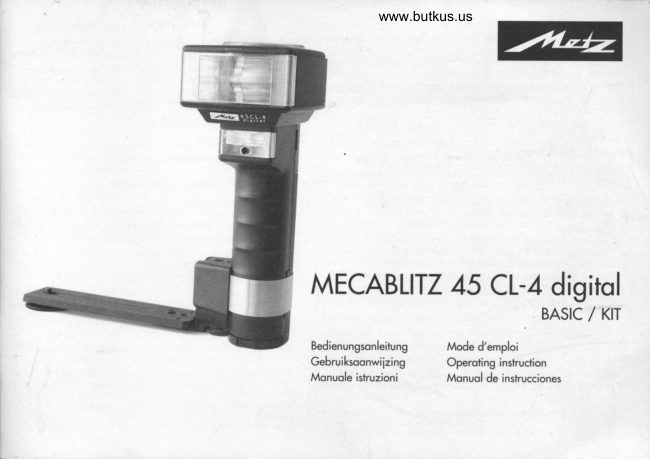
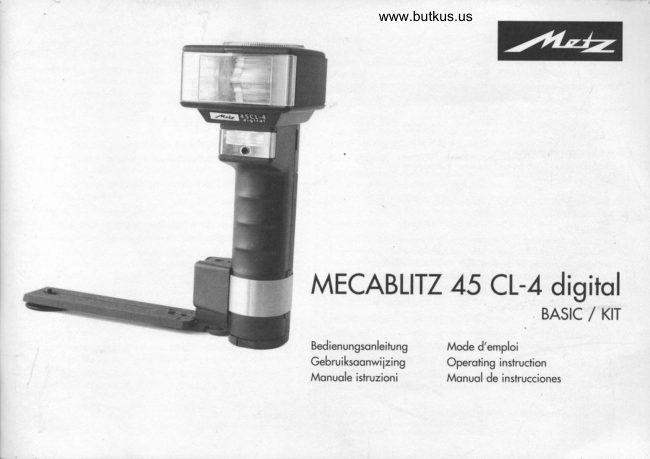
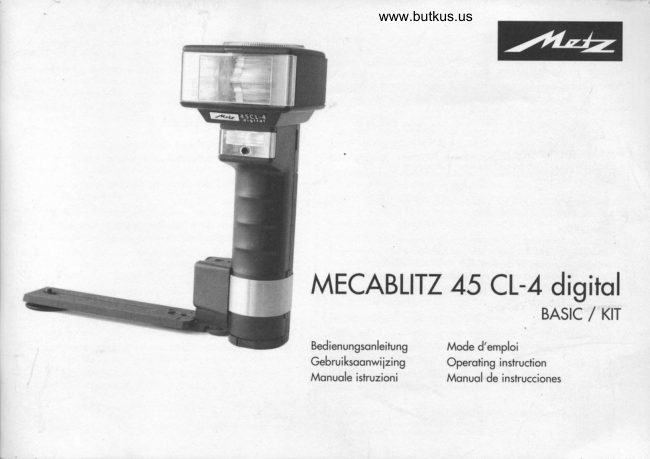
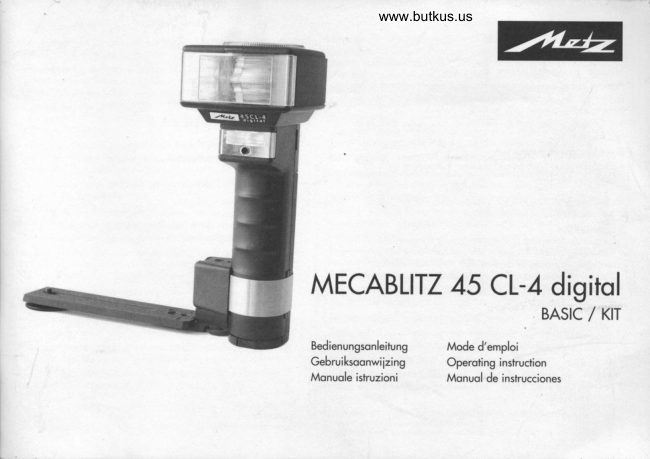
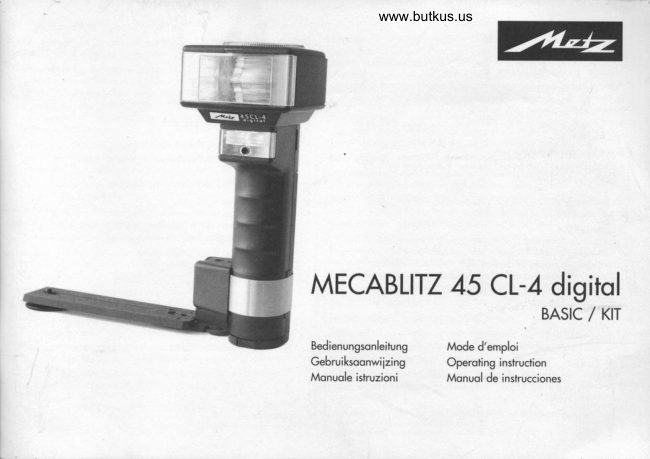
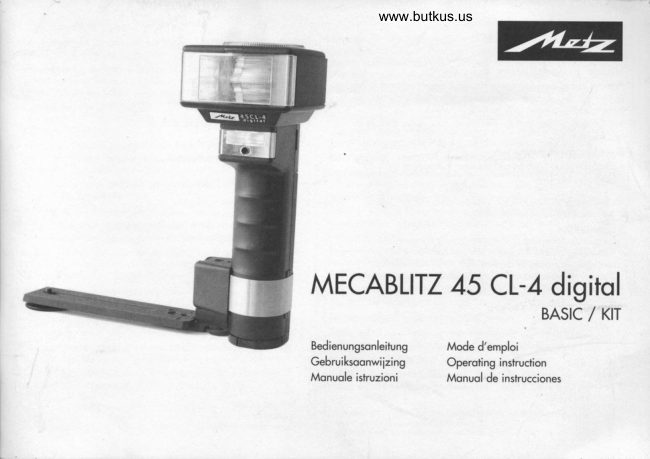
Metz Mecablitz 45 CL-4 digital User manual
User manual for Metz Mecablitz 45 CL-4 digital. 19 pages in German, French, Spanish. Read the original PDF, download or print a copy without registration.
19 pagesGerman, French, Spanish2.1 MB PDF
Loading your manual…Open PDF directly
Document details
- Brand
- Metz
- Model / document
- Metz Mecablitz 45 CL-4 digital
- Document type
- User manual
- Language
- German, French, Spanish
- Pages
- 19
- File size
- 2.1 MB
- Category
- Film cameras
- Document date
- Not specified in catalog
Search available document text
Find a term, then jump to its page in the original PDF. Image-only pages may not be searchable; check the PDF for exact wording and diagrams.
Page 1 · Read text
www.butkus.us


MECABLITZ 45 CL-4 digitol
                            BASTC   KtT                                         /

Bedienungsonleitung       Mode d'emploi
Gebruiksoonwiizing        Operoting instruction
Monuole iskuzioni         Monuol de instrucciones
View original page 1Page 2 · Read text
Power Pock / Prise pur Power Pock / Aonsluiting Power Pock /                  @ AnschluB
                                                                          Power Pock connection / Preso per Power Pock / Conexi6n Power Pock
                  @ Zweilrefektor / R6fecteur secondoire / Tweede  reflector /
                                                                Secondory reflector / Porobolo ousiliorio / Refector odicionol


                                                                                                                                                      Digitally signed by Mike Butkus
                                                                                                                 DN: cn=Mike Butkus, o=Butkus camera manuals, ou=butkus.org,
                                                                                                                          email=mike@butkus.org, c=US             Mike Butkus             Date: 2023.04.25 16:51:48 -04'00'

@ Reflektor / R6fecteur  / Reflector / Riflettore
@ Sensor / Sensore / Seseur
@ Schienenholter  / Support de bonette / Beugelhouder,
     Brocket holder / Supporto $offo / Porto-regleto
@ Holbbock / Bloc d'ottoche / Vostzetblok /
     Holder block / Blocco reggi-stoffo  / Zopoto de suieci6n
View original page 2Page 3 · Read text
www.butkus.us
                                                                                     Anzeigebnsbr  / bndtre d'offichoge  / oonduidingsvenster@   Hondousltisetoste  / huton d'*soi  / Onhponknop voor hondbediening /  @
     Monuol liring butbn / Scolto sincro monuole / Disporodor monuol                     indicofor window / finestro disploy / ventono de visuolizoci6n
@  Blirzbereimhoftsonzeige  / T6moin de disponibilit6 /
      Flitsporootheid / Flosh ronge indicoior / Indicozione pronb lompo
      lndicodor de disoosici6n
@  Houptscholter / Intenupleur g6n6rol / Hoo{dschokeloor  / Moin
     switch / Intenuttore principole / Interruptor principol
@  Belichtungskontrollonzeige  / T6moin de conh6le d'exposition  /
     Aonduidinq von de beliiLfinqscontrol  / Exposure  o.[. /
     IndicozionJ di controllo esooiizione  / Indicoci6n de control de lo
     exoosici6n
@ Mode
    Sonderfunhionen / Funciions specioles / Biizondere functies
     Speciol funcfions / Funzioni specioli / Funciones especioles
@  Scholter fur Zweitrefektor / Intenupteur  reflecbur secondoire /
     Schokeloor tweede reffector / Switch lor secondory refector /
      Intenutlore porobolo ousiliorio / Intenupfor  reflector odicionol
@  Spchronkobelbuchse  / Prise du cdble synchro / Aonsluiting voor
      flitskohl / Sync cord sockel / Preso per covetlo sincro / Conexi6n
    poro coble sincro

                                       Repere de regloge corr6 pour@ Einstellmorke fur Blendenvorwohl  /
       lo pr6#lection du diophrogme  / Instelmorkering voor diofrogmo-
     voorkeuze / Frome for preseleciion of operture,  Indice quodroto
      per,preselezionore    i diofrommi / Indice poro lo preselecci6n de
    otoroomo
       Einstell-knopf  ft;r Filmempfindlichkeit  / Clef de regloge de lo sensi-@
      bili6 / Instelknop uoor filmvoeligheid  / Film speed setting knob /
     Pomello d'impostozione  dello sensibilitd / Bot6n de ojuste de lo
      sensibilidod de peliculo
View original page 3Page 5 · Read text
A                                www.butkus.us     ./
  ^.L J7--  -ZHI\                                    2l  .Y  \e
Bild 4o: Botterie-bzw. Akku ouswechseln                Bild 4b: Botteriekorb')  tiffrren
Fig. 4o  : Remplocemenf des piles ou de l'occu         Fig. 4b  : Ouveriure du tiroiP d piles
Ab. 4o: Botterij- c.q. occu verwisselen           Ab. 4b: BotterijkorFr openen
Fig. 4o: Botiery chonging                               Fig. 4b: Opening the boitery housing')
Fig. 4o: Sostituzione  delle botterie                       Fig. 4b: Aperturo del box podobotterie?)
Grobodo 4o: Combio de boterio o oilos           Grobodo 4b: Abrir el porfopilos')

                                                                            2) nur bei BASlC.Aussloilunq onsl Sonderzubehiir
                                                                            2) *ulement wx rersion BASIC, sinon occesrcire optionnel
                                                                 2)ollen  bii MSlC.uitverino -othevi*onders ok occesrcrre                                                                              2j only *ith BISIC-vere;on,             optionol utro
                                                                            2) rclo con wrsio BASIC, re no quole opzione
                                                                            2) rclo wni6n MSIC, si no occeorio opcionole
View original page 5Page 7 · Read text
www.butkus.us
 I Sofety instructions
. The flosh unit is inbnded ond opproved only for phobgrophicol use.       o Do not touch the conlocls of the flosh unit.
o NEVER fire o flosh from o very short distonce directly into the eyes of         . The flosh unil musl not be used if the cose hos been so bodly domoged
  persons or onimols. This con couse domoge lo the retino ond moy even        thot internol componenls ore exposed. Remove the botteries!
  leod to blindness.                                                              r Do not use defective botteries!
. NEVER trigger o flosh in the vicinity of flommoble goses or liquids              . The odopters for the vorious types of moins oudel socket moy be inserted
   (petrol, solvenls, etc.), since this moy couse EXPIOSIONSI                          into the outlet socket only together with the bottery
o NEVER shoot flosh pictures of cor or bus drivers, cyclists or motorcyclisb,       chorger! Never insert on odopter inb on outlet socket on its own  !
  or lroin drivers while the vehicle is moving! This moy dozzle the person      . The bofiery pock 45-56 moy be chorged only with the Mefz bottery
  concerned ond result in on occident.                                         chorger 970! The use of unsuiloble bottery chorgers con deshoy fte boF
. Only use the opproved power sources specified in these operofing              leries ond moy resuh in fire or explosions  !
  inshuclions.                                                                    r Use fie botbry chorger only for chorging the N|MH bottery pock 45-56!
. NEVER ottempt to open or short-circuil  botteries!                      Do not otfempt to chorge dry botteries or other types of rechorgeoble
. NEVER expose botrcries lo excessive temperotures such os infensive sun-       botteries with this chorger  !
   light or o fire!                                                              r Do nol short-circuit he confocts of the bottery chorger or the
                                                                               bottery pock  !o Remove exhousted botbries immediobly from the flosh unit. Such botte-
  ries moy leok, releosing chemicols which con domoge the flosh unit           . The botbry chorger ond the bottery pock become worm during the chor-
. NEVER otlempt lo rechorge dry botteries!                                     ging operofion ond you should therefore ensure thot they ore suitobly                                                                              ventilobd   !
o Do nol expose the flosh unit to dripping or sploshing wobn              o Disconnecl  the bottery chorger from the moins vol|oge when  it is not in @
r Do nol expose your flosh unit to high lemperotures ond humidity. Do not      use  !
  keep  it in the glove comportment  of your con                          o Do nol throw the bofbry pock inb o fire, since  it moy explode  if you do
r Do nol buch the diffuser ofter firing severol floshes ot short intervols.         so!
  Donger of burns!                                                               r Use the bottery chorger only in o dry room. Keep it cleon ond dry  !
o When toking flosh shots ot full light output ond in ropid succession         Moke sure thot wofer connot drip or splosh onb the chorger  !
  observe on intervol of ot leost 3 minubs ofier 20 floshes.                o Do nol use defective bottery chorgers or botteries! They moy be repoired
. NEVER ploce moferiol thot is impervious  to light in front of, or directly on      only by on outhorised cuslomer-service cenfre! Do not ottempt to open
  the refleclor.  lf this is not observed, the high energy of the flosh light moy     the bofiery chorger or the bottery pock  I
  couse burning or bleoching of the moleriol or moy domoge the reflector:     . Cleon the bottery chorger qnd the bottery pock only with o soft, dry
. NEVER dismonlle the flosh unit! DANGER: HIGH VOLTAGE! Repoirs must       cloth  !
  only be completed by on oufiorised repoir service.
                                                                                                            49
View original page 7Page 8 · Read text
o Do nol dispose of defective or unserviceoble botteries with normol gor-
        boge! Conhibub b he profection of the environmenl ond tqke the botte-
          ries to o suitoble collection cenhe  !
      r Protecl the bottery chorger ond the botbry pock ogoinst high cmperotu-
         res ond moisture! Do not keep them in the glove compqrlment  of your
        cor  !
       r We occept no liobility for molfunctions ond domoge b the bottery chor-
        ger or he bottery pock which result from the use of occessories mode by
         olher monufocturers   !
        . Alwoys swikh off the floshgun before inserting or removing the bottery
       pock  !
     o Keep the bottery chorger ond the boilery pock out of the reoch of chil-
        dren  !


@
View original page 8Page 10 · Read text
3 Preporing the flosh unit for use                                        unifs eleclronic system. Only use lhe pernittd power sources (see
                                                                                       obove). Worronly cloims for fouhs ond damaae to the flosh unit orenol
      Attoching the flosh unit to the comero                                                                             accepgd if theyiere caused by the use of aicessories from other
     The flosh unit con be ottoched to the comero ond operoted with:                    monulocfurers.
     -osynch coble4S'47't.                                                         Bottery replocement
          - o stondord foot 301'r ond o synch coble SCA 300Ar)                            Press the vo locking keys of the bottery holder'' ond pull the holder oui of
          - on SCA 3xx odopter'rond o synch coble SCA 300Arr                           the flosh unit (Fig 4o). To return the bottery holder insert it into the flosh unit's
          - on SCA 3xx2 odopter')ond o synch coble SCA 30453r.                     hondle-mount grip ond press  it until  it oudibly locks in proce.
      ng- 8e sure to swikh off the flosh unil by its moin swikh prior lo mounling   Exchonging the botbries
          or removinq lhe conneclino comaonenls! Behre mounlinq or removins    Press together the two smooth locking keys of the dismontled bottery holder
           the flosh uiit, swirch oft 6th thd comera ond the flash uiitl                (optionol extro) ond remove the lid (Fig. 4b). Inse* new botteries  in confor-
      Mounting the flosh unil:                                                             mity with the polority symbols indicoted on the bottom of the holder. Return
       . Push the SCA odopter or stondord foot 30,| into the comerq's occessory       the lid ond lock in ogoin.
                                                                                                            lvlixe/ up futtery mlhs moy deslroy the flash unil,, Reploce  all barc-        shoe ond lock in oloce with the knurled nut.                         6'
                                                                                                                 ries al a time oid-moke suie thot t$e bolteries ore of the some brond
       r Fosten the comero brocket with the brocket screw to the comero's triood          ond type ond hove the some capocity! Spent batleries musl nol be
         socket. For medium- ond lorqe-formot comeros we recommend the use of        Ihrown into the domestic wasF'! Help keep lhe environment cleon ond
         the 20-35 brocket (optionol lxtrof.                                                discord spent bolbries ot corresponding  iollecting points.
     o Insert the comero brocket into the mount @ of the brqcket holder @ until  it   lg New NiMH botleries and lhose lhat have nol been in use br a long
             is oudibly engoged.                                                               period of time csn be olmost conpleuly  flot.lf this is the cose, the@ o Secure the comero brocket with the locking screw                               chorger does not olways recognise the NiMH battery state of charge.
       r Connect the synch or connecting coble to the flosh unit ond comero or             This results in lhe NiMH botterv onlv fuina oorliollv chorsed.lf the                                                                                                    portiolly chargd bottery is then inierted-ii the flolsh ,ni the botary         odopter.                                                                                           indicotor signolises o discharged batlery or the flash unil does nol
   4 Power supply                                                                lnrerrchlhis floshcase rhereodiness.NiMH bottery must be rechargd several limes in suc-
     The flosh unit cqn be operoted with:                                              cession (opprox. 2-5 charging operolionsl.
       . 6 olkoline mongonese botteries IEC LR 6 (AA-Vpel in the bottery holder          The botbry must be removd hom the chorger briefly betwen chan
                                                                                 ging operalions.         45-39') (optionol extro), or
      o Metz NiMh bottery pock 45-563r, or
       . Power Pock P76 (optionol extro)
      r€: Do nof use lithivm cells! Their higher volnge would domoge the flosh
    52
View original page 10Page 11 · Read text
www.butkus.us
4.1 Operotion with NiMh Botlery Pock 45-56')                               (e.g. in monuol flosh mode M) exceeds obout 60 seconds.
                                                                     The chorging operoiion  is monitored by o microcontroller in the bottery chor-
4.1.1 Botlery nobs
. The bottery pock must be chorged before  it is used for the first time.             ger.notedWhenoutomoticollythe botteryondpockthe isbotteryfully chorged,chorger theswitcheschorgingto hickle-chorgeoperotion  is mode.termi-
o The bottery pock reoches  its moximum copocity only ofter severol chor-    n€  You can leave the bottery pock connecbd to lhe charger in order to
  ge/dischorge  rycles.                                                          ensure conlinuous readiness. However, if you do not inbnd to use
. Avoid deep-dischorging of the bottery pock. Never ottempt to fully dischor-          the battery pock for o long period, you should disconnect  it from lhe
  ge the bottery pock (with o lomp or similor lood). Deep-dischorging moy            cnorger.
  destroy the bottery pock.                                                      For sofety reosons, the iemperoture of the bottery pock is monitored during
. Rechorgeoble  botieries dischorge themselves groduolly even  if they ore not   chorging ond the chorging time is olso llmited by o timer. The chorging time
  used. The self-dischorge rote increoses ot higher ombient temperotures.            is obout 2.5 hours for o fully dischorged bottery pock ond correspondingly
 We therefore recommend thot you store the botiery pock ot o temperoture     shorter for o portiolly dischorged bottery pock.
  ol 2"C to B " C (e.g. in o refrigerotor).                              o Connect the bottery chorger 970 lo o mqins ouilet socket ond to the
o Keep the botiery pock chorged ond rechorge  it ot suitoble intervols.            bottery pock (the connector for the chorger is on the bottom o[ the
r Protect the bottery pock ogoinst frost ond heot!                                pock). The chorging operotion stqrts outomoticolly. The stotus of the
                                                                           botiery chorger is indicoted by o two-colour LED.
4.1.2 Connecting fie chorger to the moins                    > LED lights with green light: the bottery chorger is connected to the ,'..
The chorger is supplied complete with interchongeoble odopters for different     moins outlet socket but no bottery pock io be chorged  is
moins sockets (Fig. 5). To chonge the odopter, disconnect  the chorger from       connected.
the moins socket, releose the currenily instolled odopter by pressing the key o                                                  > LED lights with red light; the bottery pock is being chorged.  @ond ot the some time pull off the odopter y (Fig. 6).
                                                      > LED lights with red light: chorging erroWith no odopter fitted, the bottery chorger con be connecied to o moins                                                                                                                 - The bottery pock hos o short circuit.socket with the oid of o moins coble (not includedl which  is inserted into the                                                                                                                 - The bottery pock is not connected correcdy.integroted moins connection socket (Fig. 7).                                                                                                                 - The temperoture of the bottery pock is ioo low (.0'C).
4.1.3 Chorging the botteries                                                                      - The temperoture of the bottery pock is too high (>40'C).
The N|MH bottery pock 45-56x con be chorged either in ihe floshgun or     > LED lights with green light: the bottery pock hos been fully chorged
seporotely.  lf it is chorged in the floshgun, the floshgun must be switched  off   !    ond the chorger hos switched to trickle-chorge mode.
Ds DO NOI switch on the flosh unit vvhib the bottery is fr;ing chorged in     ldentifying o dischorged botiery pock 45-563t
     the flosh unit! The boltery musl onlv be chorod with lhe orioinol ttlez   move the ribbed slide on the bottery cover to the block position.
    bottery chorger envisagid for this purpose! bO NOT ,t" oni other                                                                                        ldentifiing o fully chorged botiery pock 45-563r:    chorger!
                                                                 move the ribbed slide on the bottery cover to the white position.
The bottery pock is exhousted if the rechorging time oher o full-power flosh
                                                                                                                    53
View original page 11Page 12 · Read text
4.2 Operotion with Power Pock P76                                               ting mork for operture pre-selection @ to the required outo working oper-
                lf the number of floshes ond recycling times ore not sufficient for your given        ture, TTL mode or M monuol mode, or o monuol portiol light output.
         opplicotion, then the flosh unit con be powered with the Power Pock PZ6          . A flosh con be fired with the monuol firing button @ when flosh reodiness
         (opfionol extro|. The Power Pock is connected  to the flosh unit vio the socket          is estoblished. A full-power flosh is fired in TTL ond M mode. When in
    @ with the V76 connecting coble (opiionol exko). This does not require the       outomotic flosh mode or with monuol portiol light output the flosh fired
         use of the bottery holder 45-39'1t or the NiMh Bottery                           depends on the odlusted porometers (lSO / operture / portiol light output).
        Pock 45-56'' inside the flosh unit.                                                       . The flosh reodiness  indicotor @ lights up when the flosh copocitor hos
      6: A loaded boltery holder or battery pock can remain in the flosh unit.      become chorged so thot floshes con be fired. When on SCA odopter  is
        To connect the Power Pock or the connecting coble VZ6 fo the flosh unit the       being used the cqmero will outomoticolly switch over to flosh synch speed
       moin switch @ of the flosh unit must be prrl"d down into its lower position       should this be necessory.
         {oFF).                                                                  o The correct exposure indicotor @ lights up for opprox. 3 sec. if the shot
       The flosh unit will then be switched on ond off with the swiich on the Power      wos correctly exposed in TTL or outomotic flosh mode. When on SCA
        Pock (see Operoting  Instructions  for the Power Pock).                             odopter  is used o corresponding indicotion  is given in the comero's view-
        l€: Io profrt the flssh unit from overhealing when  it is operoted wilh o         finder or on the comero disploy, depending on the comero type.
           Power Pock, o monitoring  chcuit lengthens the recycli time during       o Further flosh modes con be set for operotion with o suitoble system comero
            inbnsive use! Ensure thot oll ofhcted devices ore swikhed off [rJlore     ond on odopter from the SCA 3002 system (see Operoting  Instructions for
..!q!!@t  connecling and disconnecting lhe connecling coble or the Power Pack!      the given comero ond SCA odopter). The setting  is mode with the "Mode"
                                a:                                                                               key @. The odiusted flosh mode is indicoted on the indicotor window
     5 Controls ond disploys ^         . Push the moin switch g into th" upper ON position ond then switch on the  6 Flosh modes @
           flosh unit.                                                          6.1 Automotic flosh mode
         The odiusted flosh mode is indicoted on the disploy window. The flosh reo-     In the outomotic flosh mode A the sensor @ meosures the light reflected by
           diness indicotor @ lights up when the flosh unit is reody for operotion. The    the subiect. The floshlight is lurned off by the flosh unit! electronic circuit
           flosh unit is switched  off when the moin switch is in ihe'lower oosition.       when the omount of light is odequote for the given exposure.
           . The secondory reflector @ con be switched on with the switch for the          Setting procedure
                           reflector,         secondory                                    instonce                                    for                                             when                                                  for frontol                                                                                   fill-in                                                                                the flosh.                                                          bouncing                                                                                             the                                                                         o Set                                                                                     ISO                                                                                                 volue of the comerq or looded film with the setting button @ on          Push the switch                                    the                                                                         in                                    top position.                                                                           position                                                                                     the                                                          the middle                                When           @ into                                                                                                 the                                                                                                      flqsh                                                                                                   heod.         secondory reflector  will only emit opprox.  50'/. of its light intensity. The
         secondoty reflector is turnei off when the switch is in ile bottom position.      . Adiust the sefting mork for operture pre-selection @ on the flosh heod to
         r Set the ISO volue of the comero or looded film with the setting button for         the comero's f-stop. "A" lights up on the indicotor window of the flqsh unit.
         ISO sensitivily @.                                                     The moximum flosh ronge con be reod off the setting mork of the selector
       o Select the flosh mode with the setting disk on the flosh heod. Adjust the seF    disk. The shoriest shooting distonce is opprox. l0% of the moximum flosh
      54
View original page 12Page 13 · Read text
www.butkus.usronge. The subiect should be locoted in the middle third of the indicoted ron-    Setting procedure
ge to give the electronic circuit leewoy for compensotion.                          . Equip the flqsh unit wiih ihe connecting coble SCA 3045'l ond o suitoble
0g We recommend the cometo mode operture priority (A, Avl or nonwl (Ml,     odopter lrom the SCA 3002 system ond connect b the comero. Adopters
Automotic setting of the ISO volue ond operture                                     of the SCA 300 system con be connected  to the flosh unit with the connec-
                                                                                             ting coble SCA 3045x or the connecting coble SCA 3004.
The    operture           ond ISO                            sensitivity                                                                                    set                                   of the comero                                        con                                              be outomoticolly                                                                on        . Adiust TTL on the flosh unit with the setting mork for operture pre-selectionthe    flqsh           unit when                   the                            lotter is operoted                                         with on                                              odopter                                                    from the SCA                                                          3002
sysrem:                               @
ng. Ilre oulomotic  selling ronge hr ISO exlends hom ISO 6 to ISO 6400.   o Switch on the flosh unit ond the comero. 'TIL'  is disployed on the indicotor
    fhe oulomolic selling range for lhe operoture extends hom il1.0 to       window.
    f/45 (ot ISO 100 / 21"), including  all the in-between values.            The moximum flosh ronge con be reod off directly from the operture colculo-
r Equip the flosh unit with the connecting coble SCA 3045'r ond opproprio-      tor under the f-stop when the ISO volue of the comero or film hos been
  te odopter from ihe SCA 3002 system ond connect to the comero.            monuolly set on the flosh unit. The shortest shooting distonce is opprox. 10%
I On the flosh unit, set ony outo working operture with the setting mork for      of the moximum flosh ronge. The subiect should be"locoted in the middle                                                                                              third of the indicoted ronge to give the electronic circuit leewoy for compen-
  operture pre-selection @.                                                          soiion.
r Switch on the flosh unit ond the comero.                          lg  llre operture or ISO value does not hove to be sel on the flosh unit for. Lighily touch the comero's shutter releose so thot doto con be exchonged           lhe TIL flosh mode to function!
  between the comero qnd the flosh unit.
o Continue depressing ihe "Mode" key @ until "A" ond " X "oppeor on the    6.3 ITt flosh mode with preflosh  indicotor window. When the comero's shutter releose  is lighily touched the     In TTl.flosh mode with preflosh the reflective properties of ihe subiect ore                                                     G  flosh unit outomoticolly tokes over the doto for the operture ond ISO settino    estoblished wiih one or more prefloshes  prior to exposure ond evoluoted by
  from the comero. The volues for outo working operture ond ISO monrolly"    the comero's electronic circuit. The distonce doto from the comero's AF sys-
  odlusted on the flosh unit ore irrelevont in this context.                      tem con be odditionolly token into occount. Light output conhol by the
                                                                        comero's electronic system is vio on odopter from the SCA 3002 system. The                                                              (e.g.       monuol                adiustment                           the ISO                              and                                                         with                                                                                             fill-in flosh)                           of                                       oprture sg'For                                                                                  preflosh mode is selected with the "'Mode" key @.             depressing                          lhe                                     key    cgnliye                       "Mode"                                                            on                                                           unlil only                                                "A"                                       k disphyed                @    lhe disploy window.                    w Mony modern cdmerd models, but porticulorly mony digital comeros,
                                                                              only support the TIL flosh mode with preflosf (e.g. Conon E-T!L,
6.2 TIL flosh mode                                                                     lVlinoln ADl, N'ikon D-TIL, Nikon ifTL eE.). These are further develop-
In TTL flosh mode the comero's sensor meosures through+he-lens (TTL) the           ments of lhe stondord TtL flosh node vrtich is not suppord by h6se
light reflected by the subiect. This meons thot lighi messurement  olso tokes         samerol For further detoils please refer to lhe cameio's operoing
mounted  filters into occount. When on odequote omount of light hos been             inslructions.
reoched the comero's electronic circuit switches off the flosh b"y woy of the
SCA odopter.

                                                                                                                    55
View original page 13Page 15 · Read text
www.butkus.us                                                                                                                                fill-in floshI Adiust the setting mqrk for operture preselection @ ot TTL.                 9.2 Automotic
r Switch on the flosh unit with the moin switch. The slove mode is outomoti-   When in outomotic fill-in flosh mode the outo working operture of the flosh
  colly octivoted. The AF ouxiliory light in the connecting coble SCA 3045')     unit is opened by opprox. one stop increment  further thon the f-stop set on
  floshes odditionolly*hen  flosh reodiness  is reocheo.                             the cqmerq.
                                                                                                                                                                                      (e.g. A,ig- Pleose nob thol the mecoblia 45 CL-4 diginl only supports the remote   !g We suggesl setting the camero in the operture  priortly mode
     chonnel "Adl" of lhe conlroller! For furlher denils relqlinq to the slove         Av) or in monuol mode M. When on odapbr hom the SCA 3002 sys'
   mde pleose refer to the operoling inshuctions for the sloie odapler!          tem is beina used then monuol operture  sellinq must be selected on lhe
                                                                                           flosh unir if correclions cannot bi entered on trte comera!
7 Bounce flosh                                                          Exomole:
Bounce flosh illuminotes the subiect more softly ond dense shodows ore dimi-   The operture f/S.O hos been set on ihe comero. The operture f/4 is monuolly
nished. Moreover, the physicolly conditioned decline of llght from the fore-        set on the flosh unit for fill-in flosh.
ground to the bockground  is reduced.                                    With on odopter from the SCA 3002 system ond on oppropriote comero o
The moin reflector @ of the flosh unit con be swivelled horizontolly ond verti-    correction uolue of opprox. I f-stop is set on the comero for the flosh during
colly for bounce flosh. To ovoid colour cost bounce the flosh off o colour-neu-   outomotic doto tronsfer (lSO, operture). An odditionol  setting on the flosh
hol or white surfoce. The secondory reflector @ con be odditionolly  octivo-      unit is then not necessory!
bd with the swiich @ for fill-in frontol lighting.
s€- Pleose note that bounce flosh reduces lhe moximum flash range!       l0 Exposure correclions        w
                                                                           Extreme controst differences between subiect ond bockground con confrise
8llluminotion                                                                   the outomotic exposure system of the comero or flosh unit. This con be com-
                                                                     lengths                                                               focol            reflectorThe                                                 cover                                                                   os o[   moin                            the secondory                                                  reflector @        @ ond                                                                         bt;;,i*i.*fi','"                                  @                                               correction.                                                           ;";ili                                ,/5-42lr(included                                                            widens                                                                                 unit)                                                   with                                                          the flosh      The           wide-ongle                          diffuser35mm.                                                                                  mode must be set on the comero (see opero-                                                                           Exposure                                                                                             correction in TTL flosh
                                                              (35 mm                                          for focolthe                                                 lengths os    illuminotion                  moin                               reflector                                                             of 28mm                 of the                                                                                          ting instructions  for the given comero]i                                                                         .,                                                           the                                                       guide number,                 The                       wide-ongle                                          diminishesformot        in oll coses).                                        diffuser
                                                                     Dork subiect ogoinst o bright bockground:ond thus the moximum flosh ronge, by opprox. 30%. This is outomoticolly
odopted by the operiure colculotor on the flosh heod.                               Positive correction volue (opprox. +l to +2 f-siops).
                                                                                    Bright sublect ogoinst o dork bockground:
9 Fill-in flqsh                                                          Negotive correction volue (opprox.'1 lo'2 Fstops).
9.1 TTt fill-in flosh                                         An f-stop which differs from the comero operiure  is set monuolly on the flosh
Most comero models outomoticolly suppori the TTL fill-in flosh control when       unit for Exposure correction in outomotic flosh mode.
in Progrom or Auio Mode. Vorious comero models odditionolly  feoture spe-    Dork sublect ogoinst o bright bockground: Set on the flosh unit on f-stop thot
ciql ni  fill-in flosh progrommes thot con be ociivoied on the .or"ro (see the      is higher by one increment: e.g. comerq operture f/4; outo working operture
operoting instructions  for the given comero ond SCA odopter).               on the flosh uni+f/5.6.
                                                                                                            57
View original page 15Page 17 · Read text
www.butkus.us
l4 Troubleshooting                                                        Flosh duroiions:
                                                                                             . opprox.  1 /125 ...  I /20000 sec.Should, for exomple, the flosh unii not work properly in the individuol
modes, then switch off the flosh unit for obout l0 seconds by its moin switch.     . in M mode opprox. 1/125 sec. with full light output
Check the comero settings ond find out  if the SCA odopter or the flosh unitt     . with 1/2light output opprox. l/800 sec.
foot is correctoy mounied in the comero's occessory shoe.                             . with  I /a light output opprox. l/2000 sec.
Reploce the old botteries or rechorgeoble bottery pocks by new ones.          o with  I /8 light output opprox.  I /3500 sec.
The                           properly                            when             must    flosh                  operote           unit                                                                                ii is switched on ogoin. Contoct        . with  I /16 light output opprox.  I /6000 sec.                               this                                         cose.      locol                  should                            not be theyour          deoler
                                                                                                  . with 1/32 light output opprox.  I /10000 sec
l5 Mointenonce ond core                                      Coveroge of sensor: opprox. 25o
Remove ony grime ond dust with o soft, dry or silicon-treoted cloth. Never      Colour temoerofure: opprox. 5600 K
use detergents - they moy domoge plostic ports.                                      SensitiviV:
Forming the flosh copocitor                                          ISO 25 to ISO 1000 for monuol setting
The flosh copocitor incorporoted  in the flosh unit undergoes o physicol chon-    ISO 6 io ISO 6400 for outomotic setting (SCA 3002)
ge *hen the flosh unit is not switched on lor prolonged periods. For ihis reo-                                                               Synchronisotion: Low-voltoge |GBTignitionson it is necessory to switch on the flosh unit for qpprox. 10 minutes every
3 months. The botteries must supply sufficient power for flosh reodiness to be   Number of floshes:                                                                                                                                                                                               il,
indicoted within I minute oher the flosh unitwos switched on.                      . opprox. 200 with NiMh botteries 45-56                                                                              a.
                                                                                             . opprox.  I Z0 with high-copocity olkoline mongonese  botteries     :@l6 Technicol doto                                                                                                                   ' opprox' 400 with Power Pock P76
Guide numbers ot ISO 100/21":                                                                                                                                              (oil ot fut right output)in the metric system:45 in the imperiol system: 148
                                                                                   Recycling time:
Flosh modes                                                                           . opprox. 4 sec. with high-copocity olkoline mongonese botteries
TTL,                with preflosh   nL modes                                (see Toble I ), Auto Mode A, Monuol Mode M,      . opprox. 4 sec. with NiMh botteries 45-56                      HSShigh-speed           synchronisotion
                                                                                        . opprox. 3 sec. with Power Pqck P76Monuolly odiustoble outo opertures:
t2.B - f4 - f5,. - fB -  f I I -  f t 6 ot lso ,|00 / 2l "                                                                                                                     (oll ot full light output)
Automotic ooerfure settino ronqe                                                Flosh coveroge
ft.O to f S (oi ISO 100 /  2l ") including in-between volues (SC,A 30021     Moin reflector, os of 35 mm (35 mm formot)
                                                                                                                                               ... with wide ongle diffuser, os of 28 mm (35 mm formoi!
View original page 17Page 19 · Read text
www.butkus.uso Mecobounce 45-90 (Order No. 000045908)                                    . Corrying strop 50-31 (Order No. 0000503151
 With this diffuser, soft lighting con be ochieved in o very simple monner. lt    o Connecting coble SCA 300,A (Order No. 000093057)
  gives your pictures o rordliw soft oppeoronce, *hile the tone of skin is       Connects the flosh unit to odopters of the SCA 300 system.
  iend"i.d foithfully. The moximum *orling ronge is diminished by the foc-
  tor 2 in conformity with the loss of light.
o Power-Pock P76 (Order No. 0001297681
  For o high number of floshes ond short recycling times (obt 400 full-power
  floshes). To connect theP 76, theY76 connecting cqble (Order No.
 0000376) is odditionolly  required.
o Connecting coble V76 (Order No.000003762l,
  to connect lheP76.
r Bounce diffuser 60-33 (Order No. 0000603341
  To soften heovy shodows with reflected  light.
o Comero brocket 70-35 (Order No. 0000703531
  For firm fostening of medium- ond lorge-formot comerqs.
. Stondord foot 301 (Order No. 000093014)
  ln coniunction with SCA 300, for connection frc the occessory shoe of
 comeros with hot shoe contoct.                                                                                       K""-"
                                                                                                                                                   x&x.:o Slove'Adopter SCA 3083 digitol (Order No. 000330838)
  To ooerote the 45 CL-4 dioitol os o slove flosh unit in the cordless Metz      Disposol of botteries           @
  Remote System, for opticolsimultoneous kiggering ond opticol triggering
                                                         Do not dispose of spent botteries with domestic rubbish.                                                                        ,.,  with preflosh suppression  for digitol comeros. The SCA 3045 connecting
  coble is odditionolly  required (Order No. 0030450).                         Pleose return spent botieries to collecting points should they exist in your
                                                                                  country. Pleose return only fully dischorged botteries. Normolly, botteries ore
'Synch leods:                                                                                     fully dischorged  if:  Coiled synch lec,d 45-49 (Order No: 000045499)
  Coiled synch leod 45-54 for hot shoe (Order No: 000045542)                  . The device they powered switches  itself off ond indicotes ,,Spent bofteries".
  Synch leod 45-48,1 m (Order No: 000045480)                                  . They no longer function properly ofter prolonged use.
  Synch extension leod 60-54 (5 m) (Order No: 00006054'll                  To ensure short-circuit sofety pleose cover the bottery poles with odhesive
r Brocket odopter 60-28 (Order No. 0006028)                                    rope.
  For porollox correction of reflector ond comerq with close-ups ond wide-
  onole shots.


                                                                                                                                         61
View original page 19Related documents and language editions
MetzPDF
Metz Mecablitz 45 CL-4 Digital Gebruiksaanwijzing
User manual
21 pages · DutchRead →
MetzPDF
Metz Mecablitz 45 CL-4 Digital
User manual
21 pages · FrenchRead →
MetzPDF
Metz Mecablitz 45 CL-4 Digital
User manual
22 pages · GermanRead →
MetzPDF
Metz Mecablitz 45 CL-4 Digital
User manual
21 pages · ItalianRead →
MetzPDF
Metz Mecablitz 45 CL-4 Digital
User manual
35 pages · SpanishRead →
From the M. Butkus archive. Original publisher and archive notices are retained.
Check the model and edition against your equipment.
PDF verified 2026-10-10.