Film cameras
Voigtlander BESSA R2S / R2C User manual
User manual for Voigtlander BESSA R2S / R2C. 23 pages in German, Spanish, Italian. Read the original PDF, download or print a copy without registration.
23 pagesGerman, Spanish, Italian1.5 MB PDF

Loading your manual…Open PDF directly
Document details
- Brand
- Voigtländer
- Model / document
- Voigtlander BESSA R2S / R2C
- Document type
- User manual
- Language
- German, Spanish, Italian
- Pages
- 23
- File size
- 1.5 MB
- Category
- Film cameras
- Document date
- Not specified in catalog
Search available document text
Find a term, then jump to its page in the original PDF. Image-only pages may not be searchable; check the PDF for exact wording and diagrams.
Page 2 · Read text
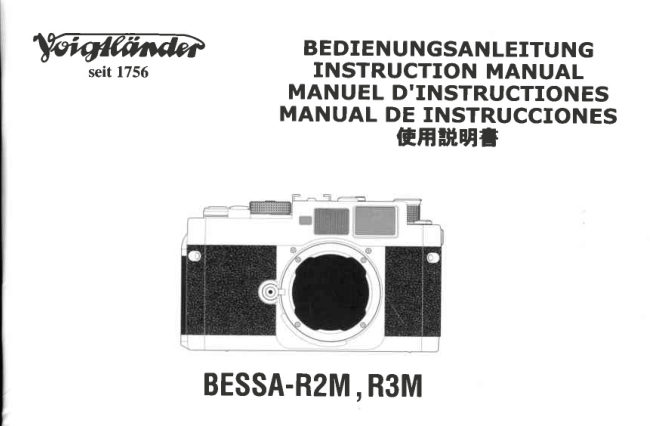
BEDIENUNGSANLEITUNG
  INSTRUCTIONMANUAL
MANUELDE INSTRUCCIONES
    Gebruiksaanwiji ng
   Manueld'instructions
 MANUALEDI ISTRUZIONI


     Seit 1756
 BESSA-R25
        -R2C
View original page 2Page 3 · Read text
Congratulations on selecting your Voigtlander Bessa R2S or R2C
camera. Tlqe Voigtlander Bessa R2 and R2S are compact and
lightweight mechanical shutter rangefinder cameras with TTL
exposure metering and LED finder readout.


                           www.butkus.us
View original page 3Page 5 · Read text
(22)SynchroContact
(23)FinderFrame
(24)RangefinderEyepiece
(25)TripodSocket
(26)BatteryChamberLid
(27)FilmGuideRails
(28)RewindFork
(29)FilmCartridgeChamber
(30)FilmPressurePlate                                                  3031
(31)FilmCartridgeConfirmationWindow                                   3233
(32)CameraBack                                                        3435
(33)TriggerWinderConnection                        2526               36
(34)FilmRewindButton                                2728
(35)FilmTake-upSpool                                 29
(36)FilmSprockets
(37)LensCompatibility


                                 4
                            www.butkus.us
View original page 5Page 6 · Read text
Attaching Neck-strap
Attachthe neck-strapto the cameraas illustratedbelow:


                                  Be sure the end of the
                                          strapis on the inside.


                              5
View original page 6Page 7 · Read text
Thebodyhasa builtinlenshelicalandinnerbayonetfor50mmlenses,andanouter
bayonetmountforallotherlenses,
Thisdesignallowsmuchsmaller50mmlensescomparedtootherrangefindermounts,
Mounting/RemovingLens
OuterBayonetLenses(alllensesexcept50mmlenses,andthe50i1,1 Nikkorwith
outerbayonetmount)
 1 SetDistanceScale(B)oncamerabodyatinfinity,
 2, SetDistanceScaleonlensatinfinity,
 3. AlignLensReleaseIndex(18)oncamerabodywithRedDotonlens,Placethe
  lensontheouterbayonetoncamera,
 4. Makesurethatthelensis alignedto cameramounthorizontally,Pushthelens
   lightly,thenturnc0unterclockwiseuntilitlocks,
 5 Toremovethelens,turnthelensdistancescaletoinfinity,Pressthereleaselever
  onthelensinward,turnthelensclockwisewhilekeepingthelockleveronthe
                                                                                                                                                                                                                                                                            Digitally signed by mike butkus
                                                                                                                                                                                                         cn=mike butkus,  lenspressed,thenliftlensstraightoutofthemount,                    mike                  DN:o=orphancameras,                                                                                                                                                                                                                                   ou=29,
                                                                                                                                                                                                                          email=mike@butkus.org, c=USCaution                                                 butkus               Date: 2017.10.14 15:16:53 -04'00'
Withouterbayonetmountlenses,makesurethedistancescaleonthecamerabody
andlensareBOTHsetat infinitywhilemounting0r remorlinglenses,Otherwise,it
mayresultinseriousdamagetothecamerabodyand/orlens,
o InnerBayonetLenses(RtlSOmmlensesexcepttheouterbayonet50/1,1Nikkor)
 1.SetDistanceScale(8)oncamerabodyatinfinity.
 2, AlignLensReleaseIndex(18)oncamerabodywithRedDotonlensmountinglug.
   Insertthelensintotheinnerbavonetonthecamera,

                            www.butkus.us
View original page 7Page 8 · Read text
3. Makesurethatthelensis alignedtocameramounthorizontally,andpushthelens
  lightlyintothemount,
4.Thenturnthelenscounterclockwise,untilitlocks,
5.Toremotlethelens,turnthedistancescaleonthecamerabodyto infinity,press
  downthechromespringlock,turnthelensclockwiseallthewaywhilekeepingthe
  lockleveronthelenspressed,thenliftlensstraiqhtoutofthemount
InsertingBatteries
1,TurntheBatteryChamberLid(26)counterclockwiseusinga coinor something
  similar,
2,ThecamerausestwoLR44typealkalineortwoSR44typesilverbatteries.
3,Placethebatteriessothatbothpositive+ sidespointtowardsthetopofthecamera,
4,TurntheBatteryChamberLidclockwiseuntilitclosesfirmly.
BatteryCheck
Advancetheshutterandthenactivatethemeteringsystembylightlypressingtheshutterreleasebutton(4).Whenoneofthree
LEDlampslightsin thefinder,thenbatteryis 0K.ll noLEDlights,thebatteriesneedreplacingor havebeenloaded
incorrectly,orthebatterycaphasnotbeenclosedcompletely.
1.Replacebothbatteriesasnecessary.
. Afterreleasingtheshutter,theexposuremeteringswitchwillbeturnedoffuntilthefilmadvanceleverisadvanced.
o Caution:Keepbatteriesawayfrominfanlsandsmallchildren.lF a batleryis accidenlallyswallowed,calla doctor
  immediatelyasthematerialinsidethebatterycancauseseriousproblems
View original page 8
Page 9 · Read text
LoadingFilm
1.Toopenthecameraback(32),foldoutandliftup theFilm
 RewindCrank(12),thenpullFilmRewindShaft(11)out.
 Whenthe back coveropens,the FrameCounter (6)
  automaticallyresetsto S
2.lnsertthefilmcartridgein the FilmChamber(29)so that
  theprojectingendof thefilmcartridgeis downward.Dothis
  in a placeawayfromdirectsunlight.
3.Liftup the FilmRewindCrank(12).Thenrotatethe crank
  carefullywhilepushingdownlightlyuntilthefilmlockson
  theFilmRewindFork(28).
4.Returnthefilmrewindshaftto itsoriginalposition.
5.Insertthe f ilm leaderintothe grooveof the FilmTake-up
 Spool(35)andplaceit so thatthefilmperforationsengage
  withthespoolteeth.
6.Checkthatthe filmperforationsengageproperlywiththe
  teethof FilmSprockets(36)andthe filmslidessmoothly
 alongtheFilmGuideRails(27)byoperatinglightlytheFilm
 AdvanceLever(5)to advancethefilm.

  Caution:Donottouchtheshuttercurtains.

                            www.butkus.us
View original page 9Page 10 · Read text
7.furnthef ilmrewindcrankgentlyin thedirectionof thearrow
  to properlytensionthe loadedfilm.Stopturningthe crank
 whenit tightens,andreturnthecrankto itsoriginalposition.
8.Gentlyclosethebackcoverandpushit untilit clicks.
9.Advancethe f ilm a coupleof f rames,pressingthe shutter
 releasebuttoneachtime,untiltheframecounterindicates    '1'     between0 and2. lF thefilmis loadedcorrectly,thef ilm
 rewindshaftwillrotateeachtimethefilmis advanced.
o Whenadvancingthefilm,windthefilmadvenceleverslowly
 andsecurelyuntilthe filmis fullytransportedto the next
   f rame.
o CAUTION:Do NOTadvancethe f ilm leverBEFOREthe
  shutterhasclosedfromthepreviousexposure.Thiswilljam
  theshutterandis notcoveredbywarranty.
View original page 10
Page 11 · Read text
Film Speed Setting
1. Filmspeedis indicatedon the outsideof the film
  packageor in the film instructions.
2.Tosetthefilmspeed:
  (1) Raisethe shutterspeeddial,
  (2) Turnthe shutterspeeddialin raisedposition
  untilthe arrowindicatoron the innerringpointsto
  yourchosenfilmspeed(lSO)in the Filmspeed
 Window(3) The f ilm speeddialis calibratedf rom
  25 to 3200in 1/3 stopincrements.


                           10                            www.butkus.us
View original page 11Page 12 · Read text
Subject                            Sutter speed
           Stationarysubjectinsubduedlight         1 - 1 1 1 5
          Indoorsinnormalconditions           1i30-1160
          Outdoorsona fineday              11125-11250
          Seasideinmidsummer              1/500-1 t2000
          Mountainareawithsnow               1/500-1 12000
           Fastmovingsubjects                1/500-1 12000
ExposureSetting(Shutterspeedpriority)
1,TurntheShutterSpeedSetRing(2)so thatthedesiredshutter
  speedalignswiththewhiteindexline.IntermediatespeedscanN0T    Overexposure
  beused.Makesuretheshutterspeeddialis sett0 a clickmarked   Slightlyover
  shutterspeed,Speedsare1 secondto 1/2000thplusB.Theshutter
  speeddialrotates360degrees.                                      Correctexposure
2,Withbrightersubjects,fastmovingsubjectsorwiththehighervalue    Slightlyunder
  filmspeedofthefilmused,highershutterspeedsarerec0mmended,
3, RecommendedshutterspeedwithlS0 100121filmundertypical   Underexposure
  situationis asabove.
4. Toactivatethemeter,lightlypresstheshutterreleasebutton(4)andturntheapertureringuntilthe
  center0 LEDlightsin thefinder.The "+" LEDindicatesoverexposure.The"-" LEDindicates
  underexposure.TurntheapertureortheshutterdialinthedirectionindicaledbVtheouterlitLED.
  Note: 0utsidetheexposure meteringrangeof yourcamera(EV1to EV19),theexposuremeterwill
  notfunctionproperly,

                                 1 1
View original page 12Page 13 · Read text
ExposureSetting(Aperturepriority)
1,Adjustthelensaperturetothedesiredf/stop.
2.Exposurechangesaccordingto the brightnessof the         Overexposure
  subject,thedepth-of-fielddesiredorfilmspeedofthefilmin
  use,andtypicalsettingsoftheaperturewithlS0100121film          Slightlyover
  areasbelow.                                                     Correctexposure
3,Clickpointsareprovidedeachstepof filmspeed0n the
 FilmspeedSelectorDial.Whensettingthefilmspeed,make         Slightlyunder
 surethatit clicks,                                          Underexposure
4,Toactivatethemeter,advancetheshutterandthenlightly
 presstheshutterreleasebutton(a),Turntheshutterspeed
  dialuntilthecenterO LEDlightsinthefinder.The"+" LED     Subject                   F/value                                 t'-'1  indicates0verexposure.The  LEDindicatesunder    Stationarysubjectinsubduedlight FasterthanF2
 exposure.Turnthe aperture0r the shutterdialin the     Outdoorslndoorsinonnormala fineconditionsday         F2-F4F4-F8
  directionindicatedbytheouterlit LED.Whenthe0 mark    Seasideinmidsummer      F8-F11
  lightsat intermediatepositionsbetweenclick,firstsetthe     Mountainareawithsnow      F11-up                                                                 Fastmovingsubjects       F11-up  dialat a clickon eithersideandmakefinecontrolby
 operatingtheapertureringafterwards.
 Note:0utsidetheexposuremeteringrangeof yourcamera
 (EV1to EV19),theexposuremeterwillnotfunctionproperly,

                           12                            www.butkus.us
View original page 13Page 15 · Read text
Focusing1
For50mmandshorterlenses,you mayfocusby
eithertheindexfingerfocusingwheel(20)on the                                                                      Not in focus
camerabody,0Rby turningthe lensbarrel,until
the two imagesin the centralrangefinderpatch
coincide.lt is importantto keepyoureyecentered
in the viewfinderfor best visibilityof the
rangefinderfocusingpatch.                                                            In focus
Forlongerthan50mmlenses,do NOTfocusbythe
indexfingerfocusingwheel(20)as it maydamage
themechanism.Instead,focusONLYbyturningthe
lensbarrel.
Focusing2
Foraccuratefocusingof architecturalor technical                                 'Splitsubjectswithverticallines,usethe     lmage'
focusingoption.To achievethis,simplyturn and
adjustthelenssothatthelinesjointogether.            Not in focus              ln focus


                                 1 4                            www.butkus.us
View original page 15Page 16 · Read text
HoldingCamera
1.Holdthecamerain thepalmof thelefthandso as to turnthe
  lensbarrelringeasilywithyourfingers.
2.Holdthecamerabodylightlyandplaceyourrightindexfinger
  lightlyon theshutterreleasebuttonandmiddlefingeron the
  focusingwheel(20).
3.Alllensescanbefocusedbyturningthelensbarrel,withyour
  lefthand.50mmandshorterlensesmayalsobe focusedby
  turningthe focusingwheel,shouldyou preferthatmethod.
 However,doNOTusethefocusingwheelforlongerthan50mm
  lensesasdamagetothefocusingmechanismmayresult.
4.Pressyourleftelbowlightlyagainstyourbodyandlookthrough
  the rangefindereyepieceto steadythe cameraagainstyour
  face.Thenrelaxyourrightarmholdingthe grip.Pressthe
  ShutterReleaseGENTLYforsharpestresults.


                                 1 5
View original page 16Page 17 · Read text
Rewindingthe Film
1. Whenthefilmis at itsend,theadvanceleverwillnolonger
  operate.ChecktheFrameCounter(6)display.lf theframe
  countershowsthatthe all framesof the loadedfilmhave
  beenexposed,the filmshouldbe rewoundintothe film
  cartridge.
2. PresstheFilmRewindButton(34)onthecamerabase.
3. Foldout the FilmRewindCrank(12)andturnit in the
  directionofthearrow.
4.0ncethepressureeases,thefilmis completelywoundinto
  thecartridge.
5. LiftuptheFitmRewindShaft(11)andpullit outto openthe
  CameraBack(32).Nowthefilmcartridgecanbetakenout.
6. Dothisin a placeawayf romdirectsunlight.
Note:lf the f ilm reachesthe endof the roll duringf ilm
advance,thefilmadvanceleverwilllock.Rewindtheentire
roll,thencompletethe movementof thef ilmadvancelever
andputit backintoplace.


                                 1 6                            www.butkus.us
View original page 17Page 18 · Read text
'B"       (Bulb)setting
*    1.WiththeShutterSpeedISO/FilmspeedSetRing(2)setat
        "8" position,the shutterwillremainopenfor as longas the
      ShutterReleaseButton(a)is pressed.
     2.Thissettingis usefulwhenan exposureslongerthanone
     secondis required,suchaslandscap€photographyat night.     3.Be sureto usea tripodandlor cablereleasewhenusing  JcI
      longerthan1l 15secondshutterspeeds.
     Note:We recommendthatyouremovethe batteriesfromthe
    cameraat thissettingto avoidwastingthebatteries.


                                     1 7
View original page 18Page 19 · Read text
FlashPhotography
l.Simplyfittheflashunitin theHotShoe(9),or connectthe
  flashto thePCoutletonthesideofthecamera.
2.SettheShutterSpeed(2)at 11125sec.or lower.
3.Flashoperationvarieswiththetypeof flashyouhave,and
 the settingy0u are using.Consultthe Flashoperating
 manual.


                                 1 8
                            www.butkus.us
View original page 19Page 20 · Read text
OptionalAccessory
ManualoperationfastTriggerWinder
TheBessaTriggerwindercanbe usedontheBessaR2S,R2C,R2,andBessaT.


                             1 9
View original page 20Page 21 · Read text
Compatibilityof S and C mount
WhiletheexteriormountsandbackfocusforclassicNikonRangefinderlensesandclassic
ZeissContaxRangefinderlensesarethesame,thehelicaltravelis differentbetweenthetwomounts.At thepresenttime,all VoigtlanderSClensesareNikonRangefindermount,      f
thoughthe35 andshorterlenseswillworkwellon classicContaxmountcameras,Please
referfollowingnotesfordetailedinformation,
1.Somestandardandtelelensof classicContaxrangefinderareslightlyhard to fit on
  R2S(forNikonS series).0n theotherhand,somestandardandtelelensof NikonS
  rangefinderseriesareslightlyloseon R2C(forclassicContaxrangefinder).Withwide
  anglelens,thereis noproblem,
2.Thereis a differencebetweenNikonS seriesandContaxRangefinderson thehelical
  rotationbetweeninfinityto 0,9mon helicoid.TheBessaR2Sis designedfor Nikon
  rangefindermountlenses.TheBessaR2Cis designedlor classicContaxrangefinder
  lenses(notthemodernContaxG mount).
3,WheninterchanginglensesbetweentheR2SandR2Csystems,thedifferencebetween
  thewideanglelensesis generallyconsideredto be so smallas to be negligible.0n
 50mmandlongerlenses,focusinginaccuraciesbetweenthetwolenslinesincreaseas
  A) the focallengthincreasesB) the focuseddistancedecreasesand C) aperture
  increases,Pleasereferthe charton next pagefor approximatelimitsof lens
  interchangeability,
                          20                         www.butkus.us
View original page 21Page 22 · Read text
50mm                                   85mm
           F5.6     F4      F3.5     F2.5     F2     F 1 . 5             F 1 6    F11         T O      F5.6     F4      F2.8     F2
        U     o                     a)                         o    o         o    o
   5m    o          r)             a\     o                    5m                                                     X       X
  3m        (_.,r         o         r)              X      3m                                   X       X
  2m   o          o                 X        X      2m         o          a\      X       X       x       X
  1.5m   o         o        X        X       X        1 . 5 m        o      X                 X       X
    'lm         a)       x        X       X       x       x         1 m              x       X       X        X       x       X
  0.9m   o       x       x        X        X       X       0.9m   o      X       x                           X
O WitninDepth-of-Field       Focusarewithindepth-ol-fieldwithwideanglelenses(widerthan35mm).
X Outof Depth-of-Field        Thischartisforreferenceinformationonly,andshouldnotbeconsidereda guaranleeof lensperformance.
   Caution
    1.Collapsibletypelenscanbeusedonthecamera,butto beonthesafeside,it is not
    recommendedto collapsethelensintothebody.Donotcollapsethelensforciblyotherwiseit
    mayresultinseriousdamagetothecamerabodyand/orlens.
    2. ThefollowinglensescannotbeusedontheBessa-R2S/C,
     o Pre-WarBiogon35mmF2.8byCarlZeissJenaortheRussian3512.8copyof Biogon(Post
     WarWestGermanZeissOptonandCarlZeiss35/2,8willbenoproblem).
     oNikkor21nnF1
     oZeissBiogon21mmF4.5canbeusedbyremovingthecollarontherearlenselementsby
      looseningtwoscrews
     Note:Misuseofthelensand/orcameraasabovepoints1 and/or2 arenotcoveredbythe
     productguarantee.

                          21
View original page 22Page 23 · Read text
Specif ications
Type:               35inmcamerawithmechanicalfocalplaneshutterandTTLmeteringsystem,
FilmFormat:       35mmfilm,24x36mm
LensMount:         VS-mount/VCmount
Shutter:              VerticallymovingmetalfocalplaneshutterB,1-1/2000sec.
Focusing:          Coincidencetype
Exposuredisplay:           { markLED.....Overexposurewarning
              O markLED.....Goodexposureindication
                  F markLED,....Underexposurewarning
ExposureMeteringsystem:  Center-weightedaveragemetering
                  BypressingShutterreleasebutton
ExposureCouplingRange:  EV1-19(lS0100,F1.4,1sec.-F'15,1/2000sec)
FlashTerminal:       Synchronizedat1/125sec.orlowerspeed.
FilmAdvance:       Bysingleand/orratchetleveraction.Doubleexposurelocksystem.Trigger
                     winderavailabbasOptionalextra.
FilmRewind:        Byfilmrewindbuttonandfilmrewindcrank
FrameCounter:        Additivetypewithautoresetbyopeningcameraback.
FilmSpeedRange:      lS025-3200by 1/3steps
PowerSource:       Two1.5VAlkalinebatteries(1R44)orSilverbatteries(SR44)
Dimensions:        135.5(W)x81.5(H)x 43.5(D)mm
Weight:           5209
Bodvcolor:           Black
oThesespecificationandexternalappearancearesubjectedto changewithoutpriornotice.

                                2 2 [                                                                                        t
                          www.butkus.us
View original page 23Related documents and language editions

VoigtländerPDF
VOIGTLANDER BESSA L - RE-RELEASE BOOKLET
Product booklet
5 pages · EnglishRead →

VoigtländerPDF
Voigtlander BESSA 6X9
User manual
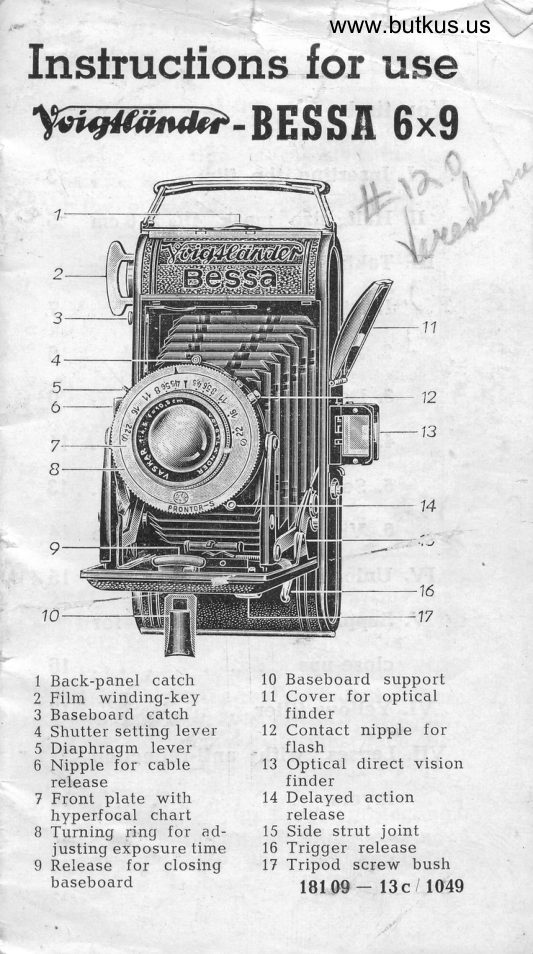
20 pages · EnglishRead →
VoigtländerPDF
Voigtlander BESSA 6x9 - another
User manual
19 pages · EnglishRead →

VoigtländerPDF
Voigtlander Bessa - model 2
User manual
13 pages · EnglishRead →
VoigtländerPDF
Voigtlander Bessa 6X6
User manual
5 pages · EnglishRead →
VoigtländerPDF
Voigtlander Bessa II
User manual
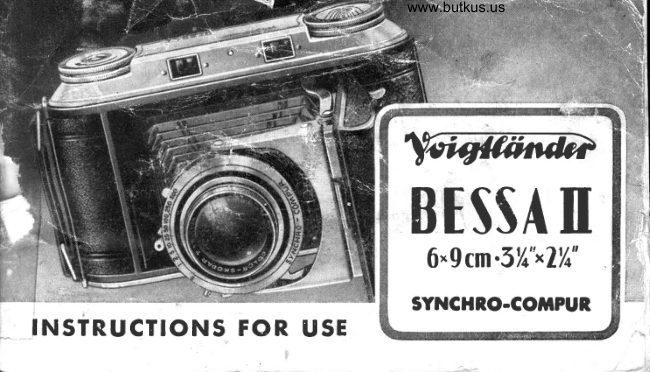
30 pages · EnglishRead →
VoigtländerPDF
Voigtlander BESSA II 6x9 Gebrauchsanleitung
User manual
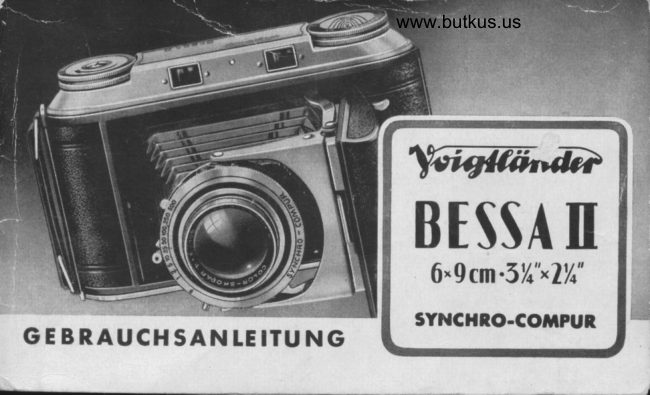
33 pages · GermanRead →

VoigtländerPDF
Voigtlander Klein-Bessa
User manual
25 pages · GermanRead →
VoigtländerPDF
Voigtländer BESSA-R2A / BESSA-R3A
User manual
97 pages · GermanRead →

VoigtländerPDF
another Voigtlander Klein-Bessa - Gebrauchsanleitung
User manual
24 pages · GermanRead →
VoigtländerPDF
Voigtlander BESSA-R2M, R3M
User manual
23 pages · German, SpanishRead →

VoigtländerPDF
Voigtlander BESSA - T
User manual
110 pages · German, Spanish, ItalianRead →
From the M. Butkus archive. Original publisher and archive notices are retained.
Check the model and edition against your equipment.
PDF verified 2026-10-10.