Film cameras
Nikon MD-11 User manual
User manual for Nikon MD-11. 19 pages in English. Read the original PDF, download or print a copy without registration.
19 pagesEnglish2.2 MB PDF

Loading your manual…Open PDF directly
Document details
- Brand
- Nikon
- Model / document
- Nikon MD-11
- Document type
- User manual
- Language
- English
- Pages
- 19
- File size
- 2.2 MB
- Category
- Film cameras
- Document date
- Not specified in catalog
Search available document text
Find a term, then jump to its page in the original PDF. Image-only pages may not be searchable; check the PDF for exact wording and diagrams.
Page 5 · Read text
CONTENTS           FOREWORD
 F o r e w o r d .                                             . . . . . 4        Althoughsuppliedas an accessoryfor the Nikon FM
  L o a d i n g t h e b a t t e r ; . ; : : : : : : : : : :            5     and FE compact cameras,the MD-11 was, in fact,
 Attachingthe motor drive                  6     a majorfeaturein their designconcept.Consequently,
 O p e r a t i o n                                              . . . . . 8         the on ly  significant difference between operating
    Single:frameshooting                   8     thesecameraswith the motor driveattached,as oppo-
   Continuousshooting                   9     sed to without it, is that their operationis made
 F i l m r e w i n d i n g .                                   . . . . . 1 0       considerablyeasier.So, rather than regardingyour
 M a n u af li l m a d v a n c e . .                            . . . . 1 0      MD-l1 Motor Drive Unit as a specialaccessoryfor
 D o u b l e / m u l t i p l e e x p o s u r e s         . . . . . . 1 1       useonly on rare occasions,you shouldconsiderit as
 S i m u l t a n e o u s o p e r a. t i o n                       . . . 1 2      the normal complementto your Nikon compact
 T i m e l a p s e .                                              . . . . 1 3      camera.For, in fact, the two together representa
 A c c e s s o r i e s . . . .                                   . . . . . 1 4       majoradvancein camera-handlingtechnique.
   M c - 4 r e m o t e c o r d .                          . . . . . 1 4      To obtain the best resultsfrom your MD-11 Motor
   P i s t ogl r i p m o d e l 2 . . .                             . . . 1 4       Drive, read the instructionsin this manualcarefully
   M T - 1i n t e r v a l o m e t e r                     . . . . . 1 5       before use. Keep this booklet handy for quick re-
    ML-l moduliteremotecontrolset . . . . . . .15     ferenceuntil you havefully masteredoperation.A
   M W - l r a d i o c o n t r so el  t . .                    . . . . . 1 6      few minutespreparationwill help you avoid costly
 Troubleshooting                     m istakes.
 B a t t e r y p e r f o r m a n c e . .                        . . . . 1 8
 Specifications.                                             . . 18


                            www.orphancameras.com
4
View original page 5Page 6 · Read text
LOADINGTHE BATTERIES
The MD-l 1 is poweredby eight 1.5V penlight(AA    batteries,ensurethat the positive(+) and negative(-)
size) batterieswhich are housedin the unit's battery   terminalsof the batteriesare properlypositioned.lf
chamber.To load or replacebatteries,turn the coin-   the batteriesare loadedincorrectly,not only will they
slotted locking screw on the battery chamber lid   be depleted-themotor drive could also be damaged.
counterclockwise.The lid will come looseand the bat-  Whenthe batteriesare correctlypositioned,replacethe
tery clip, which forms a singleunit with the lid, can be   batteryclip. Pushthe chamberlid down gentlyuntil it
removed.Load the batteries,taking care that they are   seatscorrectly;then, tightenthe lockingscrewon the
insertedcorrectly. Referring to the diagramson the    lid with a coin or similarobject until the batteryclip
sidesof the clip that showthe correctway to insertthe    fits securelyinto the batterychamber.
View original page 6
Page 7 · Read text
ATTACHINGTHEMOTORDRIVE
Mountingthe MD-l1 on your camerais simple;the   fingerand thumb will speedup attachment.Makesure
u nit has been designedsuch that it can be attached  thereis no gap betweenthe motor driveandthe camera
or removedat any time regardlessof whetheror not   body;then tightenthe attachmentscrewfirmly.
the camerais loadedwith film. Beforeattachingthe  when the MD-l 1 is mountedon the FM, the camera's
MD-l1, make surethat its power switchis turnedoff.  mode selectorswitcharoundthe shutterreleasebutton
Then, positionthe motor driveon the camera'sbottom  should be set to " M " (motor)-the red line on the se-
plate; its handgripshould be at the sameend of the   lectorbeingalignedwith the line on the camerabody.
cameraas the film advancelever.Ensurethat the raised  This is not necessarywith the FE as its electronicshut-
ring aroundthe driveshaftis correctlyseatedinsidethe   ter allows switchoverfrom manual f ilm advanceto
locatingcollar,coaxialwith the camera'sfilm advance motor drive operationto be made electronicallyand
coupling.Then, fasten the motor drive'sattachment auto maticallywhen the motor d rive is switchedon.
screw,turning it clockwiseby meansof the thumb   Then, turn the motor drive'spower switchto "oN."
wheelson either side.Simultaneoususeof both fore-     lf the film has been advancedprior to attaching the


                            www.orphancameras.com
View original page 7Page 8 · Read text
motor drive,the motor drivewill not operateuntil you
makean exposureusingthe triggerbutton on the hand-
grip. lf the film has not been advancedprior to its
attachment,the motor drive will operate when its
poweris turned oo, and advancethe film and cock the
shutterready for the next exposure.The motor drive
will stop and the pilot lampgo out afteradvancingthe
film one frame only, regardlessof the settingof the
S-Cselectoron the handgrip.


N i k o n F M
View original page 8
Page 9 · Read text
OPERAilION
The camera/MD-11combinationoperatesin virtually  Single-frameshooting: In this mode, depressingthe
the samemanneras the cameraon its own. Pleaserefer   triggerbutton on the motor drivegrip firesthe shutter;
to your camera'sinstructionmanualfor details.When  when the finger is lifted from the button, the motor
the MD-11 is attached,leavethe film advancelever  drive advancesthe film one frame and cocks the
flush with the camerabody. The motor drive'spower   shutter. You can  lift your finger from the trigger
switchwill alsoserveto switchon the camera'smeter.  button evenbeforethe exposureis completedsincethe
With the motor drive attachedall exposuresshouldbe   electronicinterlockpreventsthe film from advancing
made via the triggerbutton on the motor drive grip.   until the shutterhas completedits travel.The usable
Concentricwith this triggeringbutton is the motor   shutter speedrangewhen the MD-l1 is set at "S" is
drive S-C selector,givingyou a choiceof either single  from 1 secondto 111000secondwith the FM. With the
frame (S) or continuous(C) shooting.To set the motor   FE, in additionto the automaticsetting(AUTO),you
drive to either S or C, depressthe lock and turn the  can set any of the markedspeedsincludingM90. The
selectorto the requiredsetting.                       "B" settingcannotbe used.


        ro
                            www.orphancameras.com
View original page 9Page 10 · Read text
Continuousshooting: In this mode, the motor drive  Although widely varyingbrightnesschangesof EV 4
will automatically trigger the shutter and wind the   or more may sometimesresult in over- or under-
film for as long as the trigger button is depressed. exposurefor the first frame following the transition,
Framingrate will dependon the shutterspeedsetting,  this situationis rare in practiceand thus likely to be
as the motor drive's electronicinterlock with the   of  little consequenceto the averagephotographer.
camera'sshutter automaticallyadvancesthe film as   lmportant! After shooting, make sure that you turn the motor                                                                                                                      a                                                                                                                                                will put                                                                                           metering circuit                                                                                camera's                                                                                     the                                                                     Otherwise,                                                                                       off.soon as the exposureis completed.Maximumframing   drive                                                                                                    them                                                                                                       rendering                                                                                                     ultimately                                                                                            batteries,                                                                     on  the                                                                        drain                                                           steady
rate is approximately3.5 frames per second(fps) at    u seI ess.
shutterspeedsfasterthan 1 1125sec.                      Note: The camera/MD-l1 combination is designed to work
Rememberthat continuousshootingat the maximum   smoothly under a wide range of climatic conditions. Sub-zero
rate of 3.5 fps will result in a standard36 exposure  (centigrade) temperatures, however, have a very severeeffect                                                                                        performance                                                                                                     under these                                                                                For  faultless                                                            any mechanism.cassettebeing completely exposedin a little lessthan   on                                                                                            continuous shootinS,                                                                                                       that, for                                                          we recommend                                                                                                 You                                                                 conditions,
11 seconds.Consequently,you should exercisere-   do not use shutter speeds of less than 1 /30 sec. The use of
straintwhen operatingwith the motor set for continu-   slower shutter speeds may result in erratic operation.  lf  it is
ous shooting.Many photographers,however,prefer to    imperative to use shutter speedsof less than 1/30 sec., switch
leavethe cameraset for continuousshooting,lifting    to singleframe shooting.
their finger off the trigger button the instantthe ex-
posureis made.This techniqueresultsin single-frame
operation,but readiesthe photographerfor taking
sequencephotographsshould the situation or need
arise.The usableshutterspeedrangewhen the MD-l1
 is set at "C" is from 112 secondto 111000secondwith
the FM. With the FE, in addition to the automatic
setting(AUTO), you can set any of the markedspeeds
includingM90.The "B" settingcannotbe used.
The FE's automaticexposurecapabilityallowsyou to
follow sub.iectsas they passthrough areasof differing
brightness,y€t still obtain correctlyexposedresults.
View original page 10
Page 11 · Read text
FILM REWINDINC         MANUAL FIIM ADVANCE
When the roll of film in the camerahas been fully      lf at any time you wish to manuallyadvancethe film
exposed,the MD-l l's motor will automaticallystop,   without removingthe MD-l 1 from the camera,turn off
releasingfilm tension,with the pilot lamp remaining  the motor drive's power switch after it has finished
lit. Turn the power switch off to preventunnecessary advancingthe film from the previousexposure.Then,
battery drain. Then, push the rewind slide on the    in the caseof the FM, turn the mode selectorswitch
motor drive up. Rewind the film normally.Seeyour   so that the black line (white,on black camerabodies)
camera'sinstructionmanualfor details.                    is adjacentto the line on the camerabody. As for the
                                             FE,  it switchesautomaticallyfrom motor drive to
                                          manualfilm advanceoperationwhen the motor driveis
                                                switchedoff.


                            www.orphancameras.com
View original page 11Page 12 · Read text
DOUBLE/ MUTilPLEEXPOSURES
                                                              ('CYour camerahas a specialdouble/multiple exposure On the    " setting,triggeringthe releasebutton,wh ile
provisionbuilt-in in the form of the multi-exposure holdingthe multi-exposurebutton or leverdepressed,
button or lever.Merelydepressingthis button or lever   will producemultipleimageson the sameframe.Either
allowsyou to superimposeany numberof pictureson   the motion of the subject or your movementof the
the sameframe.This provisionnot only continuesto   camerawill result in the imagesbeingseparated,pro-
function with the motor driveattached,but opensup   ducing an original and interestingeffect. Hold the
creativepossibilitiesthat arejust not possiblewhenthe   multi-exposurebutton or lever depressedwith your
camerais operatedmanually.                              left hand,while holdingthe cameranormallywith the
When the motor drive S-C selectoris set to "S," the   right. Rememberto releasethe multi-exposurebutton
double/multipleexposuresituationis exactlythe same  or lever just before the last exposure,so that the
as for the cameraalone,exceptthat the triggerbutton  camerais left readyfor the next sequencewith an un-
on the motor d rive is u sed to triggerthe exposure.  exposedframe in the film gate. lf not, cap the lens
Rememberto depressand hold the multi-exposure and make one "blank" exposure. The camerais then
button or  lever, with your left hand, before you   readyfor the next shot.
removeyour fingerfrom the triggerbutton.Otherwise,
the film will be advanced.
t


N i k o n F E                                         N i k o n F M
View original page 12Page 13 · Read text
SIMULTANEOUSOPERATION
Two or more camerasmay be fired simultaneously,set
for either single-frameor continuousoperation.You
will needan MC-4 cord to connecteachcamerato the
trigger circuit. Use a triggercircuit similarto the one
shownon the right.


                                                   Remote Cord MC-4


't2                           www.orphancameras.com
View original page 13Page 14 · Read text
TIME LAPSE
  Timelapsephotography,the takingof a seriesof photo-  With the S-C selectorset to "C,"  if the triggering
  graphsover a periodof time from a fixed position,is   pulse'sdurationis longerthan the shutterspeedset (or
   easilyaccomplishedwith your MD-11equippedcamera  0.25 sec. in the caseof the higher shutter speeds),
  and a suitabletiming device.Timing devicesfor time   burstswill be fired at eachinterval.For example,if the
   lapsephotography-theNikon MT-1intervalometer,for   shutterspeedis setat 1/1000sec.,and the triggerpulse
   example-usuallyhave two variablecontrols:one for   durationis 2 sec.,then approximately7 exposureswill
   pulsedurationand the other for intervaltime. Pulse  be madeat eachinterval.
   durationrefersto the lengthof time that the triggering Generallyspeakingyou will find that operationwith
   pulselasts.lntervaltime is the time intervalbetween  the S-Cselectorset to "S" and the triggerpulsedura-
   pulsesand governsthe frequencyof the photographs.  tion set between0.1 and 0.25 sec.is advisablefor the
   Additionally,the S-C selectoron the MD-11provides majority of time lapsesituations.The variabletrigger
  you with the option of taking singlephotographsor   pulsedurationfound on someintervalometersis afea-
   shootingin bursts.                                   ture necessitatedby the designof the oldergeneration
   With the S-Cselectorset to "S," one exposurewill be   of motor drives, and is largelyredundantwith the
  madefor each triggeringpulse,the motor windingon   MD-l1. Time lapsephotographyis not possiblewith
   automaticallyat the end of the triggeringpulseor the   the shutterspeeddial set to "B." Shouldyou attempt
   exposure,whicheveris longer.The intervaltime can be   this, the camera'smirror may lock up, with the shut-
S  set at any duration,but avoid settingthe triggerpulse  ter remainingopen, makingoperationimpossible.To
   longerthan the intervaltime. Otherwisecontinuousor   restorenormal operationin the eventof this happen-
    erraticoperationwill occur                              ing, merelyturn the shutterspeeddial away from the
                                                     "B" setting.
View original page 14Page 15 · Read text
ACCESSORTES
 MC-4 Remote Cord                                    PistolGrip Model2
 Providesyou with an easy and convenientmeansof   The PistolGrip Model 2 screwsinto the tripod socket
 connectingremote-controltriggeringcircuits to the   of the lensor motor drive to serveboth as a meansof
 MD-11.one end of the cord is fitted with the standard  supportand as a meansof motor triggeringwhen work-
 plug for the remote-contro I socket of N ikon motor   ing with long te lephoto lenses.For electricalconnec-
 drives;the other with two "banana" plugsfor connec-  tion betweenthe pistol grip and the remote control
 tion to triggeringcircuitsof your own design.The cable  socketon the motor drive,you will alsoneedan MC-3
 can be extendedto any length,providedthat circuit  connectingcord.
 resistancedoes not exceed 1kSl. For long-distance
 operation,however,you will find that Modulite or
 RadioControl systemsare more convenient.


1 4                           www.orphancameras.com
View original page 15
Page 16 · Read text
MT-1 | ntervalometer                              ML-l Modulite RemoteControl Set
The Nikon MT-1 is a precisiondigitaltiming unit for   With the ML-1 set,you can triggeryour MD-l1 equip-
slow sequenceshootingof experimentsor work study   ped camera by remote control at d istancesof up to
programs.Fully solid state,the unit requiresonly four   60 meters.UsingNikon'smodulatedlight system,the
AA sizepenlightbatteriesfor operation;this makesit  M L-l  set assuresyou of trouble-freeremote control
convenientfor use on location,as well as in the labora-  operation over moderate d istances.The set's light-
tory. Useof the MT-1 in conjunctionwith your MD-11   weightand compactsize,plus its useof a 9V laminated
equipped camera is merely a matter of connecting  dry battery, make it ideal for use in both field and
the two units with the MC-5 cord suppliedwith the   studio applications.Connectionto the motor drive's
intervalometer.Exposureintervalsof up to eight min-   remote control socket is by the MC-8 connectingcord
utescan be seton the MT-1 controlpanel.             supp I ied w ith th e set.


                                                                                                      1 5
View original page 16Page 17 · Read text
ACCESSORIES-conti n ued
MW-l Radio Control Set
The MW-l providesyou with a wireless,remotecontrol
triggeringcapabilityfor your MD-11 equippedNikon
F M or F E. The set can operate u p to th ree cameras,
either simultaneouslyor individually,at rangesup to
0.7km. Battery powered,the MW-l is compact and
lightweight,makingit idealfor field use.lt connectsto
the remotecontrol socketon the MD-l 1 via the MC-5
cord suppliedwith the set.


                            www.orphancameras.com1 6
View original page 17Page 18 · Read text
TROUBLESHOOTING
Your MD-l1 has been designedto make motor drive   not try to force the controls.Turn the motor drive
photographyas simple and trouble-freeas possible.  off once more and simply remove the motor drive
However,should you operatethe cameraincorrectly  from the camera.This will clearthe tensionin the film
or without clearlyunderstandingwhat you are doing,  advancemechanism,allowingyou to advanceor finish
minor"hitches"may occur.lfthis occurs,pleasefollow  advancingthe film and make one exposure,againdo
the instructionsbelow.                              not advancethe film. Reattachthe motor drive and,
 lf the motor drive"jams" duringoperation,this usually   in the caseof the FM, switch to motor drive oper-
means that the controls have either been operated  ation. When you switchthe motor drive back on, the
incorrectlyor in the wrongsequence,and the coupling  film should then advanceone frame ready for the
mechanismhas disengaged.Should this occur, turn   next exposure.
the MD-11's powerswitchoff and makeone exposure  Should you triggerthe motor drive with the shutter
with the camera'sshutterreleasebutton,remembering, speeddial set to "B" the absenceof an "exposurecom-
 in the caseof the FM, to switchover to manualfilm   pletesignal"may resultin the camera'smirror locking
advance.You may find that the motor drive did not   up and the shutterremainingopen.To restorenormal
finish advancingthe film.  lf so, completethe film   operationin the eventof this happening,merelymove
advanceusing the camera'sfilm advancelever,then   the shutterspeeddial awayfrom "8."
pressthe shutter releasebutton. Do not advancethe   At  all times during motor drive operation,the film
film. Switch the motor drive back on and, in the case  advancelever should remain flush with the back of
 of the FM, revertto the motor drivemode.The motor   the camera.lf you moveit out to its stand-offposition,
 drive shouldadvancethe film ready for the next ex-   the motor drive will stop. Returningthe leverto its
 posure.lf this does not clearthe malfunctionor you   flush positionwill automaticallystart the motor drive
 are unableto move the film advanceleverat all, do   oncemore
View original page 18
Page 19 · Read text
BATTERYPERFORMANCE     SPECIFICATIONS
Battery performancevaries greatly,dependingon its  Camerafitting:     Nikon FM, NikonFE
type and age,as well as on operatingconditions,in-  Shootingspeed:    3.5 fps approx. maximum (.t
cluding temperature.Consequently,the number of                       shutter speedsfaster than 11125
rolls that can be exposedwith one set of batteriescan-                      sec.)
not be accuratelypredicted.As a guide,however,you   Shootingmode:     Singleframe (S)
can expectto be able to exposemore than a hundred                   Continuous(C)
36-exposurerolls of film per setof alkaline-manganeseUsableshutter
batteries.                                      speeds:            At "S" setting
Sincebatterieshavepoor low-temperaturecharacteris-                  F M 1 - 1 / 1 0 0 0 s e c .
tics, battery performancediminishesconsiderablyas                FE 8 - 1/1000sec.,Auto, M90
the temperaturedecreases.This resultsin slowershoot-                      At "C" setting
ing speedand reducedfilm transportcapacity.Alkaline-              FM 112- 1 11000sec.
manganesebatteries,in particular,suffer severelyat                 FE 8 - 1/1000sec.,Auto, M90
temperaturesbeloW0"C.                                Pilot lamp:       LED lightsup when in operation
                                          Powerswitch:       Onloff switchprovided(alsoacts
                                                               as meteron/off switch)
                                         Remotecontrol:    Possible;usesstandardNikon 3-
                                                                       pin connector.
                                          Powersource:      Eight 1.5V penlight batteries
                                                            (AA  size, in  integral battery
                                                           chamber)
                                                Weight:          410gapprox.(withoutbatteries)
                                           Dimensions:      Approx. 144 x 36 x 42mm;
                                                               approx.144 x 68.5 x 109.5mm
                                                                    (includingthe grip)


                             www.orphancameras.com
View original page 19Related documents and language editions

NikonPDF
NIKON MD-1
User manual
24 pages · EnglishRead →

NikonPDF
Nikon EL 2 AutoWinder AW-1
User manual
11 pages · EnglishRead →
NikonPDF
Nikon MD-12
User manual
19 pages · EnglishRead →

NikonPDF
Nikon MD-14
User manual
16 pages · EnglishRead →

NikonPDF
Nikon MD-15
User manual
23 pages · EnglishRead →

NikonPDF
Nikon MD-3
User manual
25 pages · EnglishRead →
NikonPDF
Nikon MF-1
User manual
21 pages · EnglishRead →

NikonPDF
Nikon Motor Drive F-36
User manual
21 pages · EnglishRead →

NikonPDF
Nikon Motor Drive F-36 - another
User manual
24 pages · EnglishRead →
NikonPDF
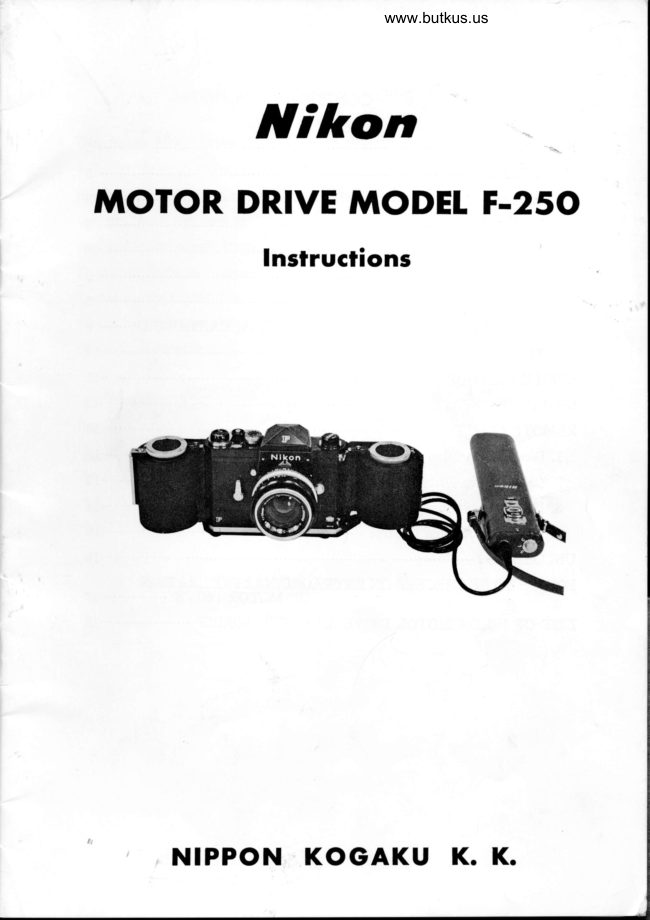
Nikon Motor Drive Model F-250
User manual
22 pages · EnglishRead →
NikonPDF
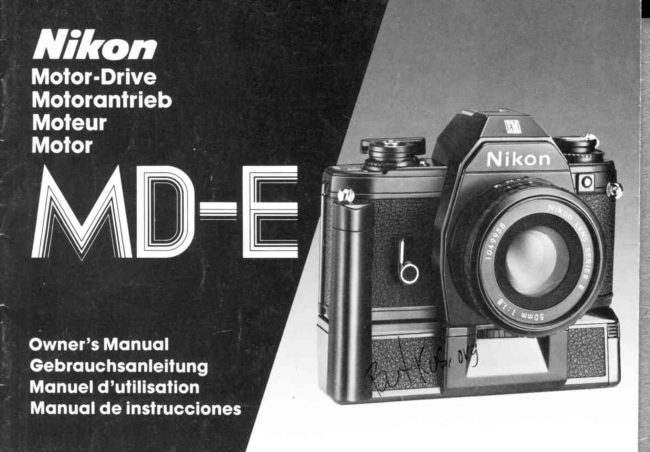
Nikon MD-E
User manual
18 pages · German, SpanishRead →
NikonPDF
Nikon MD-2
User manual
32 pages · Not specifiedRead →
From the M. Butkus archive. Original publisher and archive notices are retained.
Check the model and edition against your equipment.
PDF verified 2026-10-10.