Film cameras
Nikon MD-3 User manual
User manual for Nikon MD-3. 25 pages in English. Read the original PDF, download or print a copy without registration.
25 pagesEnglish2.2 MB PDF

Loading your manual…Open PDF directly
Document details
- Brand
- Nikon
- Model / document
- Nikon MD-3
- Document type
- User manual
- Language
- English
- Pages
- 25
- File size
- 2.2 MB
- Category
- Film cameras
- Document date
- Not specified in catalog
Search available document text
Find a term, then jump to its page in the original PDF. Image-only pages may not be searchable; check the PDF for exact wording and diagrams.
Page 6 · Read text
FOREWORD
                                                The Motor Drive MD-3 is designed for use with any F2
                                                     Nikon camero. lt winds the film and cocks the shutter
                                                            outomotically each time you pressthe trigger button. you
                                                   can also set it for completely outomatic sequenceshoot-
                                                             ing ot speeds of up to four frames per second. Smooth
                                                    remote control operotion is easy with accessoriessuch as
                                                         the Modulite Remote Controt Set ML-l  or the lnter-
                                                       valometer MT-|. To obtoin the best results, read the in_
                                                              structions in this manual carefully before attempting to
                                                   use the unit. Keep the manual handy for reference until
                                                  you have thoroughly  fomiliarized yourself  with your
                                                  MD-3. A few minutes of preporotion will help you ovoid
                                                               costly mistakes.


J


                                                       5
View original page 6Page 7 · Read text
ATTACHINGTHE MOTOR DRIVE
With the camera'sbackclosedand locked,fold down the
camera'sO/C key. Checkthat the O/C knob on the MD-3
is in the normalpositionwith the thumb leverpointing
to the rearof the motor drive;it shouldbe lockedin this
position.Placethe cameraon the motor drive,inserting
the key on the camerainto the grooveon the motor
drive'sO/C knob.
Turn the mountingscrewin the directionof the arrow
shownin the photo until the cameraand the motor drive
fit togetherwith the shutterreleasecouplingof the cam-
eraand the shutterreleasepin of the motordriveproperly
aligned.Tightenthe attachmentscrewfirmly.
Next, attach the cordlessbattery pack. Placethe motor
driveon top of the packand carefullytightenthe mount-
ing screwon the bottom of the pack until the two units
are seatedsnuglytogether.Note that the cordlessbattery
pack can be attachedto the motor drive before mount-
ing it to the camerabody.


                            www.orphancameras.com
View original page 7Page 8 · Read text
TOADINGTHE CAMERA
   Depressthe O/C knob lock-releaseon the motor drive  the right (towardthe back of the camera)until it clicks
   and turn the O/C knob to the left as far as it will go. The   shut. Turn the rewind knob gently in the directionof
  cameraback will then springopen. Before loadingthe   the arrow until you feel a slighttension.This will take
,   film, set the frame counter to 40 and triggerthe motor  up any slackin the film cartridge.Set the indicatorofthe
   drivea few timesto check that it is operatingcorrectly. frame counter at 40 by turning the framecounterpreset
     lf  it isn't, it is probablymountedincorrectly.Remount  wheel, and then pressthe triggerbutton and make two
  and try again.You shouldload the film into the camera blankexposures.Lastly,set the numberof the frameson
,   in the normal way. Consultyour camera'sinstruction the loadedfilm. For conveniencein setting,the frame
  book for details.                                  counterpresetwheelwill rotatein eitherdirection.
  Then close the cameraback and turn the OIC knob to
View original page 8Page 9 · Read text
POWERSOURCES
The Motor Drive MD-3 can be used with the Cordless
Battery Pack MB-l or MB-2, or with the AC/DC con-
verters.

MB.2
lnstallingthe batteries
Releasethe batteryholdersby pressingthe grip clipson
eachsideof the battery pack,and pull them out. Place
four penlightbatteriesin eachholderMS-2,makingsure
that the positiveand negative(+ and -)  terminalsare
lined up correctly.Then fit the battery-loadedholders
backinto the MB-2until they click into position.
Life-spanof the batteries
The numberof rollsof film that can be shot with one set
of batteriesis difficult to predictaccurately,sincethis
dependson too many variablefactors.In the sameman-
ner, the numberof rolls of film that can be shot at the
motor drive's rated speedvarieswith the types of bat-
teriesused.The ratedfiring speedcan be maintainedfor
approximatelyten 36-exposurerolls of film when zinc-
carbonbatteriesare used,and for about 20 rollsof film
when alkaline-manganesebatteries are used. These
amountscan be extendedto approximately50 and 80
rolls,respectively,but with a correspondingslowdownin
the firing speed.


                            www.orphancameras.com
View original page 9Page 10 · Read text
This tableshowsthe numberof 36-exposurerollsof film  Checkingbattery power
whichcan be fired on one set of batteries.           t       Pressthe power check button on the sideof the Battery
                                           PackMB-2. lf the LED's light up, the batterieshavesuf-
 Wrolls  T y pe oFbittEr i-ei-------l         t 0 2 0      s 0      8 0   1 0 0   ficient power. lf  not, the batteriesare exhaustedand
 z Inc-carbon                                    must be changed.All eight batteriesshould be changed,
 Air<aline-manganese       I                             sincefull performancewill not be obtainedif old and
                                        new batteriesare mixed.I      ttre range of guaranteedfiring speed
I---l The range within operative battery power but without guar-
     antee of the rated firing speed
View original page 10Page 11 · Read text
-POWERSOURCES Continued,
MB.1
The CordlessBatteryPackMB-1 holdsten penlightbat-
teries,or two MN-l NC Battery Units, which are availa-
ble as optionalaccessories.
Installingthe batteries
Fold out the clip on the O/C key of the battery pack
and turn in the direction of the arrow to open the cover
of the battery holder. Placefive batteriesin eachof the
PenlightBattery Holder MS-l as illustratedon the side
of the holder.Then slip the holderinto the battery pack.
To installthe MN-l NC Battery Units,slidethem into
the pack in the sameway.

Life-spanof the batteries
The number of rolls that can be shot with one set of
batteriesvariesasfollows.Approximately15 36-exposure
rolls can be shot at the guaranteedrated firing speed
with zinc-carbonbatteries,and approximately30 rolls
with alkaline-manganesebatteries.Theseamountscan be
extendedto approximately100 and 160 rolls,respective-
ly, but with a correspondingslowdown in the firing
speed.NC battery units haveenoughpowerfor shooting
80 rolls of film at the rated firing speed,or up to 120
rolls but at slowerfiring speeds.


                            www.orphancameras.com
View original page 11Page 12 · Read text
Thistableshowsthe numberof 36-exposurerollsof film  Checkingbattery power
whichcan be fired on one set of batteries.            To check the battery power, depressthe power check
                                                 button on the sideof the batterypack.lf both the LED's        Number of rolls
                                                              light up, the batterieshavesufficientpower. lf only the                                                               l 5 30    8 0 1 0 01 2 0    1 6 0   ffi
 Zinc-carbon                                       lower LED lightsup, the batteriescan still be used,but
 A lkaline-manganese              i                                     will be exhaustedsoon. lf neither LED lights up, the
 NC    battery             unit MN-l            I                               batteriesmust be changed.All ten batteriesshould be (fully      charged)
                                              changed,since full performancewill not be obtainedif         |Ih
                                                      old and new batteriesare mixed.I     rn. rangeof the guaranteedfiring speed
[--l   tfre range within operative battery power, but without guar-
     antee of the rated firing speed


                                                                                                                                l 1
View original page 12Page 14 · Read text
FRAMECOUNTER
   The framecounteron the motor drive showsthe number  o Be careful to set the numberof framescorrectly. lf
     of unexposedframesremainingon a roll of film. lt is    you overestimatethe numberremainingon a roll of
    calibratedin even numbersfrom 0 to 40. The frame      film, the result may be that the motor will pull the
    counter presetwheel can be rotated in either direction.      film  off the supply spool or damageits perforated
   Whenthe counterreacheszero,the motor will stop auto-     edges,sincethe motor will continueto operateuntilI   matically.lf you want a certain numberof framesto be     the counterreacheszero.
    set for continuousfiring, just set the counter to the de-   o Turning the frame counter'spresetwheel away from
    sired number. This operationcan be done repeatedly.     its zero positionwhenthe motor driveis removedfromI   The framecounteron the cameraalsocontinuesto oper-     the cameramay occasionallyresultin the motor drive
    ate when the motor drive is attached,so you can easily    running freely until the counter resetsitself to zero.
    seehow many exposuresyou haveleft.                    This is a normal operatingcondition,causedby the
                                                  end of the film being reachedbeforethe motor drive
                                                     completesits advancecycle,and is no casefor concern.
                                           Whenthe motor drive is reattachedto thecamera,this
                                                           conditionwill be correctedautomatically.
                                                     o The motor will not operate when the counter is at
                                                            zero. Always check the counter before starting to
                                                         shoot,especiallyat the beginningof a roll.

l,'
t,'
View original page 14Page 15 · Read text
FRAMECOUNTER
   The framecounteron the motor drive showsthe number  o Be careful to set the numberof framescorrectly. lf
    of unexposedframesremainingon a roll of film. lt is    you overestimatethe numberremainingon a roll of
   calibratedin even numbersfrom 0 to 40. The frame      film, the result may be that the motor will pull the
   counter presetwheel can be rotated in either direction.     film off the supply spool or damageits perforated
  Whenthe counterreacheszero,the motor will stop auto-     edges,sincethe motor will continueto operateuntil
    matically.lf you want a certainnumberof framesto be     the counterreacheszero.
   set for continuousfiring, just set the counter to the de-   o Turning the frame counter'spresetwheel away from
   sired number. This operationcan be done repeatedly.     its zero positionwhenthe motor driveis removedfrom
   The framecounteron the cameraalsocontinuesto oper-     the cameramay occasionallyresultin the motor drive
   ate when the motor drive is attached,so you can easily    running freely until the counter resetsitself to zero.
   seehow many exposuresyou haveleft.                    This is a normal operatingcondition,causedby the
                                                 end of the film being reachedbeforethe motor drive
                                                    completesits advancecycle,and is no casefor concern.
                                          Whenthe motor drive is reattachedto thecamera,this
                                                          condition will be correctedautomatically.
                                                    o The motor will not operate when the counter is at
                                                           zero. Always check the counter before starting to
                                                        shoot,especiallyat the beginningof a roll.

I


                               www.orphancameras.com
View original page 15Page 16 · Read text
MODE CONTROT(SC) R|NG       OPERATION
For single-frameshooting,set the mode selectorring at   Single-frameshooting
"S" and for continuousshooting,set it at "C." Depress Depressthe SC lockingbutton on the motor drivehand-
the ring lock-releaseand selectthe operationmode re-   grip and turn the mode selectorring to "S." As soonas
quired.The usableshutterspeedsare from 1 to 1l2OO0  the trigger button is released,the motor drive auto-
sec.plus B for single-frameshooting,and from X (1/80)   maticallywindson the film and cocksthe shutterready
to 112000sec.for continuous.When the ring is at the   for the next exposure.Whenusingshutterspeedsslower
"L" position,the triggerbutton will be locked.Usethis   than 1/60 sec.,be sure to keep the triggerbutton de-
settingwhenyou are not shooting,as it will preventacci-  pressedlong enough for the shutter to completethe
dentalexposures.                                exposure.Otherwise,the exposuretime may be shortened
                                                     unintentionally.Do not pressthe triggerwhile the film is
                                              beingwound.
View original page 16Page 17 · Read text
REWINDING
Continuousshooting                        When the roll of film in the camerahas been exposed,
Set the mode selectorring to "C." Chooseany shutter  pressthe rewind slideup as far as it will go. Then unfold
speedfrom 1/80 and faster. As long as the triggerbutton   the rewindcrank on the camerabody and turn it to re-
is held down, the motor drivewill continueto fire auto-  wind the film. Whenthe film is fully rewound,turn the
matically. Releasingthe button stops the motor drive  O/C knob to open the cameraback,and removethe film
after it has advancedthe film one frame and cockedthe   cartridge.
shutterfor the next exposure.
The numberof framesshotper secondwill varyaccording
to the powersourceused.The tablebelowillustratesthese
variations.
             Number of frames per second Usableshutter
                                     speed(sec.)
 Type of battery
 Cordless Battery Pack MB-l
     r Zinc-carbon                3.5
   o Alkaline-manganese        3.5
   o NC battery unit MN-1        4         x (1/80)-
 Cordless battery Pack MB-2               112000
   o Zinc-carbon               2.5
   o Alkaline-manganese        2 . 5
 AC/DCConverterMA-4         4


                             www.orphancameras.com
View original page 17Page 18 · Read text
DOUBLE,/MU ITIPLEEXPOSURES
You havea choiceof two operationalmodesfor making  (B) For multipleexposures:
 doubleor multiple exposureswith your motorizedF2,   1. Pushthe rewindslideup and hold it up for the dura-
 either"S" or "C." The "S" settingis recommendedfor      tion of the multipleexposuresession.
 photographicsituationswherea deliberatecomposition  2. Make the number of exposuresyou require, and
 is aimedfor; the "C" settingis more suitablefor special    releasethe rewindslide.
 effectssuchas multipleimagesof a movingsubjecton a   3. After completingthe last exposure,make two blank
 singleframe.                                     exposureswith the lenscoveredwith a lenscap.These
                                                   blankexposuresare to resetthe film transportmecha-
Using"S" setting                                  nism and'to advancethe film readyfor the next ordi-
First, set the mode selectorto "S." and rememberthe     nary exposureor setof multipleexposures.
numbershownin the frame counterof the motor drive.   4. Then, reset the frame counter of the motor drive to
(A) For doubleexposures:                           read one frame lessthan the numbershown before
1. Pushthe rewindslideup as far as it will go; thiswill     makingthe multipleexposures.
  disengagethe film transportmechanism.Then release
   the slide.
2. Makethe first exposureby triggeringthe releasebutton
  on the motor drive.Whenyou lift your fingeroff the
   button, the shutter will be recockedby the motor
   drivebut the film will not be advanced.
3. Triggerthe shutterfor the secondexposure.Releasing
  your fingerfrom the triggerbutton will resultin the
   film advancingnormally and the shutterrecocking
  readyfor the next ordinaryexposure.
4. Resetthe frame counter of the motor drive to read
  one frame lessthan the numbershownbeforemaking
  the doubleexposure.
View original page 18Page 19 · Read text
'3C"Using          setting                                 N o t e :
First,set the mode selectorto "C:'and rememberthe       | )  You con alwoys verify the correct number of exposed frames                                                                by  referring'to  the comera's frome counter. The camere's
numbershownon the framecounterof the motor drive.     frame counter only advonces os the film  is transported, pro-
1. Pushthe rewindslideup as far as it will go. Hold the       viding you with a reliable means of determining the number
   slide in the "up" positionfor the durationof the       of  f rames exposed.
  shoot i ng sessio n .                                                 2) You can also get multiple exposures by pushing the rewind                                                                                slide up and then releasing it before each exposure. Pushing
2. Triggerthe motor drive for the requirednumberof      up and releasing the rewind slide during  this operation tends
  exposuresor until the action you are followinghas       to  shift the film frame slightly, although  this is insignificant
   finished.                                              (0.2mm shift), but you con avoid it altogether by holding the
3. Releasethe rewindslide,coverthe lensand maketwo       slide up throughout the sequence.
  blankexposures.
4. Resetthe frame counter of the motor drive to read
  one frame lessthan the numbershownbeforemaking
   the multipleexposures.


                        !                           www.orphancameras.com
View original page 19Page 20 · Read text
OPERATIONWITH A SPEEDLIGHT  SIMULTANEOUSFIRING
operationwith a repeatingflash unit, such as the 58-6,  Two or more camerasmay be fired in unison,either in
is possibleat any shutterspeedup to 1/80 sec.lt can be  single-frameor continuousoperation.Connecteachcam-
synchronizedat variousspeedsup to 3.8 frames per  era with a motor drive, cordlessbattery pack and MC-4
second by shifting the output power setting,but  it   RemoteCord. Then connectthe red and blackplugson
shouldbe borne in mind that this may not be the case  the remotecordsto a singleswitchto triggerthe motor
with otherbrandsof flashequipment.                  drivestogetheras shownin the illustrationbelow.


                                                    1 8
View original page 20Page 21 · Read text
MOTOR DRIVEOPERATIONTIMING
When performing variousoperationsusingan intervalo- The value for T variesaccordingto the power source
meteror similardeviceconnectedto the cordless-battery-used,but must be greaterthan the time intervalshown
pack-equippedmotorizedcamera,certain timing factors   in the tablebelow.
must be taken into considerationto achieveproper re-                   M 8 . 1                                                      Power source                 M B-2   MA.4
sults.For eachspecialshootingsituation,weigheachfac-                      Penlight    M N . 1
tor carefullyand makecompensationadjustmentsin tim-    Time interval                                                                          ttT"            0.32        0.28     0.45    0.28ingas necessary.                                                sec.
A time lagexistsbetweenthe triggeringof the camera(via  When the mode selectorring is set at the "S " position,
the remotecontrol device)and the actualreleaseof the   the triggercircuit is openedand closedas shownbelow.
shutter.When the mirror is locked up, this delay is  The motor drivewill beginto makeexposuresat a pre-
0.03-0.05 sec.; when the m irror is coupled,however,  determinedinterval.Any shutterspeedcan be used.
the delayis extendedto 0.05-0.07 sec.Note that for the                                      I=   time of closing the trig-
mirror-coupledcondition,the time delayvariesslightly                                         ger circu it
dependingon the powersourceand voltage.                                                         t,= time for completion of
The followingillustrationsshow how to obtain the cor-                                   exposuresequence                                                                                                                  tr= O.25 sec. (increasesas bat-
recttiminginterval.                                                                                      tery  voltage decreases)
Whenthe mode selectorring is in the "C" position,the
onloff  switch opens and closesthe trigger circuit as                                                                                                                  ('8"shown below. Usableshutterspeedsare from X (1/80)  For exposureslongerthan one second,use the     set-
ro I 12000.                                                ting. At this setting,exposuretime is almostequalto the
                                                               f   = time of closing the trig-  time requiredto closethe triggercircuit (tt ).
                                    ger circuit
                                     (0.05 sec.StS 0.15 sec.) IE
                            T= desiredinterval


                            www.orphancameras.com1 9
View original page 21Page 22 · Read text
REMOTECONTRO1
RemoteCord MC-4                                   lntervalometerMT-l
The motor drive can also be triggeredby connectingthe   This timing control deviceenablesvariousspecial-effects
RemoteCord MC-4 to its remote terminal.The shutter  photographictechniquessuchas time-lapse,work-sampl-
will be releasedby contact betweenthe two endsof the   ing, time-exposureand delayed-exposure.lts output
remotecord. An extensioncablecan alsobe connected; socket should be connectedto the remote terminalon
any length is acceptable,so long as the circuit resistance the motor drive via the ExtensionCord MC-5.
doesnot exceed100 ohms.
View original page 22
Page 23 · Read text
RadioControl Set MW-1                              Modulite RemoteControl Set ML-l
The Radio Control Set MW-l is an FM wirelessremote  Connectthe receiverof the ModuliteRemoteControlSet
control deviceto operatethe motor-drive-equippedcam-  ML-l to the remote terminalon the motor drive via the
eraat distancesup to 0.7 km in open,unobstructedareas,  ConnectingCord MC-8. Usingthe ModuliteSet,you can
andup to 0.3 km in urban or mountainousareas.lt can   perform remote control operationover a distanceof up
operateup to threecameras,eitherindividuallyor simul-   to 60m. The receiveronly respondsto a modulatedlight
taneously.                                           signalfrom the transmitter,so the possibilityof inadver-
                                                         tent triggeringdue to the influenceof speedlightor other
                                                       bright light sourcesis eliminated.


                             www.orphancameras.com
View original page 23Page 24 · Read text
ACCESSORTES
Quick ChargerMH-l                                      PistolGrip Model 2
The MH-l recharges70 to 80 percentof the powerof the  The PistolGrip Model 2 (availableas an optionalacces-
NC Battery U nit MN-l  in approximatelythree hours.  sory) providescomfortablesupportfor fingertip opera-
There are four acceptablelevelsof input power,namely  tion of the motor-drive-equippedNikon F2-seriescamera
100V, 117V,220V,and 240V.                    poweredby a cordlessbatterypack.lt is particularlyuse-
ShutterReleaseMR-l                                          ful for a telephotolens,a zoom lensor a Reflex-Nikkor
Screwingthe MR-l into the remoteterminalof the motor   lens providedwith a tripod mountingcollar.The pistol
driveprovidesa choiceof triggerbutton positions,which   grip is connectedto the remoteterminalon the motor
makesshootingat difficult cameraanglesmore conven-  drivevia the ConnectingCord MC-3.
ient. lt is alsothreadedto acceptthe NikonCableRelease Battery PackI acket MA-3
AR-2 for copyingand still life operation.             The Battery PackJacketMA-3 is felt-linedand leather-
                                                    clad to providethe batteriesinsidethe CordlessBattery
                                            Pack MB-1 with necessaryprotectionagainstthe cold. lt
                                             ensuresthat the motordrivewillcontinueto work at peak
                                                         efficiency.The two strapsaffixed to the jacket allow it
                                                          to be slungfrom the neck,shoulder,or waist.


                                                    22
View original page 24Page 25 · Read text
SPECIFICATIONS            OPTIMUM BATTERYPERFORMANCE
     Suitablecamera:                                      1 . New batteries: Between manufacturing and first use, all
      Any Nikon F2-seriescamera                                batteriesexhibit some drain. Therefore,care shoul{ be                                                                      purchase                                                                                        to                                                                                                                   possible.                                                                                        the                                                                               newest                                                                                          (and freshest)ones    Shootingmode:                                             taken                                                                      you                                                             To help                                                                          do this,                                                                       some                                                                                     manufactures                                                                                             stamp                                                                                                                    the date
       Single-frameor continuous(max.36 frames)                of manufactureon the bottom of each battery; ask your
    Shootingspeed:                                       cameradealerfor assistancein interpretingthe codes.
       4 fps.max.(usingMN-1Nicd unitsor AC/DC         2 . Temperature: Battery life ratings are basedon operation
       converter)                                                         atlifearoundis shortened.20"C (68"At F).0"C,At forotherinstance,temperatures,batterybatterylife is
    Framecounter:                                            shortenedby as much as2l3. Sparebatteriesshould there-
       Subtractivetype                                              fore be kept availableif operation in low temperaturesis
       Possibleto presetthe desirednumberof                     anticipated.                                                           3 . Continuous use: Batteriesare drained much more quick-       exposures.Automaticmotor stop whenthe                     ly by continuoususe than by intermittent use.
       frame counterreacheszero                              4 . Storage: When not in use, the batteriesshould be re-
    Usableshutterspeeds:                                 moved from the cordless battery pack to prevent dam-
       1/80-1I2OOOsec.(continuous)                       age by leaking.To minimize drain during the period of
      1-112000sec.plus B (single-frame)                5 . disuse,Batterystorebrands:the batteriesDo not usein a mixedcool, drybrandsplace.of batteries,
    Powersources:                                               nor batterieswith different model numbers.Also, avoid
     DC supplybetween12 and15 volts                      mixing new and old batteriessince proper performance
       CordlessBatteryPackMB-1                                        will not be obtained and battery leakagbinto your MD-3
       CordlessBatteryPackMB-2                         6 . mayDisposal:occur.Do not dispose of batteries by burning. Also,
     AC/DCConverterMA-4                                          for safety'ssake, do not disassemblebatterieswhen dis-
    Remotecontrol:                                              posing.
       Possible;usesthe remoteterminalon the MD-3,       7 . Polarity: When installing batteries,observethe voltage
      connectedvia a connectingcord.                               tivepolarities(__)terminalscarefully.willReversalresult inot leakage.the postttvelf leakage(+, andshouldnega-
l   Dimensions:Approx.147 (W) x 106 (H) * 62 (D) mm                  occur, clean carefully or take your MD-3 to your dealer.
       (includingthe grip)
    Weight:Approx. 3559t


                               www.orphancameras.com2 3
View original page 25Related documents and language editions

NikonPDF
NIKON MD-1
User manual
24 pages · EnglishRead →

NikonPDF
Nikon EL 2 AutoWinder AW-1
User manual
11 pages · EnglishRead →

NikonPDF
Nikon MD-11
User manual
19 pages · EnglishRead →
NikonPDF
Nikon MD-12
User manual
19 pages · EnglishRead →

NikonPDF
Nikon MD-14
User manual
16 pages · EnglishRead →

NikonPDF
Nikon MD-15
User manual
23 pages · EnglishRead →
NikonPDF
Nikon MF-1
User manual
21 pages · EnglishRead →

NikonPDF
Nikon Motor Drive F-36
User manual
21 pages · EnglishRead →

NikonPDF
Nikon Motor Drive F-36 - another
User manual
24 pages · EnglishRead →
NikonPDF
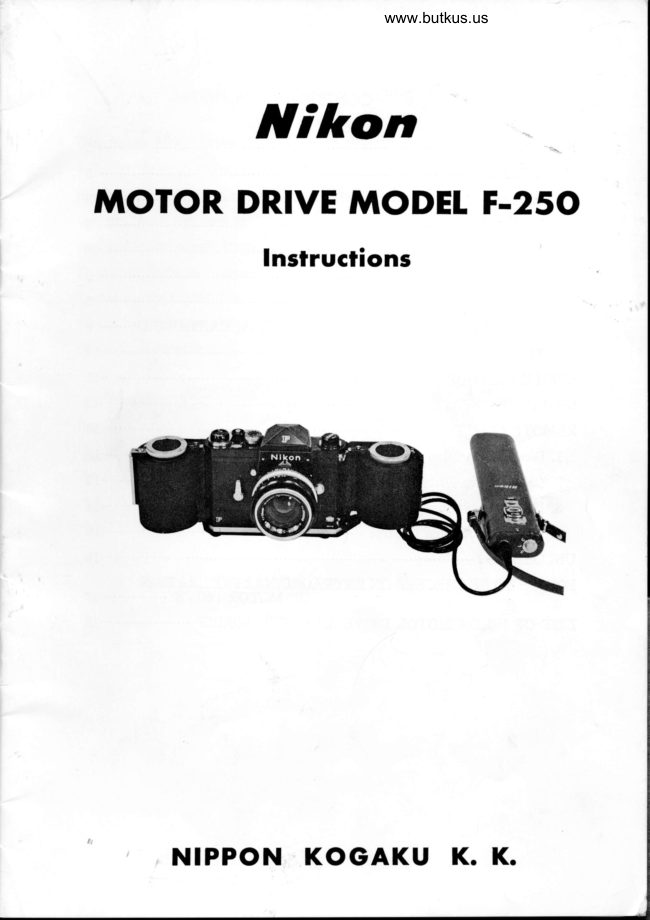
Nikon Motor Drive Model F-250
User manual
22 pages · EnglishRead →
NikonPDF
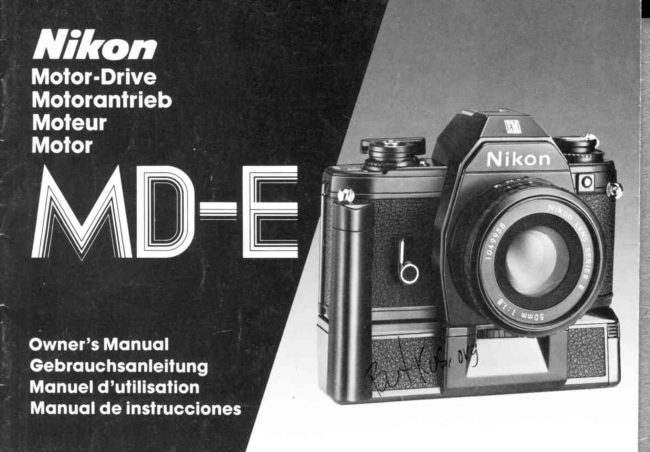
Nikon MD-E
User manual
18 pages · German, SpanishRead →
NikonPDF
Nikon MD-2
User manual
32 pages · Not specifiedRead →
From the M. Butkus archive. Original publisher and archive notices are retained.
Check the model and edition against your equipment.
PDF verified 2026-10-10.