Lenses & filters
Pentax SMC Pentax A lenses User manual
User manual for Pentax SMC Pentax A lenses. 46 pages in English. Read the original PDF, download or print a copy without registration.
46 pagesEnglish3.4 MB PDF

Loading your manual…Open PDF directly
Document details
- Brand
- Pentax
- Model / document
- Pentax SMC Pentax A lenses
- Document type
- User manual
- Language
- English
- Pages
- 46
- File size
- 3.4 MB
- Category
- Lenses & filters
- Document date
- Not specified in catalog
Search available document text
Find a term, then jump to its page in the original PDF. Image-only pages may not be searchable; check the PDF for exact wording and diagrams.
Page 3 · Read text
www.butkus.us
      SMC PENTAX  '' A'' LENSES
       The "A" series of sMC pentax renses was speciaily dever-
       oped to provide full multi-mode exposure control with
       the new Pentax Super program, at urtra sophisticated
      35mm SLR. "A" series lenses are, of course, dompatible
         with all other Pentax K or Kf mount cameras.
        Thls Instruction Manual will help you make the most ef-
          ficient use of your lens. whenever you have a question
        about the handling, capabilities o( c.nre of "A" series lenses,
         consult the table of contents and turn to the appropriate
        page of this handy guide.
      we hope the advanced design of your "A" lens will enhance
        your photographic pleasure and creativity.
      we suggest you use only pentax renses/accessories with your
        Pentax camera in order to avoid possible malfunctions.

       ..\
                 \- '..b
:
View original page 3Page 5 · Read text
www.butkus.us
                            o When your Super Program camera  is
                                         equipped with an "A" lens, You can
                                             use all six of its exposure modes,
                                             including Programmed AE, Program
Front threads of lens                                flash and Shutter-priority AE.
Focusing Ring                    o Pentax "A" lens can be used on all
                                            current Pentax cameras with K or Kf
                                         mounts, such as Pentax ME SuPer, MX,
                               MG, K1000, LX or ME-F. With these
                                            cameras, "A" lenses work like
                                          conventional SMC lenses. Automatic
                                             aperture control is possible only with
                                             the Super Program.
                                              Notes:
                                        There are new aperture information
                                     Distance Scale      contacts on the mount rim of your
                                Aperture Ring      "A" lens. When mounting/dismounting
                                   Deoth-of-field  Scale   your lens, handle it with the utmost
                      Aperture Auto Lock Button      care in order to avoid scratching or
                                                    soiling the contacts.  lf dirt accumulates
                                   on the contacts, wipe it away with
                                           a clean, dry and soft cloth.
View original page 5Page 7 · Read text
LENS MOU NTI NG/CHANG   I NG      www.butkus.us


                                                                   Digitally signed by mike butkus
                                                     cn=mike butkus,      mike             DN:o=orphancameras,                                                                     ou=29,
       butkus        email=mike@butkus.org,Date: 2017.02.02 17:48:03c=US-05'00'
1. To mount or change your lens, align     2. To remove the lens, turn it counter-
the red dots on the camera body and        clockwise while pressing the lens lock
the lens (See @, @). Seat the lens in the     lever in toward the camera body.
body mount and turn it clockwise until
the lens locks with a click. Since tele-
photo or zoom lenses are comparatively
heavier and bulkier, remember to hold
them  f irmly
View original page 7Page 8 · Read text
To set the aperture ring of your "A"      When you use your "A" lens on
lens to the A (auto) position (for           a camera"other than the Super
Program AE, Shutter-priority AE or        ,Program, set its aperture ring to
Program flash), align the green line          ordinary aperture stops, not to the
of the A position index with the        4 position.
index on the camera.
To release the ring  f rom the A position,
turn it toward tlre aperture scales
while pressing the auto aperture lock
button.
View original page 8
Page 9 · Read text
www.butkus.us

Aperture values and click stops          No click stops are provided at the
The white dot next to the lens'full-        extreme ends (viz., maximum and
open aperture value indicates            minimum f/stop positions) of the
an aperture which is one full stop           aperture scale as the space between
slower.                                     adjacent indications is too limited to
The click stops between adjacent            provide a click stop.
aperture values are equivalent to
the in-between values as illustrated.
              o    u'uu', I      tt.rlu tu   zz   zz   ,'.r''n i'.,' ,'o''' io   ;        n;         ;    ;    ;  45
View original page 9Page 10 · Read text
Lens function and aperture setting          Helpful hints on the use of
Selecting the proper aperture value          the minimum aperture
will improve your pictures since the       The aperture setting range of all
image reproduction capability of           the SMC Pentax lenses has now been
your lens varies in accordance with         expanded to a minimum aperture
the f/stop in use. Apertures between         smaller than 1122. The use of these
f/5.6 and 11 will generally provide           smaller f/values increases depth-of-
the highest resolution and contrast            field. lt can also add a feeling of
throughout the entire image. For the       motion to your photos since smaller
best performance, use apertures             apertures require slower shutter
within this range, except when you           speeds.
want less or more depth of field or          Except for extreme close-up
when available lighting is not              photography (around 1:1), it  is
suff icient.                                      advisable to use an aperture larger than
                                                t113.5. Smaller apertures may adversely
                                               influence focusing, due to the
                                               diffraction effect. Avoid unnecessary
                                                 utilization of apertures f/16 or smal ler.
View original page 10Page 11 · Read text
LENS HOODS                  www.butkus.us

Lens hoods are classified into three         Redtangular hoods
types - rectangular, round and built-inhoods. Rectangular hoods are for wide-
angle lenses, while both rectangular
and round types are available for
standard lenses. Round hoods are used
for telephoto lenses.


                      49mmd    for both 50mm f/1.4
                                              spring type and 50mm f/1.7
                      49mmd    for both 28mmtl2.8
                                              spring type and 35mm f/2.8
                       52mmd    for 24mmf 12.8
                                              spring type
View original page 11Page 12 · Read text
1. Li ke lens caps, rectangular lens         hoods improve image quality. Attach
hoods are held in place by a spring,         the hood, as illustrated, so that its top
and are attached to the front threads       and bottom get parallel to the picture
of the lens while depressing the knurled               f ormat.
tabs on either side of the lens hood.      o To avoid the possibility of vignetting
2. As Pentax 35mm SLRs produce       when using a rectangular hood, make
a rectangular.picture,  rectangular            sure that the hood is not attached in
                                        a slanted or off-axis position.
View original page 12Page 14 · Read text
1. The 49mm0 screw-on round hood       2. As shown in the picture, rubber
can be neatly stored by reversing it        hoods can be folded down when not
over the front of the lens, but it may         in use.
fall off if it hits against something.
The lens cap may be attached over the
reversed hood. But the lens hoods for
use with zoom lenses do not accept
lens caps when reversed.
View original page 14
Page 15 · Read text
www.butkus.us

Built-in hoods                            Lens hoods are built into the following
Lens hoods are built into many                lenses:
telephoto and ultra telephoto lenses.
Simply pull them out when you want     135mm  f /2.8  A* 300mm f/4
to use them. lf it is slightly difficult to     2OOmmf 14   A* 600mm f/5.6 ED
extend the hood, try rotating  it gently                            (tF)
while pulling it out.                              70-21Omm   f 14 zoom

Note:
When such accessories as a gelatine
filter holder, polarizing filter or
circular polarizing   f ilter are attached
on the front thread of your lens, the
built-in lens hood cannot be extended.
View original page 15
Page 16 · Read text
Reminders on the use of lens hoods      A lens hood can be used on a lens with
Either rectangular or round hoods can      a focal length longer than that
be used for lenses with similar focal         designated on the hood. However, in
lengths. For your guidance, usable            this case, the effectiveness of the
lenses are designated on the hood as        hood will be reduced. On the other
the illustration shows.                      hand, due to possible vignetting of
                                             the four corners of the image,  it is
                                          not advisable to use a hood with
                                        a shorter than indicated focal length.
                                          For example, a rectangular hood for
                            28mm and 35mm wide-angle lenses
                                       can be effectively used with a standard
                                                 lens. But a standard lens use hood  is
                                          not suitable for a wide-angle lens.
                                When combining a Pentax  f ilter and
                                                 lens hood,  f irst attach the  f ilter, then
                                          put the hood over it. (However, hoods
                                       cannot be mounted over a polarizing
                                                                                               fi lter).
View original page 16Page 17 · Read text
FILTERS                     www.butkus.us

The following screw-on filters can be     SMC filters
threaded on the front rim of your lens.

 49mmf 28mm   f /2.8,35mm  f /2.8,
       50mm  f /1.4,50mm I/'1.7,
         Macro 50mm f/2.8
           * A*6o0mmf /5.6 ED (lF)
            (place in the  f ilter pocket)        Special Super-Multi-Coated  filters are
                                  among the many types offered by
 52mm0 24mm112.8,135mm   f /2.8,      Pentax. SMC filters are available in        2OOmmf 14                                              Skylight, UV , Y2, 02, R2 and Cloudy.
58mm0 24-5omm  f /4 and 70-          Super-Multi-Coati ng minimizes
       21Omm t14 zooms                  reflections, thus maintaining the
67mmQ 35-105mm  f 13.5 zoom          excellent image quality of SMC Pentax
77mmQ 28-135mm zoom,                  lenses.
        A* 30omm f/4
 * The filter pocket of A* 60omm f/5.6
ED (lF) does not accept a polarizing
 fi   I ter.


14
View original page 17Page 18 · Read text
Hints on using filters                        Vignetting and polarizing  filters
A filter, when attached to your lens,         Polarizing  f ilters consist of two glass
becomes a part of the lens' optical           elements, which rotate to produce
system. Handle it as carefully as you        a characteristic effect on the picture.
handle the lens. lmmediately remove        Thicker than ordinary single-element
any dust or dirt, and take care not to          filters, the polarizing filter may
scratch the  f ilter element.                    excessively darken the image at the
Although two  f ilters can be used one        edges of the picture area, especially
on top of the other, the result is an        when this  f ilter is used for such SMC
unfavorable  inf luence on the image         Pentax "A" lenses at 24mm  f /2.8 and
                                                                                                                                                                                    f 14,reproduced. Avoid combined filter use,      three zooms - 24-50mmexcept with the polarizing filter which     28-135mm   f /4 andTO-2'tOmm f/4.
can be used in combination with          The same phenomenon takes place
other filters.                              with the circular polarizing  filter.
View original page 18Page 19 · Read text
WIDE-ANGLE LENSES AND DEPTH.OF.FIELDwww.butkus.us

                                   The shorter the focal length of a lens,
                                           the greater its depth of field, provided
                                          that the camera-to-subject distance
                                    and the f/value are not changed.
                                 The pictures below clearly indicate
                                         the difference in depth of field. The
                                    one below was taken with a 50mm
                                                   lens; the other at left bottom on the
                                        next page, with a 28mm wide-angle
                                                   lens, both at a camera-to-subject

                             50mm f/l.4
View original page 19Page 20 · Read text
distance of 3m. The depth of field of        are quite helpful for snapshots. lf you
the wide-angle lens is the clearly              align the red figures with the index t
greater.                                 mark, you will not have to focus for
                                         each picture. Focus will be sharp for all
Snapshot marks                              subjects located from about half of the
Convenient  f ixed-focus marks are           red marked distance all the way out to
provided on SMC Pentax ',A,,                infinity without any adjustment. This
wide-angle lenses. As illustrated, the          fact can be confirmed by checking the
aperture value f/8 and a distance figure      depth-of-field scale.
are marked in red. These indications

28mm t/2.8                     35mm f/2.8
View original page 20Page 21 · Read text
TELEPHOTO LENSES             www.butkus.us

H olding Telephoto Lenses              Minimum shutter speed for unblurred
Telephoto lenses are longer and heavier       pictu res
than standard lenses. When using         When you are hand-holding your
telephotos, take care to prevent camera     camera, the surest way to prevent
shake, which may result in blurred          blur is to select a high shutter speed.
pictures. Proper camera/lens holding is     You can determine a comparatively
the way to avoid camera shake. As           safe shutter speed simply by checking
shown in the picture at left, hold the        the focal length of your lens. When
focusing ring securely with your left       you use a 135mm telephoto lens, select
hand, and to support the camera bY        a speed faster than 11135 sec. With a
pressing it to your face.              20Omm lens, use 1l2OO sec. or faster,
                                                    etc. As zoom lenses are longer and
                                            heavier than single focal length lenses,
                                               particular attention should be paid to
                                             shutter speed. However, if your hands
                                     and your grip are steady, you maY be
                                            able to take unblurred pictures at
                                           slower speeds. When you have to use
                                     a relatively slow shutter speed, stabilize
                                        your camera/lens combination with
                                        a tripod.
View original page 21Page 22 · Read text
Suggestions on the use of telephoto          for photographing  distant scenery.
 lenses                                      Climate conditions (such as heat haze
 o Note on - indication:                     or mist) may deteriorate resolution
With a powerful telephoto lens, for         and/or contrast. So it is advisable to
 instance, SMC Pentax A* 300mm f/4       photograph landscapes when the
or Ar 600mm f/5.6 ED (lF), there         weather  is clear.
may be a focus shift between the
distance indicated on the lens and
 the actual camera-to-subject distance,       r Focusing for close-ups and distant
 inf luenced by temperature conditions       scenes
such as cold or hot weather. For this      Some people believe that telephoto
reason, the focusing ring of your A*          lenses focus more precisely on distant
300mm (or A* 600mm) lens is              objects than on close-up objects.
specially designed to rotate slightly           In fact, focusing precision  is almost
past the -  (inf inity) indication. So          unaffected by differences in camera-to-
even when you take pictures at              subject distance although macro lenses
infinity, be sure to confirm good focus      are disigned especially for close-up
through the viewfinder.                   photography. Essentially, the size and
                                          the sharpness of the subject do not
                                         change with distance. As a general
o Shooting landscapes with a telephoto       rule, get close enough to see the details
lens:                                        of your subject clearly. This will help
Telephoto lenses are frequently used       you take finely focused pictures.
View original page 22Page 26 · Read text
Single action zoom                  maximum focal length and focus on
The SMC Pentax A zoom 7O-21Omm      the subject. Then zoom back down
 f /4 is a single action zoom lens, which       to obtain the framing you desire. This
 lets you control focusing/zooming with     procedure assures the most accurate
a single ring. For zooming, move             focusing.
the ring back and forth; for focusing      When you use a zoom lens with a macro
 rotate it left or right. Depth-of-f ield         device and set it to the macro position,
 scales and a focal compensation index     move your camera back and forth to
for infrared photography are provided       focus.
on the lens barrel.                    o Distortion peculiar to zoom lenses:
                                            Distortion is a kind of aberration
Double action zooms                      which, for instance, makes a straight
Double action zoom lenses, such as            line at the periphery of the image
SMC Pentax A 24-50mm   f 14,             appear as a slightly curved one. Zoom
35-105mm f/3.5 and 28-135mm t14,       lenses are slightly more prone to
possess two separate rings: the  f ront          distortion than ordinary single focal
ring for focus control, and the rear one      length lenses because they have more'
for zooming                              elements and more a complicated
                                       mechanism. The degree of distortion
o Focusing zoom lenses:                        varies according to the focal length in
Generally speaking, the greater the lens'      use. lf you need to take absolutely
focal length, the easier it is to focus.         distortion-free photos, it is not
First zoom your lens up to its            recommended to use a zoom lens.
View original page 26Page 27 · Read text
www.butkus.us

Macro setting on the 28-135mm  f 14 zoom
The macro setting for this lens is located beyond
the 28mm focal length. The zoom ring stops at
the green-colored 28mm position with a click:
but a further stronger push of the zoom ring
shifts the lens to the macro position.
For macrophotography,  set the distance ring to
ths *   (inf inity) positlon, and rotate the zoom
ring within the green-marked macro range to
obtain your desired macro magnification. Focus
by moving the camera, not by rotating the
distance ring. To release the lens from the macro
position, take the opposite procedures. Maximum
macro magnification is 1/3x at the extreme end
of the macro range, a film-plane to subiect
distance of up to 0.4m.
o Be sure to always adjust the distance ring to
ths € position before taking macro photos. lf
the ring is set for a shorter distance, some
vignetting may appear on the image.
View original page 27
Page 28 · Read text
Macro setting for the 35-105mm zoom
Shift the distance ring to the green
minimum focusing scale, then further
rotate the ring to the Macro position
while pushing it forward. To shift out
of the Macro position, follow the
opposite procedure.
Maximum macro magnification  is 1/4x
with the zoom ring set at 35mm focal
length. This magnification  is obtained
at the extreme end of macro range,
a film-plane to subject distance of up
to 0.3m.
View original page 28
Related documents and language editions
AiresPDF
AIRES 35-V lenses
User manual
15 pages · EnglishRead →
AccuraPDF
Accura Zoom Duplivar Slide / negative duplicator
User manual
11 pages · EnglishRead →
EdnalitePDF
Ednalite filters flier
Product booklet
2 pages · EnglishRead →
FocalPDF
Focal auto diaphragm lensesand tele-extenders
User manual
11 pages · EnglishRead →
Various brandsPDF
JC Penny Lens instructions
User manual
8 pages · EnglishRead →

KonicaPDF
Konica Autoreflex A lenses
User manual
66 pages · EnglishRead →
Various brandsPDF
Lens Guide - General (1960s)
Product booklet
97 pages · EnglishRead →
MinoltaPDF
Minolta Maxxum zoom lenses
User manual
20 pages · EnglishRead →
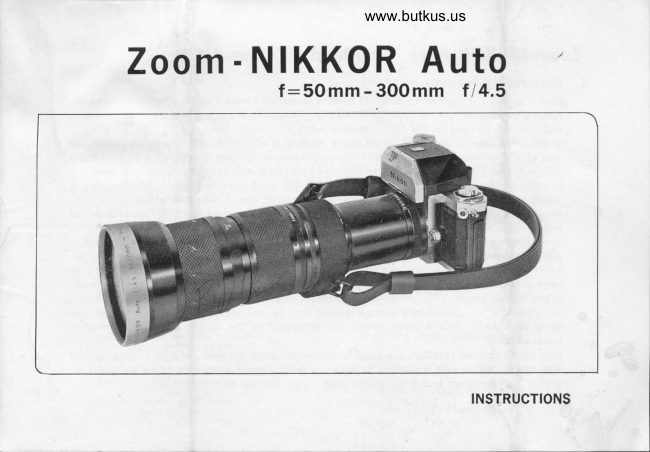
NikonPDF
Nikon 50-300
User manual
9 pages · EnglishRead →

Zeiss IkonPDF
Pantar lenses for Zeiss Ikon
Product booklet
17 pages · EnglishRead →
PentaxPDF
Pentax 645 lenses - '89
User manual
32 pages · EnglishRead →

PentaxPDF
Pentax 67 Interchangeable Lenses
User manual
30 pages · EnglishRead →
From the M. Butkus Camera Manual Library. Original publisher and archive notices are retained.
Check the model and edition against your equipment.
PDF verified 2026-10-10.