Film cameras
Toyo Optics (1980s) User manual
User manual for Toyo Optics (1980s). 11 pages in English. Read the original PDF, download or print a copy without registration.
11 pagesEnglish3.2 MB PDF
Loading your manual…Open PDF directly
Document details
- Brand
- Toyo
- Model / document
- Toyo Optics (1980s)
- Document type
- User manual
- Language
- English
- Pages
- 11
- File size
- 3.2 MB
- Category
- Film cameras
- Document date
- Not specified in catalog
Search available document text
Find a term, then jump to its page in the original PDF. Image-only pages may not be searchable; check the PDF for exact wording and diagrams.
Page 3 · Read text
TOYO OPTICS
Welcome to the world of TOYO       Computer design has helped
OPTICS. Your new TOYO          make them compact and light-
OPTICS professional g rade lens         weight.
 for your 35mm SLR will give you      To obtain the best photographic
complete versatility to help you          results, take the time to read this
shoot like a pro. All TOYO              instruction manual and get fullY
OPTICS lenses are multi'coated        acquainted with the features,
to assure the right amount of           capabilities, handling and care
contrast and minimum  light flare.          of your new TOYO OPTICS lens.
LENS CARE
 l. Always use a blower brush,         5. Clean the lens surface from
 pressurized air product, or a soft,        the center to the edge.
 lintless cloth when cleaning your       6. A TOYO OPTICS UV or
 lens.                                              Sl'qylight filter is helpful in
2. Never touch the front or rear         protecting the front element from
lens surface with your fingertips.        dust and scratches. Clean your
3. Use only lens cleaning liquids           filters in the manner described
formulated for camera opttcs.          above.
4. Never place lens cleaning           7. Always cap the lens when not
liquid directly on the lens surface.         in use.
HELPFqL HINTS
 l. Keep your camera, lenses and       6. lf the camera and lens are
 filters clean.                                    exposed to sand, use a blower or
 2. Never keep cameras, film, or        pressurized air product to remove
 lenses in the trunk or glove box       the particles. Brushing the sand
 of your car.                    may scratch the lens surface.
 3. Use a lens shade to cut glare                                      7. Use a tripod or monopod or unwanted  light.
                              when shooting at speeds slower
 4. Check camera and flash                                   than  I /60.
 batteries regularly. Replace
 camera batteries at least once a                                    B. When shooting portraits, use
 year.                                    the widest possible / stop to blur
 5.  lf the camera and lens are           distracting backgrounds.
 exposed to salt water, clean with
 a soft, damp cloth and wipe dry      9. Keep lenses and cameras  in
 immediatelv.               www.butkus.usa case when not in use.
View original page 3Page 4 · Read text
GENERAL INFORru{TION

MOqNTING THE LENS
Your new TOYO OPTICS lens is
similar in design to the standard
lens normally purchased with
the camera. lt is mounted and
removed in the same manner.
Extra caution should be taken
when mounting telephoto and
zoom lenses as these are much
larger and longer than normal             fir See your dealer  if you
lenses. Do not force the lens to       experience difficulty.
A(Iro/wrAnuAt RING                                         A/M Ring
Some TOYO OPTICS lenses are
equipped with an A/M ring to
allow stopping-down the
diaphragm opening to preview
the depth-of-field or meter the
scene at the selected aperture.
The setting should be moved to
"M" when manual operation  is
desired. For normal automatic
operabon, the ring should be                  lf your lens does not have
moved to the "A" position. Most      an A/M ring, consult the
cameras have a built-in depth'of'        sections on Meter Coupling
field preview.                           or Automatic Operation.


                           When the lens is mounted on
                                      the camera, the meter coupling
                                                     is automatic. Full aperture
                                     metering is retained in most
                                       cases, except with the PENTAX
                                      Universal 42mm Screw Mount.
View original page 4Page 5 · Read text
A(ITOMITTIC OPERATION
 Many new cameras are equipped         retract the EE pin. Rotate the
 with an automatic/ stop selection      diaphragm ring to the green
 feature called. "aperture priority".       marking just beyond the
 The TOYO OPTICS lens selected      minim um aperture setting.
 will allow for this automatic           Consult your camera instruction
 operation. Mount the lens with       manual or dealer for cameras
 the diaphragm ring in a manual        with "shutter priority" modes.
apeftune setting in order to

SETTTNG THE  STOP                 /
The f stop (2.5:4.5:5.6; etc.) will
control the depth-of-field and
allow varying amounts of light to
reach the film surface. Rotate
the diaphragm ring to the desired
 / stop at the index mark on the
lens barrel. The diaphragm can
be set at full/ stops or at a
position in-between. The proper
 f stop can be determined by        exposure meter. or by special
using the camera's builf in            requirements in controlling
exposure meter. a separate             depth'of-field.
                      g**bt       ' r/t
DEPTH.OF- FIELD
                           Some lenses are provided with a
                                                  depth-of-fi eld sca le. Depth-of-fi eld
                                                         is indicated for any distance and
                                                  / stop setting, on the double
                                         scale of / stop markings on both
                                         sides of the center of the
                                      reference (index) mark. These
                                   markings indicate the range of
                                   sharpness in feet and meters at
                                      the selected / stop sefting.                             www.butkus.us
View original page 5Page 6 · Read text
FOCOSING THE LENS
Look through the viewfinder of       focus due to the wide deoth-of-
your camera and rotate the                field. When using flash with wide
focusing ring until you get a           angle, telephoto. or zoom lenses,
sharp. clear image. With wide       be sure to check the distance
angle lenses.  it may be difficult        scale on both the lens and flash
to see the image'snap'  into              unrt.
INFRA.RED FOCUS
For infra-red photography.                             l-
correction of the distance scale
 is necessary because infra-red
 light waves are longer than light
waves of the visible spectrum.
Focus in the usual manner.
Before making the exposure. re-
 set the distance indicated on the
focusing ring to the appropriate         Imanufacturer's instructions and
R'index (red line). For proper                   rrecom mendations. Infra-red
exposure and filtration with infra-              lmarking are not included on all
red materials. follow the                                                        Ilenses.
IiI{CRO LENSES
                                                                                         (OPTICS Macro Zoom lenses,Macro'Close Focusing features
extend the focusing range of.the            tthe Macro mode may be used at
lens. For best results. it is                  all.  focal lengths. On Two'Touch
recommended that it be utilized     TOYO OPTICS Macro Zoom
at close distances. The Macro                            Ilenses. the Macro ratios can be
position will increase the size of                 :set on the focusing ring at all
the image. On OneTouch TOYO           tfocal lengths.
View original page 6Page 7 · Read text
TOYO OPTICS ZOONI LENSES


               80mm                     l05mm


                l50mm                    200mm


OPERATION
Zoom lenses have become the      AIITOYO OPTICS Zoom lenses
 most popular lenses to own.          are parfocal lenses Parfocal
 Because they provide many focal       lenses allow you to sustain focus
 lengths in one lens. they expand         at any focal length as the zoom
 your picture taking vistas. Some       control is used to compose your
 zooms can take you from wide        picture. The lens should first be
 angle to medium telephoto.            set at the longest focal length
 Others take you from medium       and focused for the sharpest
 telephoto to telephoto. Zoom         image. Zoom back for composi'
 lenses let you'crop' your pictures         tion. The lens remains in focus.
 right in the camera by sliding the     The larger image and shallow
 barrel back and forth on One         depth-oFfield at long focal lengths
Touch TOYO OPICS lenses           will help find the most critical
                                          focal point.                          www.butkus.us
View original page 7Page 8 · Read text
WIDE ANGLE LENSES


              24mm                   28mm
Wide angle lenses give you         recommended  for outdoor
minimum focusing distance, a        scenes and for quick pre-focused
 large viewing angle and a wide        shooting. They are not
 depth'of'field at nearly every /       recommended for most portmits.
 stop. Wide angle lenses are
TELEPHOTO LENSES


                l35mm                   200mm
Telephoto and medium                   size. Their short depth'of'field
telephoto lenses bring you closer      makes them idealfor oortraits or
to the subject or increase image       sports photography.
TELECONVERTER
The TOYO OPTICS 2X
Teleconverter (automatic) can
be added to any TOYO OPTICS
lens. First mount the
Teleconverter to your lens. Mount
the lens and Teleconverter on
the camera body as one. The 2X     BOmm-200mm becomes   $GTelecgnverter  will double the       l60mm-400mm: l35mm
focal length (s) of your lenses:       becomes 270mm.
View original page 8Page 9 · Read text
MIRROR TELEPHOTO


Normal           50mm                      300mm


TOYO OPTICS Mirror Telephoto
lenses (30Omm and 500mm)
are surprisingly light weight and
compact making them easy to
handle and pack in your camera
bag. They are mounted in the
same manner as other TOYO
OPTICS lenses that fit your                        500mm
35mm SLR and come with
removable skylight and neutral         lenses bring you closer than
density filters. Mirror telephoto         ever before.
TOYO OPTICS FILTERS


TOYO OPTICS filters are               in mount sizes 49mm-58mm.
 manufactured from the finest          All other TOYO OPTICS
 solid optical glass and are ground      FILTERS are available in the
 and polished to the most pmctical        following popular sizes: 49mm.
 thinness. They are heat-treated      52mm. 55mm. 58mm.62mm,
 to avoid distortion on focal shift.     67mm, 72mm.77mm.
 Close'up filters are available only       UV or Sky lA Only: 29.5mm,3O.5mm,
                           www.butkus.us40 5mm.43mm. 43.5mm.46mm and 48mm
View original page 9Page 10 · Read text
I
                            2
                            3
                            4
                            5
                            6


 l. Focusing Ring
2. Distance Scale
3. Depth-Of-Field Scale
4. R-lndex
5. Diaphragm Ring
6. Lens Mount
7. Built ln Lens Hood
8. Zoom Ring
9. Zoom (Focal Length) Scale
View original page 10Related documents and language editions
AiresPDF
AIRES 35-V lenses
User manual
15 pages · EnglishRead →
AccuraPDF
Accura Zoom Duplivar Slide / negative duplicator
User manual
11 pages · EnglishRead →
EdnalitePDF
Ednalite filters flier
Product booklet
2 pages · EnglishRead →
FocalPDF
Focal auto diaphragm lensesand tele-extenders
User manual
11 pages · EnglishRead →
Various brandsPDF
JC Penny Lens instructions
User manual
8 pages · EnglishRead →

KonicaPDF
Konica Autoreflex A lenses
User manual
66 pages · EnglishRead →
Various brandsPDF
Lens Guide - General (1960s)
Product booklet
97 pages · EnglishRead →
MinoltaPDF
Minolta Maxxum zoom lenses
User manual
20 pages · EnglishRead →
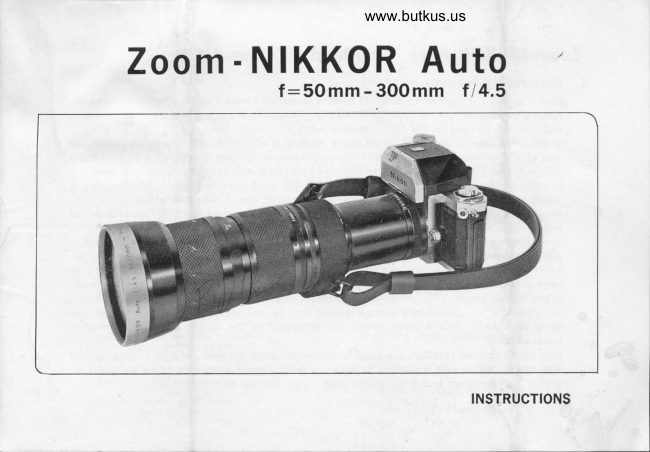
NikonPDF
Nikon 50-300
User manual
9 pages · EnglishRead →
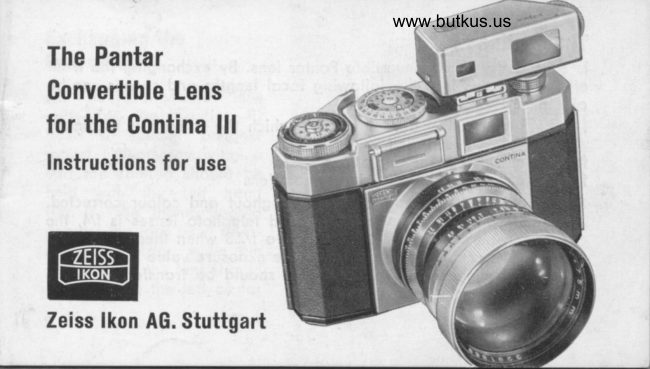
Zeiss IkonPDF
Pantar lenses for Zeiss Ikon
Product booklet
17 pages · EnglishRead →
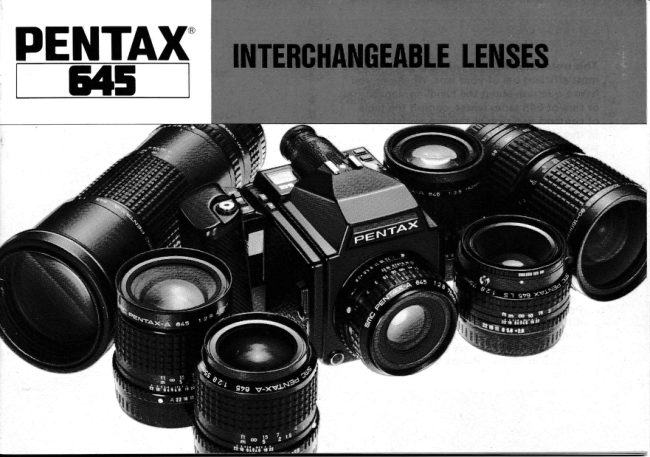
PentaxPDF
Pentax 645 lenses - '89
User manual
32 pages · EnglishRead →
PentaxPDF
Pentax 67 Interchangeable Lenses
User manual
30 pages · EnglishRead →
From the M. Butkus archive. Original publisher and archive notices are retained.
Check the model and edition against your equipment.
PDF verified 2026-10-10.