Film cameras
Polaroid 330 User manual
User manual for Polaroid 330. 46 pages in English. Read the original PDF, download or print a copy without registration.
46 pagesEnglish5.8 MB PDF
Loading your manual…Open PDF directly
Document details
- Brand
- Polaroid
- Model / document
- Polaroid 330
- Document type
- User manual
- Language
- English
- Pages
- 46
- File size
- 5.8 MB
- Category
- Film cameras
- Document date
- Not specified in catalog
Search available document text
Find a term, then jump to its page in the original PDF. Image-only pages may not be searchable; check the PDF for exact wording and diagrams.
Page 3 · Read text
www.orphancameras.com
CONTENTS

GettingAcquainted
K n o w y o u r c a m e r a . . . .                          . . . . . .            2  Care of the print.                             29
How to make a picture:a quick look..                  4  You must take care of your camera.               30
How to open and closethe camera.....                 6  How to make black and white picturesin dim light...... 32
H o w t o h o l dt h e c a m e r a .         . . . . : .                    7
How to use the viewfinder                            8  MiscellaneousHow to focus with the rangefinder... . .                  9
The controls . . . and what they do.                  10     lf no yellowtab appearswhen you pull the white tab... .  34
Practicethe 1, 2, 3 system . . . without film            11  Copiesand enlargements.                       35
What you should know about your film.               L2  Some helpful accessories.....                    36                                              A filter can pep up black and white scenicpictures..... 37
                                                         Picturetroubles,their cause and cure.               38
Operation                                            Protectfilm and camera from heat.                  42
How to load a film pack.                       13  Where to write for information.                     42
How to set the camera for daylightand f lash pictures... 1 6  Warranty.                                     42
How to make daylight pictures.                 1B  Polaroidofficesand repair stations.                 43
How to attachthe flashgun                     20  C A U T I O Nn o t i c e .                                                 . . . . . . . . . .  4 4
How to make flash pictures...                     2 T
How to developthe picture                     22
Checkthe temperature.                       25
How to use the Cold-Clipwith colorfilm..            26
How to make prints lighter or darker.              28  Please read this book before using the camera.


                                           330
View original page 3Page 8 · Read text
www.orphancameras.com
HOWTO OPENAND CLOSETHE CAMERA


1. Tounlatchcover,presson centerof top. You   2. To removeit, pushspring(A) andlift hinge  3. RaisebuttonNo.I; thrsunlockscameraf ront.
canletcoverhangdown.                     (B). To replace,slidehingedownoverspring.


        '

4. Pullcamerafrontoutasfar asit willgo. Be   5. To close* - F * - camera,pressdownon lockingbar
surelockingbar(A) snapsinto place.lf not,  andpushcameraf rontin untilit locks.
y0umaygetblurredor all-blackplctures.
                                         When storing the camera be sure that nothing presses on the No. 2
                                                         button;  if it's depressed even slightly, the battery may be drained.

6                                                           3 3 0
View original page 8Page 9 · Read text
www.orphancameras.com
HOWTO HOLDTHE CAMERA


H O R I Z O N T A L :G r i p t h e  t w o e n d s . P l a c e y o u r f o r e f i n g e r s o n   V E R T I C A L : G r i p  t h e c a m e r a a s y o u w o u l d  f o r a h o r i z o n t a l
 t h e N o . 1 b u t t o n s ; y o u c a n e a s i l y s h i f t t h e  r i g h t f o r e f i n g e r t o   p i c t u r e ,t u r n  i t s o y o u r r i g h t h a n d i s b e l o w . B r a c e t h e c a m e r a
 t h e N o . 2 b u t t o n . T o s t e a d y t h e c a m e r a , p r e s s y o u r e l b o w s   a g a i n s t y o u r f o r e h e a d a n d  f a c e .
 i n t o y o u r r i b s ; r e s t t h e c a m e r a a g a i n s t y o u r n o s e .

                                          330
View original page 9Page 10 · Read text
HOWTO USETHE VIEWFINDER    www.orphancameras.com


                                                                                                                                                                                                                             i
L o o k i n g t h r o u g h  t h e  v i e w f i n d e r w i n d o w  ( A ) y o u ' l l s e e a    s u b j e c t i s v e r y c l o s e ( 3 y 2 f t . , f o r e x a m p l e ) , a l l o w a  l i t i l e e x t r a
b r i g h t , w h i t e b r o k e n  l i n e . F r a m e t h e s c e n e w i t h  t h i s   l i n e .   s p a c e b e t w e e n y o u r s u b j e c t a n d t h e  t o p f r a m e l i n e , a s s h o w n
A l w a y s t r y  t o    l o o k  t h r o u g h  t h e c e n t e r o f  t h e w i n d o w a n d   a b o v e .   l f n o t , y o u m a y a c c i d e n t a i l yc u t o f f t h e  t o p o f s o m e -
c o n c e n t r a t e o n y o u r s u b j e c t , n o t o n  t h e w h i t e  l i n e .   l f y o u r   o n e ' s h e a d  i n y o u r p i c t u r e .


                                              33 0
View original page 10Page 14 · Read text
www.orphancameras.com
WHATYOU SHOULDKNOWABOUTYOURFILM
T h i s c a m e r a u s e s P o l a r o i d L a n d p a c k        t h e  c h e m i c a l s b e t w e e n  t h e  n e g a t i v e
f i l m s .  A   f i l m  p a c k c o n t a i n s a l l   t h e    a n d  p r i n t  p a p e r   t o   f o r m  a  p i c t u r e
m a t e r i a l s t o m a k e e i g h t p i c t u r e s . F o r      " s a n d w i c h " .
e a c h p i c t u r e t h e r e i s a p i e c e o f n e g a t i v e     T h e  p i c t u r e  d e v e l o p s o u t s i d e   t h e
f i l m , ? S h e e t o f p r i n t p a p e r , a n d a  t h i n    c a m e r a . A f t e r  t h e  r e c o m m e n d e d d e -
f o i l c o n t a i n e r ( t h e p o d ) f i l l e d w i t h  t h e    v e l o p m e n t t i m e y o u s e p a r a t et h e s a n d -
j e l l y - l i k ec h e m i c a l s n e e d e d t o d e v e l o p   w i c h , a n d t h e r e i s y o u r f i n i s h e d p i c t u r e .
t h e p i c t u r e .                           A t  p r e s e n t  t h e r e  a r e   t w o P o l a r o i d
  A f t e r s n a p p i n g t h e p i c t u r e , y o u s t a r t    p a c k f i l m s a v a i l a b l e :3 O O 0 s p e e d b l a c k
d e v e l o p m e n t b y  p u l l i n g a  p i e c e o f    a n d w h i t e , T y p e   I O 7 , a n d  7 S  s p e e d
p a p e r o u t o f  t h e c a m e r a . T h i s d r a g s    c o l o r , T y p e 1 0 8 . T h e r e m a y b e a d d i -
t h e e x p o s e d n e g a t i v e , a s h e e t o f p r i n t        t i o n a l t y p e s o f f i l m   i n t h e f u t u r e .
p a p e r , a n d a p o d o f c h e m i c a l s b e t w e e n    Y o u m u s t k n o w t h e  f i l m s p e e d n u m -
t w o s t e e l r o l l e r s . T h e p r e s s u r e o f  t h e    b e r , 3 0 0 0  o r 7 5 ,   t o  s e t  t h e  c a m e r a
r o l l e r s s q u a s h e s  t h e  p o d ,  s p r e a d i n g    c o n t r o l s c o r r e c t l y ( s e e p a g e 1 6 ) .

                                                                      An im portant label : On some color f i I m
                                                                                     p a c k s y o u m a y s e e a  l a b e l ( A ) a d v i s i n g
                                                                                               y o u t o  t u r n  t h e L i g h t e n l D a r k e n c o n t r o l
                                                                                                                                                                          t o  a  s p e c i aI  s e t t i n g  f o r  a l l  p i c t u r e s
CAUTION:Pleasebe sure to read the                               m a d e w i t h  t h a t p a c k . P l e a s e d o s o , o r
important notice on page 44.                                                              y o u r p i c t u r e s m a y b e t o o d a r k .


T2                                       330
View original page 14Page 15 · Read text
LOADA FILM PACK        www.orphancameras.com
                                     A speciaI req uest !
                                                      As soon as you open the film pack you will begin to accumu-
                                                                      late waste paper. There will be more when you develop the
                                                                   pictures. We hope that  it won't become  litter in the streets
                                                                     or be scattered around the landscape.
                                                     What to do with the waste paper? Usually,  it will  fit into
                                                        an empty foil bag or film box. Or,  if you're planning to take
                                                                        lots of outdoor pictures, bring along a paper bag or other
                                                             container  for waste.  Everyone will  appreciate  this  little
                                                                 extra effort on your part.


O p e n t h e t o p o f t h e b o x . P u l l o u t t h e f i l m p a c k a g e . H a i r d l e i t   b y  t h e e d g e s o n l y . w i t h c o l o r f i l m  t h e r e ' s a s e t o f m o u n t s ;
g e n t l y , c a r e fu l l y . H o l d  t h e p a c k a g e n e a r t h e e d g e s . D o n ' t  w i t h b l a c k a n d w h i t e f i l m  t h e r e ' s a c o a t e r . P l e a s e r e a d t h e
press hard on the middle  of the package.  Starting at the         i n s t r u c t i o n s h e e t . S a v e t h e b o x t o c a r r y p r i n t s  i n s a f e l y .   l t
c o r n e r , t e a r o p e n  t h e e n t i r e s i d e o f  t h e  f o i l b a g a l o n g t h e    c a n a l s o b e v e r y u s e f u l w h e n c o a t i n g b l a c k a n d w h i t e p r i n t s .
d o t t e d l i n e a n d  r e m o v e t h e  f i l m p a c k . D i s c a r d t h e m o i s t u r e    Always open the package and load filnr in the shade, not
a b s o r b i n g c a r d s u p p l i e d w i t h c o l o r f i l m . H a n d l e t h e p a c k       i n d i r e c t s u n l i g h t , t o a v o i d f o g g i n g t h e  f i l m .


                                             330                                          13
View original page 15Page 16 · Read text
www.orphancameras.com
LOADING(Cont.)


1. Pushthebackdoorlatch;thedoorwillpopup.   2. }penit alltheway.Aretherollers(A) clean?  3. Holdthe film packby the edgesas shown,
                                                                     lf not,cleanthemasdescribedon page30.      andpushtheclosedendof the packunderthe
                                                                      doorhingeagainstspringtension.


4. Pushthepackdownintothecamera.You'll   5. & 6. Checkto besurethatthewhitetabsarenotcaughtbetweenthefilmpackandthecamerabody.
feelit snapintoplace.                   Closethebackdoor.Pressbothsidesfirmlytobesurethatbothsideslatch.Theblacktabofthesafety
                                     covermuststickoutof thesmallslot.lf not,reopentheback,leadthetabout.

L4                                           330
View original page 16Page 17 · Read text
www.orphancameras.com


7. Gripthe blacktab. Thisis the endof the   8. Pull the safetycoverall the way out of the   9. Withthe safetycoverout,a whitetab (A)
safetycover.                          camerawithoutstopping.Don'trip it.          shouldstickoutof thesmallslot(No.a). Don't
                                                                                         pullthetab. You'renowreadyfor pictureNo.1.
I F N O W H I T E TAB APPEARS


                                                       ,,ii M
1.  lf there'sno w h i t et a b i n t h e N o .4 slot,do    2. Openthe backof thecamerapartwayand,  3 . Closethe backof the camera,ffi?kingsure
t h e f o l l o w i n ign the shadeor indoors,not t n   withoutdisturbingor movingthefilmpack"push  thatbothsidesarelockedsecurelyandthewhite
b r i g h st u n l i g h t .                         thewhitetaboutintotheopen.             tabis outside,in theNo.4 slot.

                                             330                                                   1 5
View original page 17Page 18 · Read text
www.orphancameras.com
HOWTO SETTHE CAMERAFOR DAYLIGHTAND FLASH PICTURES
FOR 75 SPEEDCOLOR


F i fm S e l e c t o r : S e t  i t t o 7 5 .                Lighten lDarken control : Set it to the Norma I p o s i t t o n ( s h o w n ) u n l e s s a   l a b e l o n
                                                                                      t h e b a c k o f  t h e  f i l m p a c k ( A ) s h o w s a s p e c i a l s e t t i n g . Y o u c a n o p e n  t h e b a c k o f
                                           a  l o a d e d c a m e r a t o s e e i f t h e r e i s s u c h a  l a b e l .  l f y o u d o t h i s c a r e fu l l y i n t h e s h a d e
                                           o r  i n d o o r s a n d d o n ' t m o v e t h e p a c k , t h e  f i t m w i l l n o t b e d a m a g e d .


16                                           330
View original page 18Page 20 · Read text
www.orphancameras.com
H     MAKE DAYLIGHTPICTURES


S T A N D s o  t h e   l i g h t o n  t h e s u b j e c t  i s    1 . A I M A N D F O C U S : F r am e y o u r s u b -    2 . S H O O T : P r e s s b u t t o n N o . 2 s m o o t h l y
c o m i n g  f r o m b e h i n d y o u o r  f r o m  t h e          j e c t  i n t h e v t E W w i n d o w . M o v e y o u r e y e    a n d s l o w l y ,w i t h o u t m o v i n g t h e c a m e r a ,
s i d e , b u t n o t f r o m  i n f r o n t o f t h e c a m e r a .       t o  t h e F o c u s w i n d o w . P u s h t h e N o . 1    u n t i l y o u h e a r a  l o u d c l i c k . W h e n s h o o t -
                                           b u t t o n s u n t i l   t h e  b r i g h t  s p o t   i n   t h e          i n g  i n  t h e s h a d e o r   i n d i m   l i g h t , h o l d
                                                                       r a n g e fi n d e r s h o w s a s i n g l e c l e a r i m a g e   N o . 2 d o w n a n d d o n ' t m o v e u n t i l y o u
C H E C K t h a t  t h e F i l m S e l e c t o r a n d L I D    o f   t h e m o s t    i m p o r t a n t  p a r t o f  y o u r    h e a r a  s e c o n d c l i c k  a s   t h e  s h u t t e r
c o n t r o l a r e s e t f o r  t h e k i n d o f  f i l m y o u    s u b j e c t . T h e n f r a m e y o u r s u b j e c t a g a i n    c l o s e s . T h e n  l e t N o . 2 b u t t o n c o m e u p .
a r e u s i n g ( s e e p a g e 1 6 ) .                                             i n  t h e v t E W w i n d o w .


18                                           330
View original page 20Page 21 · Read text
www.orphancameras.com

                            DAYLIGHTPICTUREHINTS

                                    The best light for pictures  of people:
                                On a very bright , hazy day the light is
                                     even and the shadows are soft.

                                 Move in close: The bigger your subject
                                                                                                           i s i n t h e p r i n t , t h e m o r e c o l o r a n d d e t a i l
                                               y o u ' l l b e a b l e t o s e e .

                                   Have plenty of color: Look for subjects   L i g h t i n g  t o a v o i d : B r i g h t   l i g h t b e h i n d
                                           a n d  b a c k g r o u n d s w i t h  b i g  a r e a s o f      t h e s u b j e c t w i l l  " f o o l "   t h e e l e c t r i c e y e .
                                                s t r o n g , b r i g h t c o l o r s .                 Y o u r s u b j e c t w i l l b e  t o o d a r k .3 . R E S E T : l m m e d i a t e l y a f t e r s n a p p i n g
a  pictu re, press No. 3  button down
f i r m l y u n t i l   i t   l o c k s a n d s t a y s d o w n .   Watch the background: The light on  it
T h i s  r e s e t s  t h e  s h u t t e r s o y o u ' l l b e    s h o u l d b e  j u s t a b o u t a s b r i g h t a s  t h e
r e a d y f o r t h e n e x t p i c t u r e .                                         l i g h t o n  t h e s u b j e c t .

                                   Keep an eye on the temperature: Cold
                                              or  very  hot weather can  affect the
                                           q u a l i t y o f y o u r p i c t u r e s . B e s u r e  t o
YOU ARE NOW READY TO DEVELOP    r e a d  p a g e  2 5 , w h i c h  e x p l a i n s h o w
TH E PI C TURE SEE.  PAGE22.                         t e m p e r a t u r e a f f e c t s y o u r p i c t u r e s .

                                         330                                             19
View original page 21Page 23 · Read text
www.orphancameras.com
HOWTO MAKE FLASHPICTURES
A f l a s h p i c t u r e i s m a d e i n t h e s a m e w a y                                  FLASH PICTURE HINTS
as a daylight picture, except that the
l i g h t c o m e s  f r o m  a   f l a s h b u l b . H e r e                                             Line up groups: Try to have everyone
a r e t h e m a i n s t e p s . F o r m o r e d e t a i l s ,                                              a b o u t   t h e  s a m e  d i s t a n c e   f r o m    t h e
t u r n b a c k t o p a g e s 1 6 a n d 1 8 .                                                             c a m e r a s o t h e y ' l l b e  l i g h t e d e v e n l y .
S E T T H E C O N T R O L S : S e t   t h e  F i l m
S e l e c t o r a n d  t h e  L I D c o n t r o l  f o r  t h e                                      Watch the background :  lt can "fool"
k i n d o f f i l m  i n t h e c a m e r a .                                                                                                                    t h e e l e c t r i c e y e .  l f a s u b j e c t i s c l o s e t o
                                                                                     a w h i t e w a l l ,  t h e p i c t u r e m a y b e  t o o
I N S E R T A F L A S H B U L B : U s e o n l Y M - 3                                               d a r k . M o v e h i m a  f e w  f e e t  f r o m  t h e
c l e a r , n o t b l u e , b u l b s .                                                 w a l l o r s e t  t h e L I D c o n t r o l  t w o m a r k s
F O C U SA N D A I M: P u sht h e No. 1 but-                                                                                            t o w a r d  t - t c H T E N . D a r k o r d i s t a n t b a c k -
to n s t o g e t a sin g lecle a r image in the                                              g r o u n d s m a y c a u s e v e r y p a l e f a c e s .
 r an g e f i n d e r;f ra meyo u r subjectin the   Placeyour subject: Try to have a back-
viewfinder.                        ground, preferably of a light, bright   H a v e p l e n t y o f c o l o r : W h i t e , b l a c k , a n d
                                        color,a few feet behindthe subject.      gray don't im prove color pictu res.
SHOOT, RESET: Press No. 2 button
sm o o t hl y ; d o n 't sh a ke t he camera.  Place yourself: For best results,stand   Spare the eyes: Let you r subjects look
Push No. 3 button down until it locks.  about 5 ft. from your subject.            e l s e w h e r e t h a n  r i g h t a t t h e c a m e r a .
                            Maximum distance: With 75 speed
                                      color film it's about 10 ft.; with 3000   F l a s h d o n ' t s : D o n ' t  t r y  t o m a k e  f l a s h
YOU ARE NOW READY TO DEVELOP  speed black and white, about 15 ft.,    p i c t u r e s  i n d a y l i g h t . D o n ' t s h o o t f l a s h
THE PICTURE.SEE PAGE22.         depending on room size,color, etc,       p i c t u r e s i n e x p l o s i v e a t m o s p h e r e s .


                                          330                                             2 L
View original page 23Page 24 · Read text
www.orphancameras.com
HOWTO DEVELOPTHE PICTURE


 1. Set the timer: Wind the      2. Hold  the camera  as shown : U se      3.  Pull the white tab  all the way out  of the
arrow clockwiseas far as it     y o u r    l e f t h a n d . Y o u r g r i p  s h o u l d b e     c a m e r a : P u l l   i t s t r a i g h t o u t , w i t h o u t s t o p p i n g .
will go, so it stays pointing       f i r m b u t  f l e x i b l e . H o l d  t h e c a m e r a a    T h i s c a u s e s a y e l l o w  t a b  ( A )  t o p o p o u t o f a
to the red dot (A). Turn the         f e w   i n c h e s   i n   f r o n t o f y o u w i t h y o u r     n a r r o w d o o r   i n  t h e e n d o f  t h e c a m e r a . D o n ' t
n u mb e r d i al so t h e d e sire d   e l b o w s c l o s e t o y o u r b o d y . G r a s p t h e     b l o c k t h i s d o o r  i n a n y w a y .
time is next to the point of   w h i t e t a b w i t h t h u m b a n d  f o r e f i n g e r .
the  arrow.  To  start the                                                                                       lf no yellow tab pops out, stop:  Don't pu ll
timer, movethe srnRT lever                                               a n o t h e r w h i t e t a b ; y o u w i l l w a s t e f i l m .   I n s t e a d ,
(B) to the left.  Don't start                                                                                               f o l l o w t h e s t e p s s h o w n o n p a g e 3 4 .
th e ti m e r n o w.                                                      Never pull a white tab  if you can see a yellow
                                                                                                                                                        t a b :   l f y o u a c c i d e n t a l l y d o s o , s t o p ! F o l l o w t h e
                                                                        steps shown on page 34.


22                                       330
View original page 24Page 34 · Read text
HOWTO MAKE BLACKAND WHITEPICTURESwww.orphancameras.comIN DIM LIGHT
  With 3000 speed film you can shoot
  pictureswithoutflash in the shade or
 on a dark, cloudyday. lf there's plenty
 of w[ndow tight coming from behind
 the camerayou can even make pictures
 indoors,such as the big one opposite.
  Providedthat the light on the su bject
 is evenand there are no deep shadows
 or brightlightsin the scene,the electric
 eye can make a long but correct time
exposure-   it may be I /LO sec.or even
 a full second. The camera must be
                            How to set the camera: Move the Film  How to hold steady: Rest your elbows rock-steadyor pictureswill be bturred.
  Hold No. 2 button down and don't   Selectorto 3000 and set the L/D control   on a firm support.Or, placethe camera
moveuntil you hearthe secondclick as    at the NormaI position.              on a table top t car hood, etc.
the shutter closes. Then you can move
and let No. 2 button up.
  This kind of lighting is not recom-
mendedfor color pictures,un less you
are trying for specialeffects.


32
View original page 34Page 36 · Read text
www.orphancameras.com
 IF NO YELLOWTAB APPEARSWHENYOU PULLTHE WHITETAB


D o n ' t p u l l a n o t h e rw h i t e t a b .  I n s t e a d , g e n i l yo p e n t h e c a m e r a  W h i l e h o l d i n g t h e p a c k d o w n  l i g h t l y ( p i c t u@ r e  E;:1.'.a t    :, l:.::t:::j::i:ii;;ti4me f t ) s l o w l y
 b a c k j u s t e n o u g h t o g e t o n e  f i n g e r t i p u n d e r  i t  t o h o l d d o w n   o p e n t h e b a c k a l l t h e w a y a n d t a k e h o l d o f t h e t o p m o s t y e l l o w
 t h e f i l m p a c k . D o t h i s  i n d o o r s o r  i n t h e s h a d e .                                t a b , a s s h o w n .


L j e n i l y p u l l t h e e n t i r e p i c t u r e a s s e m b l y all the way out of the  C l o s et h e b a c k o f  t h e c a me r a , m a k i n g s u r e t h a t t h e n e x t
p a c k a n d d i s c a r d i t . D o n ' t t r y t o s a v e i t . Whilethe backdoor  wh ite ta b sticks out of the small slot n ext to No. 4. Check
i s o p e n c h e c k t h a t t h e r o l l e r s a r e c l e a n (page30).            that both sides of the back latch securely"

3 4                                        330
View original page 36
Page 37 · Read text
www.orphancameras.com
COPIESAND ENLARGEMENTS

I t ' s e a s y t o g e t c o p i e s a n d e n l a r g e m e n t s , b o t h  i n c o l o r a n d
b l a c k a n d w h i t e ; 3 5 m m s l i d e s c a n a l s o b e m a d e f r o m y o u r
f a v o r i t e P o l a c o l o r p i c t u r e s . J u s t u s e t h e  f o r m p a c k e d w i t h
y o u r f i l m o r c a m e r a t o o r d e r t h e m f r o m P o l a r o i dC o p y S e r v i c e .
  T h e r e p r o d u c t i o n sa r e s h a r p , c l e a r , a n d r e m a r k a b l y f a i t h f u l
t o y o u r  o r i g i n a l P o l a r o i d p i c t u r e . C o p i e s a r e a v a i l a b l e i n
e i t h e r t h e p o p u l a r 3 r / qx 4 r / +i n . s i z e o r t h e 2 V z x 3 V + t n . w a l l e t
s i z e . B e a u t i f u l m o u n t e d e n l a r g e m e n t s c a n  b e m a d e    i n
5 x 7   i n . o r B x 1 0  i n . s i z e s . T h e y m a k e h a n d s o m e g i f t s f o r
b i r t h d a y so r a n n i v e r s a r i e s . Y o u c a n a l s o o r d e r h o l i d a y g r e e t -
 i n g c a r d s   f e a t u r i n g y o u r   f a v o r i t e P o l a r o i d L a n d p i c t u r e .
S e r v i c ei s p r o m p t a n d a s c o n v e n i e n t a s y o u r m a i l b o x .


                                             330                                                  3 5
View original page 37Page 38 · Read text
www.orphancameras.com
SOME HELPFULACCESSORIES


Cablerelease'i 191,                    Cases+324,1322,X326and+325holdcamera, UVFilterri585reducesexcessivebluein ,tldo*,
No.2 button.Great                     sparefilm packs,flashgun,buIbs,otheraccessories.in outdoorcolorpictures.


                                Albums#519and 1521hold72printseach.Bigger
getrntoyourownpictures.               Deluxei52l (left)hasexpandablemetalbinder.

       T h e s e s i m p l e a c c e s s o r i e sc a n a d d much to your pictur e - t a k i npgl e a s u r e .S e e y o u r P o l a r o i d c a m e r a d e a l e r .

3 6                                           330
View original page 38Page 39 · Read text
www.orphancameras.com
A FILTERCAN PEPUP BLACK AND WHITE SCENICPICTURES
                                                     :';',:,|:::t:itl!;i,li.n"{.1,,,1,;!:/i,','tr


                                   Pressthe filter0n overthe lensmount(col-
                                     lapsingthelenshood)andtheelectriceye.


Withoutthe filter                                                                   Withthe filter.
B l a c k a n d w h i t e s c e n i c p i c t u r e s a r e o f t e n d i s a p p o i n t i n g       l i g h t c o l o r e d s u b j e c t s o n t h e g r o u n d . T h e # 5 1 6 f i l t e r h a s n o
b e c a u s e b r i g h t b l u e s k i e s a n d  f l e e c y w h i t e c l o u d s c o m e o u t   e f f e c t o n g r a y s k i e s , i n t h e  f o g o r  r a i n , o r a t n i g h t . D o n ' t u s e
a s a d u l l w h i t e a r e a  i n  t h e p r i n t . T h e P o l a r o i d C l o u d F i l t e r       i t w i t h c o l o r f i l m a t a n y t i m e . W i t h t h e  f i l t e r i n p l a c e , s e t t h e
# 5 1 6 d a r k e n s c l e a r b l u e s k i e S ,f f i a k e sw h i t e c l o u d s s t a n d o u t .   L I D c o n t r o l t o N o r m a I p o s i t i o n .   l f y o u r p r i n t c o m e s o u t  t o o
T h e d a r k e n e d s k i e s a l s o m a k e c o n t r a s t i n g b a c k g r o u n d s f o r        l i g h t o r t o o d a r k , a d j u s t t h e L / D c o n t r o l a s s h o w n o n p a g e 2 8 .

                                             330                                                  3 7
View original page 39Page 40 · Read text
www.orphancameras.com
PICTURETROUBLES,THEIRCAUSEAND CURE


                                                                                           ,l#,
                                                                                                                                                                       ''"fijit,;;,,
W H I T E , F A I N T I M A G E O R N O N E        B L A C K , F A I N T  I M A G E O R N O N E      REPEATED SPOTS
F i l m w a s g r e a t l y o v e r e x p o s e d o r   l i g h t -         l f n o d e t a i l sa t a l l a r e v i s i b l e ,t h e s h u t -   U s u a l l y t h e y a r e w h i t e , b u t  t h e y m a y
s t r u c k .  l f  i t h a p p e n s w i t h 3 0 0 0 s p e e d       t e r d i d n ' t o p e ' n . P e r h a p s y o u d i d n ' t    b e  r e d d i s h - o r a n g e o n  c o l o r p i c t u r e s .
b l a c k a n d w h i t e f i l m , y o u p r o b a b l y h a d       r e s e t N o . 3  b u t t o n . O r ,  t h e   f r o n t o f   M a r k s   l i k e  t h e s e s h o w  t h a t  t h e s t e e l
t h e F i l m S e l e c t o r s e t t o 7 5 .  R e s e t i t t o        t h e c a m e r a w a s n ' t p u l l e d o u t a l l  t h e       r o l l e r s a r e d i r t y .    I n s p e c t a n d  c l e a n
3 0 0 0 . B o t h c o l o r a n d b l a c k a n d w h i t e   w a y a n d   l o c k e d . O r ,  t h e c a m e r a b a t -       t h e m  f r e q u e n t l y ( p a g e 3 0 ) .
f i l m s w i l l b e  l i g h t - s t r u c ki f y o u p u l l o u t        t e r y  i s d e a d . O r , t h e s h u t t e r h a s b e e n
t h e s a f e t y c o v e r b e f o r e p u t t i n g t h e  f i l m    d a m a g e d .
p a c k i n  t h e c a m e r a o r  i f y o u  r e m o v e a               l f a c o l o r p r i n t s h o w s a  f e w  f a i n t d e -
f i l m p a c k f r o m t h e c a m e r a a f t e r p u l l i n g       t a i l s ,  t h e F i l m S e l e c t o r p r o b a b l y w a s
the safety cover.                             s e t t o 3 0 0 0 . R e s e t i t  t o 7 5 .


3 8                                           330
View original page 40Page 41 · Read text
www.orphancameras.com


T O O D A R K : A L L P I C T U R E S             T O O L I G H T : A L L P I C T U R E S          U . S H A P E D W H I T E A R E A
U n d e r e x p o s e d , p r o b a b l y b e c a u s e t h e   O v e r e x p o s e d , p r o b a b l y  b e c a u s e   t h e   S e v e r a l p o s s i b l e c a u s e s : O n e o r m o r e
L I D c o n t r o l w a s s e t   i n c o r r e c t l y .  F o r    L I D c o n t r o l w a s  s e t   i n c o r r e c t l y . F o r   w h i t e t a b s w e r e f o l d e d u n d e r w h e n y o u
p i c t u r e s o u t d o o r s o r b y d i r e c t   f l a s h ,   m o s t p i c t u r e s , s e t i t t o N o r m a l p o s i t i o n .         l o a d e d  t h e   f i l m  p a c k  ( a v o i d  t h i s a s
s e t  i t  t o N o r m a l .  l f  t h a t ' s w h e r e  i t w a s          l f t h a t ' s w h e r e  i t w a s t o b e g i n w i t h , t u r n     s h o w n o n p a g e 1 4 , p h o t o 5 ) . O r , Y o u
t o b e g i n w i t h , t u r n   i t  t o w a r d L I G H T E N .    it toward oRRKEN.                        p u l l e d  t h e y e l l o w t a b  t o o s l o w l y . O r ,                                                                                                                                                                           t h e r e m a y b e d i r t o n  t h e e n d s o f  t h e
                                                                                                                                               r o l l e r s ; k e e p  t h e m  c l e a n  ( P a g e 3 0 ) .
                                                             O r ,  i n s o m e w a y y o u s q u e e z e d t h e  t a b
                                                                                               s l o t e n d  o f   t h e  c a m e r a  b a c k w h i l e
    Daylight pictures will be badly exposed  if the flashgun  is plugged  in.        p u l l i n g t h e y e l l o w t a b  ( s e e p a g e 2 2  f o r
   Check that the flashgun is not plugged in when making daylight pictures'       the correct way to hold the ca mera).

                                             330                                         39
View original page 41Related documents and language editions
PolaroidPDF
POLAROID 220
User manual
37 pages · EnglishRead →
PolaroidPDF
POLAROID 350
User manual
53 pages · EnglishRead →
PolaroidPDF
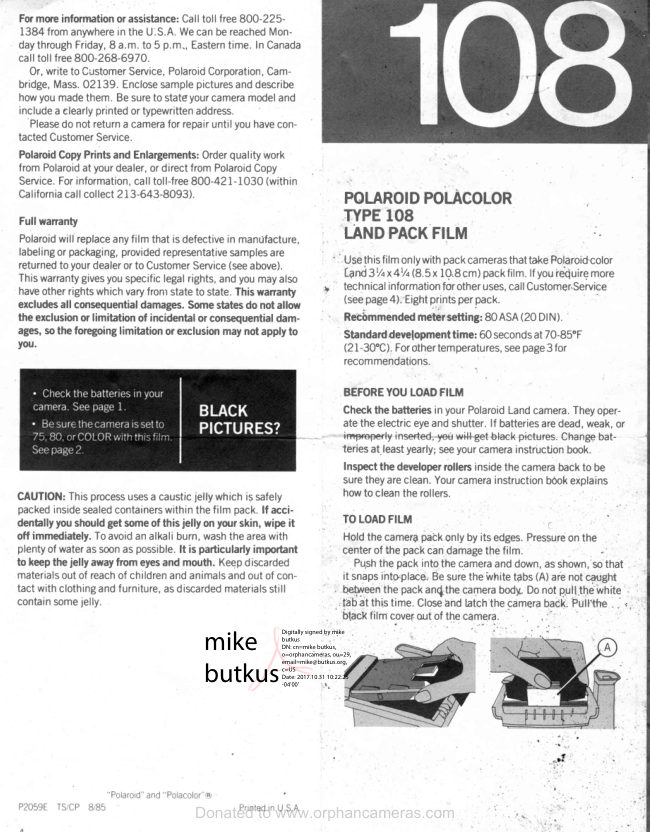
Polaroid 108 film information
User manual
5 pages · EnglishRead →
PolaroidPDF
Polaroid 110A
User manual
30 pages · EnglishRead →
PolaroidPDF
Polaroid 125
User manual
23 pages · EnglishRead →
PolaroidPDF
Polaroid 135
User manual
25 pages · EnglishRead →
PolaroidPDF
Polaroid 210
User manual
27 pages · EnglishRead →
PolaroidPDF
Polaroid 215
User manual
25 pages · EnglishRead →
PolaroidPDF
Polaroid 225
User manual
29 pages · EnglishRead →
PolaroidPDF
Polaroid 230
User manual
28 pages · EnglishRead →
PolaroidPDF
Polaroid 240
User manual
27 pages · EnglishRead →
PolaroidPDF
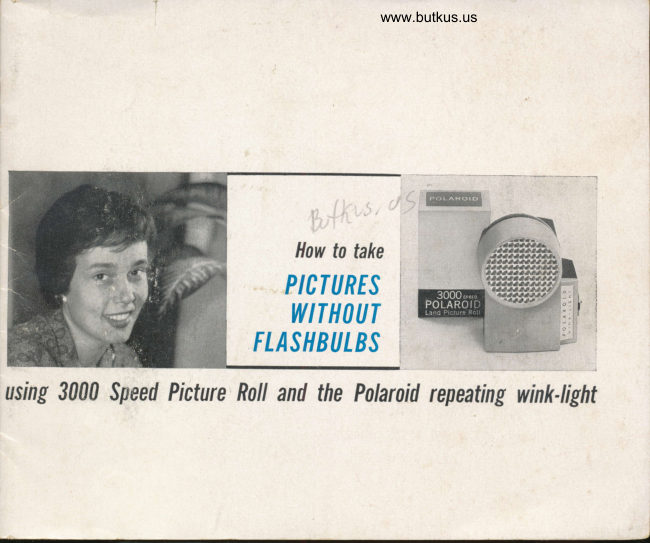
Polaroid 3000 Wink Flash
User manual
13 pages · EnglishRead →
From the M. Butkus archive. Original publisher and archive notices are retained.
Check the model and edition against your equipment.
PDF verified 2026-10-10.