Film cameras
Polaroid Automatic 100 User manual
User manual for Polaroid Automatic 100. 23 pages in English. Read the original PDF, download or print a copy without registration.
23 pagesEnglish2.0 MB PDF
Loading your manual…Open PDF directly
Document details
- Brand
- Polaroid
- Model / document
- Polaroid Automatic 100
- Document type
- User manual
- Language
- English
- Pages
- 23
- File size
- 2.0 MB
- Category
- Film cameras
- Document date
- Not specified in catalog
Search available document text
Find a term, then jump to its page in the original PDF. Image-only pages may not be searchable; check the PDF for exact wording and diagrams.
Page 4 · Read text
HOWTO GET THE MOSTOUT OF THIS CAMERA


The Automatic 100 is one of the world's easiest-to'usecam-    picture. And once you get going, if you forget the simple
eras,once you understanda few simple techniques.However,    routine,there's a reminderdiagramon the back coverto set
becausethis camera is completelyunlike anythingyou've   you straight again.
ever seen before, it is very important you learn these operat-                                                The ldeas sectionis for those ambitiousownerswho havetheing steps or you're bound to waste film and money and be                                                              routine down pat and get a good picture every time, but whodisappointedwith your picture results.                                                   want to make more than iust everydaysnapshots.Hereyou'll
This booklet has four parts: Getting Acquainted; Operation;    find ideasfor accessoriesto increaseyour picturefun, hints
ldeas; Miscellaneous.                                 on better portraits and scenics,how to make pictures in very
                                                     dim light, etc.
We hope that you'll look at GettingAcquainted before loading
your Automatic 100 with film. Then you'll be completely   The Miscellaneoussection tells you how to correct your mis-
familiar with this wonderfulcamera before you make your     ta kes (if some pictures don't come out right), how to ta ke ca re
f irst picture.And that's as it should be.                          of the camera,whereto get it repaired if it gets damaged,and
                                             much other useful information.
But if you're the impatient type that just can't wait to start
taking pictures, turn to the pages with blue edges-the     So,this bookletdoes more than iustgetyou started.lt's a guide
Operationsection.Thereyou'll see in detailthe few very sim'    to future picture pleasure,and a valuable referencepiece
ple steps in loadingfilm, settingthe camera,and makingthe     in caseyou have problems.Keepit handyinthe cameracover'

2                   Donated to www.orphancameras.com
View original page 4Page 6 · Read text
HOWTO CLOSEAND COVERTHE CAMERA


  Press down on the locking bar. This     A magnet holds the finder uP. Fold          lf you have removed the cover: to
releasesthe f ront of the camera. Push    the finder down gently. Try not to bang    replaceit slidethe hinge down over the
the f ront in all the way until it locks.            it on the camera.                        lockspringuntil it snapsinto place(top)'                                                                   Swingthe cover up and over; the mag'
                                                                               net on top of the camera will hold it.
                    Donated to www.orphancameras.com
4
View original page 6Page 7 · Read text
HOWTO HOLDTHE CAMERA                          GETTINGACQUAINTED


 H O R I Z O N T A L :G r i p t h e t w o e n d s . P l a c e y o u r f o r e f i n g e r s o n      V E R T I C A L : G r i p t h e c a m e r a a s y o u w o L r l df o r a h o r i z o n t a l
t h e N o .  I b u t t o n s ; y o u c a n e a s i l y s h i f t t h e  r i g h t f o r e f i n g e r t o     p i c t u r e , t u r n   i t s o y o u r  r i g h t h a n d   i s b e l o w ( c e n t e r ) . O r , t u r n
N o . 2 b u t t o n . T o s t e a d y t h e c a m e r a , p r e s s y o u r e l b o w s i n t o            i t s o y o u r r i g h t h a n d  i s a t  t h e t o p ( r i g h t ) . E i t h e r w a y , b r a c e t h e
y o u r r i b s ; r e s t t h e c a m e r a a g a i n s t y o u r n o s e .                      c a m e r a a g a i n s t y o u r f o r e h e a d a n d  f a c e .
                     Donated to www.orphancameras.com
View original page 7Page 8 · Read text
HOWTO USE THE VIEWFINDER


  Lookingthrough the viewfinderwindow(arrow)you'll see a    subject is very close (372ft., for example),allow a little extra
bright, white broken line. Frame the scene with this line.   space between your subject and the top f rame line (above).
Always try to look through the center of the window and        lf not, you may accidentallycut off the top of someone's
concentrateon your subiect, not on the white line. lf your   head in your picture.
                    Donated to www.orphancameras.com6
View original page 8Page 9 · Read text
HOWTO FOCUSTHE CAMERA                         GETTINGACQUAINTED


Lookthroughhereat thebrightspot.A
                               Y PushNo.1buttons.


  Holding the camera horizontalplace your forefingerson    the bright spot; this means that the camera is not focused
both No. I buttons as shown and push them all the way to     for that distance. Push the No.  I buttons back and forth
your left. Look through the Focus window and aim the     untilthe two imagesbecomeone -  sharpand clear.Now the
brightspot in the centerat a nearby subject(about 5 ft. away,   camerais focused.Forverticalpictures,focuswith the camera
for example).You should see two imagesDonatedof yourtotargetwww.orphancameras.comin    horizontal;turn it to aim and shoot.
View original page 9Page 11 · Read text
WHATTHE LIGHTINGSELECTORDOES                     GETTINGACQUAINTED
Pc)     L  AR                 of*

                           F I L M S P E E D


                        Movetheblueknobthiswav. . .     to setthebluesquareshere.A
PO      L  A  RO


                           F I L M S P E E D


                                       ^l,A rvroveMovetnetheblueotueKnoDknobtnrsthisway. . .     to setthebluesouareshere.A
  Are you shootingcoloror black-and-white,and what kind of    goingto usefor that picture.lf the camerais loadedwith color
light are you going to use?Outdoordaylight,bright or dull?    film, look only at the red part of the LightingSelector;with
0rdinaryroom light?A flashbulb?                         black-and-whitefilm, look only at the black part. Just move
 Whenyou decide,move the blue knob as shownto set the    the blue knob and set the blue squarewhereyou want it.
bluesquarein the hole next to the Donatedkind of lightingto youwww.orphancameras.comare                                                                                                            9
View original page 11Page 12 · Read text
PRACTICETHE T, 2, 3 SYSTEM


                                                     \
                                                                                        $.t'& : . 1


                                       L A R


  O N E i s f o r f o c u s i n g . L o o k t h r o u g h t h e    TWOis for shooting.Practicepressing    THREE is for resetting. Right after
F o c u s w i n d o w a n d a r m t h e b r i g h t s p o t a t    the No. 2 button slowlyuntil the shutter   snappinga picture,alwayspush down
v a r i o u s s u b j e c t s . P u s h t h e N o .  I  b u t -    c l i c k s .I n d i m l i g h th o l dN o . 2 d o w na n d    No. 3 button firmly until it locks and
 t o n s a n d p r a c t i c e b r i n g i n g t o g e t h e r t h e    stay very still until you hear the second    stays down. This resets the shutterfor
 t w o  i m a g e s o f y o u r s u b j e c t i n t h e b r i g h t    click as the shutter closes.Then you    the next picture. lf you don't reset
 s p o t  t o m a k e o n e c l e a r  i m a g e .          can move and let No. 2 up.             No.3 button,you won't be ableto shoot.                    Donated to www.orphancameras.com
10
View original page 12Page 13 · Read text
HOWTO SETTHE LIGHTEN/DARKEN(L/D)D) CON               GETTINGACQUAINTED


                                              Tomakeprintsdarker.1Normalpositionfor mostpictures.      A  Frontview.                                                                                        ,  Topview.                                                                    V Tomakeprintslighter.


  Try to arrange your subjectsso the light on them comes     in the scene,the electriceye will be ,,fooled"and your pictures
f rom behindyou or from the side. With such lighting,and for     will come out too dark. Page28 explainswhat to do to,prevent
all flash pictures,set the black dots on the L/D controlat the     or correctthis.
Normalposition,as shown (blue arrows).                   To make prints come out lighter or darker than they do at
   lf the light comesf rom behindyour subject,or if it's brighter   the Normal setting,turn the L/D control towards Lightenor
behind your subjectthan in front, or Donatedif there's a strongto www.orphancameras.comlight   Darkenas shown above.Page23 shows what this does.
                                                                                                                                                                                                    lt
View original page 13Page 14 · Read text
HOWTO LOADA FILM PACK:THE IMPORTANTFIRSTSTEP


      FILM SPEED
 SET FILMSPEED:Whenyou decidewhetheryou are going    film speed dial is set wrong,your pictureswon't come out
to load colorfilm or black-and-white,set the film speed dial    right;they will be all whiteor all black.
to the right number-75  for color,3000 for black-and-white. Alwaysopen the packageand load film in the shade, not in
Do this beforeanythingelse,so you won'tforgetto do it. lf the    direct sunlight,to avoid foggingthe film.
                    Donated to www.orphancameras.coml2
View original page 14Page 15 · Read text
OPENTHE FILMAND SAVETHE BOX                             OPERATION


 O p e n  t h e  t o p o f  t h e b o x . W i t h c o l o r f i l m  t h e r e ' s a s e t o f     H o l d t h e p a c k a g e a s s h o w n , w i t h t h u m b s o n  t h e g r i p m a r k s
m o u n t s ; w i t h b l a c k - a n d - w h i t ef i l m  t h e r e ' s a c o a t e r . R e m o v e       ( l e f t ) . S t a r t i n g a t   t h e n o t c h ,  t e a r o p e n   t h e e n t i r e s i d e o f
t h e s e a n d  t h e  i n s t r u c t i o n s h e e t ( p l e a s e r e a d  i t ) . P u l l o u t  t h e          t h e p a c k a g e a l o n g t h e d o t t e d l i n e . W h e n t h e s i d e i s o p e n , r i p
f i l m p a c k a g e . H a n d l e  i t o n l y b y  t h e e d g e s . S a v e t h e b o x  t o     apart the front and back  of the package.  Lift out the pack.
c a r r y p r i n t s i n s a f e l y . O n t h e b a c k o f t h e b l a c k - a n d - w h i t eb o x    A l w a y s h a n d l e t h e p a c k b y t h e e d g e s o n l y .
i s a d e v i c e t o h e l p y o u c o a t p r i n t s . Y o Donatedu n e e d t h i s . to www.orphancameras.com
                                                                                                                                   l3
View original page 15Page 16 · Read text
TO LOADA FILM PACK (cont.)


l. Pushthebackdoorlatch;thedoorwillpcpup.    2. Openthebackdooralltheway.


4. Flipyourwristso the printingon the safety   5. Pushthe closedend of the packunderthe    6. Pushthe packdowninto the camera.You'll
coverfacesthelens.                      doorhinge,againsta lightspringtension.        feelit snapintoplace

                    Donated to www.orphancameras.com
View original page 16Page 17 · Read text
OPERATION


 C l o s e t h e b a c k d o o r . B e s u r e b o t h s i d e s a r e s h u t  t i g h t l y .    o u t o f  t h e p a c k , y o u ' r e r e a d y t o  t a k e t h e  f i r s t p i c t u r e .
l m p o r t a n t : T h e b l a c k p a p e r  t a b o f  t h e s a f e t y c o v e r ( a r r o w )
m u s t s t i c l <o L r to f t h e N o . 4 s l o t . l f  i t d o e s n ' t , r e o p e n t h e b a c k         I M P O R T A N T : N e v e r p u l l t h e s a f e t y c o v e r b e f o r e l o a d i n g t h e
d o o r a n d s t r a i g h t e n t h e  t a b s o  i t s t i c k s o u t .                                            f i l m p a c k , a n d d o n ' t  r e m o v e t h e  f i l m p a c k f r o m  t h e c a m e r a
 G r i p t h e  t a b  f i r m l y w i t h  t h u m b a n d  f o r e f i n g e r a n d p u l l  i t     a f t e r p u l l i n g t h e s a f e t y c o v e r .  l f y o u d o , o n e o r m o r e o f y o u r
s t r a i g h to u t o f  t h e c a m e r a , a l l t h e w Donateda y . W i t h t h e stoa f ewww.orphancameras.comt y c o v e r    p i c t u r e sw i l l b e  l i g h t s t r u c ka n d r u i n e d .                                                                                                                           1 5
View original page 17
Page 18 · Read text
HOWTO SET THE CAMERAFORA COLOR    RE

                       D   P  o   L  A   R  o     D P  o   L  A  R  o


       A Movetheblueknobthisway...                          A Movetheblueknobthisway...
             to setthe bluesquarehereV                                           to setthe bluesquarehereY


     B R I G H T S U N O R O U L L D A Y                             BRIGHT SUN OR DULL DAY
         A L S O F O R F L A S H                                       A I S O F O R F L A S H
 ALL-PURPOSESETTING:Use this for picturesin bright sun,    EXTRA DEPTH SETTING: Use this only for subjects in
in the shade,or on a dull day. lt's alsofor flash indoorsor for    brightsun. lt sets a smallerlens openingand slowershutter
long exposuresin dim light.                            speed than the All-Purposesetting, adds "depth" to your
  Checkthat the Film Speed Dialis set to 75, the L/D control    pictureby gettingmore near and far objectsinto focus at the
is at Normalposition,and the light is comingf rom behindyou   same time. Check that the Film Speed Dial is set to 75, the
or f rom the side.At this settingthe lens is wideopen and you    L/D controlis at Normal,and the light is comingf rom behind
must focus the cameracarefullY.                         you or from the side of your subject.
16                  Donated to www.orphancameras.com
View original page 18Page 19 · Read text
HOWTO SETTHE CAMERAFORA BLACK.AND.WHITEPICTURE             OPERATION

P  o      A  R  o     D   P  o      A  R  o


    A Movethe blueknobthisway. ..                            A Movetheblueknobthisway.. .
  to setthe bluesquarehereV                                           to setthe bluesquarehere!


                                                                           I N D O O R S                                                                                                             I N D O O R S
                    W I T H O U T F L A S H                            W I T H O U T F L A S H
                                               DIM LIGHT SETTING:Use this for pictures without flash
                                                       indoors or in other dimly lit places, and for outdoor night
                                                     scenes.With light from windowsor fluorescents,set the L/D
                                                           controlat Normal;with ordinarytungstenlamps set it halfway
                                                                  to Lighten(see page 29). Check that the Film Speed Dial ii
                                                            set to 3000, and that there is no strong light source behind
                     Donated to www.orphancameras.comor near your subject.
View original page 19Page 20 · Read text
HOWTO MAKEA PICTURE!


           FRAME                         FOCUS

  1  FOGUS:Look at your subject through the View win-     until the bright spot shows a singleclear image of the most
     I   dow. Come close enough to fill most of the frame'    important part of your subject. Shift your eye back to the
Shift you,reye to the Focus window.DonatedPush the No.to 1www.orphancameras.combuttons   View window,center your subjectin the white f rame.
18
View original page 20Page 22 · Read text
HOWTO DEVELOPTHE PRINT


First,the smallwhitetab.           Pullit straightoutof thecamera.                                 Next,thelargeyellowtab.
  A   PULLTHE TABS: Graspthe small white tab and pull   WARNING:Never pull a white tab when you can see a yellow
  T      it straight out of the camera, all the way, without    tab. lf you do, you'll ruin the entire film pack.
stopping.This causes a large yellowtab marked "PULL" to
pop out. Pullingthe small white tab does not start develop-    When you pull the yellow tab, hold the camera so the lens
ment. lt only preparesthe film for the next step, which is    faces straight ahead of you, not pointing down. This, plus
pulling the yellow tab. Grip the yellow tab in the center so    gripping the center of the tab, helps you to pull it out of the
it will come out straightwhen you pull it.                   camera straight.


                     Donated to www.orphancameras.com
View original page 22Page 23 · Read text
OPERATION


Pullit straightoutof thecamera.Begintiming.                                Lift offthe whiteprint.            FoldFoldupupthethe negative.negative.
  Pull the yeltow tab straightout of the camera allthe way,      After the recommendeddevelopmenttime, quicklystrip the
moderatelyfast, without hesitating.This startsthe developing   white print off the brown paper startingf rom the end nearest
process,so begin timing the developmentof your picture    to the word PULL.A color print will look nearly dry, but don't
as soon as you pull the yellowtab out of the camera.          touch the face for a few minutes. lt will harden to a tough,
  The picture develops outside the camera. While it's de-    glossy finish. When it is dry, mount it on a polacolorprint
veloping,hold the tab only by the yellowtip, or lay it down    mount, which is suppliedwith the film.
flat, but don't touch or bend the white paper or lift it off.      Don't touch the face of black-and-whiteprints. you must
Developfor the f ull time recommendedin the film instruction   coat them to prevent fading and other damage (see next
sheet. In cold weather you must developfor a longer time    page for how to coat prints).
(see the film instructionsheet).                           To avoid contact with chemicalsleft after the print is re-
                                                  moved, fold up the negativewith the moist side in. please
                    Donated to www.orphancameras.comput it in a waste basket or film box. Don't be a litterbug!
                                                                                                                                   2l
View original page 23Related documents and language editions
PolaroidPDF
POLAROID 220
User manual
37 pages · EnglishRead →
PolaroidPDF
POLAROID 350
User manual
53 pages · EnglishRead →
PolaroidPDF
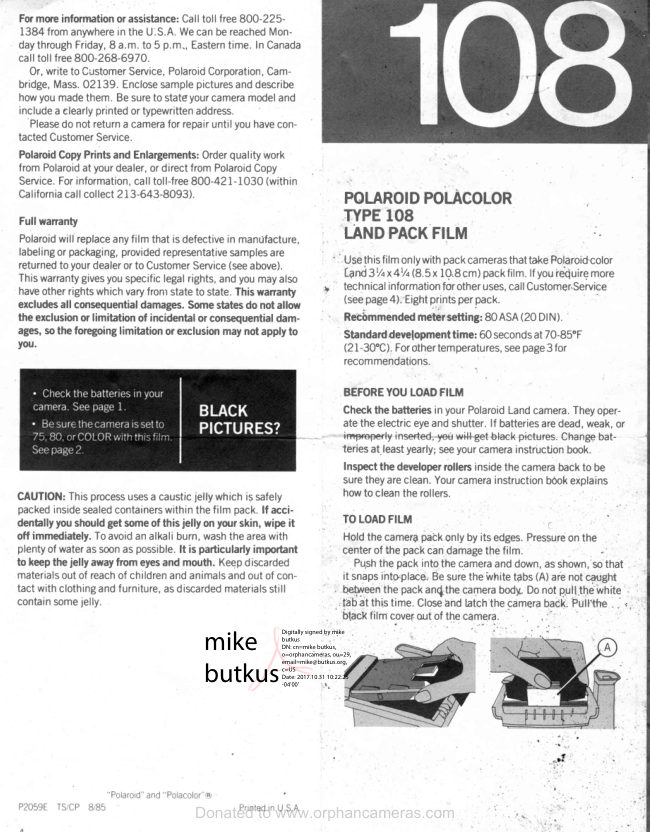
Polaroid 108 film information
User manual
5 pages · EnglishRead →
PolaroidPDF
Polaroid 110A
User manual
30 pages · EnglishRead →
PolaroidPDF
Polaroid 125
User manual
23 pages · EnglishRead →
PolaroidPDF
Polaroid 135
User manual
25 pages · EnglishRead →
PolaroidPDF
Polaroid 210
User manual
27 pages · EnglishRead →
PolaroidPDF
Polaroid 215
User manual
25 pages · EnglishRead →
PolaroidPDF
Polaroid 225
User manual
29 pages · EnglishRead →
PolaroidPDF
Polaroid 230
User manual
28 pages · EnglishRead →
PolaroidPDF
Polaroid 240
User manual
27 pages · EnglishRead →
PolaroidPDF
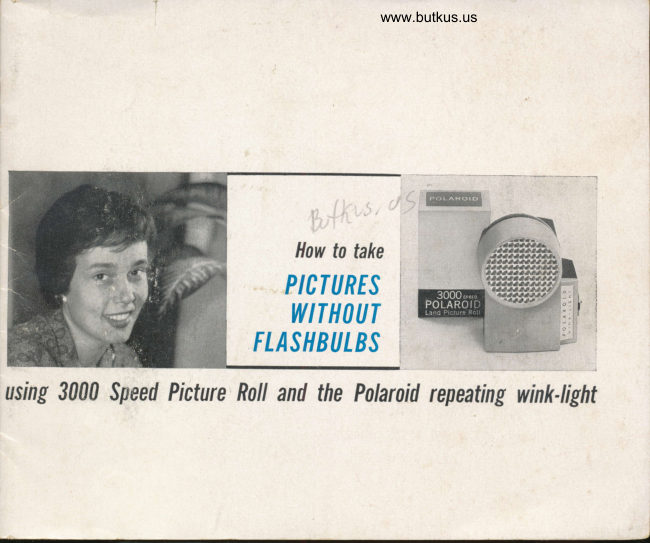
Polaroid 3000 Wink Flash
User manual
13 pages · EnglishRead →
From the M. Butkus archive. Original publisher and archive notices are retained.
Check the model and edition against your equipment.
PDF verified 2026-10-10.