Film cameras
Polaroid Automatic 103 User manual
User manual for Polaroid Automatic 103. 44 pages in English. Read the original PDF, download or print a copy without registration.
44 pagesEnglish6.1 MB PDF
Loading your manual…Open PDF directly
Document details
- Brand
- Polaroid
- Model / document
- Polaroid Automatic 103
- Document type
- User manual
- Language
- English
- Pages
- 44
- File size
- 6.1 MB
- Category
- Film cameras
- Document date
- Not specified in catalog
Search available document text
Find a term, then jump to its page in the original PDF. Image-only pages may not be searchable; check the PDF for exact wording and diagrams.
Page 3 · Read text
CONTENTS

GettingAcquainted                                               Checkthe temperature!  lt's important              2L
                                           Page   How to make daylight pictures lighter or darker              . 22
lntroduction                                        2    Black and white prints must be coated               23
How to open the camera '.u-uru.                 How to use the Cold-Clipwith colorfilm              24
How to close and cover the              .  :  :  :  :  :  :    i    Troublesomelightingsituationsto avoid .             26
How to hold the camera                               5    Using3000 speed blackand white film in dim daylight. 27
How to use the viewfinder                             6    Fastfocusingfor picturesmade with 3000 speed film    . 28
How to focus the camera                              7    Flashpictures                                                                       . 29
Practicethe 1, 2, 3 system                            8
                                          Miscellaneous
Operation       )                            Some helpful accessories.                        30
H o w t o  l o a d a  f i l m p a c k                              A filter can pep up black and white scenics .          31
How to set the camera for 3000 speed film            12    Devicesfor close-upsand portraits.                 32
Tips for good daylight black and white pictures        L3   You must take care of your camera                  33
How to set the canrerafor color pictures              L4    Picturetroubles,their causeand cure               35
Tips for good daylightcolor pictures                 15    Protectfilm and camera from heat .                 39
How to take a picture                             16   Where to write for information                     39
How to developthe print                          18    Warranty                                      39
lf no yellowtab pops out                                                      , 20     List of repair stations                            40

                             www.orphancameras.com
                                                                                                                                    ,d
View original page 3Page 5 · Read text
HOW TO GET THE MOST OUT OF THIS CAMERA                                                                                                                                           II
  This is one of the world's easiest-to-usecameras, once    starter, read carefully the instruction sheet packed with your
you understand a few simple techniques. However,it is     film. Thoseinstructionsmaychangefrom time totime, so it's
very important that you learn the basic operating steps or    a good idea to reviewthe film instructionsheet occasionally.
you're bound to waste film and money and be disappointed    As a quick guide to help you get a good picture everytime,
with your picture results.                                 here are seven helpful hints. They're important.
  With this camera, snap all your outdoor pictures in bright     1.  ln daylight picturesalways have the light on the subject
daylight, shoot all indoor pictures with flash.                coming from behind you. For best color pictures place yoqr
                                                        gubjectsin bright sunshine.                                                                          '  Before you load your camera with film, please be sure to
read carefullythe first two sectionsin this booklet: Getting    2. Move in close, to get a big image in the print.
Acquainted, and Operation (the red edged pages). As you     3. Ghoosecolorful subjects for your color pictures.
read the text and look at the pictures, go through all the
motionsof using the came?a-  without film.                      4.  Pick a good background, particularly with f lash.
                                                                     5.  Pull the tab correctly.
  Once you get the simple operatingroutine down pat, load                                                                     6. Time development carefully,a film pack. We suggest that you start with 3000 speed
black and white film. Pleaserememberthat even the finest     7.  Keep an eye on the temperature.
camera and film need some help from the photographerif     As you go throughthis bookletyou'llfind these sevenpoints
they are to producegood pictures. That help can be summed    explainedin detail. They can make the differencebetween
up in one sentence:Plan and think before you shoot. As a    getting good pictures and poor ones.


                            www.orphancameras.com
E                 .....t,.. -.-      , , 1. I
View original page 5Page 6 · Read text
I.{OWTO OPEN THE CAMERA


                                                 2. Youcanlei ccveriranQclovrnor


 I   [ : i t f i n c i er rrp a i r chi a c k ;n r a g r t we tr l lg r t n        5 . R i r s i 1 ; u 1 1 \s6r , I   t l r r sunlocllscarnerafrolt.     6. Pu!lcantei-afrontoLrta s f a r a s i t w i l l g o .

P H O T O6 .  I M P O R T A N T :B e s u r e t o p u l l t h e c a m e r a f r o n t o ' 1 1         i n t o p l a c e .  i f t h e f r o n t i s n ' t f u l l y o u t a r t d l o c k e c,l y o L r rp r i n t s
r r l i t l t h e r er s a c l e f r n i t ce l i c k a n d t h e l o c k i n gb a r ( a r r o w )s n a [ ] s   w i l l b e b a c l l yb l u r r e c ia n c l n r a y h a v e l a r g e b l a c l <a, r e a s .
                  T h i s b o o k l e t i s d e s i g n e d t o f i t n e a t l y i n s i d e t h e c o v e r . u n d e r a s p r i n g c l i p ( p h o t o 2 ) .
View original page 6Page 7 · Read text
HOW TO CLOSEAND COVERTHE CAMERA


  P r e s s d o v r n o n t h e  l o c k i n g b a r . T l i i s     A m a g n e . th o l i s  t t r e f i n d e r L r p ) . F o l d                l f y o u h a v e  r e m o v e d  t h e c o v e r :  t o
r e l e a s e st i r e f r o n t o f  i h e c a r n e r a . P u s l t        t h e f i r i d e r c l o w ng e n t l y . T r y n o t t o b a n g        r e p l a c e i t s l i d e t h e h i n g e d o w n o ' . , e tr h e
t i l e f r o l t   i r r a l l  i l i e w a i / L ; n t ! lt t  l c c k s .               i t o n t h e c a r r e r a .                                                                  l o c k s p r i n g u n t i I i t s n a p s i n t o i r l a c e( t o p ) .
                                                                        S u ; i n g t h e c o v e r u p a n , - jo v e r ; t l - r e r n a g -
                                                                                       n e t o n  t o p o f  t l r e c a n r e r a  ' * r i l l h o l c j i t .
                 W h e n s t o r i n g t h ewww.orphancameras.comc a m e r a b e E u r e t h a t n o t h i n g p r e s s e s o n  t h e N o . 2
                             b u t t o n ;  i f  i t ' s d e p r e s s e c el v e n s l l g h t l y , t h e b a t t e r y m a y b e d r a i n e d .
View original page 7Page 8 · Read text
HOW TO HOLD THE CAMERA                           G ETTING ACQUA!NTED


  H O R I Z O N T A L G:  r i p t h e t w o e i r c j s .P l a c ey o u r f c r e fi n g e r s o n      V E R T I C A L :G r i p t h e c a n r e r a  a s  ) , ' c L lw c u l c j  f o r a    i t o r i z a n | a l
: i r , " i. . ' J o1 b u t t o n s ; y c ' r tc a i r e a s i l y 's i r i f t t i - i ei ' r g h tf c r e f i n g e r t o     p i c t L r r et,r ; r n i t s o y o u f r i g i t t h a n c l i s b e l o w . B r a c e  t l i e c a n r e r a
i  , i . 2 b u t t c n . T o s t e a c J tvh e c a m e r a , p r e s s y o u r e l b o ' , r yi sn t e         ; l s a in s t v o i t r -f o r e h e a r iz i n c i f a c e .
 , , . r i . i; l[ L : s ; r e : ; i t i i e c i l n l e r a . ] E a l r r svi o L j rn o s r :
View original page 8
Page 9 · Read text
H O W T O U S E T H E V I E W F I N D E R


                                                                                                                                                                                                   -,,w't"f
  L o o k i n gt h r o u g h t l r e v i e w f i n d e rv r i n d o i v( a r r o w )y o u ' l l s e e a     s L t b l e c it s v e r y c l o s e ( 3 i ' : ,f t ,  f o r e x a r n p l e ) ,a l l o r , at r l i t t l e e x t r a
b r r g h t , w f ri t e b r o k e n  I i n e  F r a m e t i r e s c e n e v ' r r t ht t t i s  l i r t e .    s L ) a c eb e t w e e n v o r l r s u b l e c t a n d t h e  t o p  f r a m e  l i n e ( a b o v e ) .
A i w a y s t r v  t c   l o o k t i r r o u g h t h e c e n t e r o l  t h e w i n d o w a n d            l f n o t , y o u  r n a y a c c i d e n t a l l y c u t o f f  t f r e t o p o f s o m e o n e ' s
c o n c e i r l r a t eo r  y o L ri s u r - r J e c nt ,o t o n  t h i : w h i t e  l r r i e     l f y o u r     h e a c li n v o u r o i c t u r e
                            www.orphancameras.com6
View original page 9Page 10 · Read text
I-IOWTO FOCUS TH E CAMERA                           G ETTI NG ACQUAINTED


L l c kt h r c u g if re r e a t i i t e b , i p h si 0 o t A          V P u s h N o 1 b u t i o r t s


  H o l c il n g t h e c a r n e r a h o r i z o n i a l , p l a c e y o r , r rf o r e f i n g e r s o n          t h e b r i g h t s p c - r tt :h i s m e a n s t h a t  t h e c a m e r a  i s n o t  f o c L st e c l
 l r o t h N o . 1 b u t t o n s a s s h o w n a n c l p u s h t h e m a l l  t h e w a v t o          f o r  t l r a t d i s t a n c e . P u s h  i h e N o .  I  b u i t o n s b a c l <a n d  f o r t l r
y o u r l e f t . L o o k t h r o u g h t h e F o c u s w i n c ol v r a n c l : i i m t h e b r i g h t     u n t i l t l - i et w o   i m a g e s b e c o m e o n e - - s l r a r p a n c i c l e a r . N o t v
s r r o t i n  t l r e c e n t e r a t a n e a r b v s u b j e c t ( a b o u t 5   f t . a w a y ,        t h e c a m e r a  i s f o c i r s e d . F o r v e r t i c a l l t i c t u r e s ,f o c t r s v ' r i t l tt l t e
 f o r e x a n r p l e ) . Y o u s h o u l d s e e t v ' ; oi m a g e s o f y o u r t a r g e t  i r r     c a r n e r a h o r i z o n t a l :t u tr n  i t t o a i m a n c l s h o o t .
View original page 10
Page 12 · Read text
LCIADlNG: OPEN TH E FILM PACKAGE                                OPIRATION


  o p e r i t i r e t o p o f  t l r e b c ; < . W i t h c o l o r f i l r n t h e r e ' s a s e i o f     n r i d d l e o f  t h e p a c k a g e . S t a r t i n g a t t h e c o r n e r , t e a r o p e n i l r e
 i i r o L . r n t ws ;i t l r b l a c k a n d v r h i t ef i l r n t h e r e ' s a c o a t e r . R e m o v e    e n t i r e s i c l e o f  t h e p . r c k a g ea l o n g t h e C o t t e c ll i n e . W h e n t l ' r e
i l t e s e i - r r dt l t e i r i s t r u c t i o rst h e e t ( g t l e a s er e a r Ji t ) . P u l l o u t t i r r :     s i d e  i s  r r p e n , r i p a ; l a r t i i r e f r o n t a r i < lL r a c ko f  t l r e p a c k a g e .
i i i r r r p r ; r c ; k a E eH. e r n c l l ei t g e r i t l y , c B r e f u l l y . S a v e t l r e b o x t r . r    L i f t o u t t l r e p ; r c k . D i s p o s e o f  t l r e  l i t t l e p a c k a g e o f s i l r c a g , r : 1 .
t : : i i ( yp r i r r t s i n s a f e l y . l t a l s o c a n b e v e r y u s e fu l ' l , , , l r ecnc a t r i r g   A l r v a y s f r a n c j l et h e p i , l c kb y t l r e e d g e s o n i , " - .
; i i a c k a n c l v ^ ; l r i t pe r i r i t s "                                    A l w a y s o p e n t h e p a c k a g e a n d  l c a d f i l m   i n  t h e s h a d e , n o t
  F { o i ct jh e p a c k a g en e a r t h e e d g e s . D o n ' t p r e s s h a r d o n t h e            i n d i r e c t s u n l i q h t . t o a v o i c tf o g g i n g t h e f i l m .
View original page 12Page 13 · Read text
L O AD I N G( C o n t . )


1 . P u s ht h eb a c idi o o lra t c h: t i i ec i o owr i i ip o pu p .       2. 0perrit ail the way. Are the rcllers(arrow)        3. Holdthe film packby the edgesas shown,
                                                ilearr?lf not.cleanthernas shownrinpage33.      and pushthe closeciend of the packunderthe
                                                                                   doorhingeagairrstspringtension.


4 . P u s ht h ep a c i C< o v ui nn t ot i r ec a r n e r aY. o u ' l l      5. & 6. Be suretlrewlritetallsarc freeanclnot foldedunder. Closetl;e backdoor. Pressbotlrsicles
i r c l r t s r r a rpn i op a c c .                                    firrll;,to be sLrrethatbothsrdeslatch.Theblacktabof tlresafetycoverrnuststickout of tlresmallsiot.
                                                                             lI not,reclicnIiie back,ield tlrctab out.
                             www.orphancameras.comI.0
View original page 13Page 15 · Read text
HOW TO SET THE CAMERAFOR 3OOOSPEEDFILM


  S e t  t h e F i l n i S e l e c t o r a s S N O W N  f o r c i c t u r e s m a d e w i t h      S e t t h e w h i t e d o t c n  t l r e L i g h t e i r D a r k e n ( L ' D ) c o n t r o l n e x t
3 0 0 0 s p e e c lb l a c k . a n dw h i t e f i i m                                                                 t o t h e a r r o w , a s s l r o v , , n T. h i s i s t h e N o r n r a i p o s i t i o n .

                            www.orphancameras.com
  ' 1 2
View original page 15Page 16 · Read text
TIPSFORGOODDAYLIGHTBLACKAND WHITE PICTURES               OPERATION


 USE BRIGHT,EVENLIGHT,COMINGFROM BEHINDYOU:     try to get somethingbig and solid lookinginto the foreground
Placeyourselfso the light on the sublect is coming over your    to help fill the print and add a feelingof distance.
shoulder. Don't have the subject betweenyou and the sun.    TIME DEVELOPMENTCAREFULLY:Followthe recommen-
For portraitsyou'll get best results when a cloud blocksthe    dations in the film instruction sheet. These may change
directsun, or on an overcastbut bright day, or in open shade.   from time to time. With black and white film no harm is
  For scenic pictures, avoid high overheadsun, shoot with   done if you overdevelopfor a few extra seconds; in fact, it
the light coming from behind you and from the side.         m4y improve some pictures. However,if you developfor less
 AVOID DIM LIGHT: The shutter moves slowly and your    than the recommendedtime, your pictures will be of poor
picture may be blurred. But if you are using 3000 spe.ed   quality,with a gray, washed-outlook.
iilm and must make a picture without flash in dim light,                                           KEEPAN EYEON THE TEMPERATURE:Cold weather canfoflow the suggestionson page 27.                                                                  affect the quality of your pictures. Be sure to read page
 WATCHTHE BACKGROUND:The light on the background,   21, which explainshow the temperatureaffectsyour pictures
behind your subject, should be iust about as bright as the    and what to do about it.light on the subject. Don't photographsomeonein the shade
iflhe backgroundis out in the open and brightly lit. Str_ong     lF YOUR PICTURElS TOO DARK OR TOO LIGHT: Use the
light behindthe subjectwill "fool" the electriceye (page26).    L/D control as shown on page 22to make the next one of the
 MOVE lN GLOSE:The bigger your subject is in the print,   same subject, in the same locationand lighting conditions,
the more details you'll be able to see. For scenic pictures,   come out exactly as you want it to.

                                Never try to use flash with daylight pictures.


                                                                                     J3
View original page 16Page 17 · Read text
HOW TO SET THE CAMERAFOR COLORPICTURES


  S e t t h e F i l m S e l e c t o ra s s l t o w n a b o v e f o r a l l c o l o r p i c t u r e s .       t h e y a r e i m p o r t a n t . T l r e n e w p o s i t i o n o f t h e L I D c o n t r o l t h e n
S e t t h e L i g h t e n D a r k e n c o n t r o l ( r r g h t ) t o N o r m a l , a s s h o w n ,    b e c o m e s t h e N c r m a l s e t t i n g f o r a l l p i c t u r e s m a d e w i t h t h a t
w i t h t h i s e x c e p t r o n . o n s o m e c o l o r f i l m p a c k s y o u ' ! l f i n d a     p a c k  Y o u c a n s t i l l n r a k e y o u r p i c t u r e s l i g h t e r o r d a r k e r
p r r r r t e dt n s t r u c t i o nt e l l i n gy c r i t o s e t t h e L D c o n t r o io n e m a r k       ( p . 2 2 ) w i t h t h e L / D c o n t r o l .  l f t i r e r e ' sn o s p e c i a l i n s t r u c t i o n
t o w a r d L i g l r t e nf o r a l l p i c t u r e sm a d e w i t h t h a t p a c k . P l e a s e    o n  t h e p a c k , s e t t h e L i D c o n t r o l t o N o r n r a l a s s h o r o r n .
f o l l o w t l ' r o s ei n s t r u c t i o n s w l r i c h m a y v a r y f r o r r rp a c k t o p a c k ;

                           C h e c k a l l c o l o r p a c k s f o r s p e c i a l L I D c o n t n o l i n s t r u c t i o n .
                             www.orphancameras.comr4
View original page 17Page 18 · Read text
TIPS FORGOODDAYLIGHTCOLORPICTURES                                 ;       A ;' OPERATION
                                                                                                                                                                                                      ilu                                ."ffiqdtr'
  USE BRIGHTSUN, COMTNGFROM BEHTNDyOU: you,tl   your subject isn't wearing colorful clothes,add color with a
 get strongestcolors if your subject is in bright sun (but you    bright shirt, scarf, or jacket. Or, find a colorful background
can also get pleasingresults on an overcastbut very bright      -  anythingthat will fill at least one-thirdof the picture area
 day). Stand so the light on the subject is coming over your    with strong,solid color.
shoulder. Don't have the subject betweenyou and the sun.    TIME DEVELOPMENTCAREFULLY:Followthe recommen-
  AVOID DIM LIGHT: The shutter moves slowly and your    dations in the film instruction sheet. These may change
 picture may be blurred.                                  from time to time. Use an accuratetimepiece. lf you have a
 MOVE lN CLOSE:The bigger your subject is in the print,    Polaroid DevelopmentTimer, check it occasionallyagainst
the more color and detail you'll be able to see. For scenic   a watch with a second hand; if it's fast or slow, allow for this
pictures,try to get somethingbig, solid looking,and colorful   when developingyour pictures. A few secondsoverdevelop-
into the foreground.                                 ment is not harmful, but prints that are much overdeveloped
 FOCUSCAREFULLY:Focuson the main subject. lt will be   may looktoo bluish;thosethat aren'tdevelopedlongenough
sharp, but objects much fartfier or nearer than the subject    will havea pinkishcast and the colorswill be weak.
may be fuzzy.                                  KEEP AN EYE ON THE TEMPERATURE:Cold weather or
 WATCHTHE BACKGROUND:The light on the background   excessiveheat can affect the quality of your pictures. Be
should be just about as bright as the light on the subject.   sure to read page 21, which explains how the temperature
Don't photographsomeone in the shade if the background   affectsyour picturesand what to do about it.
is out in the open and brightlylit. The stronglight behindthe       lF YOUR PICTURElS TOO DARK OR TOO LIGHT: Use the
subject will "fool" the electriceye (see page 26).             L/D control as shown on page 22to make the next one of the
 HAVE PLENTY OF COLOR:Look for subjects and back-   same subject,in the same locationand lightingconditions,
grounds with strong, bright colors in big, solid chunks.  lf   come out exactlyas you want it to.
            t*  ''                                '*''
  ,jt'"! .,,'                         N"u", tly'to use flash with daylight cotor pictures.       ,,,,     j,;     .,,,u:iu
         "et lt 6 ll   { t J t t i w . : . i i i " i;1 i } : e 1 d u a ' tiji.j{  lu irlsS,wUo n tw  wctv          ti.       ;i:  .[ .ci4 cr lJ fieu.i  .wobttiw  aulr - i  sfJJ oJ gyg luot
View original page 18Page 21 · Read text
I-IOWTO DEVELOPTHE PRiNT


F t r s tt,h e s r t r a wl l h i t et a l t . P u l lt t a l l t h e v ; a yo u t o f t h e c a m e r a D o l ' t b l o c kt h e d o o r( a r r o w )           Next,the largeyeliowtab.

                                                                                                                                                                        l f n o y e l l o w t a b p o p s o u t w l r e n y o u p u l l t h e w h i t e t a b , s r o p .
                                                  D o n ' t p u l l a n o t h e r w h i t e t a b . P a g e 2 0 s l - r o v r ys o u w h a t  t o c l o
s m a l l w h i t e t a b b e t w e e n t h e  t h u m b a n d f o r e f i n g e ra n d p u l i           i n t h i s s i t u a t i o n .
i t s t r a i g h t o u i o f  t h e c a m e r a , a l l t i r e w a y , w i t h o u t s t o p p i n g .     N e v e r p u l l a w h i t e  t a b w h e n y o u c a n s e e a y e l l o w t a b .     l f
V / l r e n y o u p r r l l t h e w h i t e t a b o u t , a c o n c e a l e d d o o r ( a r r o w )     y o u d o s o a c c i d e n t a l l y d, o n ' t p u l l t h e y e l l o w t a b s t h a t a p p e a r
o p e n s a n d a y e i l o r , vt a b p o p s o u t . D o n ' t b l o c k t h i s c l o o r i n     o r y o u ' l l s p r e a d d e v e l o p e r a l l o v e r t h e  r o l l e r s .   I n s t e a d , a s
a n y w a y w f r i l ep u l l i n g t h e t a b s .                                      s l t o w no n p a g e 2 0 , c a r e fu l l y o p e n t h e c a m e r a b a c k , d i s e n g a g e
  P u l l i n g t h e s m a l l w h i t e  t a b d o e s n o t s t a r t d e v e l o p m e n t .        t h e t a b s f r o m  t h e  t a b s l o t a n d r o l l e r s , r e m o v e r n e c r u m p l e c J
I t o n l y p r e p a r e s t h e  f l i m  f o r  t h e n e x t s t e p , w l r i c h i s p u l l i n g    p r c t u r e a s s e m b l i e s ,a n d c l o s e t h e b a c x .
t h e y e l l o w t a b . G r i p t h e y e l l o w t a b   i n  t h e c e n t e r s o   i t u r i l l   W h e n y o u p u l l  t h e y e l l o w t a b , h o l c l t l r e c a n r e r a s o t h e   l e n s
c o m e o u t s t r a i g l r tw h e n y o u p u l l  i t o u t o f t l r e c a m e r a .   l f y o u         f a c e s s t r a i g h t a h e a d o f y o u , r r o t p o i n t i n g d o r a r n .T h i s , p l u s
p u l l t h e y e l l o v ;t a b o u t a t a n a n g l e , o n e e d g e o f y o u r p ; i c t u r e   g r i p p r n g t h e c e n t e r o f t l r e t a b , h e l p s y o r r t o p u l l i t o u i s t r a i g h t .
m a y n o t d e v e l o p p r o p e r l y .
                            www.orphancameras.com1 8
View original page 21Page 22 · Read text
PULL STRAIGHT,PULL SWIFTLY                                  OFERATION
                                                                         '€*a,,
                                                                                                                            "\*


       f


P L r rl it s t r a r g ior tu t o f t h e c a m e r as,v ' i i f t l yB. e g i nt i m i n gd e v e l o p m e n t .      L i f t o f f t h e w h r t ep r i n tq u i c k i y .       Folcjup tlreriegative.

  P u l l t h e y e l l o w t a b s t r a i g h t o u t o f  t h e c a m e r a a i I t h e u / a y ,     A f t e r t h e r e c o m m e n d e dd e v e l o p m e n tt i m e , q u i c k l y s t r i p t h e
s w i f t l y , w i t h o u t n e s i t a t i n g . T h i s s t a r t s d e , y e l o p m e n to f y o u r    w h i t e p r i n t o f f t l r e b r o u / n p a p e r s t a r t i n g f r o m t h e e n d n e a r e s t
p i c t L r r es, o b e g i n t i m i n g a s s o o n a s y o u g e t t h e t a b o u t . H o w         t o t h e y e l l o w t a b . A c o l o r p r i n t w i l l  l o o k n e a r l y d r y , b u t d o n ' t
f a s t i s a s w i f t p u l l ?   l t s h o u l d t a k e a D o u t a s  l o n g a s  i t t a k e s         t o u c h t h e  f a c e f o r a  f e w m i n u t e s .   l t w i l l h a r d e n t o a r o u g h ,
y o u t o s a y " P U L L  l l " b r i s k l y ,e a c h t i m e y o u p u l l t h e t a b .   l f     g l o s s y f i n i s l t . W l r e n i t  i s d r y , r n o u n t i t o n a c o l o r p r i n t r r r o u n t ,
V o L r pr i c t u r e i s f u l l o f r , n r h i st ep e c k s , p u l l a b i t s l o w e r .         w h i c h i s s u p p l i e d w i t h t h e f i l n r .
  T h e p i c t u r e d e v e l o p s o u t s i d e t h e c a m e r a . w h i l e   i t ' s d e -     D c n ' t t o u c h t h e  f a c e o f b l a c k a n c l r r i hi t e p r i n t s . Y o u m u s t
v e i o p i n g , h o l r l t l r e t a b b y  t i r e y e l l o w t i p , o r   l a y t h e p i c t u r e     c o a t t h e m  t o p r e v e n t f a d i n g a n c j o t l r e r d a n r a g e ( s e e p a g e 2 3
; i s s e n i b l yd o w n f l a t .  [ J o n ' t t o u c h o r b e n d t h e w h i t e p a p e r o r         f o r h o w t o c o a t p r i n t s ) .
l r l t i t o f f . O u t d o o r s ,d o n ' t  l e t t h e p i c t u r e a s s e m b l yf l a p i n t f i e      T o a v o i d c o n t a c t w i t l - rc l r e m i c a l s l e f t a f t e r t h e p r i n t  i s  r e -
b r e e z e . D e v e l o pt h e p i c t u r e f o r t h e  f u l l t i m e  r e c o m m e n d e d   m o v e c i ,f o l d u p  t i r e n e g a t i v e w i t h  t h e m o i s i s i d e  i r i . P l e a s e
r r rt l i e f i l m  i n s t r i r c t i o ns h e e t .                                    p u t  i t  i n a w a s t e b a s l < e ot r f i i r n b c x . D o n ' t b e a  l i t t e r t r u g .
View original page 22Page 24 · Read text
CHECKTHE TEMPERATURE!IT'S IMPORTANT                      OPERATION
  Cold and heat have a great effect on the way your picture  HOW TEMPERATUREAFFECTSCOLORFILM
developsand on the print quality. Even moderatecold can     The normal developingtimes for color film are set for
ruin your picturesunlessyou take precautions.             temperatures of 70'F and warmer. When it's a bit cooler
                                                           the action of the developerchemicals slows down and you
 The important factor is the temperature of the camera    must develop for a longer time. See the film instruction
and film at the time you're developing the picture.            sheet for more details.
 A loadedcamera carried outdoorsin cold weatherfor half    Whenthe temperaturegets to 65'F and below,the chemical
an hour gets thoroughlychilled. lf you then enter a warm    action is so sluggish that the picture won't develop well
house and a few minutes later shoot a flash color picture    without help. That help is the Cold-Clip(page 24). Prints-
the results are likely to be bad.  lt takes a long time for a    developedin cold weatherwithout using the Cold-Clipwill
cold cameraand film to warm                            be dark, with muddy colors.                            $p.
  However,if camera and film are indoors and warm, you     Whenever it's cool enough so that you must wear warm
can step outsideto snap the children in the snow, pop back    clothes, use the Cold-Glipfor all color pictures.
iri again in a minute and developthe picture normally.           You'll get your best colors in pictures made in pleasantly
  In cool weather, developmenttimes may have to be ad-   warm weather.
justed accordingto the temperature. The instructionsheet     But when you're swelteringand can think only of a cool
with each film pack containsdetailed informationabout de-    drink and a swim, it may be too hot for best resultswith coldr
velopmenttimes and temperatures. Be sure to read these    film; your prints may show weak colors.
recommendations;they may changefrom time to time.      HOW TEMPERATUREAFFECTSBLACKAND WHITE FILM
  In very hot weatherthere is a greatertendencyfor chemi-    The film's normal range of developingtimes gives good
calsto be squeezedout of the edgesof the pictureassembly    results in temperaturesof 6O'F and above.
as you pull the yellow tab to begin development. lf these    When the temperature of film and camera is below 6OoF,
chemicalscollect on the steel rollersthey can cause defects   develop for a longer-than-normaltime. For details see the
in your prints. So, when it's hot, be extra carefulto keep the     film instructionsheet.
rollersclean (page 33).                                   Never use the Cold-Clipwith black and white film.
                                                                                                            2 L
View original page 24Page 27 · Read text
HOW TO USE THE COLD-CLIPWITH COLORFI LM


     l - h e C o l d - C l i pw, h i c h c a n b e s t c r e d i n      T c u s e  i t , t a k e  r t o u t o f  t h e c a m e r a                l f t h e t e m p e r a t u r e o f t l r e c a m e r a a n d
y o u r c a n l e r a c o v e r u r i r e n n o t   i n u s e ,     c o v er a n d p u t r t i n a w a r m  i n s i d e p o c k e t        f r l n ri s 6 5 F . o r b e l o w w h e ny o u d e v e l o p
r n ak e s  r t p o s s i b l e t o g e t g o o d c o l o r         f o r f i v e n r i n u t e s b e f o r e y o u s t a r t t a k i n g         t h e p i c t L l r e ,u s i n g t h e C o l d C l i p , y o u
p r c t u r e s i n    l o w  t e m p e r a t u r e s ( 6 5 F .    p i c t u r e s s o  t h a t  t h e C o l d C l i p w i l l b e     s l r o u l d e x p o s e y o u r c o l o r p i c t u r e s w i t l t
o r b e l o w )      l f y o u a r e L l n s u r e c f   t h e     v / ar m e d b y b o d y h e a t                                            t h e L D c o n t r o l s e t  t w o m a r k s  t o w a r d
t e n r p e r a t u r e ,u s e  t h e C o l d C l r p a n y -                                                L r g h t e n ,a s s h o w n h e r e . l f  t h e N o r m a l
w a y       l t m a y m a k e a n o t i c e a b l e i m -                                                p o s i t i o n o f   t h e  L D  c o n t r o l  f o r   t h a t
p r o v e m e n ti n t l r e c o l o r o f y o u r F r i c t u r e s                                                                                             f i l m p a c k a l r e a d y i s o n e m a r k  t o w a r d
a n d   i t c a n d o n o h a r m e v e n   i f   t h e                                                L i g l r t e n , s e t  t f r e L D c o n t r o l t w o a d d i -
t e r n p e r a t r t r ei s s o r n e w h a ta b o v e 6 5 F .                                                                                               t i o r r a l m a r k s  t o w a r d L i g h t e n  f o r   t h e
                                                                                                 c o n c J i t r o r dr se s c r ib e d a b o v e .
                             www.orphancameras.com
2 4
View original page 27Page 28 · Read text
OPERATION
           l*l


  A s s o o n a s y o u h a v e p u i l e c Jt i - r ey e l l o w      P u t t i r e C o l d C l r p b a c k r n a w a r n r s p o t :     D e v e l o p t h e p r c t u r e f o r 6 0 s e c o n d s
t a b    t o   r e m o v e     i h e  p i c t u r e  a s s e m b l y     a n    i n s i d e p o c k e t n e x t  t o  b o d y h e a t           i n s i d e t h e C o l d - C l i p t, h e n  r e m o v e t h e
f r o m    t h e  c a m e r a  a n c l  s t a r t  d e v e l o p    w h e n t l r e t e m p e r a t u r e r s 6 5 F  t c ; 4 0 F     p i c t u r e a s s e m b i y a n d  s e p a r a t e  t h e
m e n t ,  p ; l a c e t l r e a s s e m b l y   r n s r d e  t f - r e   T o g e t e f f e c t i v e w a r m i n g a t n e a r f r e e , : -    p r i n t f r o m t h e n e g a t i v e .
C o l d C l r p r v , r i t h t h e    t a b  h a n g i n g  o u t              i n g t e m p e r a t u r e s( 4 0 F o r b e l o w ) i r o l d
T l i i s m u s t  b e d o n e w i t h i n  1 0 s e c o n d s           t h e C o l d C l r p b e t w e e n b c d y a n d A r m ,
                                           b o t i r t o p r e h e a t t h e C l i p a r r c tJo c l e v e l o p t
                                                                                       t l - r ep r c t L r r e s


                     N e v e r  u s e   t h e C o l d - C l i p   f o r  b l a c k  a n d w h i t e  p i c t u r e s .       l n s t e a d "   f o l l o w   t l r e
                              c o l d w e a t h e r d i r e c t i o n s o n  t h e   i n s t r u c t i o n  s h e e t p a c k e d w i t h e a c h  b o x o f  f i l m .
View original page 28Page 29 · Read text
TROUBLESOME LIGHTINGSITUATIONSTO AVOID
                                                                                                                                                                                                                                             :.
                                                                                                                                                                                                                                 r.;   | i:a:....)1tta..:It!:^"  .'                                                                                                                                                                                ...::.


                                    S u b ; e ci tn s h a d eb, r i g h st u nb e h i n c i            F a c et u r n e do u t o f h r t g h st u n

 W f - r e ny o u a i m V o u r c a m e r a a t a s u b j e c t , t h e e i e c t r i c e y e         t h e t h r e e p i c t u r e s i t u a t i o n ss h o w n a b o v e . T h e s u b J e c t ' sf a c e
m e a s u i ' e st h e b r - i g h t n e s os f t h e e n t i r e s c e n e a n d s e t s t h e e x -           i s  i n  t h e s l r a d e ,b u t  t h e b a c k g r o u n di s b r i g h t l y l i t  R e s u l t .
p o s u r e f c r w h a t i t " s e e s " t f r e r e A s  l o n g a s t h e  l i g h t o n t h e     e x p o s u r et r o u b l e
r r a i n s u b l e c t i s 1 r , i sat b o u t a s b r i g f r ta s t h e  l i g h t o n t h e r e s t o f      T r y t o a v o i d t h e s e t r o u b l e s o r n el r g h t i i - r cgo n d i t i o n s    l f y o u
t i r e s c e n e ,t h e p i c t u r ew i l l b e w e l l e x p o s e d                      h a v , et o s h o o t a s h a d e d s u b l e c t a g a i n s t a b r i g h t b a c k g r o u r r d
  H o w e v e r ,i f m o s t o f t h e  l r g h t c o m e s f r o r n b e f - r i n cy lo u r s u i : -    o r a s t r o n g l i g f t t ,t u r n  t h e L D c o n t r o l a i l t l r e w a y t o L i g l i t e n
1 e c t ,o r  i f t h e  l i g h t o n t h e b a c k g r o u n d i s m u c i r b r i g l ' i t e tr l - r a n     T h e b e s t w a y t o b e a t t h i s p r o b l e m  i s t c a r r a n g e y o u r s u b -
t h e  l i g h t o r i t h e s u b l e c t ,t h e e i e c t r i ce y e w i l l b e " f o o l e d " a r i t j        ; e c t s s o t l r e l i g h t o n t h e m c o n r e sf r o m b e h i n d y o L ro r f r o n r t h e
y o L r rp i c t L r r €v r i r lci o n r e o L r tt o o d a r k . T h a t ' s w h a t h a p i l e n e c lr n     s i c l e T h e n s e t t h e L D c o n t r o l t o N o r r n al p o s i t i o n
                              www.orphancameras.com
2 6
View original page 29Page 30 · Read text
USING3OOOSPEEDBLACKAND W H I T E F I L M I N D I M D A Y L I G H T           SPHRATION


                                                                                                                                                                                                                                            :**"';#ii'
                    or c]oor"                Setthecamera0n a solidsurface,presstiie i:acii   Restyourelbcv.rsoit scrleillft!
                                                   of it do',^irifirnilytc preventniovement.

                                                I n d i m   l i g h t h o l d N o . 2 b u t t o n d o w n a n d s t a y v e r y s t i l l u n t i l y o u h e a r t h e
                          s e e o n d c l i c k a s  t h e s h u t t e r c l o s e s . T h e n y o u c a n r n o v e a n t i  l e t N o . ? u p .

  w i t l t 3 0 0 0 s p e e c i b l a c k a n c i w h i t e  f i l r n y o u c a n s h o o t p i c     b e 1 7 ' 1 0s e c . o r a s m L t c l ta s a f u : i l s e c c n c j .W h a t e r . , ei rt  i s , t i r e
i u t r e sw i t h o u t f l a s l r i n  t h e s h a c i e o r o n a d a r k , c l o u d y c j a y .    c a m e r a m u s t b e  r c l c k s t e a c l y o r p i c t u r e s v ; i l l b e   l : l u r i ' e d .
P r o v i d e dt h a t t h e  l i g h t o n  t h e s u b j e c t i s e r . r e na n d  t h e r e a r e    H e r e a r e s h o w n s o m e w a y s c t s t e a d y i n g t t - i ec a n t e r a .
n o c e e p s h a c o w s c r b r i g h t  l r g h t s o u r c e s i n  t h e s c e n e , t h e      F o r b e s t r e s t : l t sw i i l t c o l o r f i i r r ry o u s l r o u i , Ja l ! r , ' o ! lsi a v e y o u r
e l e c t r i c e ' y ec a n  r r a k e a   i c n g  i : u t c o r r e c t e x p c s L r r e-     i t m a y     s u b j e c t si n b r i g h t d a y l i g h t .
View original page 30Related documents and language editions
PolaroidPDF
POLAROID 220
User manual
37 pages · EnglishRead →
PolaroidPDF
POLAROID 350
User manual
53 pages · EnglishRead →
PolaroidPDF
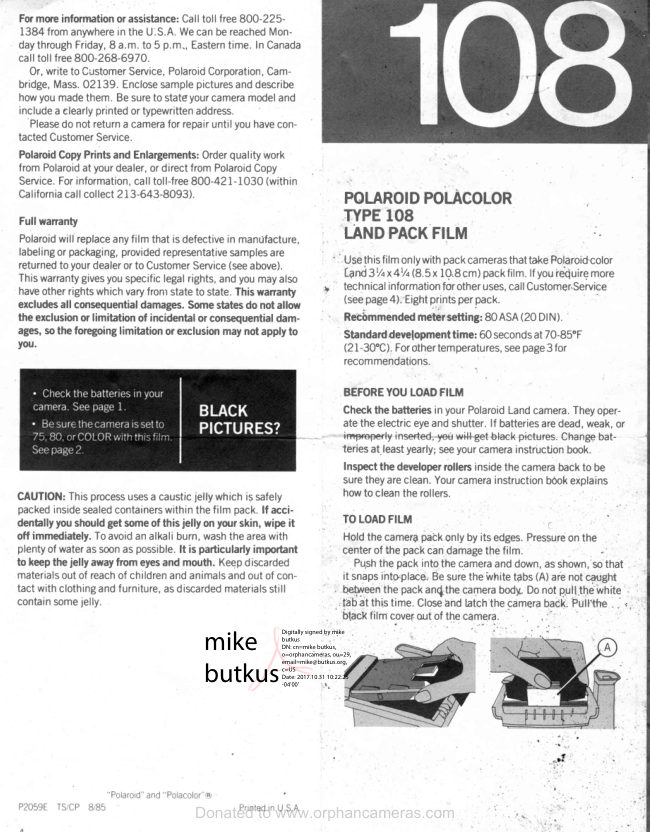
Polaroid 108 film information
User manual
5 pages · EnglishRead →
PolaroidPDF
Polaroid 110A
User manual
30 pages · EnglishRead →
PolaroidPDF
Polaroid 125
User manual
23 pages · EnglishRead →
PolaroidPDF
Polaroid 135
User manual
25 pages · EnglishRead →
PolaroidPDF
Polaroid 210
User manual
27 pages · EnglishRead →
PolaroidPDF
Polaroid 215
User manual
25 pages · EnglishRead →
PolaroidPDF
Polaroid 225
User manual
29 pages · EnglishRead →
PolaroidPDF
Polaroid 230
User manual
28 pages · EnglishRead →
PolaroidPDF
Polaroid 240
User manual
27 pages · EnglishRead →
PolaroidPDF
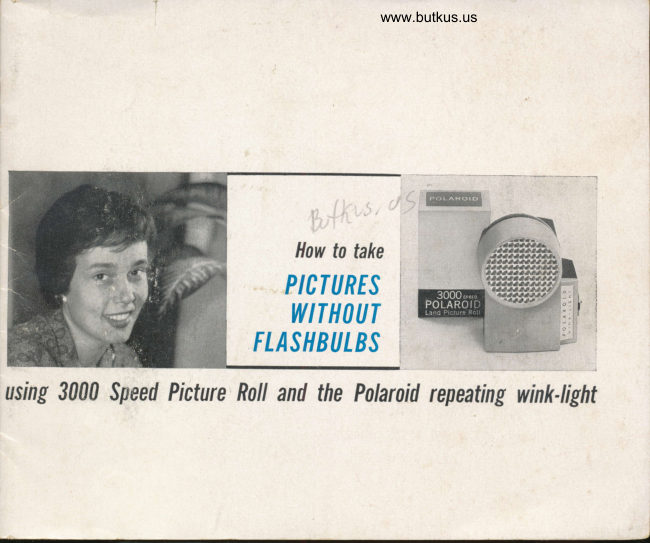
Polaroid 3000 Wink Flash
User manual
13 pages · EnglishRead →
From the M. Butkus archive. Original publisher and archive notices are retained.
Check the model and edition against your equipment.
PDF verified 2026-10-10.