Film cameras
Polaroid Automatic 104 User manual
User manual for Polaroid Automatic 104. 41 pages in English. Read the original PDF, download or print a copy without registration.
41 pagesEnglish5.6 MB PDF
Loading your manual…Open PDF directly
Document details
- Brand
- Polaroid
- Model / document
- Polaroid Automatic 104
- Document type
- User manual
- Language
- English
- Pages
- 41
- File size
- 5.6 MB
- Category
- Film cameras
- Document date
- Not specified in catalog
Search available document text
Find a term, then jump to its page in the original PDF. Image-only pages may not be searchable; check the PDF for exact wording and diagrams.
Page 3 · Read text
CONTENTS

GettingAcquainted
                                            Page        f f no yellow tab pops out                                                       . ZO
lntroduction                                         2    Checkthe temperature! lt's important               2L
How to open the camera                              3   How to make daylight pictures lighter or darker              . 22
How to close and cover the camera      .                  4    Black and white prints must be coated               23
How to hold the camera                               5    Troublesomelighting situationsto avoid .    .          24
How to focus for sharp pictures                        6    Using3000 speed black and white fitm in dim daylight. 25
Beforeloadingfilm, practicethe !,2,3  system          8    F f a s h p i c t u r e s . .                                                                 . 2 6
                            M iscellan eous
Operatioh   (see the red-edged pages)                                            Some helpful accessories .                         27
How to load a film pack                               9    You must take care of your camera                                    . 28
How to set the camera for 30OOspeed film            12    Picturetroubles,their cause and cure                30
Tips for good daylight black and white pictures        13   How to use the Cold-Clipwith color film               34
How to set the camera for color pictures              L4    Protect film and camera from heat .                  36
Tips for good daylight color pictures                 15   Where to write for information                                            . 36
How to take a picture                              16    Warranty                                       36
How to develop the print                           18     List of repair stations                             37


                             www.orphancameras.com
View original page 3Page 5 · Read text
HOWTO GET THE MOSTOUT OF THIS CAMERA

  This is one of the world's easiest-to-usecameras, once    read carefully the instructionsheet packed with your film.
you understand a few simple techniques. However, it  is   Those instructionsmay change from time to time, so it's a
very important that you learn the basic operating steps or   good idea to review the film instructionsheet occasionally.
you're bound to waste film and money and be disappointed    As a quick guide to help you get a good picture everytime,
with your picture results.                                 here are seven helpful hints. They're important.
  With this camera, snap all your outdoor pictures in bright     1.. . In daylight pictures always have the light on the subject
daylight, shoot all indoor pictures with flash.               coming from behind you.  For best color picturesplaceyour
                                                         subjectsin bright sunshine.
  Before you load your camera with film, please be sure to                                                                   2. Move in close, to get a big image in the print.read carefullythe first two sectionsin this booklet: Getting
Acquainted, and Operation (the red edged pages). As you     3. Ghoosecolorful subjects for your color pictures.
read the text and look at the pictures, go through all the     4.  Pick a good background,particularlywith flash.motionsof using the camera-  without film.                                                                    5.  Pull the tab correctly.
 Once you get the simple operating routine down pat, load                                                                    6. Time development carefully.a film pack. We suggestthatyoustartwith 300Ospeedblack
and white film. Pleaserememberthat eventhe finest camera    7.  Keep an eye on the temperature.
and film need some help from the photographerif they are     Asyou go throughthis bookletyou'llfind these sevenpoints
to producegood pictures. That help can be summed up in    explainedin detail. They can make the differencebetween
one sentence:Plan and think before you shoot. As a starter,    getting good picturesand poor ones.


                            www.orphancameras.com
View original page 5Page 6 · Read text
HOWTO OPENTHE CAMERA                          GETTINGACQUAINTED


1. To unlatchcover,press0n centerof top.         2. Youcanlet coverhangdownor                       to removeit, pushspring(arrow)andlift"


4. RarsebuttonNo^1; this unlockscamerafront.    5. Pullcameraf rontoutasfar as it will go.

P H O T O 5 ,  I M P O R T A N T : B e s u r e t o p u l l t h e c a m e r a f r o n t o u t            i n t o p l a c e .  l f  t h e f r o n t  i s n ' t f u l l y o u t a n d  l o c k e d ,y o u r p r i n t s
u n t i l t h e r e i s a d e f i n i t ec l i c k a n d t h e  l o c k i n gb a r ( a r r o w )s n a p s   w i l l c o m e o u t a l l b l a c k , o r b a d l y b l u r r e d .

                This booklet is designed to fit neatly inside the cover, under a s p r i n g c l i p  ( p h o t o 2 ) .
View original page 6Page 7 · Read text
HOW TO CLOSEAND COVERTHE CAMERA


  P r e s s d o w n o n t h e  l o c l < i n gb a r . T h i s          lf you have removedthe cover:to re-     Swing the cover up.  Press the top
r e l e a s e s t h e f r o n t o f t h e c a m e r a . P u s h    place it, slide the hinge down over the    centersectionunderthe finder housing
i l r e f r o n t i n a l l t l r e w a v u n t i l i t  l o c k s .      lock springuntil it sn a p si n t o p l a c e .      s o i t  l a t c h e ss e c u r e l y ,
                   When storing the camera be sure that nothing presseson the No. 2
                          b u t t o n ;   i f   i t ' s depressed even slightly, the battery may be drained.                             www.orphancameras.com
View original page 7Page 8 · Read text
HOW TO HOLD TH E CAMERA                           GETTINGACQUAINTED


  H o R I z o N T A L : G r i p t h e t w o e n d s . P l a c e y o u r f o r e fi n g e r s o n     V E R T I C A LG: r i p t h e c a m e r a a s y o u w o u l d  f o r a h o r i z o n t a l
t h e N o . 1 b u t t o n s ; y o u c a n e a s i l y s h i f t t h e r i g h t f o r e fi n g e r t o    p i c t u r et,u r n i t s o y o u r r i g h t h a n d i s b e l o w . B r a c e t h e c a r n e r a
N o . 2 b u t t o n . T o s t e a d y t h e c a m e r a , p r e s s y o u r e l b o w s i n t o    a g a i n s yt o u r f o r e h e a da n d f a c e .
y o u r r i b s ; r e s t t h e e a m e r a a g a i n s t y o u r n o s e ,
View original page 8
Page 9 · Read text
HOW TO FOCUSFOR PICTURESOF PEOPLE


1 . H o l d r n gt h e c a m e r a h o r i z o n t a l ,l o o k    2 . P l a c e t h e  t o p w h i t e  l i n e ( r e d h e r e )    3 . M o v e  t h e N o .  l  b u t t o n s b a c k a n d
a t y o u r s u b l e c t t h r o u g h t h e f i n d e r . P u t     a t  t h e  t o p o f y o u r s u b j e c t ' s f o r e h e a d .        f o r t h  t o p l a c e t h e m o v i n g  l i n e a t  t h e
y o u r f o r e f i n g e r so n b o t h N o . I b u t t o n s ,  W i t h s m a l l c h i l d r e n ( 1 - 3 y e a r s ) p l a c e    b o t t o m o f y o u r s u b l e c t ' s c h i n .
a s s h o w n , a n d p u s h t h e m a l l t h e w a y        t h e  t o p  I i n e a t  t h e t o p o f t h e h e a d .                         i f t h e  i i n e s w o n ' t s e p a r a t ef a r e n o u g h
t o  t h e  l e f t . F o r v e r t i c a l p i c t u r e s ,f o c u s                                                                                               t o  f r a m e  t h e s u b l e c t p r o p e r l y , y o u ' r e
w i t h  t h e c a n r e r a h o r i z o n t a l ,t h e n  t u r n                                                                                                t o o c l o s e ; b a c k u p a b ! t .
i t t o a r r r a n d s h o o t .                                                              T h e  r n s i d e p o r n t s o f  t h e d i a m o n d s
6                            www.orphancameras.com       o u t l i n e t h e p i c t u r e a r e a .
View original page 9
Page 11 · Read text
BEFORELOADINGFII-M, FRACT|EETHE ]., 2, S SYSTEM

                                                                                                                                                   liliw


 O N E i s f o r f o c u s i n g .L o o k t h r o u g h t h e      T W O i s f o r s h o o t i n g . P r a c t i c ep r e s s t n g      T H R E E i s  f o r  r e s e t t i n g . R i g h t a f t e r
f i n d e r a t s o m e o n e n e a r b y a n d p u s h t h e         t h e N o . 2 b u t t o n s l o w l y u n t i l t h e s h u t t e r     s n a p i ' r i r r ga p i c t u r e , a l w a y s p u s h d o w n
N o . 1 b u t t o n s a l l  t h e w a y  t o  t h e   l e ft "     c l i c k s . I n c l i m l i g h t h o l d N o . 2 d o w n a n c l    N o . 3  b u t t o n f i r m l y u n t i l  i t   l o c k s a n d
P l a c et f r e t o p r a n g e fi r r d e rl i r r ea t t l r e t o p     s t a y v e r y s t i l l u n t i l y o u h e a r t h e s e c o n c l     s t ' a y sd o w n . T l r i s r e s e t s t h e s h u t t e r f o r
o f y o u r s u b l e c t ' s f o r e h e a r d . P r a c t i e e      r ; l r e k a, s  t h e s h u t t e r c l o s e s . 1 - h e t ry o , ,          t h e n e x t p i c t u r e .     l f  , y o u d o n ' t  r e s e t
pushrng tl'rr,.No  1 buttorrs tci place tirr:     c a r r m o v e a n i l  l e t N o . 2 L r p .  l f n o t f t t t r g   N o . 3 b u t t o n , v o u w o t - t ' tb e a b l e t o s h o o t
m o v i n g   l i n e a t   t h e  b o t t o m o {  y o L r r    h a p p e n sw h e n y o L rp r e s s N o 2 , p r e r h a p s    y o u r n e x t p r c t u r e ; n o t h i n g w i l l  l r a p p e n
SubJec;t''i(lhrt'l.                                yr,!uforh,ot.tii re.-s+.tlNr.t..J trtgftt,).         w l r r : r tv r r u p r e s s N t > .2  l . r t l t i o n .
I                            www.orphancameras.com
View original page 11Page 12 · Read text
LOADING:OPEN THE FILM PACKAGE                              OPERATION


 O p e n t h e  t o p o f  t h e b o x . W i t h c o l o r f i l m  t h e r e ' s a s e t o f   m i d d l e o f  t h e p a c k a g e . S t a r t i n g a t t h e c o r n e r , t e a r o p e n t h e
m o u n t s : v , , i t l br l a c k a n d w h i t e f i l m t h e r e ' s a c o a t e r . R e m o v e    e n t i r e s i d e o f  t h e p a c k a g e a l o n g t h e d o t t e d  l i n e . W h e n t h e
t h e s e a n d t h e  i n s t r u c t i o ns h e e t ( p l e a s e r e a d i t ) . P u l l o i r t t h e     s i d e  i s o p e n , r i p a p a r t t h e  f r o n t a n d b a c k o f  t h e p a c k a g e .
f i l m p a c k a g e . H a n d l e i t g e n t l y , c a r e fu l l y . S a v e t h e b o x t o     L i f t o u t t h e p a c k . D i s p o s eo f t h e  l i t t l e p a c k a g e o f s i l i c a g e l .
c a r r v p r i n t s i n s a f e l y . l t a l s o c a n b e v e r y u s e fu l w h e n c o a t i n g   A l w a y s h a n d l e  t h e p a c k b y  t h e e d g e s o n l y .
b l a c k a n d w h i t e p r i n t s .                                    A l w a y s o p e n  t h e p a c k a g e a n d  l o a d f i l r n  i n  t h e s h a d e , n o t
  H o l d t h e p a c k a g en e a r t h e e d g e s . D o n ' t p r e s s h a r d o n t h e            i n d i r e c t s u n l i g h t , t o a v o i d f o g S i n g t h e f i l m "
View original page 12
Page 13 · Read text
LOADING(Cont.)

          A
1. Pushtltebackdooriatch, thedoor,ryillrlopun      2. 0penit all the r,nray.Are the rollersr arrow)    3 . Holdthefilm packby theedgesas shown,
                                             c l e a nl ?f n o t c.  l e a tnh e ma s sltownon page28.    andpushtheclosederrdof thepackunderthe
                                                                 door hrngeagainstspringtension.


4. Puslrthepackdownintotlrecante(zYou'll     5. & 6. Be surethe whitetabsarefreeandnotfoldedunder.Closethebackdoor.Pressbotlrsides
leelit snapirtoplace                         firmlvto besurethatbothsideslatch.Theblacktabof thesafetycovernruststickoutof thesmallslot.
                                                                     lf rrot,reopentheback.leadthetahout.
10                           www.orphancameras.com
View original page 13Page 14 · Read text
7 . & 8 . P u l l t h e s a f e t y c o v e r a l l t h e twh ae yc oa umt eo rf a w r t h o u t s tDo op np 'i tnr gi p. r t "                       9. With the safetycoverout, the irrhite
                                                                                                                                                                                         t a b   i a r r o w ) s h o u l d s t r c ko u t o {   t h e
                                                                                                       s m a l ls l o t N o . 4 t . D o n ' t p u l l t h e w h i t e
                                                                                              tab You'renow readyfor lhe frrstpicture.
IF NO WHITE TAB APPEARS
                                                                                      ffi


lf there'sno whitetab to pull,    0penthebackof thecamerapart way and,wrtlrout     Closethe backof the camera,makrngsurethat both
do the followingin the shadeor      drsturbrnsor movinqthefilnrpack,pushthe rnrlrrte    sidesarelockedsecurelyand tirernrhrtetab is outside
indoors,notin thebrightsun.          iaboutintothecpen,                                    in the No.I slot"

                                                                                                           L 1
View original page 14Page 15 · Read text
HOW TO SET THE CAMERAFOR 3OOOSPEEDF!LM


  S e t t h e F i l m S e l e c t o ra s s h o w n f o r b l a c k a n d w h i t e n i c t r r r e s      S e t t h e w h i t e d o t o n t h e L i g h t e n l D a r k e n ( L / D ) c o n t r o l n e x t
w i t h 3 0 0 0 s p e e d f i l m                                                                                         t o t h e a r r o w .a s s h o w n T h i s i s t h e N o r m a l p o s i t i o n .

L 2                            www.orphancameras.com
View original page 15
Page 16 · Read text
TIPS FORGOODDAYLIGHTBLACKAND WHITE PICTURES               OPERATION


  usE BR|GHT,EVENL|GHT,COMTNGFROMBEHTNDYOU:   try to get somethingbig and solid lookinginto the foreground
Placeyourselfso the light on the subject is coming over your    to help fill the print and add a feelingof distance.
shoulder. Don't have the subject betweenyou and the sun.
For portraitsyou'll get best results when a cloud blocks the     TIME DEVELOPMENTCAREFULLY:Followthe recommen-
                                                         datiqns in the film instruction sheet. These may changedirect sun, or on an overcastbut bright day, or in open shade.
  For scenic pictures,avoid high overheadsun, shoot with    from time to time. With black and white film no harm is                                                   done if you overdevelopfor a few extra seconds; in fact, i!the light comingfrom behindyou and from the side.
                                              may improve some pictures. However,if you developfor less AVOID DIM LIGHT: The shutter moves slowly and your                                                       than the recommendedtime, your pictures will be of poor
picture may be blurred. But if you are using 30OOspeed    quality,with a gray, washed-outlook.film and must make a picture without flash in dim light,
follow the suggestionson page 25.                    KEEPAN EYE ON THE TEMPERATURE:Cold weathercan
 WATCHTHE BACKGROUND:The light on the background,   affect the quality of your pictures. Be sure to read page
behind your subject, should be just about as bright as the    21, which explainshow the temperatureaffectsyour pictures
light on the subject. Don't photographsomeonein the shade   and what to do about it.
if the backgroundis out in the open and brightly lit. Strong      lF YOURPICTURElS TOO DARK OR TOO LTGHT: Use the
light behind the subject will "fool" the electric eye (page24).    L/D control as shown on page 22 to make the next one of the
 MOVElN CLOSE: The bigger your subject is in the print,   same subject, in the same locationand lighting conditions,
the more details you'll be able to see. For scenic pictures,   come out exactly as you want it to.

                               Never try to use flash with daylight pictures.
View original page 16Page 18 · Read text
TIPS FORGOODDAYLIGHTCOLORPICTURES                       OPERATION

  USE BRIGHTSUN, COMING FROM BEHIND YOU: You'll   your subject isn't wearing colorful clothes, add color with a
 get strongestcolors if your subject is in bright sun (but you    bright shirt, scarf, or jacket. Or, find a colorful background
can also get pleasing results on an overcast but very bright      -  anythingthat will fill at least one-thirdof the picture area
day). Stand so the light on the subject is coming over your    with strong, solid color.
shoulder.Don't have the subject between you and the sun.     TIME DEVELOPMENTCAREFULLY:Followthe recommen-
 AVOID DIM LIGHT: The shutter moves slowly and your    dations in the film instruction sheet. These may change
picturemay be blurred.                                   from time to time. Use an accuratetimepiece. lf you have a
 MOVElN CLOSE:The bigger your subject is in the print,    Polaroid DevelopmentTimer, check it occasionallyagainst
the more color and detail you'll be able to see. For scenic   a watch with a second hand; if it's fast or slow, allow for this
pictures,try to get something big, solid looking,and colorful   when developingyour pictures. A few seconds overdevelop-
intothe foreground.                                   ment is not harmf ul, but prints that are much overdeveloped
 FOCUSCAREFULLY:Focuson the main subject. lt will be   may look too bluish;those that aren't developedlong enough
sharp, but oblects much farther or nearer than the subject     will havea pinkishcast and the colorswill be weak.
may be tuzzy.                                   KEEP AN EYE ON THE TEMPERATURE:Cold weather or
 WATCHTHE BACKGROUND:The light on the background   excessive heat can affect the quality of your pictures. Be
should be just about as bright as the light on the subject.   sure to read page 21, which explains how the temperature'
Don't photographsomeone in the shade if the background   affectsyou r pictures and what to do about it.
is out in the open and brightlylit. The strong light behindthe       lF YOUR PICTURElS TOO DARK OR TOO LIGHT: Use the
subjectwill "fool" the electric eye (see page24).               L/D control as shown on page 22to make the next one of the
 HAVE PLENTY OF COLOR: Look for subjects and back-   same subject, in the same location and lighting conditions,
grounds with strong, bright colors in big, solid chunks. lf   come out exactlyas you want it to.

                              Never try to use flash with daylight color pictures.

                                                                                                   15
View original page 18Page 20 · Read text
OPERATION


                                                                 ?     R E S E T : l m m e d i a t e l y a f t e r s n a p p i   a p i c t u r e , p r e s s
                                                                 a /     N o . 3 b u t t o n d o w n f i r m l y u n t i l i t  l o    a n d s t a y s d o w n .
j a b a t N o . 2 -  y o u m a y s h a k e t h e c a m e r a . W h e n s h o o t i n g    T h i s r e s e t st h e s h u t t e r s o y o u ' l l b e r e a d y f o r t h e n e x t p i c t u r e .
c o l o r i n t h e s h a d e o r b l a c k a n d w h i t e i n d i m  l i g h t , h o l d N o . 2    A l w a y s r e s e t N o . 3   r i g h t a w a y ;  t f y o u d o n ' t , n o t h i n g w i l l
d o w n a n d d o n ' t m o v e u n t i l y o u h e a r a s e c o n d c l i c k a s  t h e     h a p p e n n e x t t i m e y o u p r e s s N o . 2 b u t t o n t o s h o o t .
s h L r t t c c' rl o s e s . T h e n  l e t N o . 2 b u t t o n c o m e u p .
                                                                                                L7
View original page 20Page 21 · Read text
TO DEVELOPTHE PRiNT
                                             \
                                                    +,


                                                                                                                                                                                i:    .:           '    ..'t:r,'t ti'_ain+;i,&t
F t r s tt ,h e s m a l wl h r t et a b . P u l li t a l l t h e w a vo u to f t h e c a m e r a . Don'tblockthedoor(arrow)          Next,the largeyellowtab.

                                                                                                                                                                        l f n o y e l l o w t a b p o p s o u t w h e n y o u p u l l t h e w h i t e t a b , s t o p .
                                                  D o n ' t p u l l a n o t h e r w h i t e t a b .  P a g e 2 A s h o w s y o u w h a t t o d o
s m a l l w h i t e t a b b e t w e e n t h e  t h u m b a n d  f o r e f i n g e r a n d p u l l            i n  t l r i s s i t u a t i o n .
 i t s t r a i g h t o u t o f  t h e c a m e r a , a l l t h e w a y , w i t h o u t s t o p p r n g .    N e v e r p u l l a w h i t e  t a b w h e n y o u c a n s e e a y e l l o w t a b .     l f
W h e n y o u p u l l  t h e w h i t e t a b o u t , a c o n c e a l e d d o o r  ( a r r o w )    y o u d o s o a c c i d e n t a l l y d, o n ' t p u l l t h e y e l l o w t a b s t h a t a p p e a r
o p e n s a n d a y e l l o w t a b p o p s o u t . D o n ' t b l o c l <t h i s d o o r  l n     o r y o u ' l l s p r e a d d e v e l o p e r a l l o v e r t h e  r o l l e r s .  I n s t e a d , a s      \
a n y w a y w h i l e p u l l r n gt l r e t a b s .                                      s h o w n o n p a g e 2 A , c a r e f u l l y o p e n t h e c a m e r a b a c k , c 1i s e n g a g e
  P r - r l l i n tgh e s m a l l w h r t e t a b d o e s n o t s t a r t d e v e l o p m e n t .        t h e t a b s f r o m  t h e t a b s l o t a n d r o l l e r s , r e m o v e t l r e t w o p i c t u r e
I t o n l y p r e p a r e st h e  f r l m f o r t h e n e x t s t e p , w h i c h i s p u l l i n g    a s s e m b l i e s ,a n d c l o s e t h e b a c k .
t h e y e l l o w t a b . G r r p t h e y e l l o w t a b   i n  t l r e c e n t e r s o  i t w i l l    W h e n y o u p u l l t h e y e t l o w t a b , h o l d t h e c a m e r a s o t h e  l e n s
c o m e o u t s t r a i g h t w h e n y o u p u l l  i t o r - r ot f t h e c a m e r a      l f y o u         f a c e s s t r a i g f r ta h e a d o f y o u , n o t p o i n t i n g d o w n . T h i s , p l u s
p u l l t n e y e l l o w t a h o u t a t a n a n g l e . o n e e d g e o f y o L t rp i c t u r e ,   g r i p p r n g t l r ec e n t e r o f t h e t a b , h e l p s y o u t o p u l l i t r . l u st t r a i g h t .
n r a y n o t c te v e l o p l r r o p e r l i i .
1 8                            www.orphancameras.com
View original page 21Page 22 · Read text
PULL STRAIGHT,PULL SWIFTLY                                  OPERATION


Pullit straightout of the camera,swiftly. Begintimingdevelopment.        Liftoffthewhiteprintquickly.      Foldup the negative.

  P u l l t h e y e l l o w t a b s t r a i g h t o u t o f  t h e c a m e r a a l l  t h e w a y ,     A f t e r t h e r e c o m m e n d e d d e v e l o p m e n t t i m e , q u i c k l y s t r i p t h e
s w i f t l y , w i t h o u t h e s i t a t i n g . T h i s s t a r t s d e v e l o p m e n t o f y o u r    w h i t e p r i n t o f f t h e b r o w n p a p e r s t a r t i n g f r o m t h e e n d n e a r e s t
p i c t u r e ,s o b e g i n t i m i n g a s s o o n a s y o u g e t t h e t a b o u t . H o w         t o  t h e y e l l o w t a b . A c o l o r p r i n t w i l l  l o o k n e a r l y d r y , b u t d o n ' t
f a s t i s a s w i f t p u l l ?   l t s h o u l d t a k e a b o u t a s  l o n g a s  i t  t a k e s         t o u c h  t h e  f a c e f o r a  f e w m i n u t e s .    l t w i l l h a r d e n t o a  t o u g h ,
y o r -tro s a y " P U L L   l T " b r i s k l y , e a c h t i m e y o u p u l l t h e t a b .   l f     g l o s s yf i n i s h . W h e n i t  i s d r y , m o u n t  i t o n a c o l o r p r i n t m o u n t ,
y o u r p i c t u r e i s f u l l o f w h i t e s p e c k s , p u l l a b i t s l o w e r .          w h i c h i s s u p p l i e dw i t h t h e f i l m .
  T h e p i c t u r e d e v e l o p s o u t s i d e  t h e c a m e r a . W h i l e   i t ' s d e -     D o n ' t t o u c h  t h e  f a c e o f b l a c k a n d w h i t e p r i n t s . Y o u m u s t
v e l o p i n g , h o l d t h e  t a b b y  t h e y e l l o w t i p , o r   l a y t h e p i c t u r e     c o a t t h e m  t o p r e v e n t f a d i n g a n d o t h e r d a m a g e ( s e e p a g e 2 3
a s s e m b l yd o w n f l a t . D o n ' t t o u c h o r b e n d t h e w h i t e p a p e r o r         f o r h o w t o c o a t p r i n t s ) .
l i f t i t o f f . O u t d o o r s ,d o n ' t  l e t t h e p i c t u r e a s s e m b l y f l a p  i n t h e      T o a v o i d c o n t a c t w i t h c h e m i c a l s  l e f t a f t e r t h e p r i n t   i s  r e -
b r e e z e . D e v e l o p t h e p i c t u r e i o r t h e  f u l l t i m e  r e c o m m e n d e d   m o v e d , f o l d u p  t h e n e g a t i v e w i t h  t h e m o i s t s i d e  i n . P l e a s e
i n t h e f i l m  i n s t r u c t i o ns h e e t .                                    o u t  i t  i n a w a s t e b a s k e t o r f r l m b o x . D o n ' t b e a  l i t t e r b u e !

                           eheck the temperaturel [trs irnportant" $ee page 2L,                                       I.9
View original page 22Page 23 · Read text
IF NO YELLOWTAB POPSOUT WHENYOUPULLTHE WHITETAB, STOP!


  D o n ' t p u l l a n o t h e r w h i t e  t a b .     I n s t e a d , g e n t l y o p e n  t h e     o r   i n  t h e s h a d e . W h i l e h o l d i n g t h e p a c k d o w n   l i g h i l y w i t h a
c a m e r a b a c k  j u s t e n o u g h t o g e t o n e  f i n g e r u n d e r  i t  t o h o l d        f i n g e r t i p ( p i c t u r e a t  l e f t ) s l o w l y o p e n t h e b a c k a l l t h e w a y a n d
d o w n  t h e  f i l m p a c k a n d k e e p   i t   i n p l a c e . D o  t h i s   i n d o o r s        t a k e h o i d o f  t h e  t o p m o s t y e l l o w P U L L t a b , a s s h o w n a b o v e .


 G e n t l y p u l l t h e e n t i r e pictu re assembfy all the way out of     C l o s e t h e b a c k o f  t h e c a m e r a ,  f f i o k i n g s u r e  t h a t  t h e n e x t
t h e p a c k a n d d i s c a r d i t . Don't try to save it" While the hack    w h i t e t a b s t i c k s o u t o f t h e s m a l ! s l o t n e x t t o N o . 4 . c h e c k  t h a t
d o o r i s o p e n e h e c k t h a t the roilers are elean 1p. ?ffi),            hoth sirles of the f:ack latch secureIv
2 0                           www.orphancameras.com
View original page 23
Page 24 · Read text
CHECKTHE TEMPERATURE!IT'S IMPORTANT                      OPERATION
  Cold and heat have a great effect on the way your picture  HOW TEMPERATUREAFFECTSCOLORFILM
developsand on the print quality. Even moderatecold can     The normal developingtimes for color film are set for
ruinyour picturesunlessyou take precautions.              temperaturesof 70"F and warmer. When it's a bit cooler
 The important factor is the temperature of the camera    the action of the developerchemicalsslows down and you
and film at the time you're developing the picture.           must develop for a longer time. See the film instruction
                                                      sheet for more details.
 A loaded camera carried outdoors in cold weather for half    Whenthe temperaturegets to 65'F and below,the chemical
an hour gets thoroughlychilled.  lf you then enter a warm    action is so sluggish that the picture won't develop wellhouseand a few minutes later shoot a flash color picture                                                         without help. That help is the Cold-Clip(page 34).  Prints
the resultsare likely to be bad.  lt takes a long time for a    developedin colC weather without using the Cold-Clipwill
coldcameraand film to warm up.                                                   be dark, with muddy colors.
  However,if camera and film are indoors and warm, you     Whenever it's cool enough so that you must wear warm
can step outsideto snap the children in the snow, pop back    clothes, use the Cold-Clipfor all color pictures.
in againin a minute and developthe picturenormally.            You'll get your best colors in pictures made in pleasantly
  In cool weather,developmenttimes may haveto be adjust-   warm weather.
ed accordingto the temperature.The instructionsheet with      But when you're swelteringand can think only of a cool
eachfilm pack containsdetailed informationabout develop'    drink and a swim, it may be too hot for best resultswith color
menttimes and temperatures.Be sure to read these recom'    film; your prints may show weak colors.
mendations;they may changefrom time to time.         HOW TEMPERATUREAFFECTSBLACK AND WHITE FILM
  In very hot weather there is a greater tendency for chemi'     The film's normal range of developingtimes gives good
calsto be squeezedout of the edges of the picture assembly    results in temperaturesof 60'F and above.
as you pull the yellow tab to begin development. lf these    When the temperaiure of film and camera is below 6O"F,
chemicalscollect on the steel rollers they can cause defects   develop for a longer-than-normaltime.  For details see the
in your prints (page 32).  So, when it's hot, be extra careful    film instructionsheet.
to keep the rollers clean (page 28).                         Never use the Gold-Glipwith black and white film.
                                                                                               2 L
View original page 24Page 25 · Read text
HOW TO MAKE DAYLIGHTPICTURESLIGHTEROR DARKER


Thisrswellexposed. . . leavetheLi D controlhere.         l f i t ' st o oi r g h t . . .s e tt h eL 1 ' Dc o n t r ohl e r e .                      l f i t ' st o od a r k . . . s e tt h eL , D c o n t r ohl e r e .
                                                            re


 M o s t p i c t u r e s m a d e w i t h t h e  l i g h t c o m i n g f r o m b e h i n d y o u         t h e L / D c o n t r o l a s s h o w n . T o m a k e a s m a l l c h a n g e , t u r n o n l y
o r f r o m t h e s i d e w i l l b e w e l l e x p o s e d w i t h t h e L I D c o n t r o l a t         t o  t h e f i r s t s m a l l m a r k . O n s o m e c o l o r f i l m p a c k s y o u m a y f i n d
N o r n r a lp o s i t i o n ( l e f t , a b o v e ) , b u t s o m e t i m e s y o u m a y p r e f e r     a p r i n t e d i n s t r u c t i o n a d v i s i n g y o u  t o s e t  t h e L / D c o n t r o l o n e
a  l i g h t e r o r d a r k e r p r i n t . T o  l i g h t e n o r d a r k e n t h e n e x t p r i n t     d o t  t o w a r d L i g h t e n f o r a l l p i c t u r e s m a d e w i t h t h a t f i l m p a c k .
o f t h e s a m e s u b j e c t , i n  t h e s a m e  l i g h t i n g c o n d i t i o n s , a d j u s t    P l e a s e f o l f o w t h o s e s u g g e s t i o n s .
                    T o  l i g h t e n o r d a r k e n f l a s www.orphancameras.comh p i c t u r e s : s e e the instruction booklet for the flashgun.2 2
View original page 25Page 26 · Read text
BLACKAND WHITE PRINTSMUST BE COATED                      OPERATION

  B l a c k a n d w h i t e o r i n t s s h o u l d b e c o a t e d a s s o o n a s   i t  i s
c c i r v e n i e n tt o d o s o -  w i t h i n t w o h o u r s ,  i f p o s s i o i e . C o a t i n g
p r o t e c t st h e  f a c e o f  t h e p r i n t  f r o m  s c r a t c h e s , f i n g e r p r i n t s ,
a n d f a d i n g .
    I r r e a c h b l a c k a n d w h t t e f i l m b o x t h e r e ' s a  t u b e c o n t a i n i n g
a c o a t e r . T h i s   i s a  r r u a do f a b s o r b e n t m a t e r i a l s o a k e d w i t h
a c l e a rl i q u i d ; i t ' s i n a p l a s t i ch a n d l e .
  L a y t h e p r i n t , f a c e u p , o n a c l e a n s m o o t h s u r f a c e , s u c h a s
a p i e c e o f p a p e r o n a  t a b l e , a n d h o l d  i t d o w n b y o n e e d g e .
A n e m p t y f i l m b o x w i l l d o ; o p e n  t h e e n d s o f  t h e b o x a n d
p r e s s i t f l a t .
  R e m o v et h e c o a t e rf r o m t h e t u b e . S p r e a dt h e  l i q u i d s t r a t g h t
a w a yf r o m y o u o v e r t h e E N T I R E p r i n t , i n c l u d i n g t h e b o r d e r s '
U s e 6  t o B s t r a i g h t o v e r l a p p i n g s t r o k e s a n d m o d e r a t e p r e s -
s u r e . D o n ' t s c r a t c h t h e p r i n t w i t h t h e e d g e o f t h e c o a t e r . T o
g e t m o r e  l i q u r d o u t o f a p a r t l y u s e d c o a t e r , p r e s s  i t d o w n o n
t h e n e a r e n d o f  t h e p r i n t ;  t h e n s p r e a d t h e s q u e e z e d - o u t
 l i q u i da c r o s st h e f a c e o f t h e p r i n t .
  T h e c o a t i n g d r i e s q u r c k l y a n d f o r m s a t o u g h p r o t e c t i v e l a y e r
o v e r t h e r m a g e . F o r m o r e d e t a i l s a b o u t c o a t i n g s e e t h e f i l m
 i n s t r u c t i o ns h e e t . K e e p f r e s h i y c o a t e d p r i n t s a w a y f r o m e a c h
o t h e r , o r t h e y w t l l s t i c k t o g e t h e r .

NEVERTRYTO COATCOLORPRINTS!
                                                                                                 23
View original page 26Related documents and language editions
PolaroidPDF
POLAROID 220
User manual
37 pages · EnglishRead →
PolaroidPDF
POLAROID 350
User manual
53 pages · EnglishRead →
PolaroidPDF
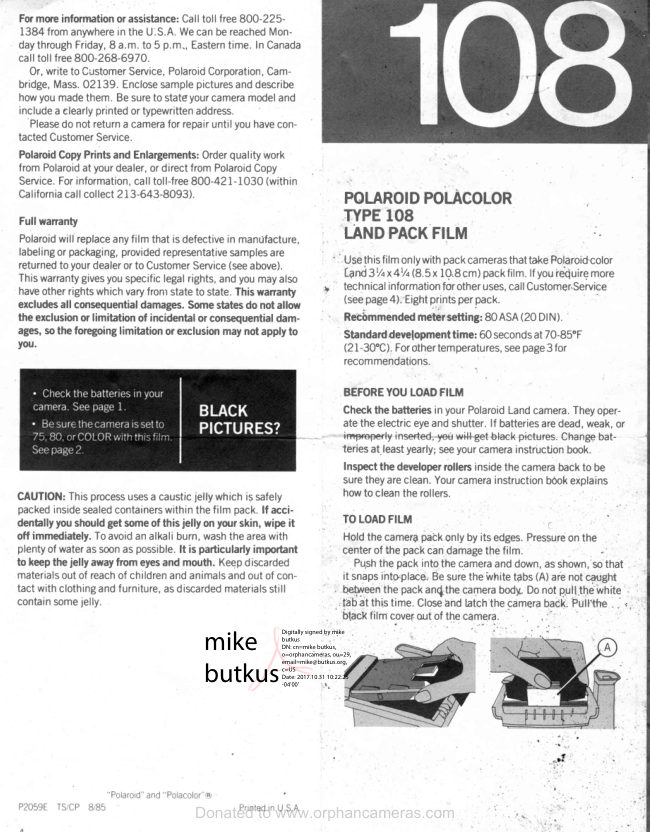
Polaroid 108 film information
User manual
5 pages · EnglishRead →
PolaroidPDF
Polaroid 110A
User manual
30 pages · EnglishRead →
PolaroidPDF
Polaroid 125
User manual
23 pages · EnglishRead →
PolaroidPDF
Polaroid 135
User manual
25 pages · EnglishRead →
PolaroidPDF
Polaroid 210
User manual
27 pages · EnglishRead →
PolaroidPDF
Polaroid 215
User manual
25 pages · EnglishRead →
PolaroidPDF
Polaroid 225
User manual
29 pages · EnglishRead →
PolaroidPDF
Polaroid 230
User manual
28 pages · EnglishRead →
PolaroidPDF
Polaroid 240
User manual
27 pages · EnglishRead →
PolaroidPDF
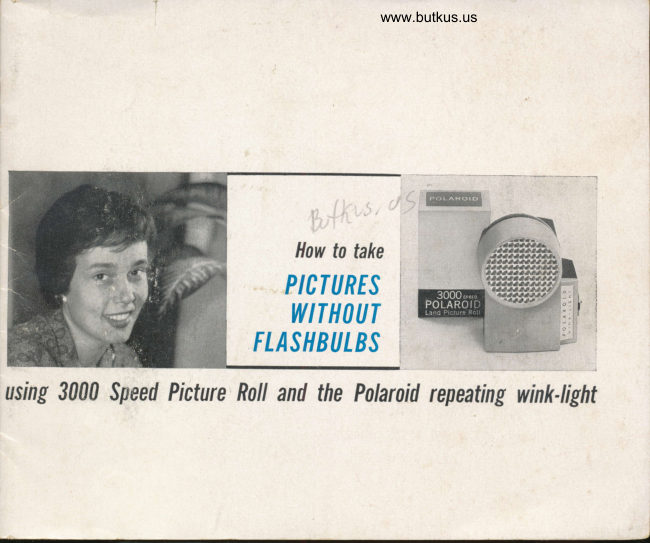
Polaroid 3000 Wink Flash
User manual
13 pages · EnglishRead →
From the M. Butkus archive. Original publisher and archive notices are retained.
Check the model and edition against your equipment.
PDF verified 2026-10-10.