Film cameras
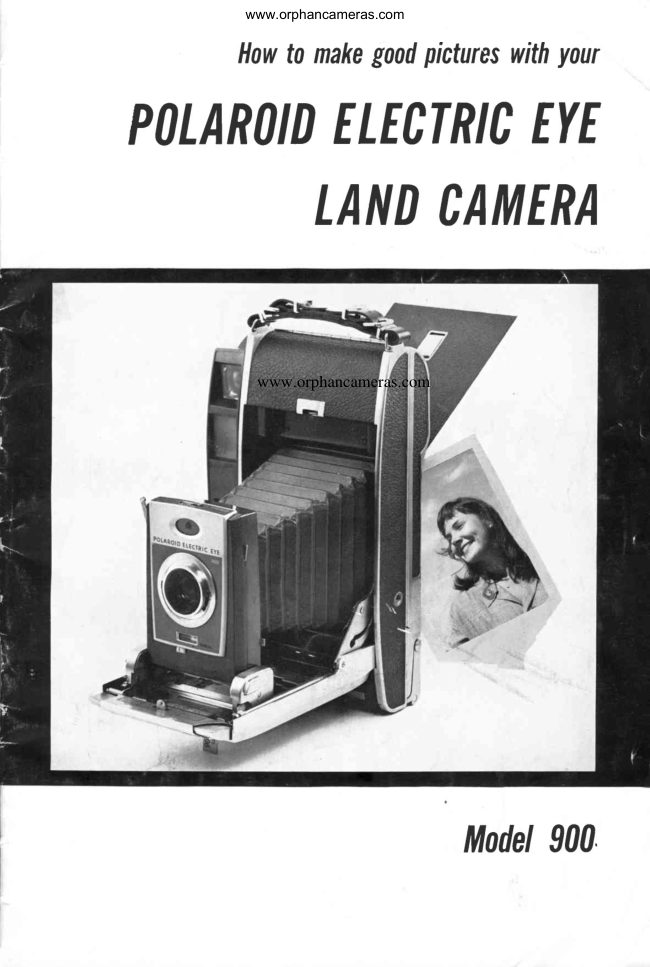
Polaroid Electric Eye Model 900 User manual
User manual for Polaroid Electric Eye Model 900. 24 pages in English. Read the original PDF, download or print a copy without registration.
24 pagesEnglish2.1 MB PDF
Loading your manual…Open PDF directly
Document details
- Brand
- Polaroid
- Model / document
- Polaroid Electric Eye Model 900
- Document type
- User manual
- Language
- English
- Pages
- 24
- File size
- 2.1 MB
- Category
- Film cameras
- Document date
- Not specified in catalog
Search available document text
Find a term, then jump to its page in the original PDF. Image-only pages may not be searchable; check the PDF for exact wording and diagrams.
Page 2 · Read text
www.orphancameras.com

PoL^;;; ;'; ;; ;;;; ;. E';;
     LANDCATIIER


               www.orphancameras.com


                   trtrodel900
View original page 2Page 3 · Read text
www.orphancameras.com
 PLEASE
   Spend a few minutes reading this booklet
  before you take your first picture.
   Because the Polaroid Land Camera is
  the only camera in the world that takes
  and develops its own pictures, it  is unlike
  any other camera you have ever owned.
 We urge you  to read these instructions
  carefully -  not becausethe camera is diffi-
  cult to use, but becauseit is different.
    This brief instruction book (containing
  plenty of pictures) has been designed to
  acquaint you  with  the unique Polaroid
 Land Camera and to be kept as a handy
  guide.
   A few minutes now with  this booklet,
  practicing the operation of the camera, will
  help you take perfect pictures on your first
  roll.
   The two most important  points for you
  to understand about the Model 900 Elec-
  tric Eye Camera are eovered in detail on
  pages4 and 5. Read these pagesfirst.
   Pages6 through 14 tell you how to make
  a picture step by step from opening the                                                                      -','"  camera to developing the print.                                    I
   Pages 15 to 22 teII you how to take pic-
  tures in any situation and how to correct
  picture errors.

   Two Important Points          4
   Know the Camera. . .           6
     Openingand Closing......     6
      Using the Controls. .          7
      Focusing and Aiming.  . . . .          I
      Releasingthe Shutter. . . . .         I
     Selecting the Film                            I
    Loading the Camera. . .                  I
    Taking the Picture. . .         12
    Developing the Picture        13
    Coating the Print              t4
    Taking Outdoor Pictures. . . .    15
    Taking Indoor Pictures        16
    Taking Flash Pictures        17
    Making Time Exposures. . . .    18
    Making Corrections. . .       19
    Use of Filters               23
    Care of Battery              23
    Care of the Camera. . .        24
     Print Care.                24
    Copiesand Enlargements. . . .    24


.;:d s,r  *1       iie".                   ;*f;&li:&',*+t*tgii&ddiiu.i;:"
View original page 3Page 4 · Read text
www.orphancameras.com
        THESEARETHETWOMtlSTIMPORT


1. LEARNWHATTHEEYECANDO
   The micro-eye in the Model 900 "sees" the same seene the camera sees, measures its
brightness and sets the  shutter  and lens for  the  correct exposure.   It  is remarkably
accurate and will work wherever there is enough light  to record a picture on 3000 speed
film, even in a dimly  lit living room.  But  it needs your help in two ways:

  The Scene Selector (page 7) must be
set to tell the eye what kind  of  light   it
is using. Understandthis adjustment and
use it carefully, as described in detail on
pages19 and 20.

  The Problem Picture should be avoided.
This is the kind of picture in which a very
strong light source is in the viewfinder
scene, but  the subject is not  brightly
lighted. In sueh pictures the subject will
come out too dark, becausethe electric eye
is fooled by the strong surroundinglight.
Shown at right are three types of pictures
you should try to avoid.
  A. Avoid having a bare bulb close to
the subject. A shaded lamp, however,
would be perfectly all right.


  B. Avoid low angle shots, in which a
great deal of brilliant sky or sun forms the
backgroundfor your subject.


  C. Avoid indoor shotsin whieh a bright
window fills more than half of the scenein
your viewfinderfield.


4
View original page 4Page 5 · Read text
'                                www.orphancameras.com P0ll{TSF(lRYtIUTtl UNDERSTAND


    2. LEARNHOWTO HOLDTHECAMERA
        The camera is designed to be held and operated in a particular  way.  Other ways of
     holding it may make for awkward operation of the controls and may even lead to spoiled
      pictures. The camera is tailored to  fit your hand, and you  will  find that the right way
      of holding and operating   it  is also the easiest way.

       For Horizontal Pictures: Hold  it with
     your  left hand under the strap and the
     palm of your right hand on the front of the
    camera bed. The edge of your palm sup-
      ports the edge of the bed. Curl your last
     three fingers over the front  of the bed
     beneaththe shutter. Use your index finger
      to pressthe shutter releaseand your thumb
      to turn the focusing wheel.


       For Vertical Pictures: Leave your left
     hand under the strap. Cradle the bed of
      the camera in your  right hand.  Focus
      with your thumb, and then move your
     thumb forward to pressthe shutter release.


        Pulling the Tab: Again, leave yourleft
     hand under the strap, using your  right
     hand to pull the tab. This way of holding
      the camera will make the film "traek" eor-
      rectly and avoid tearing or sticking of
     the film.


                                    5
View original page 5Page 7 · Read text
www.orphancameras.com
 Using the Controls
  Spend a few minutes operating the con-
 trols on the Electric Eye 900. We will dis-
 cuss them in the same order you will use
them later when you take your first picture.
   "Electric" Setting. Set the control but-
 ton (A) to "electric" and leave it there for
 automatic exposuresettings using the elec-
 tric eye.You'llusethe"manual"settingonly
 for specialcircumstancesdiscussedlater.
   Film Speed Setting: Set the film speed
 by turning the dial (B) until the number
correspondingto the film speedis centered
betweenthetwored linesin thewindow (C).
  You can find the speed of the film you
are using in the Picture Tips which eome
packed with  it.  For example, for Polaroid                                     PoLARoroE!:!s]gj
3000 SpeedLand Picture Rolls, set 3000 in
the window. For Polaroid PolaPan 200,
set 200 in the window.


  Scene Selector: Tell the eye what kind
of light you are using by moving the scene-
selectorbutton (D). Indoors use the upper
scale(marked "indoors") and set to "day",
"night",  or "fluoreseent". Outdoors use
the lower scale,and set to "normal".   If a
picture comes out too light or too dark
becauseof strongly unbalanced lighting,
slide the button to the right to lighten, to
the left to darken.


  Cock the Shutter.  The cocking lever
(E) energizesthe electric eye and cocks
the shutter. Pressit down as far as it will
go. The end of the lever is painted red,
and when it is not cocked, you will see it
in the viewfinder. Incidentally, although
you can't take a picture without cocking
the shutter, the winkJight or flashgunwill
fire when the shutter-release is pressed,
even though the shutter is not cocked.

IMPORTANT  Cock the shutter at least
3 secondsbefore taking the picture.  This
gives the electric eye time to energizeand
becomestabilized on the correct exposure
setting.  If you trip the shutter less than
3 secondsafter eocking, exposures may be
erratic.
View original page 7
Page 8 · Read text
www.orphancameras.com
 Focusing and Aiming
   Your  Electric Eye 900 has a coupled
 rangefinder-viewfinder  system.  As  you
 look through  the window,  and  turn  the
focusing wheel in the camera eover, you
focus the camera on any subject from 3 feet
 to  infinity  and frame  it  correctly  at  the
same time.
  Hold  the eanrera as shown ancl look
 tlirough the rvindow in  the back  of the
camera. You  will see a triangular  1'ellorv
spot, and a rectangle of broken yellow Iines. 'l'he     triangular spot is your focusing guicle,
ancl the rectangular broken  lines are the
 viewfinding guide.
   Focusing: Aim  the camera at a person,
centering the yellow spot on the eyes or
ears. You  will see a double image within                       'I'urnthe yellow spot.        the focusing knob
until the two images blend into one sharp
image. When they coincide exactly, the
camera will be in focus for that distance.


                                            NotIn Focus
   Aiming:  When you  turn  the  focusing
knob, note that the area within the yellow
lines becomes larger or smaller, and shifts                        'l'heposition slightl.v.       closer the subject,
the less area there will be inside the lines.
    'l'his         viewfincler  optical  system  auto-
nratically  correets for  parallax and  field                                                    'l'hissize when  J-ou focus the camera.
means that the area within the yellow lines
will always show exactl;' what  will appear
in the finishecl print.  You shoulci always
frame your subject within these lines.

                                                          ln FocusAndCentered


Releasing the Shutter
  Cock the shutter, holcl the camera firmly
against 5'our faee as shown ancl press gently
on the  shutter  release. A  light,  steady
pressure is all that  is needed to release the
shutter.  Don't  punch   it    - use a steady
sclueezingpressure to avoid eamera motion.
I'ractice cocking and releasing the shutter
several times before you load the camera.
 It  will pay dividends in sharp pictures.
I
View original page 8Page 9 · Read text
www.orphancameras.com
SELECTINGTHEFILM
  At present,you will probably use either
 of two types of film in your Electric Eye
Land Camera: the Type 47 Polaroid 3000
SpeedLand Picture Roll, or the "L'ype42
Polaroid PolaPan 200 Land Picture Roll.
  Type 47 is the ideal film for the Electric
Eye Camera. This extremely light-sensi-
tive film will allow you to use the electriceye over its full automatic range, indoors  w
or outdoors,all day long.                     G$
  T.vpe 42 is an all-purpose film with an
ASA equivalent daylight speedof 200.  It
is somewhatlower in price than 3000speed
film, and produces pictures just as sharp
and clear. When used indoors at night, it
requiresthe use of flashbulbsand manual
exposuresettings. When used outdoors,
shutter speedswill be slower and focusing
more critical than with 3000 speed film.

LOADINGTHECAMERA
  Avoid  opening the  film  or loading the
camera  in  direct  sunlight,  because you
may fog the film.  Find some shade, or  if
none is available, turn  your  back to the
sun and shield the film with your body.
  When  you remove  the  film  from  the
box, save the  print  coater and  printed
Picture Tips which come with   it.   ('l'he
l'icture  Tips contain up-to-date  informa-
tion about the film and an order blank for
copies and enlargements.)
  To prepare the camera for loading, hold
it as shown and swing the latch lever (A)
down. The back will open slightly.
  Set the camera down on a flat surfaee,
then  lift open the back cover as far as  it
will go.
   Lift up the inner panel and  lay  it  flat.
This  is the position in which the camera
is loaded.
  Before  loading,  examine   the   rollers
(arrows).  The  two  steel rollers are the
heart of Polaroid Land photography. The
picture  roll papers will pass between these
rollers, which squeeze the developer re-
agent evenly  between  the  positive  and
negative sheets.
   It  ;s important to keep these rollers
clean. Use a dlmp  cloth  to remove any
specks or depcsits that may appear on the
rollers as the camera is used.
                                                                     I
View original page 9Page 10 · Read text
www.orphancameras.com

  Remove  the  film  carefully  from  its  foil
 wrapper.  The  film actually contains two
 rolls: a large white  (positive)  roll and a
 spooled (negative) roll. When you unwrap
 the fllm, be careful not to break the Scotch         'I'ape IJrand       seals on the top of the spooled
 roll and  the underside of  the  large  roll
 (arrows).
   Drop  the  rolls into  the wells on either
 side of the bellows, as shown.


  Now  close the inner panel, folding the
 film leader over the steel roller on the edge
 of the inner panel.


   Lay  the leader  flat between the guides
 (arrows)  at the outer edge of the panel.
 Be sure the white paper lies smooth and
 flat, not tucked into the well.

                                            $s


   Then  close the back  cover, squeeze  it
 tightly  shut, and swing the latch  all the
 way to the left to engage the prongs, then
 all the way  to the  right  to  lock.  There
 will be a short tab of black paper extend-
 ing beyond the cutter bar.

10
View original page 10Page 11 · Read text
www.orphancameras.com


   With your right hand,  lift the currer
 bar by its plastic edge and grip the tab
 firmly.


   Pull the tab straight out until  it eomes
 to a firm stop. Don't be surprisedif you
.sggm_to be pulling out a lot of paper on
 this first pull. You must pull oul the en-
 tire leader (about lb inches) before the
 film stops, but  it will stop automatieally.


  Close the  cutter  bar  by  pressing it
all the way down.  It will lat-ehelosed.and
you can now tear off and diseard the ex_
cesspaper. (Naturally,                  Vou will diseardit
carefully -   clon't be a litterbug!)


                                                                            ll
View original page 11Page 12 · Read text
www.orphancameras.com
TAKINGTHEPICTURE
   1. Set Film  Speed: As described on
page 7, turn the speed dial until the num-
ber between the red lines in the window
correspondsto the film speed.
  Set the Scene Selector for the type of
lighting you are using.


   2. Cock  the  Shutter:  As  noted on
page 7, this energizes the  electric eye.
Don't leave the shutter cocked and the
cameraopen in bright light for long periods
of time (severalhours), or you'll wear out
the battery.


   3. Focus the Camera: Center the  tri-
angular yellow spot on the most important
part of the picture and turn the wheel until
the  two  images blend  into one sharP
image (seepage 8).


   4. Take the Picture: Hold the camera
firmly against your cheek, center the sub-
ject within the viewfinder lines, squeeze
the shutter release slowly.  (Remember,
don't punch it -  you will jar the camera
and get a blurred picture.)
  You have now taken the picture.  It will
 not start developing until you pull the tab.
 (Some people have been known to snap
the picture, wait a minute, then pull the
 tab and immediately remove the print -
a very faint underdevelopedone.)
l2
View original page 12
Page 13 · Read text
www.orphancameras.com
  DEVELOPINGTHEPICTURE
     Hold the camera with  the  left hand
    underthe strap.  It is important to hold it
     this way to assurecorrect advanee of the
     film.
     Throw the red switch (arrow) in either
    direction to releasethe film.  (If you should
I   throw the switch accidentallyat any time,
I   don't worry     harm is done.)
II


    Pulling the Tab
      Shield the camera from direct sunlight
   when you pull the tab.  Hold  it  in the
   shadow of your body so that no sunlight
     falls on the tab slot.
     Open the cutter bar by lifting the plas-
     tic edge and take a firm grip on the paper
    tab.  You'll  find the best grip to use is
    along the length of  the  forefinger and
   thumb. as shown.


       Pull the tab straight out with a single
    motion. Pull it about as hard and rapidly
    as you might pull down a window shade;
    not hard enough to pull the shade off the
      roll  (or the film  off the spool), but not
    slowly and liesitantly either. Remember,
    the film will stop automatically.
      Note:   If  the tab  will not Pull easilY,
    throw the red switch again.
I

       After you pull the tab, press down and
     latch the cutter bar, and tear off and dis-
    card the excesspaper.
  WAITRECOMMENDED
  DEVELOPMENTTIME
       Pulling the tab has started the develop-
     ing process-  and advanced the film into
     position for the next picture. Follow the
     instructions in the Picture Tips  for de-
    velopmenttimes under various conditions.
                                  13
View original page 13Page 14 · Read text
www.orphancameras.com


  When the developrnenttime is up, slide
 back the latch on the print door and open
 the door.


    Lift  the print out rapidly, but carefully,
 starting  rvith  the  cutout.   Don't   let  the
 print fall back on the damp negative. 'I'hen
 close and relatch the print door.


COATINGTHEPRINT
  Coat each print as soon after removal
 from the camera as possible. If you coat
your print properly, it will last as long as
any fine print.  First remove the curl by
drawing the print face up over a straight
edge,such as the camera edge,as shown.


  Apply the print coater along the entire
 Iength of the print, including edges,bor-
ders and eorners, with 6 or 8 firm over-
lapping strokes. For the last two or three
pictures in each roll, press the  coater
hard against the tab end of the print (not
the image) for a moment to releaseextra
liquid, then spread the liquid smoothly
aerossthe print.
  Note: If a elean, flat coating surfaceis
not available,flatten the film box and store
the prints within  it  until you get home.
 If  you have the Model 310 Irolaroid
Deluxe Fitted Case,use the built-in coat-
ing platform to coat prints on the spot.
l4
View original page 14Page 15 · Read text
www.orphancameras.com
TAKINGOUTDOORPICTURES

  When you use the Electric Eye Camera
ou'rdoors with 3000 speed film, the camera
will be operating at very fast shutter speeds
and extremely small lens openings.  The
brighter the daylight, the faster the shutter,
and the greater its action-stopping capa-
bilities. Shutter speeclsactually approach
1 1000th of a second in brightest light, and
in average daylight  will be around 1 :l00th
of a second. You'll want to take advantage
of  this  fast-action  capability  for  sports
shots.


  The small lens openings that ihe camera
selects in  bright  outdoor  light  provide a
tremendous range of sharpness from fore-
ground  to background  in your  pictures.
Focusing  is unnecessary, although  you'll
be doing  it automatically anyway  in order
to frame your picture exactly.


  A big advantage of this great "depth-of-
field"  is that   it  permits you  to take ex-
treme  close-ups without   auxiliarv  lenses.
You can set the focus seale at 3 r 2 feet, and
make portraits as close as 20 inches alvay
in bright  light.  |Jote, however, that  the
viewfinder frame does not correct its aim-
ing angle closer than 3 ) j feo-t,which means
that  you'll  have  to  have  your  subject
center himself in the lens.  This he will do
naturally   if you  tell him  to place himself
so that the lens is looking right at him.


  At dusk, well after the sun has set, the
eye will  still be in  control,  although  the
quality  of  lighting  may  in some cases
become confusing to the eye.  It's best to
clip the wink-light  to the eamera so that
any needed fill-in lighting  will be provided.
The  rvink-light won't  register  if  it's  not
needed.

                                  15
View original page 15Page 16 · Read text
www.orphancameras.com
TAKINGINDOORPICTURES
   The  wink-light  is a "must"   for  taking
 consistently good indoor  pictures, day or
 night, because it  fills in the shadows that
 dim  or contrasty indoor  lighting  is quite
 apt to cause. Just clip it to the camera and
 leave it there for all indoor pictures.  The
 eye will use its light only when needed.
   Important:  Use only  3000 speed  film
 indoors  with  the  wink-light;  with  other
 films,  you'll  need  to use regular  or elec-
 tronic flash.


   By  duy,  set  the  Scene  Selector  to
 "Indoor  Day",  focus carefully, and take
 pictures. As noted on page 4, avoid shoot-
 ing  directly  into a large window, one so
 big or so close that  it  fills half or more of
 the viewfinder scene. Squeeze the shutter
 release carefully,  because shutter  speeds
 will  be slow  in  dark  rooms, and  you'll
 get fuzzy pictures  if you jar the calnera.


                                                     Daylight

  By night, set Scene Selector to "Indoor
 Night",  and use the same care in focusing
and tripping the shutter.   In  living rooms
 lighted by floor and table lamps, your best
 pictures will be those with some lamp light
 falling directly on the subject, (as shown
 in the pictures of the  little  girl) and the
eamera distance betu'een 4 and  8  feet.
 I3eyond 8 feet, the wink-light  loses effec-
tiveness rapidly,  and  subjects  not  well
lighted by the room lights will be too dark.
 F'or long-range pictures  in dim  lighting,
use the auxiliary flasher furnished with the
winkJight,  following instructions given in    Withoutwink-light
detail in the winkJight  instruction book.


   Fluorescent  Lighting,  either by day  or
night  (such as  in  rvell-lighted offices or
kitchens with fluoreseent fixtures), requires
a special setting of the Scene Selector. Set
 it to "lndo<lr Fluorescent", and lea'u-ethe
 w'ink-light attached.


                                           Withwink-light
t6
View original page 16Page 17 · Read text
www.orphancameras.com
TAKINGFLASHPICTURES

  You can take either regular or electronic
 flash with the Model 900 by shifting the
eye-control button  from  "Electric"   to
 "Manual"  and  then  using  the  "EV"
 (Exposure Value) settings that appear in
the window as you turn the film speeddial.


  Regular Flash: With  each winkJight
there is furnished a small auxiliary flasher
 that plugs into the top of the winkJight.
 This is designedto be used with 3000speed
 film beyond the 8-foot wink-light range,
and it can also be used to take indoor flash
 pietures with Polaroid PolaPan 200 film.
  The auxiliary flasherusesthe tiny AG-1
 flashbulb,the smallest and least expensive
 flashbulbmade. The reflector swivels for
 "bounee" flash (aimed at the ceiling) or
 direct flash.  Complete instructions for
 using the flasher are given in the wink-
 light instruetion book. Remember, you
must use manual exposure settings when
you use the auxiliary flasher.


   Electronic Flash: The connection for
eleetronieflash is the small socket ("Euro-
pean" type) on the back of the shutter,
just above the  eorner  of the  bellows
 (arrow). Remember to  set the  control
 button  to  "Manual"   for  all  electronic
 flashpictures. Electronic flash can be used
only at the EV settings given in the table
below which yield the apertures indicated.


   EV12 :  f/8.8      EY15 :  tl25
   EV13 :  lll2.5     EV16 :  t135.4
   E V 1 4 : t l l 7 . 6     E V I T :  f / 5 0


                                            l7
View original page 17Page 18 · Read text
www.orphancameras.com
MAKINGTIMEEXPOSURES
  To make time exposures, set the control
button  to "Manual",  and press the time
lever (A)  all the way down.  You  will see
the letter  "IJ"  on the lever (standing  for
"l3ulb",  a holdover from  the days when
photographers  squeezed a rubber  bulb  to
open and  close the  shutter).  With  the
lever set to "13", cock the shutter, and press               'fhethe release.      shutter  will  stay open as
long as the shutter  release is held down.
Remember  to  re-cock  the  shutter  before
each time exposure.


  For any time exposure, the camera must
be held rigidly.   If you do not have a tri-
pod, pull out the folding  support on the
front  cover and stand  the eamera on a
flat surface. A "long  throw"  cable release
should  also  be  used  to  eliminate  any
camera motion.  Attach   it by screwing  it
into the socket (B).


  Exposures are arrived at by  trial and
error. If the picture is too dark, double the
exposuretime; if  it is too light, halve ex-
posuretime.
  Time exposurescan be used for situa-
tions like these:
   (A) Pictures where light is too dim for
snapshots, and where the wink-light  or
flasheris impractical or not available (long
distanceoutdoor scenesat night, as in the
skyline scene,for instance).


  (R) Pictures where maximum depth-of-
field (sharpnessof focus from foreground
to background)is desired,and the subject
is absolutelystill. Note the uniform sharp-
ness of the duck, the wagon, and the rec-
ords in the cabinet. For  this type  of
picture, set to EV  23, which gives the
smallest lens opening, and use a long ex-
posure(try six secondswith Type 47 film).

  Do not forget to reset the time lever
when you are finished taking time expo-
sure pictures.
f8
View original page 18
Page 19 · Read text
MAKINGCORRECTIONSwww.orphancameras.com

  The following four pages illustrate com-
mon errors in pictures and tell you how to
correct them.

Outdoor Pictures Too Dark or Too Light
   In general, it is best to leave the seene
selector button set to "normal", as shown
at right. Do not try to outguess the eye
-    it  will almost always be more accurate
than your guess.However, if with the but-
ton set at "normal", your picture turns out:


. . . v e r y d a r k


               correct the  picture by
                setting the button to the
             extreme right.


  . . slightly dark


               correct the  picture  by
                setting the  button  one
              notch to the right.


. . . t o o l i g h t


               correct the  picture  by
                setting the button to the
             extreme left.
View original page 19Page 20 · Read text
www.orphancameras.com
 Indoor Pictures Too Dark
  When taking indoor pictures,you must
 terllthe eye what liind of lighting is being
 used, as describedon page 16. However,
 there are two  situations in which the
 picture may still turn out too dark:

   Indoor "Daylight": For this type of pic-
 ture, the sceneselector button should be
 set as shown at  right.


 However,if the picture turns out too dark
 (becauseof backlighting)


                                                                                                     ,J
                correct the  picture by
                setting the button to the
             extremeright.


   Indoor "Night": For this type of picture,
 the sceneselectorbutton should be set as
 shown at right.


   However,ifthe pictureturns out too dark,
 there is not enough light -  move closer
 to the subject or use the auxiliary flasher.


20
View original page 20Page 21 · Read text
www.orphancameras.com
Pictures Not Sharp
   In  the four pictures on this page there
is a lack of sharpness or clarit.y in the sub-
ject or in the over-all picture.

  Everything Blurred: The camera moved.
Be sure to hold the camera securely, and
do not punch the shutter release -  squeeze
it slowly.  Try  holding your  breath when
you press the shutter release.


  Subject Blurred: The subject moved
when the picture was taken.


  Subject  Fuzzyz When  another  part  of
the picture  is sharp while the subject  is
f.uzzy. the camera is out of focus. Re sure
the two images in the rangefinder (yellow
spot) coincide exactly. Re sure the bellows
are pulled all the way out and locked.


  Dull or Faint Picture: The picture is
underdeveloped.Check the Picture Tips
for correct developingtime.


                                                                                                                                                                                                                                                                              a

                                                                                                                                                                                  a

                                                   2l
View original page 21Page 22 · Read text
www.orphancameras.com
 Picture Defects
    'l'he         follorving  cleiects in  the  finished
 pri'rt resulted from incorrect hanclling or
 operation.

   White Areas: Light struck the negatir-e
 roll cluring loacling. Do not load in clirect
 sunliglit.  Do  not break the seals on the
 positir-e and negatir-e rolls rvhen loading.


                                        'l'lte   Streaks at Print Edge:      tab slot rvas
 not shielcleclfrom  the sun rvhile the tab
 ri'as being pulled.  When  taking  pictures
 outcloors, turn your back to the sun when
 )-ou pull  tlie  tab,  so  that  your  shaclorv
 co\-ers the catnera.


                                     'l'he   Streaks  Across  Print:           tall  was
 pullecl unevenly. Do not stop or hesitate
 n-hile pulling the tab.   l'ull the tab fairly
 iapiclly until the fihn stops automaticallS'.


   Spots on Print:  Er-ertl1--spaceclsplots ou
 the picture are causecl b1' foreigtl tnatter
 arlhering to  the  steel rollers.  Iieep   tlie
 rollers clean isee page 2-1).


22
View original page 22Related documents and language editions
PolaroidPDF
POLAROID 220
User manual
37 pages · EnglishRead →

PolaroidPDF
POLAROID 350
User manual
53 pages · EnglishRead →

PolaroidPDF
Polaroid 108 film information
User manual
5 pages · EnglishRead →
PolaroidPDF
Polaroid 110A
User manual
30 pages · EnglishRead →

PolaroidPDF
Polaroid 125
User manual
23 pages · EnglishRead →

PolaroidPDF
Polaroid 135
User manual
25 pages · EnglishRead →

PolaroidPDF
Polaroid 210
User manual
27 pages · EnglishRead →

PolaroidPDF
Polaroid 215
User manual
25 pages · EnglishRead →

PolaroidPDF
Polaroid 225
User manual
29 pages · EnglishRead →

PolaroidPDF
Polaroid 230
User manual
28 pages · EnglishRead →

PolaroidPDF
Polaroid 240
User manual
27 pages · EnglishRead →
PolaroidPDF
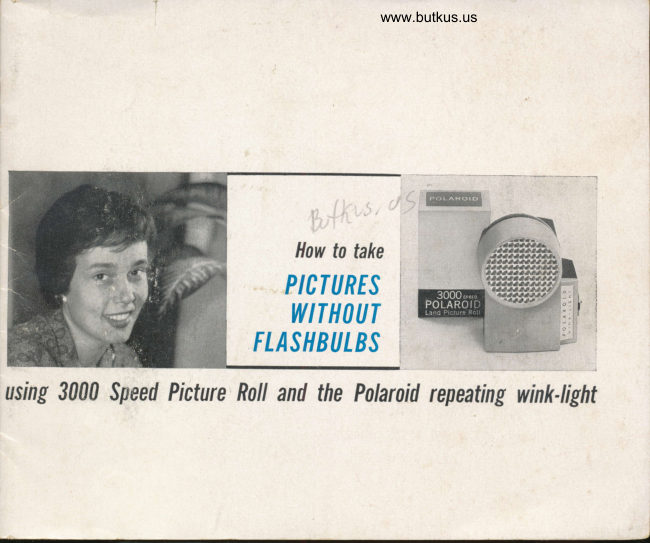
Polaroid 3000 Wink Flash
User manual
13 pages · EnglishRead →
From the M. Butkus archive. Original publisher and archive notices are retained.
Check the model and edition against your equipment.
PDF verified 2026-10-10.