Film cameras
Polaroid GelCam User manual
User manual for Polaroid GelCam. 15 pages in English. Read the original PDF, download or print a copy without registration.
15 pagesEnglish2.4 MB PDF
Loading your manual…Open PDF directly
Document details
- Brand
- Polaroid
- Model / document
- Polaroid GelCam
- Document type
- User manual
- Language
- English
- Pages
- 15
- File size
- 2.4 MB
- Category
- Film cameras
- Document date
- Not specified in catalog
Search available document text
Find a term, then jump to its page in the original PDF. Image-only pages may not be searchable; check the PDF for exact wording and diagrams.
Page 6 · Read text
Polaroid GelGam                              lntroduction
Gontents                              The PolaroidGelCamis an easy-to-use
lntroduction                                   instantphotographicsystemfor photo-
                                          graphingelectrophoresisgel patterns(or
Technicalassistance                                           autoradiograms),stained or fluorescent-
Cameraparts                                 labeled,usingtransilluminatedlight
                                           sources.The cameracan also be used forThe film
                                             other applicationssuch as direct-screen
PolaroidElectrophoresisFilterKit                                CRTphotography.
Accessoryhoods                            Snap-onhoods of varioussizesmake
                                              the cameracompatiblewith a varietyofCameraassembly
                                               gel formats.Each hood has a built-inlens,
Set the exposure                                         ensuringpropermagnificationand sharp
Loadthe film                               focusingof your image.
                                        The camera uses PolaroidinstantMakethe exposure
                                           peel-apartpackfilms, includinghigh-
Processthe film                                       speed black-and-whitefilms, idealfor
Filtration                                    electrophoresisgel recording.Electro-
                                           phoresisfilters,availablein an accessoryPossiblepicturefaults
                                                              kit, allow you to enhancethe detailsin
Careand storageof photographs     1 0                                           your imagesby increasingthe contrast
Warranty                          1 0 yq  in black-and-whiteprints.
                                              Technical assistance                                                   ,  Jd                                                                              lf you ever needadditionalhelp in the use
                          (\J**             of your PolaroidGelCam,or adviceon
                Y             any other photographicproblem,call us,
                                             Mon.-Fri.,8 AM to 8 PM (EasternTime).
                                    From anywherein the U.S.A.,calltoll
      . . :                                           free at 1-800-343-5000.Or, write to the
                                       CustomerCareCenter,Polaroid
                                             Corporation, 201 BurlingtonRoad,
                                           Bedford,MA 01730.From anywherein
                                       Canada,call toll free at 1-800-268-6970.
                                             For assistanceoutsideNorth America,
                                              contactthe nearestPolaroidoffice (see
                                              the back page for a list of offices.)

                                                                               t
View original page 6Page 7 · Read text
The numbers throughout the text refer        The film
    to the illustrations on the fold-out           The GelCamuses Polaroidinstant
   pages at the back of the booklet.              peel-apartpackfilms with a print sizeof
   Camera parts                                31/qx 41/+in. (8.3x 10.8cm). Referto the
                                                                    list below.The instructionspackedwith   Referto picture1A if your GelCamcomes                                                 the film containthe most up-to-dateinfor-   with a hand grip (camerassold within the                                            mation on exposureand processing   U.S.).Referto picture1B if your GelCam
                                                 times. For detailedinformationabout   comes with a cable release(camerassold
                                          eachfilm, contactthe CustomerCare   outsidethe u.s.).
                                            Centeror the Polaroidoffice nearest
a  Door latch                                            you to requesta data sheet.
b  Film tab slot                                                  Time, temperature  and development:
G  Lensaperturecontrol                      The ideal developmenttemperaturefor
d  Shutterspeedcontrol                           allfilmsis about70-75F(21-24C1.When
e  Lens ( 105mm, tl 4.5-f l32l                                        it is much warmer or colder,you may
                                         need to adjustthe developmenttime orT Hood sockets
                                                 the exposure.The adjustmentvariesfromg  Cablereleasesocket                                               type to type; the film instructionscontain
h  Hand-griptrigger                                                               full details.
 T Handgrip                                                      Polaroid  films  for the GelCam:
 i  Cablerelease                                                           . High-speed,coaterless,black-and-white
                                                          film, Type 667
                                                                                          . Positive/negative,black-and-whitefilm,
                                           Type 665
                                                                                          . High-speedblack-and-whitefilm for CRT
                                                recording,Type 084
                                                                                          . Ultra high-speed,high-contrast,
                                              black-and-whitefilm for CRTand
                                              instrumentrecording,Type 612


                     www.orphancameras.com
View original page 7Page 8 · Read text
Polaroid Electrophoresis Filter Kit           Accessory hoods
This filter kit is designedfor use with the        Designedto placethe camerathe correct
GelCamand is availableas an accessory.       distancefrom your subject,specialacces-
The kit containsthe three filters most            sory hoodsare availablein varioussizes
commonlyusedwhen photographing            for specificapplications.The electro-
electrophoresisgels.The filtersare for           phoresishood allows you to frame the
use with black-and-whitefilms only.             gel on the light box or transilluminator,
Eachglass-coveredfilter is in a 40.5mm         blocksout ambientlight,and containsa
threadedmount, to fit the GelCamlens.         supplementarylens to focus the image
                                               properly.The selectedhood should just
                                                                          fit over the gel to ensuremaximum use                       Electrophoresis  gel
                                                    of the image area.For specificationsand
#8 yellow                ELISAstain      recommendationson which hood is
               CoomassieBlue stain       appropriatefor you r electrophoresis
#58 green                    Silver stain       application,contactyour Polaroiddealer.
                SYBRGreenstain      Accessoryhoods are also availablefor
                                            d i rect-screenCRT photography.
#15 orange      EthidiumBromidestain
                                                                           |  15il\
                                                                                       ll   , ]-\-
                               vu


                                                                           t
View original page 8Page 9 · Read text
Camera assembly                            Attach the hood: Selectthe appropriate
Within the U.S.: When sold within the         hood for your application.Placethe hood
U.S.,the GelCamcomeswith a hand grip        againstthe front of the cameraso the
that attachesto the camera base.The            pins on the hood fit into the socketson
hand grip has a built-incablerelease.           the camera(4\.Then reachinsidethe
  The GelCamhand grip screwsinto a         hood and push the buttons (5b) in firmly,
standardtripod socket on the bottom of            to lock the hood to the camera.Takecare
the camera;additionalpins and holes             to avoid touchingthe lens.To removethe
preventit from turning.Align the screw         hood, releasethe buttons (pull them
on the hand grip with the socketon the           gently outward);neverattemptto remove
camera(2) and tighten the ring (2a)             the hood withoutfirst releasingthe pins.
firmly. Then screw the hand-gripcable                                            Set the exposure
releaseinto its socket (3).                                   Move the lever (6c) to align the red
   For some applications,you may prefer                                                indicatorwith the appropriateshutter
to use a separatecable releasein placeof                                          speed.lt should click into position.Never
the hand grip.An optionalcablerelease                                               set the indicatorbetweenshutterspeeds.
is availableas a GelCamaccessory.                                   Move the lever (6d) to placethe pointer
Contactyour Polaroiddealerfor more                                           oppositethe desiredlens aperture.The
information.                                               lens may be set betweenfull aperture
Outside the U.S.: When sold outside            settings.
the U.S.,the GelCamcomeswith a              See page 8 for suggestedaperture
standardcable releasethat screwsinto         and shutterspeedsettingsfor your
the socketat the bottom of the GelCam          application.
lensassembly(s).An optionalhand grip                                                          Filtration'  For black-and-white
with a built-incablereleaseis available         photography,high-contrastimagesof
in selectedmarketsas a GelCamacces-         your electrophoresisgels are essential,
sory. Contactyour Polaroiddealerfor                                       and color filtrationimprovesthe contrast
informationon its availability.                                                    of your black-and-whitegel photographs.
Attach the filter:  Select the filter              For best resultsuse the electrophoresis
appropriatefor you r electrophoresis               filterappropriatefor the staintechnique
application;referto the list on page 3.          you are using.Avoid using acetatefilters
(Forbxposure recommendations,refer          as they can distortthe opticalpath of the
to the section,Filtration,on page 8.)           camera.
Rotatingthe filter clockwise,screw it into
the threadedmount of the GelCamlens.


                                                                                                              f


                   www.orphancameras.com
View original page 9Page 10 · Read text
Load the film                                Grip the end of the film safetycover
Unlatch and open the door:  Pull down          firmly and pull it straight,all the way out
the latchingcover(7e)and open the door.         of the camera(1 1).
  Beforeloadingthe film, checkthat the         When the safety cover is removed, a
steel rollersare clean.Dirt on the rollers         smallwhite tab (119) shouldstickout of
may causea number of pictureproblems,        the slot. lf not, see lr/o leader tab?
such as repeatedspots or bars on               The camera is now loadedand ready
pictures,and jammed film. lf necessary,          for the first exposure.
cleanthe rollersas explainedin Cleaning
                                    Make the exposurethe developer rollers.
                                          Placethe hood over your subject,and  Hold the film pack by the edgesonly.                                        (dependingon the shutter-releasePushthe closedend of the pack in at                                    mechanismyour camerahas)squeezean angle.Then push it down into the                                              the hand-griptrigger (12l.or pressthecamera(8).                                            cable-releasebutton (18-i) to releasethe
  Checkthat the white tabs are free, as                                           sh utter.
shown (9), not caught betweenthe pack                                             Note: Placethe camera hood firmly
and the camera.                                           againstthe light box or transilluminator
Close and latch the door: Hold the door                                                    to preventambient light from reaching
closedand push the latchingcover up                                             the film. When using long exposure
over the end of the camera(1O),so it                                              times, keepthe camerasteady,to ensure
clicksinto position.                                            a sharpimage.                                                                                                                   ,
                                                                       A  The end of the film safetycover (1Of)                                             t"   l'l                                                                        Jmust stickout of the slot. lf it does not,                      Jt''      t t+t  '  wJ't
reopenthe door and straightenthe tab
so that it does.
View original page 10Page 11 · Read text
Process the film                                After the full processingtime, separate
You must pull the film tabs straightout,          the print from the negative,startingat the
to assureproper picturedevelopment.         end nearestthe tab (15).Do not allow the
Hold the cameraas shown while pulling           print to drop back onto the damp
the tabs.                                      negative.See Caution.
                                         See Care and storage of photographsPull the leader tab.' Grasp the white
                                                    for full detailson the careand handlingleadertab and pull it straightout of the
camera(13).A large processingtab (with          of prints and negatives.                            :
arrows)appears(13h). lf no processing         Caution: The Polaroidinstant film
tab appears,follow the instructionsin           processuses a caustic paste.Avoid
No processing tab?                                lettingthe pastecome in contactwith
                                                 skin, eyes and mouth and keep it awayPull the processing tab: Grip the
processingtab in the centerand pull it          from childrenand animals.lf you get
                                    some paste on your skin, wipe  it offstraight,at moderatespeed,without hesi-
tation,all the way out of the camera (14).        immediately and wash with water to
                                             avoid an alkali burn. lf eye or mouthThe pictureis now developing,so start
timing.The recommendedprocessing          contactoccurs,quicklywash the area
                                               with plenty of water and see a doctor.time is specifiedin the film instructions.
                                     Keep discardedmaterialsaway fromDo not disturbthe printwhile the film is
                                              children,animals,clothingand furniture.developing.


                  www.orphancameras.com
View original page 11Page 12 · Read text
No leader tab? Carefully open the door        Do not open the camera.Grip both
 and push the tab out (16).Then closeand        processingtabs firmly, pull them both out
  latchthe door with the tab outside.              together,and discardboth piecesof film.
 No processing tab? Do not pull another        This may causedeveloperto be spread
  leadertab. Instead,do the followingin          aroundthe insideof the camera.Open
 dim light:                                   the door and,without disturbingthe film
. Carefullyopen the door without moving         pack,cleanthe cameraand developer
  the film pack.You can use a fingertipto            rollers.
  hold the packin position(17).                   Cleaning the developer  rollers:  With
. Take hold of the processingtab that failed       both hands,lift the steel loops and
                                      removethe rollerassembly(19).  to come out, and gently pull it all the way
  out of the camera (18) and discardit.             Cleanboth rollerswith a soft, lint-free
                                                    cloth, dampenedwith water if necessary. While the door is open,inspectand clean                                              (2O).Or, hold the rollerassemblyunder  the developerrollersif necessary.Then
                                             clean runningwater. Rotateboth rollers  closeand latchthe door, with the next                                           as you clean and inspectthem. (Notethat  leadertab outside.
                                       one rollersturns more easilythan the
   If you accidentally  pull two leader tabs                                                  other.)Neverscrapethe rollerswith  in a row: You will get two processing
                                             anythingmetallic,nor with your finger-  tabs out at the same time. Both pieces
                                                        nail; do not attemptto disassemblethe  of film will be ruined,and unlessyou are
                                                      rollers.  careful,you may lose a third picture.
                                          Blow out any dust or lint in the back
                                                      of the camera.Then replacethe roller
                                           assembly.Slidethe rollersinto position,
                                            then pushthe steelloopsdown flat (21).
View original page 12Page 13 · Read text
Filtration                                   Warning: The Ethidium Bromide and
As filtersabsorb light, be sure that your       SBYRGreenstaintechniquesrequirethe
gel is properlyilluminated.You must           use of an ultraviolettransilluminator.
compensatefor the use of the filter by           Followthe manufacturer'srecommen-
increasingthe exposuretime or by using        dationsfor safety.When using an ultra-
a wider aperture.Experimentto achieve          violettransilluminator,alwayswear a
the proper exposurefor the light source          fullface shieldand protectivehand
you use and the degreeof contrastyou           gloves.Coverthe exposedareasof
want.                                       the transilluminatorfilterwith foil or
  Use the camera settings below for           somethingsimilarto protectanyone
initialtesting,and make adjustmentsas            in the nearvicinity.
needed.lf your test picturesare too light,         Checkthe shutterand aperture
use a smallerlensaperture(higher              settingsof the camera,positionthe
f-number),or a shorterexposuretime.         cameraonto the hood pins and operate
lf too dark, use a larger lens aperture            the shutterrelease.
(lowerf-number)or a longer exposure          Note: Ultravioletlight generatesa low
time.                                           levelof illumination.Use a high-speed
Note: Using a smallerapertureyields a           film to preservethe depth of field and
greaterdepth of field. Use f/16 whenever       imagesharpness.
possible.                                   Gelsstainedwith ethidium bromide
                                              requirerelativelylong exposuretimes.
                                     Use a cableshutter releaseto minimize
                                              the potentialfor cameramovement.


                            Illumination                                Exposure
EthidiumBromide    UV transillumination(302nm)                 f|16,1/+sec.*
SYBRGreen          UV/whitelight transillumination(2541497nm)     f 116,1/+sec.*
CoomassieBlue       White lighttransillumination(400-700nm)          f 116,1/sosec.*
ELISA              White lighttransillumination(400-700nm)          f 116,1/sosec.*
Silver               White light transillumination(400-700nm)      f116,'r/sosec.*

 *Exposure*,rn", are basedorlFolaroid Type 667 film (lSO 3OOO).Use longer exposuretimes or wider
 aperturesif you use a lower-speedfilm.
                   www.orphancameras.com
View original page 13Page 14 · Read text
Possible picture  faults                   Many small white specks: These are
Repeated white spofs,' Marks like these        a sign that you pulledthe processingtab
are causedby dirt on the steel developer        too swiftly.Try to pull the processingtab
rollers.Inspectthese rollersbefore load-         a little less rapidly.
ing film, and cleanthem if necessary.         Muddy looking  print:  The picture was
Cuftain-shaped  mark or broad streak:           not processedlong enough.Processfilms
lf the processingtab is pulled part-way            for the full time recommendedin the
and then stopped briefly,one of these            instructions.
marks results.When the hesitationoccurs        Very light image or no image at all:
earlyin the pull,a curtain-shapedmark         The film was greatlyoverexposedor it
along the pictureedge occurs.When the        was accidentallyfogged. Be sure your
pull is stoppedabout halfway,you are          exposureis basedon the correctfilm
likelyto get a broad streak.Always pull          speed.Pullingout the safetycover before
the tab out in one uninterruptedmotion.        you put the film packin the camera,or
Oblong in print:  This indicates that you        removingthe film packfrom the camera
did not pull the leadertab all the way out.         after you pull out the safety cover causes
When you pulledthe processingtab, the         the top sheetof film to be fogged.
leadertab was pulled back into the cam-          Nearly black or solid black image:
era,thus spoilingthe picture.Always pull               lf no detailat all is visible,your equip-
the leadertab all the way out.                ment may not be functioning.Have it
Undeveloped edges or corners:                inspected.
Theseare usuallycausedby pulling          UV tubes appear on film: This results if
the processingtab out at an angle.             you forget to use the filter. See Filtration,
This preventsthe developerfrom being        page 8, for recommendations.
spreadevenly over the picture.Always
pull the processingtab straightand
smoothly,all the way out.


                                                                                                                                                                     '  ' t
                                                                            t
View original page 14Page 15 · Read text
Gare and storage of photographs             Warranty
Printsand negativescan be adversely         Your PolaroidGelCamhas beenthor-
affectedby improperstorageor handling.       oughly testedand inspectedbefore
Allow printsto dry thoroughly before           shipment.All parts are guaranteedto
stackingor filing. Treatthe negativesas         be free of defectsin materialsor work-
directedin the film instructions.To            manshipfor one full year from the date
protectimage densityduring storage,            of originalshipment.Duringthis period,
insertprintsand negativesin individual        any such defectswill be remediedby
protectivecovers(as recommended            PolaroidCorporation,without charge,
below)and keepthem in a cool area            except for transportationcosts.To make
(below75"Fl24C)with low relative              returns,packthe unit carefullyin its
humidity.Do not file printsface-to-face          originalshippingcontainerand ship it
or in contactwith conventionally-                to the nearestPolaroidServiceCenter.
processedphotographs,radiographs          (Seethe list of addresseson the back
or xerographiccopies.                       page.)
  For long-termstorage,use seamless          U.S.A. and Canada,' This warranty
envelopesor sleevesmade of acid-free         excludesall incidentaland consequential
paper,celluloseacetate,polyethylene         damages.All expressedor impliedlia-
or polyester.Avoid using glassineenve-            bilityfor this equipmentincludingbut
lopes,unstableplastics(suchas PVC),           not limitedto the impliedwarranty of
ordinaryblackalbum paper,brown Kraft         merchantabilityand fitnessfor a parti-
paper,and cardboard.lf necessary,             cular purposeare limitedin duration
staplesmay be used to attach the storage         to the one-yearwarranty period.
sleeves(not the prints)to documents.          Some statesdo not allow the
                                          exclusionor limitationof incidentalor
                                         consequentialdamagesor the duration
                                                    of impliedwarrantiesso the above
                                               limitationsmay not applyto you. This
                                           warranty gives you specificlegal rights,
                                       and you may also have other rightswhich
                                   may vary from state to state.
                                              Outside the U.S.A, and Canada:
                                            This warrantyexcludes consequential
                                    damagesand does not affectyour
                                                 statutory rights.


                   www.orphancameras.com
View original page 15Related documents and language editions
PolaroidPDF
POLAROID 220
User manual
37 pages · EnglishRead →
PolaroidPDF
POLAROID 350
User manual
53 pages · EnglishRead →
PolaroidPDF
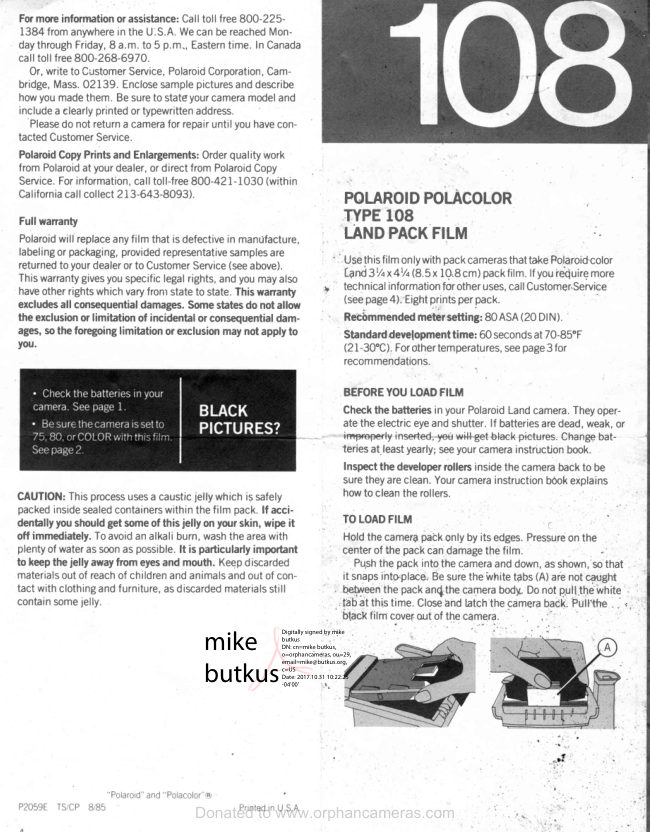
Polaroid 108 film information
User manual
5 pages · EnglishRead →
PolaroidPDF
Polaroid 110A
User manual
30 pages · EnglishRead →
PolaroidPDF
Polaroid 125
User manual
23 pages · EnglishRead →
PolaroidPDF
Polaroid 135
User manual
25 pages · EnglishRead →
PolaroidPDF
Polaroid 210
User manual
27 pages · EnglishRead →
PolaroidPDF
Polaroid 215
User manual
25 pages · EnglishRead →
PolaroidPDF
Polaroid 225
User manual
29 pages · EnglishRead →
PolaroidPDF
Polaroid 230
User manual
28 pages · EnglishRead →
PolaroidPDF
Polaroid 240
User manual
27 pages · EnglishRead →
PolaroidPDF
Polaroid 3000 Wink Flash
User manual
13 pages · EnglishRead →
From the M. Butkus archive. Original publisher and archive notices are retained.
Check the model and edition against your equipment.
PDF verified 2026-10-10.