Film cameras
Voigtlander Vito BR User manual
User manual for Voigtlander Vito BR. 29 pages in English. Read the original PDF, download or print a copy without registration.
29 pagesEnglish2.0 MB PDF
Loading your manual…Open PDF directly
Document details
- Brand
- Voigtländer
- Model / document
- Voigtlander Vito BR
- Document type
- User manual
- Language
- English
- Pages
- 29
- File size
- 2.0 MB
- Category
- Film cameras
- Document date
- Not specified in catalog
Search available document text
Find a term, then jump to its page in the original PDF. Image-only pages may not be searchable; check the PDF for exact wording and diagrams.
Page 4 · Read text
Poge
Coutents Opening the comero ond insertingthe film  24
            Settingthe film counter                   5
            Seiiingihe film speed                     6
          Unloodinglhe cqmero                   7
           Settingshutter,speedsond opertures......   B-.|0
         The ropid winder - ihe double exposurelock  'll
           Releosingthe shutter- the self-timer      12
         The crysiol-cleqrbrillioni-fromefinder . ...   l3
           Settingthe distonce....                  14-15
          Ffoshexposures.                       16-19
          Using filters                            20-21
          Close-upswith supplementorylenses      22
          Apertureond depth of field              2g
          Chongingpoi'tly exposedwww.orphancameras.comfilms .          24
View original page 4Page 5 · Read text
www.orphancameras.comroadingandun[oadingtfiecamera
Stondord 35 mm. minioture film for 24 x 36 mm. negotivesis commerciolly
ovoiloble qs block-ond-whiteos well os colour film in doylighi cossettesof
36 or 20 exposures.
Although lhe cqsseitesore lighi-tight,it is not odvisobleto expose them to
strong light. Moke o point therefore of olwoys looding ond unlooding the
                            comero in fhe shode - even ihe shodow
                                      of your own body will do.

                              Onenins the Bock                                                         I
                                      First lift up the recessedbose plote lotch
                                    (22),ond furn ii ihrough o quorter turn to
                                  the righi. Then fold owoy the bose plote
                                    flop (23)os shownin the illustrolion,ond
                              swing open ihe bock owoy from the body.
View original page 5Page 6 · Read text
Inserting the Cossette)
I  o Pull out o  short length of  the film
   leoder from the cosselte,ond push it
   well into the slit of the toke-upspool (29).
  See illusirotion.
   o Drow the cossetteocrossthe film trock,
   ond insert it in the cossetfechomber(26).
  The shoft (25) of the rewind knob must
   properly engoge ihe cosseffe,otherwise
  you will noi be oble io close ihe cqmercl
   loter on.
   o Now push the reversinglever (5) bock-
  words (mokingthe rewind knob (4)spring
   up), ond keep pulling out the ropid win-
   ding lever (27) until the iilm leqder is
     f irmly rolled round the toke-up spool,
  ond the tronsport sprocket wheel (28)
  engogesthe film perforotions.Then push
   the rewind knob bock ogoin.
                                      www.orphancameras.com                                                 - 3 -
View original page 6Page 7 · Read text
Fefore closing, the www.orphancameras.comlooded
   comero should oppeor os
  shownin the illustrotionon
   the right. The film lies flot
    in the film frock, ond ihe
   ieeih  of   the  tronsport
   sprocket engoge the film
   perforotions.
   Closing the Cqmerq BqckN    First swing down the bock
   ond press ii firmly ogoinst
   the body. Then push the
   bose ploie flop  (23) into
   posiiion,turn the bose plote
    lqtch (22) io  lock  it, ond
    fold down.
     A
View original page 7Page 9 · Read text
Like the film indicoior,www.orphancameras.comthe ASA-DIN film speed window on the comero is on
oid to memory,for the speed of the film looded into the comero is of con-
sideroble importoncein setting the correct operture ond shutier speed (see
poges 8 to 10).
                                                    I   S"uins rhe Film Speed
                                 Fully press in the lever (17),ond iurn the
                                  front milled rim (see whiie orrow) of the
                          combined operture ond film speed ring (6)
                                     until the requiredfilm speed figure oppeors
                                     in the ASA or DIN window (12).Releosethe
                                lever ogoin, ond the front rim is once more
                            coupled with the operture setting ring.
                                                                         lf the film  in use is roted  ot o speed in befween
                                     fwo figures in lhe film speed window,  intermediole
                                          settings ore  olso  possible. For  instonce, with  o
                                              film  of 32 ASA,  let the milled ring engoge between
                                         the figures 25 ond 50.
                                    T
View original page 9Page 10 · Read text
-Unloodins
)
    After the lost frome the exposed film
,  must be rewoundfrom the ioke-up spool
    into the doylight cosseite:
   o Pushthe reversinglever (5) bockwords;
   the rewind knob (4) will spring up into'    iis operofingposition (see illustrotion).
   o Turn the rewind knob in the direction
    of the orrow while observingthe film
   counfer window. The film counter now
   runs bock from No. 1 (the losl exposure).
  When ofter No. 36 or 20 the red letter
   "F".      or the red mork for No. 22 respectively
    is below ihe index mork,the film is fully
   rewound. The cossetiecon then be re-
  moved from the comero.
                                                  - 7 -www.orphancameras.com
View original page 10Page 11 · Read text
www.orphancameras.comSettingSbufirv syteedsand Ayertwes
The correct seitings for exposure.time ond l.ens.operlure-con be estimoted by
experience, or  -  preferobly  -  defermined wifh fhe oid of o photo-electric ex-
posure meter. When you  toke o  reoding, the meter indicofes o  series of
operture-speed combinotions  for  correct  exposure  under  ihe  prevoiling
light  conditions  where  you  intend   to   toke   the   piciure.  From  such
o series you then choose most suitoble operture-speed combinotion for your
subiect, ond set the controls of the VITO BR occordingly
Choose therefore o combinotion with o fost shutter speed for moving subiects
(e. g. children ot ploy, sports shots); for scenes requiring greot depth of field
(such os londscope views) set o combinotion using o smoll operture. For further
defoils see the section on opertures ond depth of field on poge 23.

       Serins  the Speed ond Aperture      I
        First turn the shutier speed setting ring ('17)until the reor tip of the V
       index mork engoges opposite the required shutier speed. Then turn the
       operture ring (6) to sei the opproprioie operture number opposite the A
      index on the shuiter speed ring. The illusirotion on the opened-oui flop
        of  the inside cover poge shows the cqmero set to o combinotion of
       1/oosecond oI  f15.6.
  a
View original page 11Page 12 · Read text
Sefiing the Speed ond Aperture (continued)
In  proctice you moy  occosionolly find  ihot you  wont  to  use o  different
operture-speed combinotion from  thol  originolly chosen. Here the VITO BR
hos the greot odvontoge thot you con set ony  olternotive combinotion by
simply turning the shutter speed setting ring. The effective exposure olwoys
remoins fhe some.
For instonce, offer hoving sef the correct exposure combinotion, you moy
need o foster or slower shutter speed. In thot cose you only need fo turn the
shutter speed setting ring (7) to move the V index to the left or  right to the
desired speed. The corresponding operture figure  is instontly visible obove
the A index ond ot the some time outomoticolly odiusied. This movement of
the shutter speed setting ring thus covers ihe whole ronge of operture-speed
combinotions possible under the given light conditions.
       But please nole: Once you hove set o correct bosic combinotion, ond
       vory the operiure or shutter speed by turning the speed setling ring,
      do not move the double  I index beyond the left hond limit (f122)or lhe
        right hond  limit (f/2.8) of the operture scole. Oiherwise ihe originolly
      determined exposure volue  is chonged ond you would hove to repeot
       lhe estimotion or meosurementof the prevoiling light conditions.
                                                                                                        - 9 -
                                   www.orphancameras.com
View original page 12Page 13 · Read text
Setting the Speed ondwww.orphancameras.comAperture  (continued)
The Prontor SLK-V diophrogm shutter hos o tri-colour speed scole:
c The block figures (l/sooto 1/oosecond) ore sofe speeds for hond-held shois.
e The yellow figures (1/soio 1 second) ore similorly speeds which ore timed
outomoticolly by the shutter. Here, however, o  firm support for  ihe comero
(e.g.o  tripod, toble, etc.) is desiroble during the exposure.
                  "8"r At  the green      setting pressing the releose buffon (9) keeps the shutter                                                     "B"open for os long os the releose is depressed. (The     setfigg corresponds to
on exposure of 2 seconds in the sequence of the shutter speed scole).
o The green figures (4 to 60 seconds) ore no longer exposures timed by ihe
shutter. They ore only intended for colculoting the exposure times when the                            "B"shufier speed ring is sei to      oi fhe limit of  its movement, but the operture
scole would  still permit furiher operture-time combinotions for poor lighting
conditions. With such exposures remember olwoys to set the operture figure
opposite ihe green exposure time chosen, to the A index by turning bock the
opci^ture ring  (6).
The flosh synchronizotionond olso lhe self-iimerore set by the synchronizinglever (14).
For oll exposureswithout flosh ond wiihout the self-timerit  is immoteriolwhether the
synchronizinglever is set to M or to X.
- l 0 -
View original page 13Page 14 · Read text
One  full movement of the ropid winding         Tensioningthe Shutter                                                                                 Ilever (27) os  for os   it  will  go tensions
the shutter, ond odvonces ihe  film ond
film counier. The lever then flies bock inio
its originol position.

Operotion of the ropid winding lever is
of course olso possible by severol short
movements.In thot cose keep pulling out
the lever until  it blocks. An  ouiomotic
locking mechonism prevents operotion of
the ropid winding lever ogoin  until the
shutter hos been  releosed; conversely,
the  shutter con  only be  releosed ofier
operoting the ropid winding lever.
This preventsdoubleexposuresos well os blonk
fromes. lf  the comero is empty, the ropid
winding lever movesfreely without tensioning
the shutter.
                                                  - i l -                                   www.orphancameras.com
View original page 14Page 15 · Read text
Releosing the Shutter www.orphancameras.comI   For hond-held shots hold the comero quite steody,ond smoothlybut firmly
   depress the releose button (9). Never ierk  it. For slow shutterspeeds(longer
   thon 1/sosecond), support the comerq rigidly during the exposure(e. g. on o
    iripod or o toble), ond releose by meons of o coble releose;ihis screwsinto
    the releose button (9).
                                rn" setf-rimer                                              I
                           When  you  hove  set the  correct operf ure-
                                speed combinotion ond  fhe  distonce (see
                                poge 14), tension the shutter (see poge 15),
                                ond set the synchronizing lever (.|4) to the
                                                   "V"                                  green letter     (see illustrotion). On  pres-
                                    sing ihe releose, the shutter will now open
                                 on its own ofter o deloy of obout 8 seconds,
                                    while the synchronizing lever outomoticolly
                                                    "V"     "Xo.                                      returns from        io      Do  not use self-
                                                                         "B".                                     timer when the shutter is set to
                                               - 12-
View original page 15Page 16 · Read text
The Crystal-CleorBrilliqnt-frqmeFinder
    This reolly uniquefinder not only shows
'.   the subiectin full noturol size, but you
I   con olso keep lhe other eye open ond
    thus observe ihe surroundingsof  the!
    subiectos well. This is o speciol ossetI
a  when toking condid oction shots. The
    morvellousbrilliont imoge frome cleorly
    outlinesthe exoct field of view.
    Note thot wiih neor sublectsot obout
    3 feet from ihe comero the field of view
     in fhe finder is disploceddownwordsor
    sidewoys, occording to  whether ihe
   comero is held horizontollyor upright.
    This is indicotedby the two short morks
     in ihe crystol-cleorbrilliont frome (see
    illustrotionoverleof).
                                                        - 1 3 -
                                        www.orphancameras.com
View original page 16Page 17 · Read text
www.orphancameras.comSefiingt[1eDistance
                 is porticulorly eosy with the VITO BR:

               In the centre of  the crystol-cleor brilliont-
           frome finder you con see the bright circulor
            rongefinder field. As long os the rongefinder
                 is not correctly focused on the subiect, the
               lotter oppeors with double outlines in the
            rongefinder field (see iop illustrotion).
           Turn the lens focusing mount (1) io fuse the
            double outlines in the rongefinder field inio
            one. This sels the lens exocily to the meosured
            distonce (see bottom illustrotion).
            With  horizontql  shots, focus olwoys on ver-
                 ticol outlines; wilh upright shols use horizon-
                 tql  lines of the subiect.
                     - 1 4 -
View original page 17Page 18 · Read text
Zone FocusingI
   Condid  oclion  shots  (for  inslonce of
    children ot ploy) often yield surprisingly
    live pictures. On  such occosions don't
    bother to set the exqct distonce. Insteod,
    set the distonce scole to neor zone mork
       f   for sub[ects befween I  ond 17 feet,
   ond  io  the for zone mork Q  for sub-
    iecls between  l6  feet ond  infinity. You
   musl, however,  stop down  to  of  leosl
    f/5.6 (morked in red) to ensure odequole
   depth of field.
   Provided the lighf is good enough, these
'
   focusing zones  ore  very  useful when
   photogrophing sports, os there the subiect
   distonces moy chonge very suddenly.
                                                - t 5 -
                                       www.orphancameras.com
View original page 18Page 19 · Read text
ilashshorc
The PRONTOR SLK-V shutter permits syn-
chronized flosh shots up to the fostest shutfer
speed of 1/soosecond with ony flosh gun or
electronic flosh unit on the morket.

Pleqse Note:
With block-ond-whitefilm the fiosh (cleor or
blue bulbs, or  electronic flosh) con either
be used on  its own , or combined with doy-
light or with ortificiol light sources such os
tungsten lomps.
When  using o   f losh for  cofou r-f i lms (orti-
ficiol- ond  doy-lighf) we  recommend to
observe exoctly the instructions for use of
these films. In cose of doubt pleose contoct
your photo-deoler.
- t 6 -
View original page 19
Page 20 · Read text
Smoll  light-weight units such os  the         Mounting the Flqsh GunVoigtlcinder flosh  gun  con  be  fitted     I  on the Cqmerq
directly into the occessory shoe (10) of
the comero (see illustrotion on the left).
Lorger flosh guns or the flosh holders of
electronic  f losh  outf its  ore  generolly
fitted olongside the comero with the oid
of o speciol brqcket.

The flosh coble completes the  electric
                 'thecircuit befween           f losh unit ond  the
comero shutter. Push the  plug  of  the
flosh coble into the flosh socket (21), os
s h o w n  i n  t h e   i l l u s t r o t i o n .

Worning: Never use the shutter contoct to
fire flosh bulbs from the normol tl0  or 220
volt moins.
                             -17 -
View original page 20Page 21 · Read text
SeninS the Shutter ondwww.orphancameras.comApertureI
   Floshbulbs ond electronicflosh units differ in their chorocteristicssuch os the
    firing deloy ond light ouiput; ihe toble oppositeclossifiesthem in severol
   groups.To ensurethot the peok bri'ghtnessof every iype of flosh co-incides
   with the instont when the shufter is fully open, theie ore two kinds of   synchronizotion:"M" ond ,,X,,.
    Pgl"t-"_lo!.i!,g,o flosh shot therefore move ihe synchronizinglever ('14)of the  PRONTORsLK-v shufterto the yellow dot morked "M" or tf,e red doi'morked
          required.              You        gt                   con then                          useoll                                    the types                                                  of flosh                                            ond oll the                                                              shutter                                                          speeds     lI",                                "M"                                            "X"   listed           in           the toble                   opposite                          under                                 ond                                                 respectively.                                                        Note:                                                             For                                                                         flosh
   shotswith the self-iimer(with ihe synchronizinglevei set to ihe green dot "V")
   use only the shutier speedslisted in the toble under ,,X,,.
  The lens operfure required for correct exposure con be obtoined from ihe
   so-calledguide number.This is usuollyquoted on ihe flosh bulb pockingor
    in the leofletsissuedby the mokersof the bulb or elecironicfloih unii. To
   find the correctoperture,divide the opproprioteguide numberby the distonce
    in feet betweenthe flosh ond the subiect.ln shoit: Aperture :  guide number
    *  dislqnce.
    - 1 8 -
View original page 21Page 23 · Read text
voigtliinderEiherswww.orphancameras.com
ore mode of speclroscopicollytesied gloss, dyed in the moss, ond hord cooted
(32 mm. diomeier). The filier foctors given below qre opproximote volues, os
they necessorily depend on the color sensitivity of the block-ond-white film
u s e d , o n d o n  t h e  l i g h i c o n d i t i o n sp r e v o i l i n g o f  t h e  i i m e o f  t h e e x p o s u r e .
Yellowfilter G 1,5x      Slighi  filtering  effect  for  outdoor  shots  requir.ing short
                          exposure time!, such os  sports ond  ocfion  subiects, ond
                              picfures with low sun.
                                 Filter foctor:'11lz times.
Yellowfilter G3x       Universol filter  for londscopes ond other outdoor subiects:
                            indispensoble for snow pictures.
                                  Filter foctor: 3 times,
Greenfilter   Gr 4x      Lightens green tones in londscopes. Recommendedfor  ortifi-
                                   ciol  light  portroiture ond  copying  of  coloured  originols.
                                   Filier foctor: 4  times.
Oronge filter  Or 5 x      Strong filter effects by consideroble suppressionof blue light.                        Reduces oimosperic hoze in distont views.
                                 Filter foctor:5  times.
Ultrq-violetfilter UV      Cuts out  ultro-violet rodiotion  in  high mountoins or  neor
                               lhe  seo. Eliminotes disturbing blue costs in  colour  shots.
                            Requires no exposure increose.
-20 -
View original page 23Page 24 · Read text
I   I   Sefiing lhe  Filter Fqctors
    The use of ony  filter (other thon the ultro-violet filter) during the exposure
      requires o certoin odiustment of the exposure setting. With  the VITO BR you
;    con corry out thoi odiustment on the shutter with the oid of the dot divisions
      (2) of fhe side of the operture setting ring (6).You set the dot divisions opposite
     the  I mork on the depth of field scole (11).
,t    ExompleinA:theFordireciiono foctor ofof thel1lzorrow.times iurnFor theo foctoropertureof 3ringtimesto movethe lefiit byby holfone-ond-o-holfo divisionF              divisions, for o foctor of 4 times by two  divisions, ond for o focfor of 5 times
             by  fwo-ond-o-holf divisions.  In  every cose you  therefore odiust the  operture
               settino occordinq to  the  filter  foctor required.
                         lf hoiever  the dperture-speed combinotion hos reoched the  limit of f12.8 on the
             operture scole, you hove'to odjust the shutier speed occording to the required
                 filter foctor, while lurning the operture ring. Note: when setting holf divisions,
             olwoys sef the shutter to the next longer exposure iime first.
t*    ExompfefoctorB:  lf osthe follows:operture-speedcombinotion obtcined  is  i second ot f12.8,set the filter
T            For o foclor of l1/z times odvonce the operture setiing ring by one whole division
                                                                                    2 seconds.                 (to "B"  ot  112.8\,then turn bock by  holf o  division ond expose for "B"             For o foctor of 3 times odvonce ihe operture ring by one division (to      oI f12.8),
                                                             "B"         Foro rocroror 4 rimes:i9";X5i'n""lL,lr;:';13''0, on" division(ro   ot 12.8),
                                ond expose for 4 seconds.
             For o foctor of 5 times odvonc6 the operfure ring by one division (to "8" ot fl2.8l,
                                ond expose for 6 seconds.
                                                                                                  - 2 1 -
                                        www.orphancameras.com
View original page 24Page 25 · Read text
C[ose-u'yts witfi nr oxiyneterwww.orphancameras.com
Lorge-scole views  of  obiects  ond
onimols,  or   full - frome  copies  of
pictures ond  documenis, which ore
porticulorly foscinoiing ond interesting
subiects,ore mode reolly simple with
the Voigtlcinder Proximeter.
The speciol odvontoge of  this ideol
close-up oitochment is, thot  it permits
hond-held close-up shots  wif h  the
comero instontly reody for oction - on
imporiont point with  live or  ropidly
moving subiects.At the some time ihe
viewfinder porollox ot close distonces
i s q u t o m o t i c o l l y e l i m i n o t e d ,o n d   l e n s
ond rongefinder qs result ore coupled
os some os in fhe normol zone from
3 feet to infinity.
- 2 2 -
View original page 25
Related documents and language editions
VoigtländerPDF
Voigtlander Vito Automatic
User manual
25 pages · EnglishRead →
VoigtländerPDF
Voigtlander Vito B
User manual
37 pages · EnglishRead →
VoigtländerPDF
Voigtlander Vito BL
User manual
38 pages · EnglishRead →
VoigtländerPDF
Voigtlander Vito C
User manual
20 pages · EnglishRead →
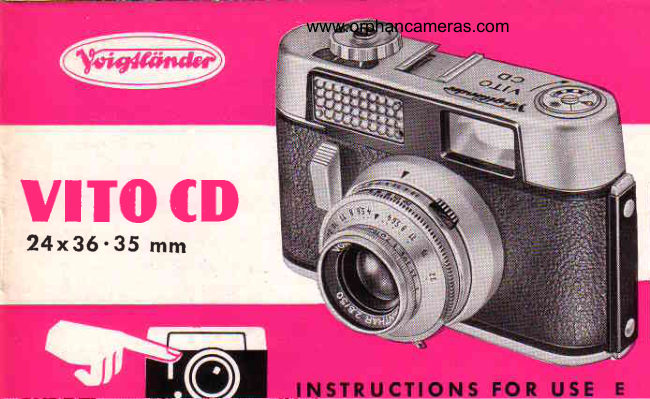
VoigtländerPDF
Voigtlander Vito CD
User manual
21 pages · EnglishRead →
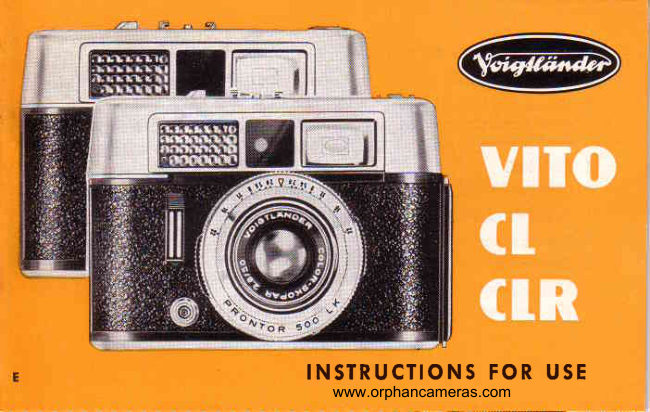
VoigtländerPDF
Voigtlander Vito CL_CLR
User manual
26 pages · EnglishRead →
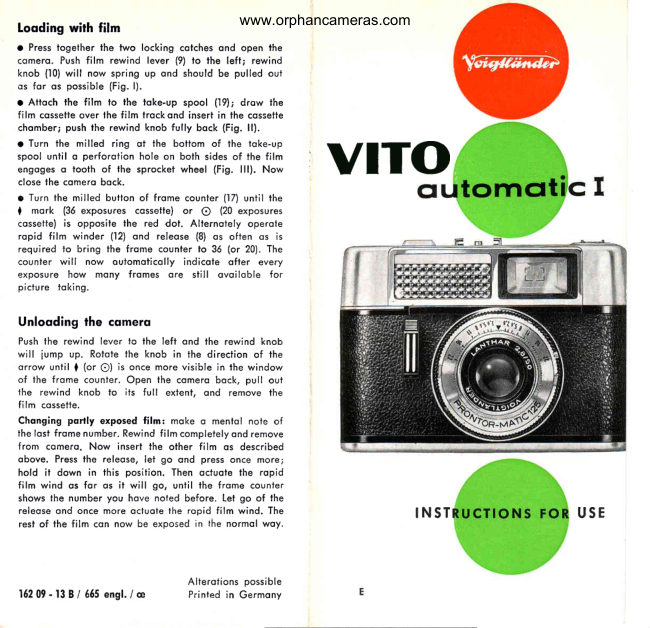
VoigtländerPDF
Voigtlander Vito automatic I
User manual
5 pages · EnglishRead →
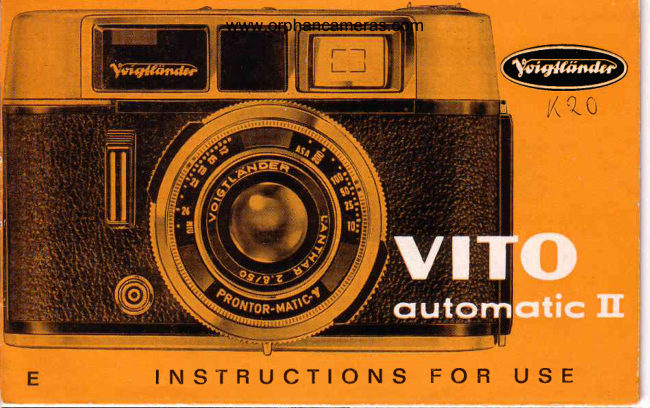
VoigtländerPDF
Voigtlander Vito automatic II
User manual
22 pages · EnglishRead →
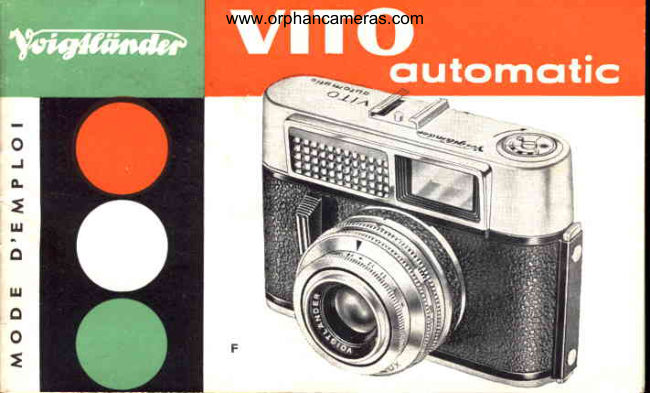
VoigtländerPDF
Voigtlander VITO Automatic
User manual
18 pages · FrenchRead →
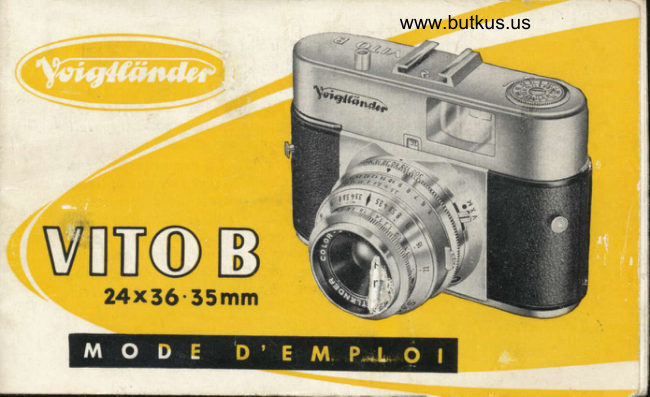
VoigtländerPDF
Voigtlander Vito B
User manual
33 pages · FrenchRead →
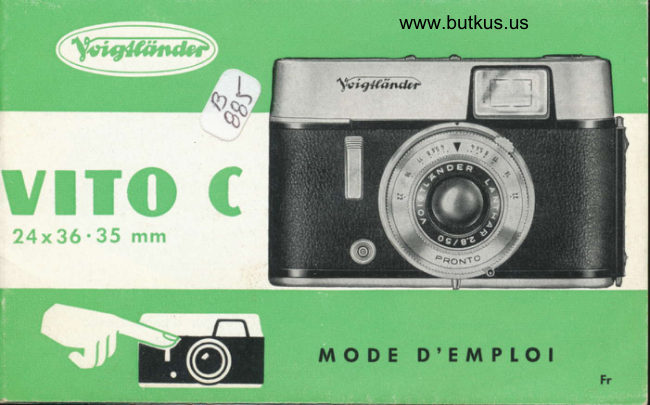
VoigtländerPDF
Voigtlander Vito C
User manual
24 pages · FrenchRead →
VoigtländerPDF
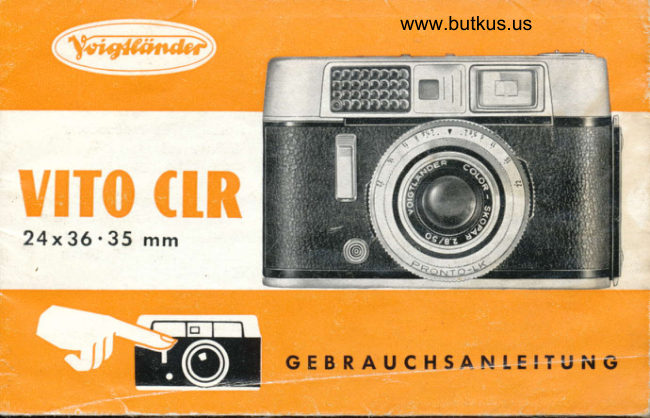
Voigtlander CLR Gevrauchsanleitung
User manual
29 pages · GermanRead →
From the M. Butkus archive. Original publisher and archive notices are retained.
Check the model and edition against your equipment.
PDF verified 2026-10-10.