Film cameras
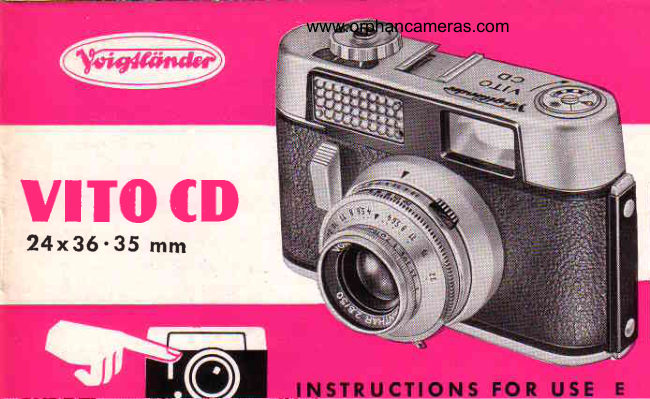
Voigtlander Vito CD User manual
User manual for Voigtlander Vito CD. 21 pages in English. Read the original PDF, download or print a copy without registration.
21 pagesEnglish1.6 MB PDF
Loading your manual…Open PDF directly
Document details
- Brand
- Voigtländer
- Model / document
- Voigtlander Vito CD
- Document type
- User manual
- Language
- English
- Pages
- 21
- File size
- 1.6 MB
- Category
- Film cameras
- Document date
- Not specified in catalog
Search available document text
Find a term, then jump to its page in the original PDF. Image-only pages may not be searchable; check the PDF for exact wording and diagrams.
Page 5 · Read text
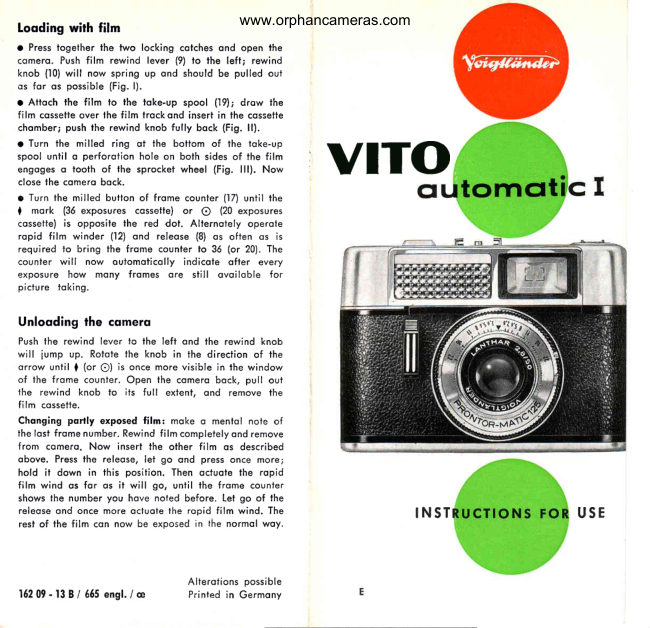
Getting   the Camera  Reodf     .  .  . with  Every New  Film
I  S"iling the film speed-  Turn the settingcontrol (k) on the exposuremeter (see
  poge 4) to the leff or right until the film speedfigure is oppositethe block
  index mork on the oppropriotescole.For exomple,sei it to 32,corresponding
   to 32 ASA; or lo 17, correspondingto 17 degreesDlN.
      I   This film speed setting is essentiol lo ensure correci exposures with the outomotic
      I   exposure conlrol.
I  tnserting the film  -  Press together the locking cotches (5) ond open the
  comerobock. Pushthe film reversinglever (2.|)to the left. The rewind knob
   (20)springsup; pull it out fully (seeillustrotionlll).
  Pushthe beginningof the film into the slit of the toke-upspool ond onchor
     it to the hook (24ond 28) by o perforotionhole. Drow the cosseiteocrossthe
   film trock,insertin the cossettechomber,o.ndfully pushbock the rewindknob.
  The rewind shoft (25)must engogethe centrespool of ihe cossette,ond ihe
  sprocketof the ironsportshoft (27)should engogethe film perforotion(see
   illustrotionlV). Closethe comerobock.
    - 2 -
View original page 5Page 6 · Read text
www.orphancameras.comIr     f Settingrhe film counter-  Turn'{he milled button (15)
         until lhe diqmondI mork (for o 36-exposurecossette-
         illustrotiono) or the O mork (with o 20-exposurecossette
            -   illustrotionc) is opposite the red dot. Alternotely
       operote ihe ropid winding lever ond the releoseuntil
        ihe film counterindicqtesNo. 36 (illustrotionb) or No. 20
         (illustrofiond) for the first exposure.
      From this point onwordsthe film counteroulomoticolly
      showslhe numberof sholsstill ovoilobleevery time the
         film is odvonced.In other words, it runs bockwordslo
      N o . l .
       The Film lndicotor     I             is intended to remind you of the type of film you hove looded
             in lhe comero  -    it hos no effect on the exposure. Set it before
                     lTH          i^"iJ1i[ililIif,[ffi    [:tH                        :'#i":Linfi                                              ffi                                                  colour film.         cofour film;                   ond €       :   ortificiol light type                                                                                                                                                    \      4U         L
                                                     "     \ftjd
View original page 6Page 8 · Read text
www.orphancameras.com
I'  Toting lhe meler reoding -  Turn the milled ring (f) -  preferobly with the  thumbfrom behind-  to line up both pointersin the window (e).Do ihis while
   pointing the comero oi the subiect.For speciol hints see poges 12 to 13.
      The exposure meter does nol cover brightness ronges in which the pointers connol
      be lined up becouse of insufficient or too intense light.
)'  Sefiingthe exposure-  Reodoff the exposurevolue figure obtoined (or inter-  medioJevolue)in the window (g).Setthisvolue on the red scoleof the ring (c),
  by pressingin the lever (4) ond rototing ihe scole ring (c) ond ihe shutter
  speedring (o) ogoinsteocholher os for os required.
      The operture-speed combinotion  octuolly set by  this operotion  is now  visible
       opposite the index (d).  lf your subiect colls for o different combinotion, turn the
       shutter speed ring to the left or right until the required speed or operture engoges
       opposite the triongulor  l,  mork.
   Exposure times from  llzst lo rho second ore timed  outomoticolly  by the shutter.
  When sei to B, the shutterremoinsopen os long os you keep ihe releose
  depressed.A cqble releosecon be screwedinto the socket(12).
                                                                                                                    - 5 -
View original page 8Page 9 · Read text
Simpfe  Dislsnce Seffings
ln oddition to the ocluol djstoncefigures,the distoncescole (1) olso corries
the following red symbolsfor eosy3-poinisettings:
            o = PORTRAITS-   sublectdistqnce 4t/qfeet
          V  = GROUPS  -   subiectdistoncell feet
              = VIEWS      -   subiectdistonce33feet        O
Accordingto your subiect,sei the distoncescolesimplyfo one of thesethree
symbols.This gives you, omong others;the following depth of field zones:
Aperture I     o (41lrfeet)                    [  (11 feet)     I   o (3ileeil_
    f /5.6          3'/t to 5    ft.           8r/r lo 161/rtt.      l,     16rt.,ft.to oo
   flB          3r/, lo 51/ett.         7t/z to 23    ft.    1    13t/zft. to oo
    f /11         3t/t +o 6   ft.          61/z lo 40    ft.           l0    ft. to oo                                                                                                                i
You con of course set individuol subiect dislonces on the distonce scole. Here the
occessoryVoigtldnder rongefinder is o greof help.
- 5  -
View original page 9Page 10 · Read text
www.orphancameras.com

Aperlure   clnd Depth  of  Field
The depth of field zone dependson the operturesetting,ond coversthot pori
of the subiectqreo in front of, ond behind,the focuseddistonce,which is
reproducedon ihe film with occeptobleshorpness.Note thot:
       lorge operlures(e.g.t2.8) yield limited deprh of field;
       smoll opertures(e.g. fil6)  yield greoter depth of field.
Reodingoff the depth of field -  After seiting the distonce,hold ihe comero
in such o wqy thot you con see lhe operturefigures on the depth of field
scole (2) oi lhe some time os the distoncescole (l). The depth of field zone
now extendsfrom lhe distqncefigure obove ony given left-hondoperture
numberto the distoncefigure obove the correspondingoperturenumberto
the right of the A mork.
                                                                                                               - 7   -
View original page 10Page 11 · Read text
Shoofing.     . . Frome by Frqme
The Voigfliindercryslol-fromeviewfinder-The  brilliont reflected-fromefinder
systemshowsyou the subieclin noturol size.When sightingyou con therefore
keep both eyes open ond hove o cleor view over the surroundingsof the
subiectqs well.
    Pleose note: with subiects ol obout Jr1, Ieel the  limits of the field  of view ore
    disploced downwords or sidewoys (occording to whether you  hold  the comero
     horizontolly  or  upright) os shown by the iwo  short lines on the reflected imoge
     fro me.
Releosing-  Alwoys pressthe releosegenily ond smoothly-  never lerk it os
thot would produceblurredpictures.
The ropid winding lever -  After every shot pull out the lever os for qs it will
go (with one full stroke or severol short ones).This iensionsihe shutter,
odvoncesthe film, ond odvoncesthe film counter.An outomoticlock prevenis
operotiono secondtime before you hove mode on exposure.Also, you con
only releoseihe shutierofier working the ropid winding lever.
- 8  -
View original page 11Page 12 · Read text
www.orphancameras.com

   Unloading   the Comero    .  .  . ofter  ihe  losf Exposure
I  Rewindingond removingrhe film -  Pushthe reversinglever to the teft, teiling
  the rewind knob iump up. Turn the knob in the direciionof the orrow until
  the I or the O mork reoppeqrsin the film counterwindow. Then open lhe
  comerobock,fully pull out the rewind knob, ond removeihe cossette.
  Changing   Partly  Exposed   Films
  With the VITO CD you con olwoysremoveo porily exposedfilm in the middle
  ond chongeit for onotherone (for instonceto switch over from blqck-qnd-
  white fo colourfilm).
I '  Remember -   or, beiler  still, moke o nole of  -   the number of the lost exposed frome,
   ond rewind the portly exposed film  into  its cossette. When relooding  this film  loter on,
   proceed os olreody described up to the point of setting the film counter to the  I mork.
  Then press the releose, let go, press down ogoin, ond hold  it down  in this position.
  Keep on pulling out the ropid winding lever os for os  it will qo, until the film counter
   ogoin indicoles lhe number of lhe frome you noted before. Now  let go of the releose,
   work the ropid winding lever once more, ond corry on shooting.
                                                                                                                   - 9 -
View original page 12Page 13 · Read text
The Seff-Timer
Onceyou hove set the exposure(shutterspeedond operture)ond the distonce,
ond tensionedthe shutter,pull the smoll red lever (14)sidewoysos for os il
will go. On pressingthe releose,the exposurenow tqkesploce oulomoticolly
ofter o deloy of qbout ten seconds.You thereforehove iime to toke your
ploce quickly in front of the comero.Do nol, however,use the self-timerwith
the shutter set to B.

Synchronized   Flash Shofs
Smoll light-weightflosh guns con be mounteddirectlyin the occessoryshoe
on top of the comero.Lorgerguns or the lomp holdersof electronicflosh
unitsqre generollymountedto one side of the comerowith o speciolbrocket.
The flosh coble completesthe electriccircuit; it plugs into the flosh socket
(,|1)on ihe shutter.
The shuiter hos only one synchronizing setting: X. For flosh shots (with or without
the self-timer) you must therefore use only lhe shutter speeds shown in the toble
opposite.
-  t 0 -
View original page 13
Page 15 · Read text
Meler Reodings  .  .  . in o Nutshell
                                            Generolly you get o  relioble exposure
                                                 setting by pointing lhe exposure meler
                                                  stroight ot the subiect from the comero
                                                     posilion.  This so-colled  reflected  light
                                       meosurementis suiloble for  oll overoge
                                                conditions without excessive conlrosts of
                                                           lig h t o n d sh o d e .
                                          Out  of  doors  -  especiolly with open
                                           views  -    it  is odvisoble to  poini  the
                                       comero slightly downwords os the bright
                                              sky  reflects  for  more  light  thon  the
                                                ociuol  subiect. Exceptions ore  cloud
                                              studies wilh figures, buildings, or other
                                            londscope feolures deliberotely  render-
                                          ed os silhoueiles; olso beoch ond snow
                                             scenes.
- 1 2 -
View original page 15Page 16 · Read text
www.orphancameras.com


                                            ln some coses o more occuroie woy  of
                                   toking reflected light reodings is neces-A,s /                         sory, nomely close-up reodings. This \f^/ @Pls-             moy orise with  bright obiecis ogoinst
                               t               o dork bockground, wilh close-ups with
                                    lhe oid of Focor lenses,ond with neorly
                                              oll ,picfures of  people, especiolly por-
                                          troits.

                                 For o close-up reoding go neor enough
                                        to the subiect lo loke in only lhe porls
                                     thot  reolly  motter. Toke core  not  lo
                                     cosl o shodow over the oreo which you
                                ore meosuring.


                                                                                             - 1 3 -
View original page 16Page 18 · Read text
www.orphancameras.com
Using the Focqr Lenses
Setting the dislonce -   Bring the comero (preferobly mounted on o tripod) close to the
subiect until the  lotter oppeors in the desired size in the finder. Then  fit the cor-
responding Focor lens, or both lenses (No.  I ond 2) together, in front of the comero
lens -  occording to the subiect distonce involved (see columns  ll  to  lV  in the toble
opposite).
Next meosure the exoct distonce from the front of the lens to the centre of lhe subiect.
Look up  this disfonce in columns  ll  to  lV, ond troce ocross to column   I  find  the
necessorydisionce scole setling on the comero. Set the focusing mounl to this figure.
Aperlure ond depth  of  field  -  To obtoin  sufficient depth  of  field, stop down  to  ot
leost f/5.6 or  f/8. When copying documents even f/ll  or fl16 is odvisoble.
The finder imoge  -   Insert the PROXIRECTinto the occessory shoe of the comero so
ihot the unit  is in front of the finder window. Then set the front ond the reor scole
rings to the distonce corresponding to the exoct subject distonce. This now gives you
o porollox-free finder imogg. The slight dorkening in lhe corners of the finder imoge,
due to the round shope of the PROXIRECT,does nol, of course, oppeor in the picture.
Exposure -  The exposure is virtuolly  not offected by the Focor lenses. Filters should
bs mounted  in front  of the Focor lens (remember to ollow  for  the  filter  focior).
                                                                                                - t 5 -
View original page 18Page 19 · Read text
Voigtliinder     Filters
ore hord cootedond corry o 32 mm. dio. push-onmount.Everyfilter (except
for the ultro-violeifilier) needssome extro exposure.The exposureincreose
 in the form of o filfer foctor,is morkedon the filter, e.g.4x (exposurewithout.
filter 1/tzssecond-  with filier r/:o second).
Yellowfilter G l.5x  Slightfilteringeffectfor outdoorshots.t:l"n,,"eldeolfor sportsond                 Ff;[?",:'.?#io'.811ts''..':;:'"*,'il:'3N, byr/2stop.
Yellow   filter  G 3 x     Universol  filter  for  londscopes ond  other outdoor  subiects;
                        indispensoble for snow pictJres.
                              Filter foctor: 3 x, or open the operture by 1172stops.
Green  filter   Gr4x     Lightens green tones in londscopes. Recommendedfor  ortifi-
                            c i o l  lig h t p o rtro itu re o n d  fo r' co p yin g  colour ed or iqinols.
                              Filter foctor: 4x, or open the opertuie by 2 stops.
Oronse filter Or 5 x                     dromoticeffecis.Reducesotmospheric
                           ip:l|1   d.trh"?lX?"1.r:
                                     -   Filter foctor:5x,   or open the lens operture by 2112 stops.
Ultrq-violet    filter  UV   Culs out ultro-violet rodiotion  in hiqh mountoins or neor fhe
                          seo. Eliminote.sunpleosont blue.costs in colour shots. Requires
                       no exposure Increose.
- t 6 -
View original page 19Page 20 · Read text
www.orphancameras.com


17  Viewf inder eyepiece             24 Toke-up spool with hook for
                                           ottoching the film leoder
18  Film trqck
                               25 Shqft of rewind knob
t 9  Cqssette chomber                            to engoge the cossettespool
20  Rewind knob  fully extended       26 Rewind knob
                                     pushed into comero body
21  Film reversing lever
                               27 Sprocket of fronsport shqft
22  Ropid winding lever for tensioning      engoged in the  f ilm perforotions
    the shutter ond odvoncing the film
                                    28  Film leqder
23  Film tronsport shofl                       fixed to the toke-up spool


          You con lood the VITO CD with  oll mokes of film on lhe morkel,
           wherever you moy buy  it. Stondord doylight cosselfes of perforoled
          35 mm. minioture film yield 36 or 20 exposvres24 x36 mm. qnd qre
            qvqilqble   in  blqck-qnd-whiie  os  weli  qs  colour  negotive  ond
            colour reversql film  (for tronsporencies).


                                 Mffi


                                                                                                                                              ' +i::#rlli;."i.i:..i*inii+liilii:ll:it.::iil.ii:tiiixtiiiiiaii#lliiil*ixililii::H                                             | | lustrotion lV
View original page 20Related documents and language editions
VoigtländerPDF
Voigtlander Vito Automatic
User manual
25 pages · EnglishRead →
VoigtländerPDF
Voigtlander Vito B
User manual
37 pages · EnglishRead →
VoigtländerPDF
Voigtlander Vito BL
User manual
38 pages · EnglishRead →
VoigtländerPDF
Voigtlander Vito BR
User manual
29 pages · EnglishRead →
VoigtländerPDF
Voigtlander Vito C
User manual
20 pages · EnglishRead →
VoigtländerPDF
Voigtlander Vito CL_CLR
User manual
26 pages · EnglishRead →
VoigtländerPDF
Voigtlander Vito automatic I
User manual
5 pages · EnglishRead →
VoigtländerPDF
Voigtlander Vito automatic II
User manual
22 pages · EnglishRead →
VoigtländerPDF
Voigtlander VITO Automatic
User manual
18 pages · FrenchRead →
VoigtländerPDF
Voigtlander Vito B
User manual
33 pages · FrenchRead →
VoigtländerPDF
Voigtlander Vito C
User manual
24 pages · FrenchRead →
VoigtländerPDF
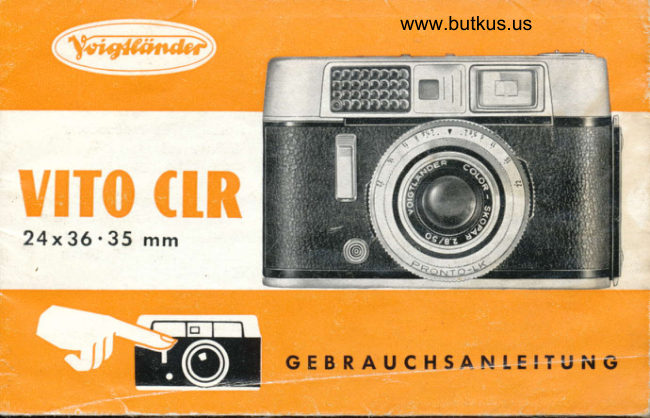
Voigtlander CLR Gevrauchsanleitung
User manual
29 pages · GermanRead →
From the M. Butkus archive. Original publisher and archive notices are retained.
Check the model and edition against your equipment.
PDF verified 2026-10-10.